Multi-Omics Integration Mastery: A Comprehensive Guide to Preprocessing Techniques for Robust Biological Discovery
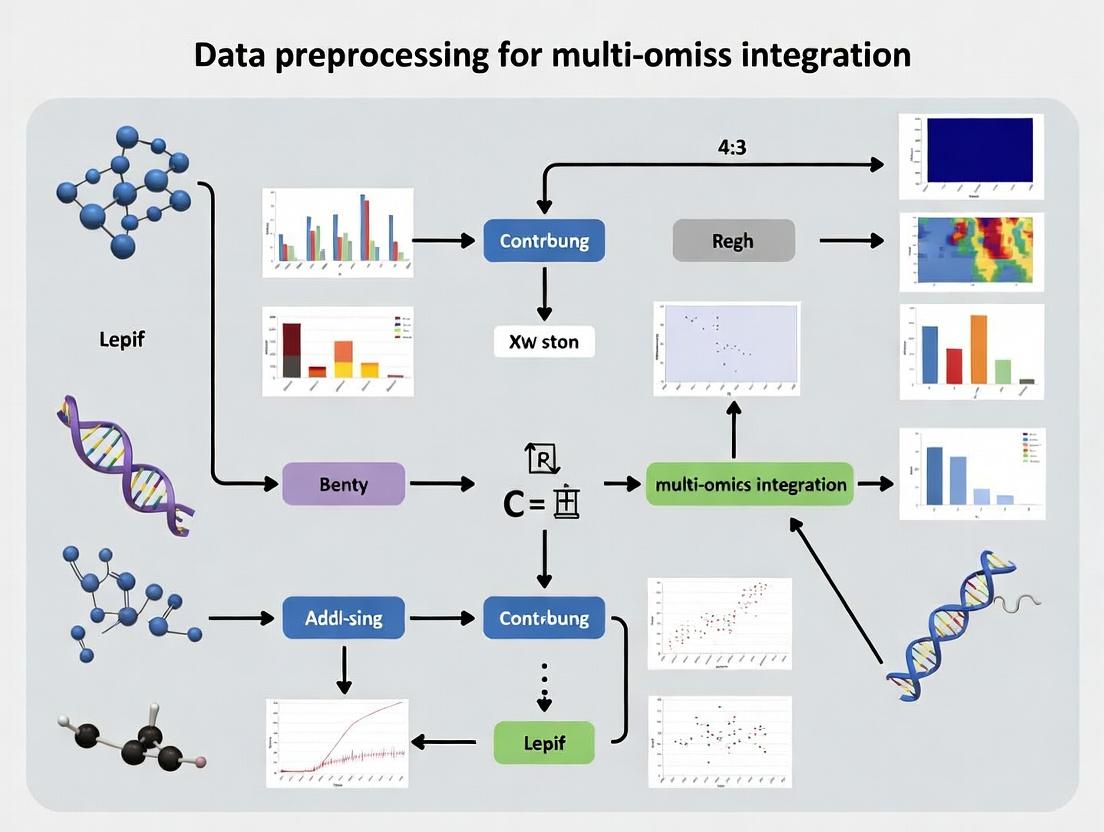
This comprehensive guide details the critical preprocessing pipeline for successful multi-omics data integration, tailored for researchers, scientists, and drug development professionals.
Multi-Omics Integration Mastery: A Comprehensive Guide to Preprocessing Techniques for Robust Biological Discovery
Abstract
This comprehensive guide details the critical preprocessing pipeline for successful multi-omics data integration, tailored for researchers, scientists, and drug development professionals. We first establish the foundational principles and unique challenges of diverse omics datasets (genomics, transcriptomics, proteomics, metabolomics). We then delve into methodological approaches for normalization, batch effect correction, feature selection, and dimensionality reduction, highlighting key tools and workflows. A dedicated troubleshooting section addresses common pitfalls, data heterogeneity, and optimization strategies for computational efficiency. Finally, we review validation frameworks and comparative analyses of leading integration methods (early, intermediate, late fusion) to guide selection for specific biological questions. This article provides a complete roadmap from raw data to integrated, analysis-ready matrices for downstream discovery in translational research.
The Multi-Omics Landscape: Understanding Data Sources, Challenges, and Preprocessing Imperatives
Omics Technical Support Center
Troubleshooting Guides & FAQs
FAQ Category: Genomics (DNA Sequencing)
Q: Why is my whole-genome sequencing data showing low coverage in specific regions (e.g., GC-rich areas)?
- A: This is a common issue related to PCR amplification bias during library preparation. To mitigate:
- Protocol: Use a PCR-free library preparation kit for high-input DNA (>100ng). For low-input samples, employ kits with high-fidelity polymerases and limit PCR cycles.
- Troubleshooting: Check the GC content plot from your alignment tool. Consider using a library prep kit with specialized fragmentation (e.g., enzymatic shearing) and buffers optimized for balanced amplification.
- A: This is a common issue related to PCR amplification bias during library preparation. To mitigate:
Q: How do I handle high levels of unmapped reads in my RNA-seq experiment?
- A: High unmapped reads can stem from several sources. Follow this diagnostic protocol:
- Check Sequence Quality: Use FastQC. Trim adapters and low-quality bases with Trimmomatic or Cutadapt.
- Identify Contaminants: Align unmapped reads to databases of ribosomal RNA (Silva), phiX (common spike-in), or host genome (if working with xenografts).
- Protocol - Ribodepletion: For total RNA-seq, ensure effective ribosomal RNA depletion using probe-based kits (e.g., Ribo-Zero). Validate depletion with a Bioanalyzer.
- A: High unmapped reads can stem from several sources. Follow this diagnostic protocol:
FAQ Category: Proteomics (Mass Spectrometry)
Q: My LC-MS/MS proteomics run shows a sudden drop in peptide identifications over time. What is the cause?
- A: This typically indicates instrument or column performance issues.
- Troubleshooting Guide:
- Step 1: Check chromatography – peak shape broadening suggests column degradation. Flush and/or replace the LC column.
- Step 2: Inspect the MS source for contamination. Clean the ion transfer tube and sprayer.
- Step 3: Calibrate the mass spectrometer with standard calibration solution.
- Protocol for Column Maintenance: Perform weekly backflushes with 80% acetonitrile, 0.1% formic acid. Store columns in 90% acetonitrile.
- Troubleshooting Guide:
- A: This typically indicates instrument or column performance issues.
Q: How can I improve the identification of post-translational modifications (PTMs) in a discovery experiment?
- A: PTM identification requires specialized data acquisition and processing.
- Protocol: Use enrichment strategies prior to MS. For phosphorylation, use TiO2 or IMAC beads. For acetylation, use immunoprecipitation with specific antibodies.
- Data Processing: Utilize search engines (e.g., MaxQuant, MSFragger) with open PTM searches or specify variable modifications. Manually validate spectra for low-scoring PTM sites.
- A: PTM identification requires specialized data acquisition and processing.
FAQ Category: Metabolomics
Q: I observe significant batch effects in my untargeted metabolomics dataset. How can I correct for this during preprocessing?
- A: Batch effects are critical for multi-omics integration. Implement this workflow:
- Experimental Protocol: Randomize sample injection order. Use pooled quality control (QC) samples injected at regular intervals. Include internal standards in every sample.
- Data Preprocessing Protocol: Use MetaboAnalyst R package. Perform QC-based signal correction (e.g., LOESS) and follow with statistical batch correction methods like ComBat.
- A: Batch effects are critical for multi-omics integration. Implement this workflow:
Q: How do I handle missing values in my metabolomics intensity matrix?
- A: Missing values can be biological (true absence) or technical (below detection).
- Decision Guide: For >50% missing in a group, consider removing the feature. For lower rates, apply imputation.
- Imputation Protocol: Use
k-nearest neighbors (KNN) imputation for data with a strong correlation structure. For random missingness (likely technical), use minimum value or half-minimum imputation. Never use imputation for multi-omics integration without documenting the method.
- A: Missing values can be biological (true absence) or technical (below detection).
FAQ Category: Multi-Omics Integration (Thesis Context)
Q: What is the first critical step before integrating genomic variant data with proteomic data?
- A: The critical step is identifier harmonization. You must map genomic feature IDs (e.g., Ensembl Gene IDs) to the same identifier system used in your proteomics results (e.g., Uniprot IDs). Use biomaRt (R) or MyGene.info (Python) for reliable, current mapping.
Q: When normalizing different omics datasets for integration, should I use the same method for all?
- A: No. Each data type requires its own biologically appropriate normalization before integration.
- Protocol Summary: Normalize RNA-seq counts with TMM (edgeR) or DESeq2's median-of-ratios. Normalize proteomics LFQ intensities by median centering. Normalize metabolomics data by sum or probabilistic quotient normalization (PQN).
- Post-Normalization: Scale all datasets (e.g., z-score) to make them comparable for integrative algorithms like MOFA+.
- A: No. Each data type requires its own biologically appropriate normalization before integration.
Summarized Quantitative Data
Table 1: Common Technical Challenges and Success Metrics Across Omics Fields
| Omics Layer | Common Issue | Typical Target Metric | Acceptable Range |
|---|---|---|---|
| Genomics (WGS) | Uneven Coverage | Coverage Uniformity (≥90% of target bases at >20x depth) | >0.95 |
| Transcriptomics (RNA-seq) | Mapping Rate | Percentage of Reads Aligned to Transcriptome | >70% (Human) |
| Proteomics (LC-MS/MS) | Identification Reproducibility | CV of Protein IDs across QC Samples | <20% |
| Metabolomics (LC-MS) | Instrument Drift | Retention Time Drift in QC Samples | <0.1 min |
Table 2: Recommended Data Preprocessing Tools for Multi-Omics Integration
| Data Type | Preprocessing Step | Recommended Tool/Package | Key Function for Integration |
|---|---|---|---|
| Genomics (VCF) | Variant Annotation | SnpEff / Ensembl VEP | Adds gene context for matching to other layers. |
| Transcriptomics | Normalization | DESeq2 / edgeR | Generates stable, comparable log2 expression values. |
| Proteomics | Protein Intensity Processing | MaxQuant / DIA-NN | Outputs normalized, imputed intensity matrices. |
| Metabolomics | Peak Alignment & Missing Value Imputation | XCMS / MetaboAnalystR | Creates a consistent feature-intensity table. |
Experimental Protocols
Protocol 1: Cross-Omics Sample Preparation for Paired Genomics/Transcriptomics
- Objective: Extract high-quality DNA and RNA from the same biological sample (e.g., tissue, cells).
- Materials: AllPrep DNA/RNA/miRNA Universal Kit (Qiagen), RNase-free reagents, liquid nitrogen.
- Method:
- Lyse sample in AllPrep lysis buffer with β-mercaptoethanol. Homogenize.
- Pass lysate through an AllPrep DNA spin column. RNA flows through; DNA binds.
- Wash DNA column, elute DNA. Store at -20°C.
- Add ethanol to the flow-through from step 2 to bind RNA to an RNeasy column.
- Wash RNA column, perform on-column DNase digest, wash again, elute RNA. Store at -80°C.
- Quality Control: Assess DNA integrity by agarose gel, RNA integrity by RIN >7.0 (Bioanalyzer).
Protocol 2: Preparation of TMT-Labeled Peptides for Multiplexed Proteomics
- Objective: Label peptides from 10 different conditions for relative quantification.
- Materials: TMTpro 16plex Kit, High-pH Reversed-Phase Peptide Fractionation Kit, C18 Spin Columns.
- Method:
- Digest 100µg of protein from each sample to peptides using trypsin.
- Reconstitute each peptide sample in 100µL of 100mM TEAB buffer.
- Labeling: Add one channel of TMTpro reagent to each sample, incubate at room temperature for 1 hour.
- Quenching: Add 5% hydroxylamine, incubate for 15 minutes.
- Pooling: Combine all 10 labeled samples at a 1:1 ratio.
- Clean-up: Desalt the pooled sample using a C18 spin column.
- Fractionation: Fractionate the pooled sample into 12 fractions using high-pH reversed-phase chromatography to reduce complexity.
Visualizations
Multi-Omics Data Generation & Preprocessing Workflow
Preprocessing Pathway for Multi-Omics Integration
The Scientist's Toolkit: Research Reagent Solutions
Table 3: Essential Reagents for Multi-Omics Sample Preparation
| Item | Function | Example Product (Supplier) |
|---|---|---|
| AllPrep DNA/RNA Kit | Simultaneous purification of genomic DNA and total RNA from a single sample. Minimizes cross-contamination. | AllPrep DNA/RNA/miRNA Universal Kit (Qiagen) |
| Mass Spectrometry Grade Trypsin | Protease for digesting proteins into peptides for LC-MS/MS analysis. High specificity for lysine/arginine. | Trypsin Platinum, MS Grade (Promega) |
| TMTpro Isobaric Labels | Set of 16 chemical tags for multiplexing up to 16 samples in a single LC-MS/MS run, enabling precise relative quantification. | TMTpro 16plex Label Reagent Set (Thermo Fisher) |
| Ribo-Zero rRNA Removal Kit | Removes cytoplasmic and mitochondrial ribosomal RNA from total RNA samples to enrich for mRNA and non-coding RNA in RNA-seq. | Ribo-Zero Plus rRNA Depletion Kit (Illumina) |
| PBS (Phosphate-Buffered Saline) | Isotonic, non-toxic buffer for washing cells and tissues to preserve native state before omics analysis. | DPBS, no calcium, no magnesium (Gibco) |
| Internal Standard Mix (Metabolomics) | A cocktail of stable isotope-labeled metabolites added to every sample for quality control and correction of ionization efficiency drift. | MSK-CAFC-005 (Cambridge Isotope Labs) |
Troubleshooting & FAQs
Q1: After initial integration of raw transcriptomics and proteomics data, my principal component analysis (PCA) plot shows clear batch effects by technology platform, not biological group. What is the primary cause and how do I fix it? A1: The primary cause is technical variation (e.g., different dynamic ranges, detection limits, and noise profiles) overwhelming biological signal. To fix this, you must apply platform-specific normalization before integration. For RNA-Seq counts, use a method like DESeq2's median-of-ratios or edgeR's TMM. For mass spectrometry proteomics, use variance-stabilizing normalization (VSN) or quantile normalization. Never integrate raw counts or raw intensities directly.
Q2: My multi-omics clustering results are inconsistent. Metabolomics data often clusters samples separately from genomics data. Is this a technical artifact or a real biological discrepancy? A2: It is most likely a technical artifact stemming from differing data distributions. Metabolomics data (e.g., from LC-MS) is often compositional and log-normally distributed, while methylation data is beta-distributed. Direct integration treats these as comparable, which they are not. Apply probabilistic (e.g., MOFA+) or kernel-based integration methods that can model these distinct distributions, or transform each omics layer to a compatible scale (e.g., rank-based or quantile transformation).
Q3: When attempting correlation analysis between mRNA expression and protein abundance from matched samples, I find consistently low correlation coefficients (Pearson r < 0.3). Does this mean there is little biological relationship? A3: Not necessarily. Low direct correlation often results from: 1) Temporal delays: mRNA changes precede protein changes. 2) Post-transcriptional regulation: Data missing this layer. 3) Technical limitations: Different sample aliquots, missing value thresholds, and depth of coverage. Implement lagged correlation analyses or use dynamic Bayesian networks to model time-series data. Ensure matched samples are from the same aliquot and impute missing values appropriately per platform.
Q4: I have missing values for >50% of metabolites in my dataset. Can I simply remove these features before integration with more complete genomics data? A4: No. Aggressive removal will cause significant bias, as missingness is often non-random (e.g., lower abundance metabolites fall below detection). Imputation is required but must be omics-specific. For metabolomics, use methods like Random Forest (RF) or Bayesian PCA (BPCA) imputation that consider the data's compositional nature. Do not use mean/median imputation. After separate imputation, integrate with other layers.
Q5: My integrated model fails to validate on an independent dataset. Are the initial raw data preprocessing steps likely culprits? A5: Yes. Inconsistent preprocessing between discovery and validation cohorts is a major culprit. Ensure every normalization, batch correction, and transformation step is identically applied using parameters learned from the training data or robust cross-platform pipelines (e.g., SAMtools for WES, MaxQuant for proteomics). Never reprocess validation data independently.
Key Experimental Protocols for Preprocessing
Protocol 1: RNA-Seq Read Normalization and Batch Correction
- Alignment & Quantification: Align reads to reference genome using STAR or HISAT2. Generate gene-level counts using featureCounts.
- Normalization: Load raw count matrix into R/Bioconductor. Use
DESeq2to calculate size factors (median-of-ratios method) and generate variance-stabilized transformed data. - Batch Effect Assessment: Perform PCA on the transformed data. Color samples by known technical batches (sequencing run, library prep date).
- Correction (if needed): Apply a linear model-based method like
limma::removeBatchEffect()or useComBat-seq(for count data) if batch is confounded with biological group.
Protocol 2: LC-MS Metabolomics Data Preprocessing
- Peak Picking & Alignment: Process raw
.rawor.dfiles with XCMS or MS-DIAL for peak detection, alignment, and integration. - Missing Value Imputation: Filter features with >80% missingness in QC samples. For remaining missing values, apply RF imputation using the
missForestR package, tailored for compositional data. - Normalization: Perform probabilistic quotient normalization (PQN) to account for dilution effects, followed by log-transformation (generalized log, glog) to stabilize variance.
- Batch Correction: Use quality control-based robust LOESS signal correction (QCRLSC) or
ComBaton the log-transformed data.
Protocol 3: Multi-Omics Integration via MOFA+
- Input Preparation: Prepare each omics dataset as a matrix (samples x features). Apply omics-specific normalization and scaling (center and scale unit variance for continuous data).
- Model Setup: Create the MOFA object in R (
create_mofa()). Define the data structure. - Model Training: Run
run_mofa()with default options to decompose variation into factors. Use cross-validation to determine the optimal number of factors. - Downstream Analysis: Extract factors (
get_factors()) and weights (get_weights()) to interpret drivers of variation across omics layers.
Table 1: Common Technical Disparities in Raw Multi-Omics Data
| Omics Layer | Typical Raw Format | Dynamic Range | Missing Value Rate | Primary Source of Noise |
|---|---|---|---|---|
| Genomics (WES) | FASTA/FASTQ, VCF | High (allele fractions) | Low (<5%) | Sequencing errors, coverage bias |
| Transcriptomics (RNA-Seq) | FASTQ, raw counts | Very High (>10⁵) | Low | Library prep bias, GC content |
| Proteomics (LC-MS/MS) | .raw, peak intensities | Moderate (10⁴) | High (15-40%) | Ion suppression, stochastic sampling |
| Metabolomics (LC-MS) | .raw, peak areas | Moderate (10⁴) | Very High (30-60%) | Matrix effects, detection limits |
| Methylation (Array) | .idat, beta values | Fixed (0-1) | Very Low | Probe design bias, type I/II shift |
Table 2: Impact of Normalization on Correlation Between Paired mRNA-Protein
| Preprocessing Step Applied to Both Layers | Median Pearson Correlation (Simulated Dataset) | Key Improvement |
|---|---|---|
| None (Raw Data) | 0.18 | Baseline |
| Platform-Specific Normalization | 0.42 | Reduces technical variance |
| Normalization + Batch Correction | 0.51 | Removes systematic bias |
| Normalization + Batch Correction + Log-Transform | 0.55 | Stabilizes variance across range |
Visualizations
Title: Multi-Omics Preprocessing Workflow for Integration
Title: Core Challenges Blocking Raw Multi-Omics Integration
The Scientist's Toolkit: Research Reagent Solutions
| Tool / Reagent | Primary Function in Preprocessing | Key Consideration |
|---|---|---|
| UMI (Unique Molecular Identifiers) | Attached during cDNA library prep to correct for PCR amplification bias in RNA-Seq, improving quantification accuracy. | Essential for single-cell RNA-Seq; becoming standard for bulk low-input RNA-Seq. |
| SILAC (Stable Isotope Labeling by Amino acids in Cell culture) | Metabolic labeling for proteomics; creates a reference channel for highly accurate relative quantification, reducing technical variance. | Requires cell culture, not suitable for tissue/clinical samples. Alternative: TMT/iTRAQ. |
| Internal Standard Mix (Metabolomics) | A cocktail of stable isotope-labeled metabolites added pre-extraction to correct for ion suppression, matrix effects, and recovery losses in LC-MS. | Should cover multiple chemical classes; critical for absolute quantification. |
| Bisulfite Conversion Reagents | Converts unmethylated cytosines to uracil for DNA methylation analysis. Efficiency and completeness of conversion is critical for data quality. | Incomplete conversion is a major source of bias; requires careful optimization and controls. |
| ERCC (External RNA Controls Consortium) Spike-Ins | Synthetic RNA molecules of known concentration added to samples pre-RNA-Seq to assess technical sensitivity, dynamic range, and for normalization. | Useful for cross-study integration and assessing platform performance. |
Technical Support Center
Troubleshooting Guides & FAQs
Q1: My gene expression and DNA methylation data are on vastly different scales, making integration impossible. What's the first preprocessing step I should take? A: Apply feature-wise scaling. For RNA-seq count data, perform a variance-stabilizing transformation (VST) or convert to log2(CPM+1). For methylation beta values (0-1 range), consider M-values for statistical analyses. This achieves comparability by placing both datasets into a similar, continuous numerical space suitable for multivariate analysis.
Q2: After integrating my proteomics and transcriptomics datasets, the results are dominated by technical batch effects, not biology. How can I reduce this noise?
A: Identify and correct for batch effects using statistical models. For known batch variables (e.g., sequencing run, sample plate), use Combat-AL or limma's removeBatchEffect. For unknown latent factors, tools like SVA or RUVSeq are essential. Always apply these methods within each omics layer before integration to achieve the goal of reducing noise.
Q3: When I fuse metabolomics and microbiome data, missing values cause models to fail. What are the standard imputation strategies? A: The strategy depends on the missing data mechanism. See the protocol below and consult the table for guidance.
Experimental Protocol: Handling Missing Values in Metabolomics Data for Integration
- Assessment: Calculate the percentage of missing values per feature (metabolite) and per sample.
- Filtering: Remove features with >20% missingness likely Missing Not At Random (MNAR). Remove samples with >30% missing values.
- Imputation:
- For values assumed MNAR (missing due to low abundance), use a minimum value imputation (e.g., half the minimum detected value).
- For values assumed Missing At Random (MAR), use a model-based approach. For metabolomics,
miceR package with predictive mean matching orimputeLCMD's QRILC method are recommended. - For large datasets, random forest imputation (
missForest) is robust but computationally intensive.
- Validation: Post-imputation, perform a PCA and compare the variance structure before and after to ensure major biological patterns are not artificially created.
Table 1: Missing Value Imputation Methods by Omics Type and Mechanism
| Omics Type | Likely Mechanism | Recommended Method | Software/Package | Key Parameter |
|---|---|---|---|---|
| Metabolomics | MNAR (below LOD) | Half-minimum imputation | In-house script | imp_val = min(feature)/2 |
| Metabolomics | MAR | QRILC | imputeLCMD R |
method = "QRILC" |
| Proteomics | MNAR | MinProb imputation | DEP R |
method = "man" |
| Transcriptomics | Low (MAR) | k-Nearest Neighbour | impute R |
k = 10 |
Q4: How do I normalize single-cell RNA-seq data before fusing it with bulk ATAC-seq data from the same cells?
A: This is a multi-modal single-cell problem. Use a pipeline designed for CITE-seq or SHARE-seq data. For scRNA-seq, normalize using SCTransform. For scATAC-seq, use term frequency-inverse document frequency (TF-IDF) normalization. Key enabling fusion step: Use canonical correlation analysis (CCA) in Seurat's FindMultiModalNeighbors or tools like MOFA+ to learn a shared latent representation, aligning the two omics spaces.
Q5: My multi-omics clustering yields inconsistent sample groupings across platforms. How can I diagnose the issue? A: This often stems from inadequate comparability preprocessing. Follow this diagnostic workflow:
Title: Diagnostic Workflow for Inconsistent Multi-Omics Clustering
The Scientist's Toolkit: Research Reagent Solutions
Table 2: Essential Reagents & Tools for Multi-Omics Preprocessing Benchwork
| Item | Function in Preprocessing Context | Example Product/Kit |
|---|---|---|
| RNA Stabilization Reagent | Preserves transcriptomic profile at collection, reducing technical noise from degradation. | RNAlater, PAXgene |
| Methylation-Specific Enzymes | Enables bisulfite conversion for DNA methylation analysis, defining the measurable feature set. | EZ DNA Methylation Kit (Zymo) |
| Stable Isotope Standards | Spike-in controls for mass spectrometry (proteomics/metabolomics) for normalization and comparability. | SPLASH Lipidomix, Proteome Dynamics Std |
| UMI Adapters (NGS) | Introduces Unique Molecular Identifiers during library prep to correct PCR amplification noise. | TruSeq UMI Adapters (Illumina) |
| Cell Hashing Antibodies | Tags cells with multiplexing barcodes, allowing batch effect identification/correction post-sequencing. | BioLegend TotalSeq Antibodies |
| Bench-top QC Instrument | Provides initial quantitative data (conc., RIN, DV200) to guide pre-processing filtering decisions. | Bioanalyzer/TapeStation (Agilent), Qubit (Thermo) |
Q6: What's a standard workflow to preprocess LC-MS metabolomics data for fusion with miRNA data? A: The goal is noise reduction and comparability. The metabolomics pipeline is critical.
Title: Parallel Preprocessing Workflow for Metabolomics and miRNA Data Fusion
Troubleshooting Guides & FAQs
FAQ 1: Why do I encounter extreme value differences (scale issues) when trying to integrate RNA-seq counts with microarray intensity data?
- Answer: This is a fundamental characteristic of the assays. RNA-seq yields discrete count data (e.g., 0, 15, 2245), while microarrays produce continuous fluorescence intensities (e.g., 4.562, 12.891). Direct integration without normalization leads to technical bias overwhelming biological signal. The recommended protocol is to perform within-assay transformation (e.g., log2 for RNA-seq counts using a pseudocount; quantile normalization for microarrays) followed by cross-assay scaling (e.g., z-score standardization per feature across the integrated dataset) to place all measurements on a comparable, unitless scale.
FAQ 2: My multi-omics dataset has a high proportion of zeros. How do I determine if they are biological zeros (true absence) or technical missing values (dropouts)?
- Answer: Distinguishing these is critical for downstream analysis. For single-cell RNA-seq or metabolomics, zeros are often a mix of both. Implement the following experimental and computational protocol:
- Spike-in Controls: Use external spike-in RNAs (for scRNA-seq) or standards (for metabolomics) to model the technical dropout rate relative to expression/abundance.
- Detection Pattern Analysis: Correlate zero occurrences with low sequencing depth (for scRNA-seq) or low ion intensity (for mass-spec). Zeros correlated with low signal-to-noise are likely technical.
- Imputation Testing: Apply assay-specific imputation tools (e.g., MAGIC for scRNA-seq, NN-based for metabolomics) only to features suspected of technical dropout, and validate imputed values with orthogonal biological knowledge.
FAQ 3: What is the best method to handle missing values (NAs) in a combined proteomics and transcriptomics dataset where >20% of values are missing?
- Answer: The method depends on the missingness mechanism, as summarized in the table below. A standard protocol is:
- Characterize Missingness: Use statistical tests (e.g., Little's test) or visualization to classify NAs as Missing Completely at Random (MCAR), Missing at Random (MAR), or Missing Not at Random (MNAR).
- Apply Stratified Strategy:
- For MCAR/MAR: Use k-Nearest Neighbors (k-NN) imputation within each assay separately, as correlations are stronger within than across assays.
- For MNAR (common in proteomics due to limits of detection): Use left-censored imputation methods (e.g.,
minProbfrom theimp4pR package) or replace with a minimal value derived from the assay's detection limit.
- Benchmark: Always compare the stability of your downstream integration model (e.g., clustering results) with and without imputation.
Table 1: Characteristic Comparison of Major Omics Assays
| Assay Type | Typical Scale | Data Distribution | Expected Sparsity (%) | Common Missingness Cause |
|---|---|---|---|---|
| Bulk RNA-seq | Counts (0 to 10^6+) | Negative Binomial | Low (<5%) | Low expression, sequencing artifacts |
| Single-Cell RNA-seq | UMI Counts (0 to 10^4+) | Zero-inflated Negative Binomial | High (50-90%) | Technical dropout, biological absence |
| Microarray | Continuous Intensity | Log-normal | Very Low (<1%) | Probe failure, image artifact |
| Shotgun Proteomics (LC-MS) | Peak Intensity/Count | Log-normal with heavy tail | Moderate-High (10-40%) | Low abundance, detection limit (MNAR) |
| Metabolomics (LC-MS) | Peak Area | Log-normal | Moderate (10-30%) | Detection limit, ion suppression |
| Methylation Array (450k/EPIC) | Beta-value (0-1) | Bimodal (0 & 1 peaks) | Very Low (<1%) | Probe binding failure |
Experimental Protocols
Protocol A: Assessing and Normalizing Data Scale Across Assays
- Load Data: Import feature matrices for each omics layer (e.g., genes, proteins).
- Visualize Spread: Generate boxplots of raw values per assay.
- Apply Assay-Specific Transform:
- RNA-seq counts:
log2(count + 1). - Microarray/Proteomics intensities:
log2(intensity). - Methylation Beta-values:
logit2(Beta)(M-values).
- RNA-seq counts:
- Cross-Assay Scaling: Apply robust z-score scaling:
(value - median(feature)) / mad(feature)for each feature across samples in the combined dataset.
Protocol B: Diagnosing Missing Value Mechanisms
- Create Missingness Indicator Matrix: Binary matrix (1=missing, 0=present).
- Correlate with Observed Data: For each feature, test if the mean of present values in other assays differs between groups where the target feature is missing vs. present (t-test). A significant p-value suggests MAR.
- Test for MCAR: Perform Little's statistical test on a random subset of features. A non-significant result (p > 0.05) is consistent with MCAR.
- Analyze Detection Limits: Plot missing value frequency vs. average signal intensity in related assays. A sharp increase below a threshold suggests MNAR.
Visualizations
Title: Multi-Omics Data Preprocessing Workflow
Title: Decision Pathway for Missing Value Mechanism & Imputation
The Scientist's Toolkit: Research Reagent Solutions
Table 2: Essential Reagents & Tools for Multi-Omics Preprocessing Validation
| Item | Function in Preprocessing Context |
|---|---|
| External RNA Controls Consortium (ERCC) Spike-in Mix | Added to RNA-seq samples pre-extraction to create a standard curve. Used to calibrate technical noise, estimate transcript abundance, and identify the limit of detection for distinguishing low expression from dropout. |
| Equimolar Protein Standard (e.g., MassPrep Mix) | A known mixture of proteins used in proteomics. Helps calibrate mass spectrometer response, identify technical missingness (MNAR) due to low ionizability, and normalize runs. |
| Synthetic Metabolite Standards (Isotope-labeled) | Spiked into samples for metabolomics. Essential for peak identification, correcting for ion suppression effects, and assessing technical variation that contributes to sparsity. |
| Control Cell Lines (e.g., HEK293, NA12878) | Profiled across all assays in parallel with experimental samples. Provides a baseline to disentangle assay-specific technical batch effects from biological variation during integration. |
| Bioinformatics Pipelines (Nextflow/Snakemake) | Workflow managers that encapsulate preprocessing steps (normalization, transformation, imputation) for reproducibility and consistent application across all assay data types. |
| Benchmarking Datasets (e.g., SEQC, MAQC) | Public, well-characterized multi-omics datasets with known outcomes. Used to validate that your preprocessing pipeline preserves biological signal and does not introduce artifacts. |
Troubleshooting Guides & FAQs
Q1: During multi-omics integration, my PCA/MDS plots show strong batch separation instead of biological groups. What is the primary cause and how can I diagnose it?
A: This is a classic symptom of Batch Effect dominance. Batch effects are technical variations introduced by processing date, reagent lot, instrument, or personnel. They can be stronger than the biological signal of interest.
- Diagnosis: Create a PCA plot colored by
Batch IDand another colored byTreatment Group. If samples cluster more tightly by batch, you have a confirmed batch effect. - Primary Solution: Integrate batch information as a covariate in your preprocessing. Use ComBat (sva package in R) or similar batch correction tools after normalization but before downstream integration. Critical Note: Batch correction should be applied separately to each omics dataset before integration, not to the integrated matrix.
Q2: I have missing metadata for some legacy samples. Can I still include them in my integrated analysis?
A: Proceed with extreme caution. Samples with missing critical metadata (e.g., Sample Type, Collection Date, Batch) are high-risk and can confound the entire analysis.
- Recommended Protocol:
- Isolate: Initially, analyze the dataset with and without the legacy samples.
- Correlate: Check if the legacy samples form an outlier cluster in an unsupervised analysis. Use hierarchical clustering or PCA.
- Impute with Caution: Only non-critical, descriptive metadata (e.g.,
Patient Height) can be imputed using mean/median values from the cohort. Never impute core experimental design metadata (Batch,Group). - Flag: If included, clearly flag these samples in all results and figures.
Q3: How do I align samples correctly when each omics dataset (e.g., RNA-seq, Proteomics) has a different sample ID format or some mismatches?
A: Sample misalignment is a major source of failed integration. A rigorous alignment protocol is required.
- Alignment Protocol:
- Create a Master Metadata Table: Start with a central table that has one row per unique biological subject/sample.
- Use a Universal Key: Create a
Universal_Sample_ID(e.g.,PatientID_Timepoint_Tissue). - Cross-Reference Table: Build a separate "Alignment Table" that maps each platform-specific sample ID (e.g.,
SeqID_123,Plex_456) to theUniversal_Sample_ID. - Validation Script: Write a script in R or Python to verify that all IDs from each data matrix have one and only one match in the master metadata table. Discard samples without a match.
Q4: What is the minimum essential metadata required for any multi-omics experiment to ensure reproducibility?
A: The following table categorizes the minimum essential metadata. Failure to document these can render a study irreproducible.
Table 1: Minimum Essential Metadata for Multi-Omics Studies
| Category | Field | Example | Purpose in Preprocessing |
|---|---|---|---|
| Sample Identity | SampleID, SubjectID, Timepoint, Tissue/Cell Type | PT-001, Day 7, Plasma |
Core alignment of measurements across platforms. |
| Experimental Design | Treatment_Group, Dose, Phenotype | Control, 10uM_DrugA, Responder |
Defines the biological question and comparison groups. |
| Batch Information | ProcessingDate, SequencingRun, LC-MSBatch, ReagentLot | 2023-10-27, SNSX_2305 |
Critical for diagnosing and correcting technical noise. |
| Technical Parameters | RNAIntegrityNumber (RIN), LibraryPrepKit, MS_Instrument | RIN=8.5, TMT_16plex, Orbitrap_Fusion |
Assesses data quality and identifies platform-specific biases. |
Q5: My differential analysis results are inconsistent between omics layers. Could this be caused by metadata issues?
A: Yes, inconsistencies often originate in metadata, not the algorithms.
- Troubleshooting Steps:
- Verify Group Alignment: Ensure the
Treatment_Grouplabel for each sample is identical and correct across the metadata for RNA-seq, proteomics, etc. A single mislabeled sample (e.g.,ControlvsCtrl) can skew results. - Check for Confounding: Create a contingency table to see if
Batchis confounded withGroup. For example, if allTreatmentsamples were sequenced in one batch and allControlsin another, the batch effect is inseparable from the biological effect. The study design is fundamentally flawed. - Subset Analysis: Re-run analysis using only the perfectly aligned, non-confounded subset of samples. If results become consistent, the problem was metadata alignment.
- Verify Group Alignment: Ensure the
The Scientist's Toolkit: Key Research Reagent Solutions
Table 2: Essential Reagents & Kits for Multi-Omics Sample Preparation
| Item | Function in Multi-Omics Workflow | Critical Metadata to Record |
|---|---|---|
| PAXgene Blood RNA Tube | Stabilizes intracellular RNA profile at collection for transcriptomics. | Collection Tube Lot, Time_to_Stabilization |
| TMTpro 18plex Isobaric Label | Enables multiplexed quantitative proteomics of up to 18 samples in one MS run. | Label Kit Lot, Channel-to-Sample Assignment (crucial!). |
| AllPrep DNA/RNA/Protein Kit | Simultaneous isolation of multiple molecular species from a single sample aliquot. | Kit Lot, Elution Buffer Volume (impacts concentration). |
| DNase I (RNase-free) | Removes genomic DNA contamination from RNA preparations. | Enzyme Lot, Incubation Time. |
| Trypsin (Sequencing Grade) | Digests proteins into peptides for LC-MS/MS analysis. | Enzyme Lot, Protease-to-Protein Ratio. |
| PCR Barcoding Primers (for scRNA-seq) | Adds unique sample barcodes during library prep for single-cell multiplexing. | Primer Set ID, Barcode Sequence for each sample. |
Experimental Protocols
Protocol 1: Systematic Metadata Collection and Validation
Objective: To establish an error-free metadata table for multi-omics integration. Materials: Sample list, experimental design notes, lab notebooks, electronic records. Methodology:
- Design Phase: Before sample collection, create a metadata spreadsheet template with enforced vocabulary (e.g.,
Control,Treated) for key fields. - Centralized Entry: Assign one person to be the metadata curator. All data (sample condition, storage location, processing dates) is reported to the curator.
- Cross-Validation: When each omics dataset is received, the curator matches the provided sample list against the master metadata table. Discrepancies are resolved with the lab technician immediately.
- Version Control: Save the metadata table as a new, dated version after every major update (e.g.,
Metadata_ProjectX_v2.3_20231027.csv). Use a changelog.
Protocol 2: Batch Effect Diagnosis Using PCA
Objective: To visually and statistically assess the impact of batch effects. Materials: Normalized omics data matrix (e.g., gene expression), associated metadata table. Software: R with ggplot2 and stats packages. Methodology:
- Perform PCA on the normalized data matrix (e.g., using
prcomp()on transposed log-counts). - Extract the first two principal components (PC1, PC2).
- Plot PC1 vs PC2. Create two separate plots:
- Plot A: Color points by
Experimental_Group(e.g., Disease vs Healthy). - Plot B: Color points by
Batch_ID(e.g., Sequencing Run 1, 2, 3).
- Plot A: Color points by
- Interpretation: If samples cluster more distinctly by color in Plot B than in Plot A, a significant batch effect is present and must be addressed prior to integration.
Visualizations
Diagram 1: Metadata-Driven Multi-Omics Preprocessing Workflow
Diagram 2: Logic Flow for Batch Effect Diagnosis via PCA
The Preprocessing Pipeline: Step-by-Step Methods and Practical Application for Each Data Type
Troubleshooting Guides & FAQs
Q1: Why do I need to apply different QC thresholds for RNA-seq vs. ATAC-seq data during trimming? A: Different sequencing technologies and assay types generate distinct error profiles and artifacts. RNA-seq adapters and primers differ from those used in ATAC-seq. Furthermore, ATAC-seq data often has a higher proportion of low-quality bases at read ends due to transposase insertion bias. Applying the same universal threshold can either retain excessive technical noise (too lenient) or discard genuine biological signal, especially from open chromatin regions with lower coverage (too strict).
Q2: My post-trimming FASTQC report still shows "Per base sequence content" failures. What should I do?
A: This is expected for certain omics types. For example, in ATAC-seq, the Tn5 transposase has a known sequence bias (preferring insertion at certain motifs), leading to uneven nucleotide distribution at the very start of reads. Do not over-trim to correct this. Instead, note the bias for downstream analysis (e.g., during peak calling). For RNA-seq, persistent uneven composition may indicate residual adapter contamination; consider using a more aggressive adapter-scanning algorithm like cutadapt in multiple rounds.
Q3: How do I choose the correct quality scoring system (Phred+33 vs. Phred+64) for my platform?
A: This is platform-specific. Modern Illumina instruments (HiSeq 2000+, NovaSeq, NextSeq, MiSeq) use Phred+33 encoding (Sanger format). Older Illumina data (pre-1.8) may use Phred+64. If unsure, use a tool like fastQC to examine the range of quality score ASCII characters. Incorrect assignment will lead to erroneous trimming.
Q4: After trimming my single-cell RNA-seq (scRNA-seq) data, my UMI counts dropped drastically. What went wrong?
A: A common error is trimming the UMI or cell barcode sequences, which are typically located at the start of Read 1. Always use --trim-n and specify --clip_r1 offsets to preserve these critical regions before performing quality-based trimming. Trimming should be focused on the cDNA portion of the read.
Quantitative Filtering Thresholds by Platform
Table 1: Recommended Default Trimming Parameters for Major Sequencing Platforms
| Omics Assay | Platform (Typical) | Recommended Quality Threshold (Phred Score) | Minimum Read Length Post-Trim | Adapter Removal Priority | Special Note |
|---|---|---|---|---|---|
| Bulk RNA-seq | Illumina NovaSeq | Q20-30 (Sliding window) | 35-50 bp | TruSeq, Nextera | PolyG tails common in NovaSeq. Use --trim-poly-g. |
| scRNA-seq (10x) | Illumina NovaSeq | Q20 (3' end) | Keep full length for alignment* | Read 1: Nextera | Do not quality-trim cell/UMI bases (first 16-28 bp). |
| WGS (Whole Genome) | Illumina, MGI | Q15-20 (Sliding window) | 50-70 bp | Platform-specific | MGI data may have high dup rates; QC is critical. |
| ATAC-seq | Illumina HiSeq/NovaSeq | Q15 (Sliding window) | 20-30 bp (for peak calling) | Nextera (Tn5 compatible) | Very short reads can be valid. Be cautious with min length. |
| Chip-seq | Illumina | Q20 | 25-30 bp | Standard Illumina | Similar to ATAC-seq but less extreme length variation. |
| Metagenomics | Illumina, PacBio | Q20 (Illumina) | 50-100 bp | Multiple adapter sets | Host removal is a prior, crucial QC step. |
| Methyl-seq (WGBS) | Illumina | Q20 | 40 bp | RRBS adapters are specific | Avoid non-directional alignment by preserving start. |
Experimental Protocols
Protocol 1: Standardized QC & Trimming Workflow for Multi-Omic Data
Objective: To uniformly assess raw sequence quality and perform adapter/quality trimming across diverse omics datasets (RNA-seq, ATAC-seq) for integrated analysis.
Materials:
- Raw FASTQ files.
- High-performance computing (HPC) cluster or server with ≥ 8 GB RAM per core.
- Conda environment manager.
Methodology:
- Environment Setup:
Initial Quality Assessment (Pre-Trim):
Platform-Specific Trimming with Trim Galore (Automated Adapter Detection): For standard RNA-seq (Illumina):
For ATAC-seq (Nextera Adapters):
Post-Trimming QC Verification:
Metrics Compilation: Compare
pre_trim_multiqc_report.htmlandpost_trim_multiqc_report.html. Focus on changes in "Per sequence quality scores", "Adapter content", and "Sequence length distribution".
Visualizations
Multi-Omic Preprocessing QC Workflow
Relationship Between Read Quality and Downstream Multi-Omic Integration
The Scientist's Toolkit: Research Reagent Solutions
Table 2: Essential Software Tools for QC & Trimming in Multi-Omics Research
| Tool Name | Primary Function | Key Parameter to Adjust per Platform | Application in Multi-Omics |
|---|---|---|---|
| FastQC | Quality control visualization. | --kmers, --filter to ignore expected biases (e.g., ATAC-seq start bias). |
Initial diagnostic across all omics data types. |
| MultiQC | Aggregate QC reports. | N/A | Critical for comparing QC metrics from RNA-seq, ATAC-seq, etc., in one view. |
| Trim Galore! | Wrapper for Cutadapt & FastQC. | --quality, --adapter, --length, --clip_r1 (for scRNA-seq). |
Simplifies uniform trimming application. |
| Cutadapt | Precise adapter removal. | -a, -g (adapter sequences); -q (quality cutoff); --minimum-length. |
Gold standard for adapter trimming. Essential for custom protocols. |
| Fastp | All-in-one QC & trimming. | --trim_front1 (for barcodes), --detect_adapter_for_pe, --cut_mean_quality. |
High-speed, integrated tool for large-scale projects. |
| Trimmomatic | Flexible read trimming. | ILLUMINACLIP (adapter file), SLIDINGWINDOW, MINLEN. |
Widely used, robust for WGS and RNA-seq. |
| Picard Tools | Broad QC metrics post-alignment. | CollectMultipleMetrics, CollectRnaSeqMetrics. |
Assesses the impact of trimming on mapping. |
Troubleshooting Guides & FAQs
Q1: My TPM values are all zeros or extremely low for a sample that should have high expression. What went wrong? A: This is typically a raw read count issue, not a TPM calculation error. First, verify the quality of your raw FASTQ files using FastQC. Low sequencing depth or high adapter contamination can result in few reads mapping to genes. Ensure your alignment step (using STAR or HISAT2) had a high mapping rate (>70%). If using featureCounts, confirm the GTF annotation file matches your genome build. Recalculate TPM only after confirming robust raw counts.
Q2: When applying Median Polish to my microarray data, the algorithm fails to converge. How do I fix this?
A: Non-convergence often indicates an issue with the data matrix. First, check for and replace any NA or Inf values. Excessive outliers in a few probes can also prevent convergence. Implement a pre-filtering step to remove probes with consistently low signal across all arrays (e.g., in the bottom 5th percentile). You can also try increasing the maximum number of iterations (default is often 10) in the medpolish() function in R.
Q3: After VSN transformation, my proteomics data still shows variance heterogeneity across intensity levels. Is this normal?
A: VSN aims to stabilize the variance across the dynamic range. Perfect homogeneity is rare. Assess the meanSdPlot of the transformed data. A flat line is ideal, but a low-slope trend is often acceptable. If strong heteroscedasticity persists, it may indicate issues upstream: check for incomplete sample labeling (for TMT/iTRAQ), low peptide counts, or batch effects that need to be addressed before VSN. VSN is not a substitute for batch correction.
Q4: Can I directly compare TPM values from RNA-seq with microarray data normalized by RMA (which uses Median Polish)? A: No, not directly. While both are normalized, they are on different scales and have different technical biases. For integration, you must perform cross-platform normalization. Common strategies include:
- Quantile Normalization: Applied to both datasets after combining rank-invariant genes.
- ComBat or other Batch Correction: Treat the platform as a "batch effect."
- Using a Common Reference: Transform both datasets to a z-score relative to control samples present in both platforms.
Table 1: Comparison of Key Normalization Techniques Across Omics Layers
| Technique | Primary Omics Layer | Core Function | Key Assumption | Output Interpretation |
|---|---|---|---|---|
| TPM (Transcripts Per Million) | Transcriptomics (RNA-seq) | Normalizes for sequencing depth and gene length. | Total mRNA output per cell is constant. | Proportional expression level; comparable across genes and samples. |
| Median Polish (e.g., in RMA) | Transcriptomics (Microarrays) | Fits an additive model to remove probe-specific and array-specific effects. | Multiplicative noise can be transformed to additive via log2. | Log2-transformed, background-corrected, and normalized probe intensities. |
| VSN (Variance Stabilizing Normalization) | Proteomics (Mass Spec) | Stabilizes variance across intensity ranges and normalizes arrays. | Technical variance follows a quadratic relationship with mean intensity. | Intensity values with stable variance across the mean, enabling parametric tests. |
| Cyclic LOESS | Multi-omics (General) | Removes intensity-dependent biases between sample pairs. | Systematic biases are smooth functions of intensity. | Normalized intensities where sample distributions are aligned. |
Table 2: Common Error Indicators and Solutions
| Symptom | Likely Cause | Diagnostic Check | Solution |
|---|---|---|---|
| Skewed TPM distribution in one sample | Failed library prep or outlier sample. | Check total mapped reads; view PCA plot of raw counts. | Exclude sample or use robust scaling (e.g., TMM from edgeR) before integration. |
| High residual variance after Median Polish | Presence of strong single-probe outliers. | Inspect residuals matrix from medpolish output. |
Apply a mild log2(x+1) transform before polishing or winsorize extreme values. |
| VSN transformation fails (error) | Negative or zero values in input. | min(exprs_data). |
Replace zeros with small imputed values (e.g., from left-censored distribution) or use na.replace=TRUE. |
Experimental Protocols
Protocol 1: Calculating TPM from RNA-seq Read Counts Objective: Generate length-normalized, comparable expression values.
- Input: A matrix of raw gene counts (
counts) and a vector of corresponding gene lengths in kilobases (lengths_kb). - Calculate Reads Per Kilobase (RPK):
RPK = counts / lengths_kb - Calculate Per-Million Scaling Factor:
scale_factor = sum(RPK) / 1,000,000 - Calculate TPM:
TPM = RPK / scale_factor - Verification: The sum of TPM values for all genes in each sample should equal 1,000,000.
Protocol 2: Applying Median Polish via RMA for Microarrays Objective: Obtain normalized, summarized expression values from probe-level data.
- Background Correction: Apply the RMA convolution model to raw CEL file probe intensities to correct for optical noise.
- Log2 Transformation: Transform all background-corrected intensities.
- Quantile Normalization: Force the distribution of probe intensities to be identical across all arrays.
- Median Polish Summarization: For each probe set: a. Arrange probes (rows) vs samples (columns) in a matrix. b. Iteratively subtract row medians and column medians until convergence. c. The fitted column (sample) effects are the normalized, probe-set summarized expression values.
Protocol 3: Normalizing Proteomics Data with VSN Objective: Transform protein/peptide intensity data to stabilize variance.
- Input Preparation: Load a matrix of raw intensities (proteins/peptides x samples). Filter out proteins with >50% missing values.
- Imputation: Impute remaining missing values using a method appropriate for your data (e.g., MinProb for MNAR data).
- VSN Transformation: Apply the
vsn2()function (from thevsnpackage in R/Bioconductor) to the entire matrix. The function estimates parametersa(asymptotic variance) andb(slope) for the variance-mean relationship. - Validation: Use
meanSdPlot()to visualize the stabilized standard deviation across the mean intensity rank. A horizontal best-fit line indicates success.
Visualizations
Title: Multi-Omics Normalization Workflow for Integration
Title: Median Polish Algorithm Steps
The Scientist's Toolkit
Table 3: Essential Research Reagent Solutions for Normalization Experiments
| Item | Function in Normalization Context | Example/Note |
|---|---|---|
| Spike-in Controls (External) | Distinguish technical from biological variation. Used to fit normalization models (e.g., in VSN). | ERCC RNA Spike-ins (RNA-seq), Proteomics Spike-in Peptides (e.g., Thermo Pierce). |
| Housekeeping Gene Panel | Provide a stable biological reference for relative normalization (qPCR, WB). Crucial for validating global methods. | ACTB, GAPDH, HPRT1. Must be validated per tissue/condition. |
| Reference Sample / Pool | A consistent technical sample run across all batches/platforms to align distributions. | Commercial universal reference RNA (e.g., Stratagene) or a master patient sample pool. |
| Normalization Software Package | Implements statistical algorithms for robust scaling and transformation. | R/Bioconductor: edgeR (TMM), DESeq2 (Median of Ratios), vsn, limma (Cyclic LOESS, RMA). |
| Quality Control Metric Suite | Quantifies success of normalization prior to integration. | RSeQC (RNA-seq), arrayQualityMetrics (Microarrays), msqrob2 QC (Proteomics). |
Technical Support Center: Troubleshooting Guides & FAQs
FAQ 1: My data shows strong batch effects after integration. How do I choose between ComBat, SVA, and RUV?
- Answer: The choice depends on your experimental design and whether you have known batch variables.
- Use ComBat (from the
svapackage) when you have explicitly known batch variables (e.g., processing date, sequencing lane). It uses an empirical Bayes framework to adjust for these known batches while preserving biological variation. - Use SVA (Surrogate Variable Analysis) when you suspect unknown sources of variation or hidden confounders (e.g., sample quality, latent environmental factors). It estimates these surrogate variables for use in downstream models.
- Use RUV (Remove Unwanted Variation) when you have "negative control" genes/features known not to be influenced by the biological variables of interest. RUV uses these controls to estimate and remove unwanted factors.
- Use ComBat (from the
FAQ 2: After running ComBat, my batch-corrected data shows inflated or reduced variance. What went wrong and how can I fix it?
- Answer: This is often due to the
mean.onlyparameter or model over-adjustment.- Troubleshooting Steps:
- Check
mean.only: By default, ComBat adjusts both mean and variance. If your batches differ primarily in mean, setmean.only=TRUE. Use diagnostic plots (plotfunction onComBatoutput or PCA) to compare. - Review Model Formula: Ensure your model formula (
modparameter) correctly specifies your biological condition of interest. An incorrect model can remove biological signal. - Use
Prior.plots: Run ComBat withprior.plots=TRUEto visualize the empirical Bayes shrinkage. It should show distributions of batch effects shrinking towards a common mean. - Consider ComBat-seq: For RNA-Seq count data, use
ComBat-seq(from thesvapackage), which works directly on counts and avoids log-transformation artifacts.
- Check
- Troubleshooting Steps:
FAQ 3: When using SVA, how do I determine the correct number of surrogate variables (SVs) to estimate?
- Answer: The number of SVs (
n.sv) is critical. Using too many can remove biological signal; too few leaves unwanted variation.- Protocol: Use the
num.svfunction from thesvapackage with different statistical methods.- Be method: The default and often recommended. It uses the asymptotic distribution of the eigenvalues of the data matrix.
- Leek method: Based on permutation. Can be more robust in some cases.
- Code Example:
- Protocol: Use the
FAQ 4: For RUV, I don't have established negative control genes. How can I proceed?
- Answer: You can empirically derive negative controls. Common Strategies:
- RUVg (using control genes): Use genes with the lowest variation across samples (e.g., bottom 10% by standard deviation) or genes that are least significantly associated with your phenotype via a preliminary differential analysis.
- RUVr (using residuals): Use residuals from a first-fit model of your data against biological variables of interest. This does not require predefined controls.
- RUVs (using replicate/negative control samples): If you have technical replicates or pooled samples, use them directly as controls.
- Warning: Empirically derived controls are less reliable and may remove some biological signal. Validate results with positive control genes known to be differential.
FAQ 5: My PCA plot still shows batch clustering after correction. Is the correction failing?
- Answer: Not necessarily. Follow this diagnostic workflow:
- Check the scale: Ensure the PCA is performed on the corrected data matrix, not the original.
- Quantify improvement: Calculate metrics like the Percent Variance Explained by the batch before and after correction. A reduction indicates success.
- Use Silhouette Width: Measure how similar samples are to their biological group vs. their batch group. Correction should decrease batch silhouette and increase biological silhouette.
- Biological Validation: Check the expression of known biologically relevant markers or pathways. Their signal should be preserved or enhanced post-correction.
Table 1: Comparison of Batch Effect Correction Tools
| Feature | ComBat | SVA | RUV |
|---|---|---|---|
| Core Input Requirement | Known batch variables | Known biological variables; No batch needed | Negative control features/samples or residuals |
| Handles Unknown Factors | No | Yes (estimates SVs) | Yes (estimates k factors) |
| Underlying Method | Empirical Bayes | Surrogate Variable Analysis | Factor Analysis (on controls/residuals) |
| Key Parameter | batch, mod (model) |
n.sv (# of surrogate variables) |
k (# of unwanted factors), ctl (control indices) |
| Best For | Adjusting explicit, documented technical batches | Discovering & adjusting for hidden confounders | Situations with reliable negative controls or replicates |
| Risk | Over-adjustment if model is wrong | Over-fitting if n.sv is too high |
Removing biology if controls are not truly null |
Table 2: Diagnostic Metrics for Correction Success
| Metric | Formula/Interpretation | Ideal Outcome Post-Correction |
|---|---|---|
| PVE by Batch | (Variance explained by batch PC) / Total Variance |
Decreased substantially |
| Average Silhouette Width (Batch) | Measures cluster cohesion/separation for batch labels. Range: -1 to 1. | Approaches 0 or negative value |
| Average Silhouette Width (Biology) | Measures cluster cohesion/separation for biological labels. | Increased or maintained |
| DEG Recovery (Positive Controls) | Number of known true differentially expressed genes detected. | Increased sensitivity & specificity |
Experimental Protocols
Protocol 1: Implementing ComBat Correction for Transcriptomic Data
- Input Preparation: Generate a log2-transformed, normalized expression matrix (e.g., from
limma::voomorDESeq2::vst). Define thebatchvector and biologicalmodmatrix. - Run ComBat: Execute the
ComBatfunction from thesvapackage.
- Diagnostics: Generate PCA plots colored by batch and condition before/after correction. Calculate the Percent Variance Explained (PVE) for the first principal component associated with batch.
Protocol 2: Surrogate Variable Analysis (SVA) Workflow
- Initial Model: Create a full model matrix (
mod) for your biological variables and a null model matrix (mod0) containing only intercept or known covariates (not the primary condition). - Estimate SVs: Use the
svafunction to estimate surrogate variables.
- Incorporate into Analysis: Add the surrogate variables (
svobj$sv) as covariates in your downstream differential expression model (e.g., inlimmaorDESeq2).
Protocol 3: RUV Correction Using Empirical Negative Controls
- Define Controls: Perform an initial differential expression analysis. Select the least significant genes (e.g., highest p-values) as your empirical control set.
- Apply RUVg: Use the
RUVgfunction from theRUVSeqpackage.
- Optimize k: Test different values of
k(1, 2, 3...). Choose thekthat maximizes the improvement in your diagnostic metrics (e.g., PVE by batch).
Visualizations
Title: ComBat Empirical Bayes Correction Workflow
Title: SVA Discovers and Adjusts for Hidden Factors
Title: Decision Tree for Selecting a Batch Correction Method
The Scientist's Toolkit: Research Reagent Solutions
Table 3: Essential Reagents & Tools for Batch-Corrected Multi-Omics
| Item | Function in Batch Correction Context |
|---|---|
| Reference RNA/DNA Samples (e.g., ERCC Spike-Ins, UHRR) | Acts as a technical control across batches. Used to monitor and normalize for technical variability. Essential for RUV if used as negative controls. |
| Pooled Sample Aliquots | A homogeneous sample run across all batches. Serves as a perfect technical replicate to assess and correct for inter-batch variation using methods like RUVs. |
| Sample Preservation Reagent (e.g., RNAlater) | Ensures consistent pre-processing biological state, reducing a major source of unwanted variation before sequencing/assay. |
| Automated Nucleic Acid Extraction System | Standardizes the extraction step, reducing a major technical batch effect tied to manual protocol differences. |
| Multiplexed Library Preparation Kits | Allows barcoding and pooling of samples early in the workflow, ensuring they are processed together in downstream steps, minimizing batch effects. |
| Vendor-Validated & Lot-Numbered Reagents | Critical for documentation. Batch variables often correspond to reagent lot changes. Precise tracking enables proper modeling in ComBat. |
Technical Support Center
FAQs & Troubleshooting Guides
Q1: In my proteomics dataset, over 20% of values are missing Not At Random (MNAR), likely due to low-abundance proteins falling below detection limits. Should I use listwise deletion or imputation? A: Listwise deletion is strongly discouraged as it will remove the majority of your proteins (features), crippling downstream analysis. For MNAR data in proteomics or metabolomics, use imputation methods designed for left-censored data.
- Recommended Protocol (Minimum Intensity Imputation):
- Normalize your data (e.g., quantile normalization).
- For each sample, calculate the minimum observed non-missing value.
- Impute all missing values with a random number drawn from a uniform distribution between zero and the sample-specific minimum. This can be performed using the
impute.MinDetfunction in theRimputeLCMDpackage or similar tools in Python.
- Troubleshooting: If imputed values create an artificial "floor" that distorts statistical testing, consider using methods like
NAguidewhich evaluates and recommends optimal strategies for your specific data structure.
Q2: After imputing missing values in my transcriptomics data, my differential expression analysis yields hundreds of false-positive hits. What went wrong? A: This often results from using an overly simplistic imputation method (e.g., mean imputation) that severely underestimates variance, making statistical tests overly sensitive. Use variance-aware imputation.
- Recommended Protocol (K-Nearest Neighbors - KNN Imputation):
- Normalize and scale your gene expression matrix (features as rows, samples as columns).
- Select a distance metric (e.g., Euclidean). Use cross-validation on a subset of artificially introduced missing values to choose an optimal
k(typically k=10-20). - For each sample with a missing value in gene G, find the
ksamples with the most similar expression profiles across all other genes. - Impute the missing value using the weighted average of gene G's values in the
kneighbor samples. Theimpute.knnfunction in theRimputepackage is standard.
- Critical Check: Always perform a Principal Component Analysis (PCA) pre- and post-imputation. The sample clustering should not be artificially tightened due to imputation.
Q3: When integrating multiple omics layers (e.g., methylation and gene expression), should I handle missing data separately for each layer or on the combined dataset? A: Handle missing data separately for each omics modality before integration. Different technologies have unique missingness mechanisms (e.g., MNAR for proteomics, MCAR for transcriptomics). Applying a unified method risks introducing modality-specific artifacts into the joint analysis.
- Workflow Protocol:
- Modality-Specific Imputation: Apply the optimal method (see Table 1) to each omics dataset independently.
- Quality Control: Validate imputation for each layer using modality-specific metrics (e.g., coefficient of variation distribution for proteomics).
- Integration: Perform downstream integration (e.g., via MOFA+, or DIABLO) using the complete matrices from Step 1.
Q4: What is the maximum percentage of missing data per feature for which imputation is still reliable? A: There is no universal threshold, but empirical studies provide guidelines. Exceed these with extreme caution.
Table 1: Imputation Performance Guidelines Based on Missing Data Percentage
| Missingness Rate (Per Feature) | Recommended Action | Typical Algorithm Performance (NRMSE*) | Best-suited Method Examples |
|---|---|---|---|
| < 10% | Imputation is reliable. | NRMSE < 0.1 | KNN, SVD (Matrix Factorization) |
| 10% - 30% | Impute with caution. Validate rigorously. | NRMSE 0.1 - 0.3 | Random Forest (MissForest), SVD |
| > 30% | Consider deletion of the feature. Imputation is high-risk. | NRMSE > 0.3 (High Uncertainty) | Advanced deep learning (e.g., DAE) or removal |
*Normalized Root Mean Square Error: Lower is better. Performance is dataset-dependent; these are general benchmarks.
Experimental Protocols for Evaluation
Protocol: Benchmarking Imputation Methods for Your Dataset Objective: To empirically select the optimal missing data handling strategy.
- Create a Ground Truth Matrix: From your original dataset (
X_original), identify a subset of features with no missing values. - Introduce Artificial Missingness: Randomly remove values from this complete subset (e.g., 5%, 10%, 20%) following a Missing Completely At Random (MCAR) pattern. This creates
X_corrupted. - Apply Candidate Methods: Impute
X_corruptedusing multiple methods (Mean, KNN, SVD, MissForest, etc.) to generateX_imputed. - Calculate Performance Metrics: For each method, compute the error between the imputed values and the true values from
X_originalusing NRMSE and Pearson correlation. - Select Best Performer: Choose the method with the lowest NRMSE and highest correlation for the missingness pattern most similar to your real data.
Protocol: Evaluating Impact on Differential Expression (DE) Analysis
- Generate Datasets: Create three versions of your data: a) With missing values deleted (complete-case), b) Imputed with Method A, c) Imputed with Method B.
- Run DE Analysis: Perform identical DE analysis (e.g., limma-voom for RNA-seq) on all three datasets.
- Compare Results: Assess the concordance in the top 100 significant genes (using rank correlation) and the false discovery rate (FDR) distribution between the methods. A good imputation method should preserve biological signal without inflating FDR.
Visualizations
Title: Decision Workflow for Handling Missing Data in Omics
Title: Impact of Missing Data Strategies on Downstream Analysis
The Scientist's Toolkit: Research Reagent Solutions
Table 2: Essential Tools & Packages for Missing Data Handling
| Tool/Reagent | Function | Typical Use Case |
|---|---|---|
R impute package |
Provides KNN imputation (impute.knn). |
General-purpose imputation for microarray or RNA-seq data assumed to be MCAR/MAR. |
R missForest package |
Non-parametric imputation using Random Forests. | Handles complex interactions and non-linearities in mixed data types. Robust to various missingness patterns. |
R imputeLCMD package |
Offers methods for left-censored data (MNAR). | Imputation for proteomics/metabolomics data where missing = below detection limit. |
Python scikit-learn IterativeImputer |
Multivariate imputation by chained equations (MICE). | Flexible, model-based imputation for integrative analysis pipelines built in Python. |
| NAguide (Web/Python tool) | Performs evaluation and recommendation of >10 imputation methods. | Benchmarking suite to select the best method for your specific dataset before commitment. |
| Simulated Missingness Datasets | Artificially created validation sets from complete data. | Essential for objectively testing and tuning imputation performance in a controlled manner. |
Troubleshooting Guides & FAQs
Q1: My dataset loses all predictive power after aggressive filtering. What went wrong? A: This is often caused by using a single, overly stringent filter (e.g., a high variance threshold) that removes biologically relevant but low-abundance features. Omics data (e.g., metabolites, rare transcripts) often contain low-variance but high-signal features. Solution: Implement a multi-criteria, rank-based filtering approach. Combine variance with statistical tests (e.g., ANOVA p-value against a phenotype) and domain knowledge (e.g., known pathways). Retain features that score well on any single criterion.
Q2: How do I choose between filter, wrapper, and embedded methods for my multi-omics project? A: The choice depends on your integration goal and computational resources.
- Filter Methods: Use first. They are fast, scalable, and independent of the classifier. Best for initial drastic reduction.
- Wrapper Methods: Use if you have a specific, well-defined predictive model and ample computational power. They evaluate feature subsets by model performance but risk overfitting.
- Embedded Methods: Use for a balanced approach. Methods like LASSO or Random Forest importance perform feature selection as part of the model training.
Q3: I have missing values in my features. Should I impute before or after feature selection? A: Impute before selection for filter methods. Most statistical filters (variance, correlation) cannot handle missing values. Use a cautious imputation method (e.g., k-NN, missForest) suitable for your data type. For wrapper/embedded methods using specific algorithms, follow the algorithm's native missing data handling guidelines.
Q4: How many features should I retain before proceeding to integration? A: There is no universal rule. The goal is to remove noise, not signal. Common strategies include:
- Percentage: Retain top 10-20% of features ranked by your chosen metric.
- Absolute Threshold: Keep features with variance > X percentile or p-value < 0.05.
- Elbow Plot: Plot ranked feature metric (e.g., variance) and look for the "knee" point. Retain features above it.
Q5: When filtering features from different omics layers (e.g., RNA-seq and Proteomics), should I use the same criteria? A: No. Apply layer-specific criteria tuned to each data type's noise characteristics, then integrate the filtered sets.
Table 1: Recommended Initial Filtering Criteria by Omics Layer
| Omics Layer | Recommended Primary Filter | Typical Threshold | Rationale |
|---|---|---|---|
| Transcriptomics | Low expression filter | Counts > 10 in ≥ 20% of samples | Removes very lowly expressed genes likely from technical noise. |
| Proteomics | Detected in samples | Present in ≥ 50-70% of samples per group | Proteins with many missing values are unreliable. |
| Metabolomics | Relative Standard Deviation (RSD) in QCs | RSD < 20-30% in pooled QC samples | Removes metabolites with poor analytical reproducibility. |
| Methylation | Detection p-value & variance | p-value < 0.01 & top 50k by sd | Removes poorly detected probes and invariant sites. |
Experimental Protocols
Protocol 1: Variance-Stability Based Filtering for Transcriptomics Data
Objective: To remove non-informative genes while preserving biological signal.
- Data Input: Normalized count matrix (e.g., from DESeq2 or edgeR).
- Calculate Variance: Compute the variance (or standard deviation) for each gene across all samples.
- Rank & Plot: Rank genes by descending variance. Generate a plot of variance vs. rank.
- Set Threshold: Identify the "elbow" point where variance plateaus. Alternatively, retain the top N genes (e.g., top 5000) or genes above a percentile (e.g., top 20%).
- Subset Matrix: Create a new expression matrix with only the retained high-variance genes.
- Validation: Check PCA plots pre- and post-filtering. Biological group separation should be maintained or improved.
Protocol 2: Redundancy Reduction via Correlation Filtering
Objective: To remove highly correlated features, reducing multicollinearity.
- Compute Correlation: Calculate pairwise correlation matrix (e.g., Pearson, Spearman) for all features after initial variance filtering.
- Define Threshold: Set a high absolute correlation coefficient threshold (e.g., |r| > 0.95).
- Cluster & Select: For each group of highly correlated features, retain one representative feature. Choose the feature with the highest variance or highest association with the outcome of interest.
- Iterate: Repeat until no feature pairs exceed the threshold.
Visualizations
Feature Selection Workflow for Multi-Omics
Multi-Criteria Feature Ranking Logic
The Scientist's Toolkit: Research Reagent Solutions
Table 2: Essential Tools for Feature Selection in Multi-Omics Preprocessing
| Tool / Reagent | Function in Feature Selection | Example / Note |
|---|---|---|
| R/Bioconductor (sva, genefilter) | Provides statistical filters (variance, mean) & ComBat for batch correction prior to selection. | genefilter::varFilter for variance-based filtering. |
| Python (scikit-learn, SciPy) | Implements filter (VarianceThreshold, SelectKBest), wrapper (RFE), and embedded (LASSO) methods. | sklearn.feature_selection.VarianceThreshold. |
| BIOMART / Ensembl API | Provides gene/protein annotations to filter features based on biological knowledge (e.g., location, type). | Filter to keep only protein-coding genes. |
| Pathway Databases (KEGG, Reactome) | Enables pathway-based filtering; retain features belonging to relevant biological pathways. | Used in over-representation analysis post-filtering. |
| High-Performance Computing (HPC) Cluster | Essential for computationally intensive wrapper methods or filtering on large-scale datasets. | Needed for permutation-based testing on large feature sets. |
| Pooled Quality Control (QC) Samples | Critical for metabolomics/lipidomics to calculate RSD and filter out analytically noisy features. | Run QC samples intermittently throughout the analytical batch. |
Troubleshooting Guides & FAQs
Q1: My integrated analysis is dominated by my proteomics data. The clustering appears to be driven only by protein abundance, ignoring my transcriptomics data. What went wrong in preprocessing?
A: This is a classic symptom of inadequate scaling between datasets with different native ranges. Proteomics data (e.g., mass spectrometry intensities) often have a much higher absolute numerical range than transcriptomics data (e.g., RNA-seq counts). Without proper scaling, algorithms like MOFA or iCluster will assign disproportionate weight to the dataset with the largest variance.
- Solution: Apply per-dataset scaling after per-dataset normalization but before integration. The Z-score (standardization) method is highly recommended here. For each feature (gene/protein) in each omics dataset independently, subtract the mean and divide by the standard deviation. This centers all datasets around zero with unit variance, ensuring equal contribution during integration.
Q2: After log-transforming my metabolomics abundance data, the distribution still looks highly skewed (right-tailed). How does this affect integration and what can I do?
A: Log transformation (usually log2 or log10) compresses the dynamic range and helps normalize data where the difference between high and low values spans several orders of magnitude. However, it may not be sufficient for all metabolomic data, which can contain extreme outliers or technical artifacts.
- Troubleshooting Protocol:
- Visualize: Create density plots or boxplots of a sample's data before and after log transformation.
- Diagnose: If skewness persists, consider if Pareto scaling is more appropriate. Pareto scaling (dividing by the square root of the standard deviation) reduces the relative importance of large values but preserves data structure better than full standardization.
- Action: Apply Pareto scaling (
x_pareto = (x - mean) / sqrt(sd)). Re-plot. For extreme outliers, investigate if they are biologically plausible or potential artifacts warranting removal.
Q3: When I apply Z-score scaling to my sparse single-cell RNA-seq data for integration with bulk ATAC-seq data, I get many NaN/Infinite values. Why?
A: Z-score scaling requires calculating the standard deviation (SD). For sparse data, it is common for many features (genes) to have zero expression across most cells. The SD for such a feature is zero, and division by zero during Z-scoring causes computational failure.
- Step-by-Step Fix:
- Pre-filter: Filter out features with zero variance across >99% of samples prior to scaling.
- Alternative Scaling: Use a modified approach like "centering-only" (subtract mean only) for the sparse dataset, as the variance structure is still informative.
- Algorithm Choice: Ensure your chosen multi-omics integration tool (e.g., Seurat's CCA, SCOT) is explicitly designed to handle sparse matrix inputs natively.
Q4: Does the order of operations (Log -> Transformation -> Scaling) matter? What is the correct sequence?
A: Yes, the order is critical and follows a strict logic to prepare data for downstream integration algorithms.
- Correct Workflow Order:
- Normalization: Correct for technical biases (e.g., sequencing depth, sample loading). This is dataset-specific.
- Transformation (e.g., Log): Stabilize variance across the dynamic range and make distributions more symmetric.
- Scaling (e.g., Z-score, Pareto): Adjust the range of values so different datasets contribute equally to the integrated analysis. Reversing steps 2 and 3 would amplify noise and distort distributions.
Comparative Table of Scaling Methods
| Method | Formula | Best Used For | Impact on Data Structure | Integration Suitability |
|---|---|---|---|---|
| Log Transformation | x' = log(x + c) (c is a small pseudo-count) |
Data with a large dynamic range (e.g., RNA-seq, MS proteomics/ metabolomics). | Compresses large values, reduces skew, stabilizes variance. | Often a prerequisite before further scaling. Not sufficient alone for cross-omics integration. |
| Z-score (Auto-scaling) | x' = (x - μ) / σ |
Homogeneous datasets where all features are considered equally important. | Centers to mean=0, scales to SD=1. Removes original units. Makes datasets directly comparable. | Excellent for multi-omics. Equal weight to all datasets. Assumes data is ~normally distributed. |
| Pareto Scaling | x' = (x - μ) / √σ |
Metabolomics, or datasets where preserving some intrinsic variance structure is desired. | A compromise between no scaling and unit variance scaling. Reduces but does not eliminate range differences. | Good for integrating metabolomics with other omics. Less aggressive than Z-score. |
| Range Scaling (Min-Max) | x' = (x - min) / (max - min) |
Algorithms requiring bounded inputs (e.g., neural networks, 0-1 range). | Scales all data to a fixed interval [0, 1]. Highly sensitive to outliers. | Rare for multi-omics. Can distort relationships if outliers are present. |
Experimental Protocol: Pre-Integration Scaling for Transcriptomics and Proteomics Data
Objective: To standardize RNA-seq (transcriptomics) and LC-MS/MS (proteomics) datasets for joint dimensionality reduction using iClusterBayes.
Materials:
- Normalized RNA-seq count matrix (e.g., TPM or DESeq2 variance-stabilized counts).
- Normalized proteomics abundance matrix (e.g., LFQ intensities from MaxQuant).
- R Statistical Environment (v4.2+).
- R Packages:
tidyverse,premiss,omicade4.
Procedure:
- Initial Normalization: Ensure each dataset is individually normalized. For RNA-seq, apply variance-stabilizing transformation (VST). For proteomics, perform median normalization and log2 transformation.
- Feature Intersection: Retain only paired genes/proteins present in both datasets.
- Scaling Application: Apply Z-score scaling separately to each omics matrix.
- Quality Check: Verify mean ≈ 0 and SD ≈ 1 for each scaled dataset. Generate boxplots to confirm comparable value ranges.
- Integration Input: Combine the two scaled matrices into a single list object as required by
iClusterBayes.
Visualizations
Diagram 1: Multi-omics Data Preprocessing Workflow for Integration
Diagram 2: Effect of Different Scaling Methods on Data Distribution
The Scientist's Toolkit: Research Reagent Solutions
| Item/Category | Function in Preprocessing | Example Product/Software |
|---|---|---|
| Variance-Stabilizing Transformation (VST) | Normalizes RNA-seq count data to correct for mean-variance dependence, making it more suitable for downstream scaling. | DESeq2 R package (vst() function). |
| Median Normalization | Centers proteomics or metabolomics data by aligning median abundances across samples to correct systematic bias. | In-house R/Python scripts, normalizeMedian in limma. |
| Pseudo-count | A small value added to all data points to avoid taking the log of zero during log-transformation of count data. | Typically 1 for RNA-seq. For proteomics, use half the minimum detected value. |
| Robust Scaling | A scaling method using median and interquartile range (IQR), resistant to outliers. Useful for metabolomics. | RobustScaler in scikit-learn Python library. |
| Multi-omics Integration Suite | Software packages with built-in, optimized preprocessing modules for scaling diverse data types. | MOFA2 (R/Python), mixOmics (R), Seurat (R) for single-cell multi-omics. |
Solving Real-World Problems: Troubleshooting Common Pitfalls and Optimizing Your Workflow
FAQs & Troubleshooting Guides
Q1: My multi-omics PCA plot shows strong batch effects after normalization. What does this mean and what should I check first? A: A PCA plot where samples cluster strongly by batch (e.g., sequencing run, plate) rather than biological condition indicates failed normalization. First, verify your normalization method's assumptions.
- For count data (RNA-seq): Ensure you used a method robust to composition bias (e.g.,
DESeq2's median-of-ratios,edgeR's TMM). Simple library size scaling often fails for multi-omics integration. - For intensity data (proteomics/metabolomics): Check if quantile normalization or cyclic LOESS was appropriate, as these assume most features are non-differential, which may not hold across distinct omics layers.
- Action: Re-examine pre-normalization density plots. If distributions are wildly different, consider a stronger batch correction tool (e.g.,
ComBat,limma'sremoveBatchEffect) after within-dataset normalization.
Q2: The density plots of my datasets overlap after normalization, but integration performance is still poor. Why? A: Aligned marginal distributions (density plots) are necessary but not sufficient. Covariance structures (how features co-vary) may remain misaligned. This is a common pitfall in multi-omics integration.
- Diagnosis: Perform PCA within each omics dataset separately. If the leading principal components (PCs) within each dataset still correlate strongly with batch, the internal structure is batch-confounded.
- Correction: Apply a supervised or guided normalization method that uses batch labels to preserve biological signal while removing technical artifacts, such as
svaorRUVseries.
Q3: How can I distinguish a failed normalization from genuine biological outliers in my visual QC? A: Systematic patterns indicate normalization failure, while isolated points suggest outliers.
- PCA: If an entire group of samples from one batch separates along PC1 or PC2, it's likely a batch effect. A single sample far from its group may be an outlier.
- Density Plot: If the distribution shape (e.g., skewness) for one batch is consistently different, it's a normalization issue. A single shifted distribution might indicate a sample quality issue.
- Protocol: Calculate robust distance metrics (e.g., Mahalanobis distance) for each sample to its batch centroid and to its biological group centroid. Flag samples that are outliers in both contexts for further inspection.
Experimental Protocol: Visual QC Pipeline for Normalization Assessment
1. Pre- and Post-Normalization Density Plot Generation
- Method: For each omics dataset, plot kernel density estimates for all samples (log-transformed counts or intensities) before and after applying the normalization method. Use a batch-aware color scheme.
- Acceptance Criterion: Post-normalization distributions should center around the same mean and show similar variance across all batches. Persistent shifts or scale differences indicate partial failure.
2. PCA Visualization with Batch and Biology Overlays
- Method:
- Input the normalized feature matrix (e.g., top 5000 variable features).
- Perform PCA using singular value decomposition (SVD).
- Generate a scatter plot of PC1 vs. PC2 and PC2 vs. PC3.
- Overlay samples colored by (a) Batch ID (primary QC) and (b) Biological Condition (secondary check).
- Acceptance Criterion: Primary clustering in the PCA should be driven by biological condition. Batch-related clustering should be minimized, ideally not visible in the first 3 PCs.
Quantitative QC Metrics Table
| Metric | Calculation | Target Value | Indicates Failure If |
|---|---|---|---|
| Batch Variance Explained | R² of batch regressed on PC1 | < 10% | > 20% for PC1 or PC2 |
| Condition Variance Explained | R² of condition regressed on PC1 | > 25% | < 10% for PC1 |
| Distribution Similarity | Mean Jensen-Shannon Divergence between batch distributions | < 0.05 | > 0.15 |
| Intra-Batch Distance | Mean pairwise Euclidean distance within batch (scaled) | ~1.0 | Significantly > or < 1.0 |
| Intra-Condition Distance | Mean pairwise distance within biological group | Minimized | Larger than inter-condition distance |
The Scientist's Toolkit: Research Reagent Solutions
| Item | Function in Normalization/QC |
|---|---|
| Reference/Spike-in Controls (e.g., ERCC RNA, SIS peptides) | Exogenous controls added pre-processing to estimate technical variation and calibrate measurements across batches. |
| Pooled QC Samples | A homogenized sample run across all batches/lanes to assess technical variance and monitor drift. |
| Batch-aware R/Bioconductor Packages | sva (Surrogate Variable Analysis), limma, ruv for modeling and removing unwanted variation. |
| Multi-omics Integration Suites | MOFA+, mixOmics provide built-in normalization assessment and cross-omics variance decomposition. |
| Interactive Visualizers | PCAExplorer, iSEE allow dynamic exploration of PCA plots to identify confounded samples. |
Diagram: Visual QC Workflow for Normalization
Diagram: PCA Outcome Interpretation
Technical Support Center
Troubleshooting Guides & FAQs
Q1: I am integrating RNA-seq (count), methylation array (beta values, continuous), and somatic mutation (binary) data. My multi-omics clustering result is dominated by the continuous methylation data. How can I balance the influence of each data type? A: This is a common issue due to differing scales and distributions. The recommended strategy is feature-specific scaling and transformation before concatenation.
- For Count Data (e.g., RNA-seq): Apply a variance-stabilizing transformation (VST) using the
DESeq2package, followed by Z-score normalization across samples for each gene. This converts over-dispersed counts to approximately homoscedastic continuous values. - For Continuous Data (e.g., Beta values): Apply a Beta Mixture Quantile (BMIQ) normalization (using the
wateRmelonpackage) to correct for probe-type bias, followed by Z-score normalization. This ensures comparability across samples. - For Binary Data (e.g., Mutations): Use a Hamming distance-based kernel or a simple 0/1 matrix. Do not apply standard Z-scoring. Instead, when integrating, assign a weight to the binary data kernel matrix to balance its contribution relative to the other types in a similarity network fusion or multiple kernel learning approach.
- Protocol: Perform transformations separately per dataset, then use an integration method like MOFA+ or Similarity Network Fusion (SNF) that is designed to handle heterogeneous data types natively, rather than simple concatenation.
Q2: When using SNF for integration, my fused network shows poor sample grouping that doesn't match known biology. What parameters should I check? A: SNF performance is highly sensitive to the construction of sample affinity networks for each data type.
- Primary Check - K (Number of Neighbors):
Kcontrols the local neighborhood size. Too small aKcreates fragmented networks; too large loses resolution. Troubleshooting Protocol:- For each data view (e.g., mRNA, methylation), calculate a patient similarity matrix (Euclidean distance for continuous, Jaccard for binary).
- Sweep
Kvalues from 10 to 30 (for typical cohort sizes of ~100-500 samples). - For each
K, construct the affinity network and check if known sample pairs (e.g., technical replicates) cluster together. - Use the
SNFtool::affinityMatrixfunction with the tunedKand a commonsigma(usually estimated viaestimateSigmaor set empirically).
- Secondary Check - T (Fusion Iteration Number):
T(usually 10-20) is less critical but should allow for convergence. Monitor the changing rate of the fused network between iterations. - Visualization Tip: Use spectral clustering on the final fused network and compare clusters to known clinical labels using Adjusted Rand Index (ARI).
Q3: How do I handle missing data points (NAs) across different omics types before integration? A: The strategy depends on the data type and integration algorithm.
- For Model-Based Methods (e.g., MOFA+): These handle missing values naturally using a probabilistic framework. No imputation is strictly necessary, but ensure missingness is not biologically informative (e.g., Missing Not At Random).
- For Matrix Concatenation or SNF: You must impute.
- Continuous Data: Use k-nearest neighbors (KNN) imputation (
impute::impute.knn) or missForest. - Count Data: Impute with zeros (if justified as true drop-out) or use a dedicated method like
scImputeadapted for bulk data. - Binary Data: Impute with the mode (most frequent value) or a simple "0" if the event is rare.
- Protocol: Always perform imputation separately for each omics dataset before integration. Compare results with and without imputation for critical downstream analyses.
- Continuous Data: Use k-nearest neighbors (KNN) imputation (
Q4: My drug response data is a mix of IC50 (continuous), sensitivity calls (binary), and ordinal toxicity grades. How can I correlate this with my multi-omics integration factors? A: This requires a regression model that can handle mixed response types.
- Strategy: Use a Generalized Linear Model (GLM) framework with appropriate link functions per response type, where the predictors are the latent factors from your integration (e.g., MOFA factors).
- Detailed Protocol:
- Extract latent factors
Zfrom your integrated model (e.g., MOFA+). - For each response variable
Y, fit a separate GLM:- Continuous IC50: Gaussian family with identity link.
lm(Y_IC50 ~ Z) - Binary Sensitivity: Binomial family with logit link.
glm(Y_binary ~ Z, family="binomial") - Ordinal Toxicity: Proportional odds model (ordinal logistic regression). Use the
MASS::polrfunction.
- Continuous IC50: Gaussian family with identity link.
- Correct for multiple testing across all factors and response variables using Benjamini-Hochberg FDR control.
- Extract latent factors
Key Experimental Protocols
Protocol 1: Similarity Network Fusion (SNF) for Heterogeneous Data Integration
- Input: Three matched datasets:
D1(continuous),D2(count),D3(binary) forNsamples. - Step 1 - Normalization: Transform
D1with Z-score. TransformD2with VST (viaDESeq2::varianceStabilizingTransformation) + Z-score. KeepD3as 0/1 matrix. - Step 2 - Distance Matrices: Calculate patient similarity. For
D1&D2: Euclidean distance. ForD3: 1 - Jaccard similarity index. - Step 3 - Affinity Matrices: For each distance matrix
W, compute the full affinity matrixPand the sparse local affinity matrixSusingSNFtool::affinityMatrix. TuneK(neighbors) andsigma(variance) per view. - Step 4 - Fusion: Iteratively update each view's status matrix via
P_new = S * (avg(P_other_views)) * S^TforTiterations (default=20). Fuse all views into a single networkW_fused. - Step 5 - Clustering: Apply spectral clustering (
SNFtool::spectralClustering) onW_fusedto obtain sample groups.
Protocol 2: MOFA+ Integration with Mixed Data Likelihoods
- Input: List of matrices:
RNA_seq(counts),Methylation(continuous),Mutations(binary). - Model Setup: Create a
MOFA2object specifying likelihoods:"poisson"for RNA-seq (raw counts),"gaussian"for methylation,"bernoulli"for mutations. - Training: Use default options for automatic relevance determination (ARD) to infer the number of active factors. Train the model (
MOFA2::run_mofa). - Variance Decomposition: Use
MOFA2::plot_variance_explainedto assess the proportion of variance explained per factor in each data view. - Downstream Analysis: Extract factors (
MOFA2::get_factors) for association with clinical phenotypes or useMOFA2::plot_factorfor visualization.
Table 1: Common Data Transformations for Heterogeneous Omics Types
| Data Type | Example Assay | Default Distribution | Recommended Transformation | R Package/Function | Purpose |
|---|---|---|---|---|---|
| Continuous | Methylation (Beta/M-value), Protein Abundance | Bounded (0,1) or Unbounded | BMIQ (for Beta), Z-score | wateRmelon::BMIQ, scale() |
Normalize distribution, center & scale. |
| Count | RNA-seq, 16S rRNA-seq | Negative Binomial | Variance Stabilizing Transformation (VST) | DESeq2::varianceStabilizingTransformation |
Stabilize variance, make homoscedastic. |
| Binary | Somatic Mutation, Presence/Absence | Bernoulli | Hamming Distance / Kernel | as.matrix(), SNFtool::dist2 |
Preserve discrete nature for integration. |
Table 2: Comparison of Multi-Omics Integration Methods
| Method | Core Approach | Handles Mixed Likelihoods? | Handles Missing Data? | Output | Best For |
|---|---|---|---|---|---|
| MOFA+ | Probabilistic Factor Analysis | Yes (Gaussian, Poisson, Bernoulli) | Yes (Natively) | Latent Factors | Dimensionality reduction, latent driver discovery. |
| Similarity Network Fusion (SNF) | Iterative Network Fusion | No (Requires pre-transformation) | No (Requires imputation) | Fused Sample Network | Sample clustering, subgroup identification. |
| Multiple Kernel Learning (MKL) | Weighted Kernel Combination | Yes (via custom kernels) | Partial | Unified Kernel Matrix | Prioritizing data types, predictive modeling. |
| Concatenation + PCA | Simple Matrix Merge | No (Requires pre-transformation) | No (Requires imputation) | Principal Components | Quick exploration, when one data type dominates. |
Diagrams
Title: Heterogeneous Data Integration Workflow
Title: Similarity Network Fusion (SNF) Process
The Scientist's Toolkit: Research Reagent Solutions
| Item | Function in Integration Analysis |
|---|---|
R/Bioconductor MOFA2 Package |
Core toolkit for Bayesian integration of multi-omics data with mixed data likelihoods (Gaussian, Poisson, Bernoulli). |
SNFtool R Package |
Provides functions to perform Similarity Network Fusion, spectral clustering, and affinity matrix calculation. |
DESeq2 R Package |
Essential for performing variance-stabilizing transformation (VST) on RNA-seq count data prior to integration. |
wateRmelon R Package |
Contains the BMIQ function for normalizing methylation beta values, correcting for probe design bias. |
ComBat (from sva package) |
Used for batch effect correction within a single data type (e.g., across methylation array plates) before cross-omics integration. |
Multiple Kernel Learning (MKL) Software (e.g., MixKernel) |
Allows weighted combination of diverse kernel matrices (linear, radial, binary) representing each data type. |
| UMAP (Uniform Manifold Approximation and Projection) | For low-dimensional visualization of integrated latent factors or fused networks to assess sample grouping. |
Technical Support Center
Frequently Asked Questions (FAQs)
Q1: My multi-omics dataset has 20,000 features (p) but only 50 samples (n). Which dimensionality reduction method should I use first? A: When p >> n, unsupervised methods are recommended as a first step to avoid overfitting. Principal Component Analysis (PCA) is standard but assumes linearity. For complex biological interactions, consider t-Distributed Stochastic Neighbor Embedding (t-SNE) or Uniform Manifold Approximation and Projection (UMAP) for visualization. For downstream predictive modeling, switch to regularized methods like LASSO (L1 regularization) which performs feature selection.
Q2: During integration, my model is overfitting severely. How can I diagnose and fix this? A: Overfitting in high-dimensional space is expected. Diagnose by checking for a large gap between training and cross-validation/test set performance. Remedial actions include:
- Increase Regularization: Systematically increase the lambda (λ) penalty in LASSO or Ridge Regression.
- Aggressive Feature Filtering: Apply variance filtering or univariate statistical tests before integration to remove low-information features.
- Use Nested Cross-Validation: Employ an outer loop for performance estimation and an inner loop for hyperparameter tuning to prevent data leakage.
Q3: I have missing values across my genomics, transcriptomics, and proteomics data. How should I impute them without introducing bias? A: The method depends on the suspected missingness mechanism (MCAR, MAR, MNAR).
- For low missingness (<5%): Consider k-Nearest Neighbors (k-NN) imputation within each omics layer separately.
- For high missingness or integration context: Use multi-omics specific methods like
MissForest(non-parametric) or matrix factorization approaches that borrow information across correlated features and samples. - Critical Protocol: Always perform imputation after splitting data into training and test sets, using only information from the training set to fit the imputation model.
Troubleshooting Guides
Issue: Model performance is random or fails to converge.
| Potential Cause | Diagnostic Step | Solution |
|---|---|---|
| Extremely High Feature Correlation (Multi-collinearity) | Calculate correlation matrices or Variance Inflation Factor (VIF). | Apply a clustering-based approach (e.g., hierarchical clustering on correlations) and keep only one representative feature per cluster. |
| Improper Data Scaling | Check if feature means and variances differ by orders of magnitude. | Standardize (Z-score) or normalize (Min-Max) each feature. Protocol: For each feature, compute: z = (x - mean) / std. Perform scaling after train-test split. |
| Insufficient Regularization | Plot model coefficients' path vs. regularization strength (λ). | Increase regularization penalty. Use Elastic Net (mix of L1 & L2) if group effects are suspected. |
Issue: Biological interpretability is lost after dimensionality reduction.
| Potential Cause | Diagnostic Step | Solution |
|---|---|---|
| Using "Black Box" Methods | Review if the method (e.g., deep autoencoder) provides feature importance scores. | Combine methods: Use LASSO for sparse, interpretable feature selection first, then apply PCA on the selected subset. |
| Over-aggregation | Check if principal components or factors can be mapped to known biological pathways via enrichment analysis. | Use Sparse PCA or Factor Analysis with varimax rotation to produce components with fewer, more interpretable high-loading features. |
Key Experimental Protocols
Protocol 1: Nested Cross-Validation for High-Dimensional Predictors
- Outer Loop (Performance Estimation): Split data into K-folds (e.g., K=5). Hold out one fold as the test set.
- Inner Loop (Model Selection): On the remaining K-1 folds, perform another cross-validation to tune hyperparameters (e.g., λ for LASSO, number of components for PCA).
- Train Final Model: Train the model with the chosen hyperparameters on the K-1 folds.
- Test: Evaluate the model on the held-out outer test fold. Repeat for all K outer folds.
- Report: Aggregate performance metrics (AUC, accuracy) across all outer test folds. This is your unbiased performance estimate.
Protocol 2: Stability Selection for Robust Feature Choice
- Subsampling: Repeatedly (e.g., 100 times) take a random subsample (e.g., 50%) of your n samples.
- Apply Sparse Model: On each subsample, run a feature selection method like LASSO across a wide range of regularization penalties (λ).
- Calculate Selection Probabilities: For each feature, compute the proportion of subsamples in which it was selected (non-zero coefficient).
- Determine Stable Features: Select features whose selection probability exceeds a predefined threshold (e.g., 0.8). This controls false discovery rates in high dimensions.
Visualizations
High-Dimensional Multi-Omics Analysis Workflow
Problems and Solutions for High Dimensionality
The Scientist's Toolkit: Research Reagent & Software Solutions
| Item/Tool | Function/Explanation | Example/Category |
|---|---|---|
| LASSO (L1) Regression | Performs simultaneous feature selection and regularization by penalizing the absolute size of coefficients. Critical for p >> n. | glmnet (R), scikit-learn (Python) |
| UMAP | Non-linear dimensionality reduction for visualization, often preserves local structure better than t-SNE in high-D. | umap-learn (Python), uwot (R) |
| SVA/ComBat | Removes batch effects and unwanted technical variation that can be confounded in high-dimensional data. | sva (R) package |
| Stability Selection | Resampling-based method to identify robust features, controlling false discoveries. | c060 (R), custom implementation |
| MOFA+ | Bayesian framework for multi-omics integration. Learns a low-dimensional representation of the data, handling p >> n naturally. | R/Python package |
| Nested CV Workflow | A rigorous framework to tune hyperparameters and estimate model performance without overfitting. | mlr3 (R), scikit-learn (Python) |
| Variance-Stabilizing Filter | Pre-processing step to remove near-constant features that contribute noise. | caret::nearZeroVar (R), VarianceThreshold (Python) |
Technical Support Center
Troubleshooting Guides & FAQs
Q1: My alignment job for RNA-seq data fails with an "out of memory" error on our HPC cluster. What are the most efficient strategies to resolve this?
A: This is commonly due to loading entire reference genomes into RAM. Efficient strategies include: 1) Use a Spliced-Aware, Memory-Optimized Aligner: Tools like STAR require significant memory (~30GB for human genome). Consider STAR --genomeLoad LoadAndKeep for multiple runs or switch to a more memory-efficient aligner like HISAT2. 2) Index Optimization: Ensure you are using the correct genome index built with the same tool. 3) Batch Processing: Split your FASTQ files into smaller chunks (using split or seqtk) and process in parallel. 4) Resource Allocation: Request exclusive nodes or increase virtual memory limits in your SLURM/PBS script.
Q2: During the single-cell RNA-seq (scRNA-seq) preprocessing with Cell Ranger, the pipeline stalls at the "barcode sorting" step. How can I troubleshoot this? A: This step is computationally intensive. Follow this protocol:
- Check Input Files: Validate FASTQ file integrity with
md5sum. - Temporary Disk Space: The
_tempdirectory requires substantial I/O. Ensure/tmpor the specified--jobmodelocal directory has >100GB free space. - Limit Concurrent Jobs: Use
--localcores=8and--localmem=64to prevent over-subscription. - Unexpected Chemistry: Specify the correct
--chemistryflag (e.g., SC3Pv3, SC5P-PE). - Restart with Checkpoints: Use
--r1-lengthand--r2-lengthif read lengths are non-standard.
Q3: When integrating bulk ATAC-seq and RNA-seq datasets, my pipeline is taking weeks to complete. What are the key bottlenecks and optimization points? A: The primary bottlenecks are peak calling (ATAC-seq) and normalization for integration.
- Optimized Protocol:
- ATAC-seq: Use MACS2 with
--nomodel --shift -100 --extsize 200for faster peak calling. Subsample BAM files usingsamtools view -sfor preliminary analysis. - Parallelization: Containerize each tool (Docker/Singularity) and orchestrate with Nextflow or Snakemake for reproducible, cluster-friendly pipelines.
- Integration Step: For tools like Seurat (for multi-omics integration), ensure you are using the Reference-Based Integration workflow, which is faster than mutual nearest neighbors (MNN) on very large datasets. Pre-filter low-quality cells/peaks.
- ATAC-seq: Use MACS2 with
Q4: I get inconsistent results when running the same metabolomics preprocessing workflow (GC-MS) on different computing platforms. How do I ensure reproducibility? A: This is often due to non-deterministic algorithms or floating-point differences.
- Solution: Enforce computational reproducibility by:
- Containerization: Package your entire workflow, including specific versions of XCMS (for R) or MS-DIAL, into a Docker/Singularity container.
- Seed Setting: Explicitly set random seeds in your R/Python scripts (
set.seed(123)in R). - Fixed Parameters: Avoid adaptive algorithms in peak detection. Use centWave with exact
peakwidthandsnthreshvalues. Document all parameters in a table. - Environment Export: Use
renv(R) orconda env export(Python) to capture exact package states.
Key Performance Data & Benchmarks
Table 1: Computational Resource Requirements for Common Omics Tools
| Tool/Task | Typical Dataset Size | Minimum RAM | Recommended Cores | Estimated Runtime | Key Efficiency Tip |
|---|---|---|---|---|---|
| STAR Alignment (RNA-seq) | 100M paired-end reads | 32 GB | 8-12 | 2-4 hours | Use --genomeLoad LoadAndKeep for multiple samples. |
| Cell Ranger (scRNA-seq) | 10k cells (GEM) | 64 GB | 16 | 6-8 hours | Limit --localcores to avoid node overcommit. |
| MACS2 Peak Calling (ATAC-seq) | 50M aligned reads | 8 GB | 4 | 1-2 hours | Use BED instead of BAM inputs for faster I/O. |
| XCMS Peak Picking (LC-MS) | 200 samples | 16 GB | 1 | 10-15 hours | Use centWaveParallel and split samples into groups. |
| DESeq2 (Differential Expression) | 100 samples x 60k genes | 8 GB | 1 | 30-60 min | Pre-filter low-count genes (rowSums(counts) >= 10). |
| Mutual Nearest Neighbors (MNN) Integration | 2 datasets x 10k cells | 32 GB | 8 | 1-2 hours | Reduce dimensions first (runPCA/runUMAP). |
Experimental Protocols for Cited Key Experiments
Protocol 1: Efficient Cross-Platform scRNA-seq Data Integration Objective: Integrate 10x Genomics and Smart-seq2 datasets for a unified analysis. Method:
- Individual Preprocessing: Process 10x data with Cell Ranger (
count). Process Smart-seq2 data withSTAR+featureCounts. - Seurat Workflow:
- Create Seurat objects for each dataset, keeping genes expressed in >10 cells.
- Normalize (
NormalizeData) and find variable features (FindVariableFeatures, top 2000). - Scale and Regress: Run
ScaleDataregressing out mitochondrial percentage and cell cycle scores (optional). - Dimensionality Reduction: Perform PCA (
RunPCA) on variable features. - Integration: Select reference dataset (e.g., the larger 10x dataset). Find integration anchors (
FindIntegrationAnchors, dims=1:30, reduction="rpca" for speed). Integrate data (IntegrateData, dims=1:30).
- Downstream Analysis: Run PCA on integrated matrix, cluster (
FindClusters), and UMAP (RunUMAP).
Protocol 2: Metabolomics & Transcriptomics Joint Pathway Analysis Objective: Identify dysregulated pathways from paired transcriptomic and metabolomic data. Method:
- Data Preprocessing:
- Transcriptomics: Obtain normalized gene expression matrix (e.g., TPM from RNA-seq).
- Metabolomics: Obtain peak intensity table from XCMS, normalized by median fold change, and log2-transformed.
- Identifier Mapping: Map gene symbols to Entrez IDs. Map metabolite IDs (e.g., from HMDB) to KEGG Compound IDs.
- Pathway Enrichment: Use multi-omics pathway analysis tool
MetaboAnalystRorPaintOmics 3.- Input separate gene and compound lists (with fold-changes and p-values).
- Select the Joint Pathway Analysis (JPA) module.
- Specify reference database (KEGG).
- Visualization: The tool outputs combined enrichment scores (e.g., Fisher's method combined p-value). Pathways like "Glycolysis / Gluconeogenesis" can be highlighted with genes and metabolites overlaid on KEGG maps.
Visualizations
Omics Data Preprocessing Workflow for Integration
Troubleshooting Logic for Computational Bottlenecks
The Scientist's Toolkit: Research Reagent Solutions
Table 2: Essential Computational Tools & Resources for Omics Pipelines
| Item | Function/Benefit | Key Consideration for Efficiency |
|---|---|---|
| Workflow Manager (Nextflow/Snakemake) | Orchestrates complex pipelines, enables reproducibility, and allows seamless scaling from local to HPC/cloud. | Use -profile for cluster configs. Implement checkpointing to resume failed jobs. |
| Containerization (Docker/Singularity) | Packages software, libraries, and environment into a single unit, ensuring consistent runs across platforms. | Build lean images (e.g., Alpine Linux base). Use Docker Hub/Quay.io for versioned images. |
| Reference Genome Indexes | Pre-built aligner-specific files (e.g., for STAR, HISAT2, bowtie2) are required for fast read alignment. | Store on fast, shared storage (e.g., SSDs, Lustre). Choose index parameters (e.g., SA index size) wisely. |
| Conda/Mamba Environments | Manages isolated, version-controlled software environments for Python/R packages. | Use mamba for faster dependency solving. Export environment.yml for replication. |
| High-Performance Storage (SSD/Lustre) | Provides fast I/O for reading/writing millions of sequencing reads and intermediate files. | Pipeline temp files should be on local SSD, not network drives. |
| Batch Scheduling System (SLURM/PBS) | Manages resource allocation and job queues on shared HPC clusters. | Write efficient job scripts with correct --mem, --cpus-per-task. Use job arrays for batches. |
Technical Support Center
Troubleshooting Guides
Issue 1: "Docker Build Fails Due to Missing Dependencies"
- Symptoms:
Docker buildcommand fails with errors likeE: Unable to locate package [package-name]orModuleNotFoundError. - Diagnosis: The Dockerfile's
apt-get installorpip installcommands reference packages that are unavailable in the specified base image version or from the configured package repositories. - Resolution:
- Pin all apt packages to specific versions in your Dockerfile (e.g.,
python3-pip=20.0.2-5ubuntu1.6). - Use
pip freezefrom a working local environment to generate arequirements.txtwith exact versions. - Test builds regularly and update version pins deliberately, not automatically.
- Pin all apt packages to specific versions in your Dockerfile (e.g.,
- Prevention: Use a base image with a long-term support (LTS) tag and test the build process in your CI/CD pipeline.
Issue 2: "Singularity Image Won't Run on HPC Cluster"
- Symptoms:
Permission deniederrors orFATAL: kernel too oldwhen running a Singularity container built from a Docker image. - Diagnosis: The Docker base image uses a glibc version newer than the host OS kernel on the High-Performance Computing (HPC) cluster, or the image has incompatible permissions.
- Resolution:
- Rebuild the Singularity image from a Dockerfile that uses an older, compatible base image (e.g.,
centos:7orubuntu:18.04). - Build the Singularity image (
singularity build) on the HPC cluster itself or on a system with an equally old kernel. - Ensure no sensitive user permissions are baked into the image.
- Rebuild the Singularity image from a Dockerfile that uses an older, compatible base image (e.g.,
- Prevention: Develop using Docker for convenience, but finalize and test the Singularity build on a login node of your target HPC system.
Issue 3: "Different Results Despite Same Code and Container"
- Symptoms: A bioinformatics pipeline (e.g., a genome aligner) produces slightly different results across runs, even with identical input data, git commit hash, and container image.
- Diagnosis: Underlying non-deterministic algorithms, multi-threading race conditions, or undetected differences in system libraries.
- Resolution:
- For the specific tool (e.g.,
bowtie2,bwa), check if a deterministic/seed option exists (--seed). - Set environment variables to control parallelism (
OMP_NUM_THREADS=1,PYTHONHASHSEED=0). - In your Dockerfile, explicitly install critical system libraries (e.g.,
libc6,zlib1g) at fixed versions.
- For the specific tool (e.g.,
- Prevention: Document all required environment variables for deterministic execution. Run validation tests with known outputs.
Issue 4: "Git Repository Bloated with Large Data Files"
- Symptoms:
git clonetakes extremely long, and the.gitfolder is many gigabytes, slowing down all operations. - Diagnosis: Large multi-omics data files (FASTQ, BAM, .raw mass spec) were accidentally committed to the version control repository.
- Resolution:
- Use
git filter-repoorBFG Repo-Cleanerto permanently remove the large files from history. - Immediately add file patterns to
.gitignore(e.g.,*.bam,*.fastq.gz,processed_data/). - Migrate to using a data versioning system (DVC) or a dedicated storage location with accession identifiers.
- Use
- Prevention: Institute a pre-commit hook that checks for and blocks files over a size threshold (e.g., 10MB).
Frequently Asked Questions (FAQs)
Q1: Should I version control my Dockerfile and Singularity definition file? A: Absolutely. These files are fundamental blueprints for your computational environment and must be stored in Git alongside your analysis code. This allows you to reconstruct the exact container from any point in your project's history.
Q2: What is the best practice for tagging Docker images in a research project?
A: Use a consistent, informative tagging scheme. The Git commit hash (or a short version) is the best unique identifier (e.g., myproject/preprocess:v1.2-abc123). Avoid the mutable latest tag for serious research. Semantic versioning (e.g., v1.0.0) can be used for major releases.
Q3: How do I handle confidential patient data (e.g., genomic sequences) with containers? A: Never bake sensitive data into an image. Containers should only contain the software environment. Data should be mounted as a volume at runtime from a secure, access-controlled filesystem. This keeps the data separate, secure, and audit-trailed.
Q4: Can I use Docker on my institution's HPC cluster?
A: Typically, no. Due to security and privilege concerns, HPC administrators rarely allow Docker daemon access. Singularity/Apptainer was created to solve this. You can convert your Docker image to a Singularity image (singularity pull docker://myimage:tag) and run it securely on the cluster.
Q5: How do I ensure my multi-omics preprocessing pipeline is truly reproducible? A: Adopt the following checklist, framed within your thesis on Data Preprocessing for Multi-Omics Integration:
- Code: All scripts in Git, with a descriptive
README.mdand an exportedenvironment.ymlorrequirements.txt. - Containers: Dockerfile/Definition file in Git. Images stored in a registry with immutable tags.
- Data: Raw data archived with a DOI (e.g., Zenodo). Use a data workflow tool (Nextflow, Snakemake) to explicitly link code, containers, and input data hashes.
- Parameters: All configuration parameters (e.g., filter thresholds, algorithm choices) captured in a versioned config file, not entered manually in the command line.
- Execution: Use a workflow manager that records a computational provenance log.
Data Presentation
Table 1: Impact of Version Pinning on Pipeline Success Rate in Multi-Omics Preprocessing
| Software Component | Floating Version Success Rate | Pinned Version Success Rate | Common Failure Mode in Floating Version |
|---|---|---|---|
| Python (scikit-learn) | 78% | 100% | Changed default parameter in StandardScaler |
| R (DESeq2) | 82% | 100% | Updated statistical method for outlier detection |
| Bioconda Package | 65% | 100% | Dependency conflict after unrelated package update |
| System (glibc) | 95%* | 100% | *Fails catastrophically on older HPC kernels |
Table 2: Comparison of Containerization Technologies for Research
| Feature | Docker | Singularity/Apptainer | Recommendation for Multi-Omics Research |
|---|---|---|---|
| Root Privileges | Required for build & daemon | Not required for execution | Singularity for HPC execution. |
| Image Portability | High (Docker Hub) | High (Can pull from Docker Hub) | Use Docker for development, convert for deployment. |
| Data Security | Data baked into image | External bind mounts standard | Singularity's model aligns with sensitive omics data. |
| Learning Curve | Moderate | Simpler for end-users | Easier for collaborators to run Singularity images. |
Experimental Protocols
Protocol 1: Creating a Reproducible Docker Image for Metagenomic Preprocessing
Objective: To containerize a QIIME2-based 16S rRNA amplicon sequence variant (ASV) calling pipeline.
Methodology:
- Base Image: Start from an official, versioned image (
ubuntu:22.04). - Dependency Installation: Pin all apt and pip packages.
Bioconda Setup: Install Miniconda and specific Bioconda packages.
Application Code: Copy versioned pipeline scripts into the image.
Build & Tag: Build with a tag derived from the Git commit.
Protocol 2: Implementing a Version-Controlled Snakemake Pipeline with Singularity
Objective: To create a reproducible transcriptomics (RNA-Seq) alignment and quantification pipeline.
Methodology:
- Structure Project Repository:
- Define Singularity Images: Create definition files that pull pinned Docker images.
Write Snakemake Rule with Container Directive:
Execute with Locked Environment: Run Snakemake with the
--use-singularityand--conda-frontend mambaflags to ensure software isolation.
Mandatory Visualization
Diagram 1: Multi-Omics Preprocessing Reproducibility Stack
Diagram 2: Containerized Pipeline Deployment Workflow
The Scientist's Toolkit: Research Reagent Solutions
Table 3: Essential Digital Tools for Reproducible Multi-Omics Preprocessing
| Tool Name | Category | Function in Pipeline Reproducibility |
|---|---|---|
| Git & GitHub/GitLab | Version Control | Tracks all changes to code, documentation, and configuration files, enabling collaboration and historical rollback. |
| Docker | Containerization (Dev) | Creates portable, isolated software environments for development and testing on local machines or cloud servers. |
| Singularity/Apptainer | Containerization (HPC) | Runs containerized environments without root privileges, essential for execution on shared high-performance computing clusters. |
| Snakemake/Nextflow | Workflow Management | Defines and executes multi-step preprocessing pipelines, linking code, containers, and data, and tracking provenance. |
| Conda/Bioconda/Mamba | Package Management | Resolves and installs complex software dependencies, particularly for bioinformatics tools, in a reproducible manner. |
| DVC (Data Version Control) | Data & Model Versioning | Tracks large omics datasets and processed models using file hashes, storing them remotely without bloating Git repositories. |
renv/requirements.txt |
Language-Specific Deps | Captures the exact versions of R or Python packages used in an analysis to recreate the library environment. |
| GitHub Actions/GitLab CI/CD | Continuous Integration | Automates testing of code and container builds upon every commit, ensuring changes don't break the pipeline. |
Benchmarking Success: Validating Preprocessing and Comparing Integration Approaches
Troubleshooting Guides & FAQs
Q1: After normalizing and integrating my transcriptomics and proteomics datasets, my clusters show very low silhouette scores. What could be the cause? A: Low silhouette scores post-integration often indicate poor separation between presumed biological groups. Common causes include:
- Excessive Batch Effect: Technical variance may still dominate biological signal. Re-apply or tune batch correction methods (e.g., ComBat, Harmony) specifically for multi-omics.
- Incorrect Weighting: During integration (e.g., using MOFA+ or Similarity Network Fusion), the contribution (weight) of each omics layer might not reflect its biological relevance for your phenotype. Try re-weighting.
- Scale Mismatch: Despite normalization, the dynamic range of features across datasets may still be incompatible. Consider robust scaling (e.g., quantile normalization) per layer before integration.
Q2: My preprocessing pipeline retains high technical variance. How do I distinguish it from meaningful biological variance before clustering? A: Implement a stepwise variance decomposition protocol.
- Experimental Design: Include control replicates (technical and biological) in your study.
- PCA on Controls: Perform PCA on the control sample data only. Principal components (PCs) driven by technical artifacts will appear here.
- Variance Tracking: Project your full dataset onto these control-driven PCs. The variance explained by these components in your full data quantifies residual technical noise. Aim to minimize this through preprocessing iterations. See Protocol 1 below.
Q3: Cluster cohesion is good within one omics layer (e.g., methylation) but poor in another (e.g., RNA-seq) after integration. Does this invalidate the integration? A: Not necessarily. This asymmetry can be biologically informative (e.g., post-transcriptional regulation). To troubleshoot:
- Validate Separately: Check the clustering performance (e.g., Davies-Bouldin index) for each layer individually on the known biological labels.
- Cross-omics Correlation: Calculate per-cluster, cross-omics correlation metrics. Poor cohesion in one layer may correlate with a specific biological or technical factor unique to that assay.
- Re-evaluate Feature Selection: The features chosen for integration from the poorly-cohesive layer may not be the most relevant. Re-run feature selection within that modality using variance or relevance to the phenotype.
Q4: How do I choose between silhouette score, Calinski-Harabasz index, and Davies-Bouldin index for validating my preprocessing? A: The choice depends on your cluster geometry and goal. Use this table as a guide:
Table 1: Comparison of Internal Cluster Validation Metrics
| Metric | Optimal Value | Strengths | Weaknesses | Best for Preprocessing Validation of... |
|---|---|---|---|---|
| Silhouette Score | Higher (max 1) | Intuitive; relates cohesion and separation. Works with any distance metric. | Biased towards convex clusters. Sensitive to noise. | Overall integration quality. Good first pass to compare preprocessing pipelines. |
| Calinski-Harabasz | Higher | Computationally efficient. Generally works well with dense, isotropic clusters. | Tends to favor larger numbers of clusters. | Variance-based methods. When PCA is a key preprocessing/integration step. |
| Davies-Bouldin | Lower (min 0) | Based on cluster scatter and centroids. Simpler calculation. | Sensitivity to centroid calculation method. | Comparing pipelines when expected cluster sizes are similar and compact. |
Protocol 1: Stepwise Variance Decomposition for Preprocessing Validation Objective: Quantify the proportion of technical vs. biological variance retained after preprocessing. Materials: Preprocessed multi-omics data matrix, sample metadata with batch and biological group labels. Steps:
- Subset Control Data: Isolate data from technical replicate samples or identical reference samples run across batches.
- PCA on Controls: Perform PCA on this control data matrix. Record the top N PCs that explain >95% of variance in controls.
- Project Full Data: Project your complete, preprocessed multi-omics dataset onto the control-derived PCs from step 2.
- Calculate Variance Explained: For each control-driven PC, calculate the variance it explains in the full dataset.
- Calculate Biological Variance: Perform a separate PCA on the full dataset. Regress out the variance associated with the control-driven PCs (from step 4). The remaining variance in the top biological PCs is your estimated retained biological variance.
- Iterate: Repeat this protocol after each major preprocessing step (normalization, batch correction, integration) to track improvements.
Protocol 2: Benchmarking Preprocessing via Cluster Stability Objective: Assess the robustness of clusters generated from preprocessed data. Materials: Preprocessed data, clustering algorithm (e.g., k-means, hierarchical), sampling function. Steps:
- Define Parameter Space: Fix the number of clusters (k) based on biological ground truth or the average result from multiple metrics.
- Subsample Data: Randomly subsample 80% of your samples (without replacement) and recluster. Repeat this 100 times.
- Compute Stability: Use the Jaccard similarity index or Adjusted Rand Index (ARI) to compare each subsampled clustering result to the clustering on the full dataset.
- Calculate Final Metric: The average similarity across all iterations is your cluster stability score. A robust preprocessing pipeline should yield high stability scores (>0.8).
- Compare: Run this benchmark on raw and preprocessed data. Effective preprocessing should significantly increase the stability score.
Research Reagent Solutions & Essential Materials
Table 2: Key Reagents & Tools for Multi-omics Preprocessing Validation
| Item | Function in Validation | Example/Note |
|---|---|---|
| Synthetic Multi-omics Benchmark Datasets | Provide ground truth for cluster identity, allowing direct calculation of accuracy (ARI, NMI) of preprocessing outputs. | multiomicsbench R package, Symphony simulated datasets. |
| Reference Control Samples | Technical replicates or pooled samples across batches/plates to quantify and track technical variance removal. | Commercial reference cell lines (e.g., HEK293, PBMCs) or spike-in controls. |
| Batch Correction Algorithms | Software tools to explicitly model and remove non-biological variation. | R/Python: sva (ComBat), Harmony, limma. For multi-omics: MOFA+, Multi-Omics Factor Analysis. |
| Cluster Validation Software Suites | Comprehensive calculation of internal and external validation metrics. | R: clusterCrit, fpc, clusterSim. Python: scikit-learn (metrics module), clustertend. |
| Variance Decomposition Tools | Statistically partition variance components (biological, technical, batch) in high-dimensional data. | R: variancePartition, PCA. Python: scikit-learn decomposition. |
| Integration & Visualization Platforms | Perform integration and visually assess cluster quality in 2D/3D. | Scanpy (Python), Seurat (R), Cytoscape (for network-based integration). |
Visualizations
Workflow for Validating Multi-omics Preprocessing
Goal of Variance Partitioning in Preprocessing
Technical Support Center
Troubleshooting Guides & FAQs
Q1: I am using early integration (concatenation) of transcriptomics and proteomics data. My classifier's performance is poor. What could be the issue?
A1: This is a common pitfall. Early integration is highly sensitive to data scale and dimensionality. Follow this protocol:
- Check Data Dimensions: Ensure the number of features (genes + proteins) does not vastly exceed the number of samples. If it does, consider severe dimensionality reduction first.
- Quantify the Issue: Calculate the
p/n ratio(samples/features). A ratio < 0.1 often leads to overfitting. - Protocol - Batch Effect Correction:
- Use
ComBat(fromsvaR package) orpyComBat(Python) to adjust for technical batch effects within each omics layer before concatenation. - Input: Raw count or normalized matrices per omics type.
- Key Parameter:
batchvector defining the experiment or sequencing run. - Output: Batch-corrected matrices ready for concatenation.
- Use
- Protocol - Scale Harmonization:
- Apply quantile normalization separately per omics type, or use a robust scaling like
StandardScaler(mean=0, variance=1) per feature across samples after concatenation.
- Apply quantile normalization separately per omics type, or use a robust scaling like
Q2: When applying matrix factorization (Intermediate Integration), how do I choose the number of latent components (k)?
A2: Selecting k is critical. An incorrect k can underfit or overfit the shared signal.
- Methodology - Stability & Reconstruction Error:
- Run your algorithm (e.g., Joint Non-negative Matrix Factorization - JNMF) for a range of
kvalues (e.g., 5 to 50). - For each
k, calculate:- Reconstruction Error:
||X - WH||^2. Plot error vs.k; look for the "elbow" point. - Stability: Use multiple random initializations. Calculate the cophenetic correlation coefficient or consensus matrix dispersion. A stable
kwill yield high reproducibility.
- Reconstruction Error:
- Run your algorithm (e.g., Joint Non-negative Matrix Factorization - JNMF) for a range of
- Procedure: Use the
NNLMpackage in R ornimfain Python. Implement a cross-validation loop that holds out a random subset of data, trains the model, and evaluates reconstruction on the held-out set.
Q3: In late fusion using kernel methods, my similarity kernel matrices are not positive semi-definite (PSD), causing errors. How do I fix this?
A3: Omics-derived similarity matrices may not be inherently PSD, which is required for kernel fusion.
- Diagnosis: Check eigenvalues of each kernel matrix using
numpy.linalg.eigvals(K). Negative eigenvalues indicate non-PSD. - Protocol - Kernel Correction:
- Simple Shift: Add a small constant to the diagonal:
K_corrected = K + λ*I, whereλis the absolute value of the smallest eigenvalue. - Nearest PSD Matrix (Recommended): Use the high-quality
Matrixpackage in R orscipy.linalgin Python.
- Simple Shift: Add a small constant to the diagonal:
Q4: For intermediate integration with MOFA, how do I interpret the variance decomposition plot?
A4: The variance decomposition is MOFA's core output, showing the proportion of variance explained per factor in each omics view.
- Interpretation Guide:
- Y-axis: Omics data views (e.g., mRNA, methylation).
- X-axis: Latent Factors (LF1, LF2...).
- Color/Bar Height: Percentage of variance explained in that omics view by that factor.
- Troubleshooting Low Variance: If a factor explains little variance (<2%) across all views, it likely captures noise. Re-run MOFA requesting fewer factors. If a specific view shows uniformly low variance, check for severe batch effects or consider view-specific normalization.
Table 1: Comparison of Integration Frameworks on a Simulated Multi-Omics Dataset (n=200 samples)
| Integration Method | Representative Algorithm | Avg. Runtime (min) | Clustering Accuracy (ARI) | Feature Dimensionality Pre/Post | Key Strengths | Key Weaknesses |
|---|---|---|---|---|---|---|
| Early (Concatenation) | PCA on concatenated matrix | 1.2 | 0.65 ± 0.05 | 10,000 / 50 | Simple, preserves covariances | Assumes common scale, prone to curse of dimensionality |
| Intermediate (Matrix Factorization) | Joint NMF (k=15) | 18.5 | 0.82 ± 0.03 | 10,000 / 15 | Models shared & specific signals, dimensionality reduction | Computationally intensive, sensitive to initialization |
| Late (Kernel Fusion) | Similarity Network Fusion (SNF) | 22.0 | 0.88 ± 0.02 | 10,000 / 200 | Robust to noise & scale, flexible | Kernel choice critical, less interpretable models |
Table 2: Common Error Metrics and Their Thresholds for Diagnostics
| Metric | Calculation | Optimal Range | Indicates a Problem If |
|---|---|---|---|
| p/n ratio | # samples / # features | > 0.1 (ideal > 1) | < 0.05 (High overfitting risk in early fusion) |
| Batch Effect (PVCA) | % variance attributed to batch | < 10% | > 25% (Requires correction before integration) |
| Kernel Alignment Score | Frobenius inner product between kernels | > 0.7 (High agreement) | < 0.3 (Omics views too dissimilar for fusion) |
| Factor Stability (Cophenetic Corr.) | Correlation in clustering over runs | > 0.95 | < 0.8 (Unreliable latent factors in matrix factorization) |
Experimental Protocols
Protocol 1: Early Integration with Dimensionality Reduction
- Input: Normalized matrices
M1(mRNA, 5000 features),M2(miRNA, 300 features). - Step 1 - Batch Correction: Apply
ComBatseparately toM1andM2. - Step 2 - Concatenation: Horizontally concatenate corrected matrices ->
M_concat(5300 features x n samples). - Step 3 - Scaling: Apply
StandardScalertoM_concatcolumn-wise (per feature). - Step 4 - Dimensionality Reduction: Perform PCA on scaled
M_concat. Retain topkPCs where cumulative variance explained > 80%. - Step 5 - Downstream Analysis: Use PC scores for clustering (e.g., k-means) or classification.
Protocol 2: Intermediate Integration using MOFA2
- Input: Normalized, batch-corrected matrices per view.
- Step 1 - Data Preparation: Convert matrices into a
MOFAobject usingcreate_mofa()function. Specify sample-to-group mapping. - Step 2 - Model Setup: Set options:
num_factors=10,likelihoods(e.g., "gaussian" for continuous, "bernoulli" for binary). - Step 3 - Training: Run
run_mofa()with convergence criteria0.001. UseDropFactorThresholdto automatically remove inactive factors. - Step 4 - Interpretation: Extract factors (
get_factors()), view variance decomposition (plot_variance_explained()), and identify key driving features per factor (plot_top_weights()).
Protocol 3: Late Integration via Similarity Network Fusion (SNF)
- Input: Normalized, scaled matrices per omics view.
- Step 1 - Similarity Matrix Construction: For each view, construct a sample-to-sample similarity matrix
Wusing a heat kernel:W(i,j) = exp(-dist(x_i, x_j)^2 / (mu * eps_ij)). Tunemuparameter. - Step 2 - Status Matrix Normalization: Create normalized status matrices
P = D^{-1} * W, whereDis the diagonal degree matrix. - Step 3 - Network Fusion Iteration: Iteratively update each view's status matrix by fusing with the others:
P_v^{(t+1)} = S_v * (∑_{k≠v} P_k^{(t)})/(V-1) * S_v^T. Run fort=1:20iterations. - Step 4 - Fused Network Extraction: After iteration, average all
P_vmatrices to obtain the fused network. Apply spectral clustering on this network for patient stratification.
Diagrams
Diagram 1: Multi-Omics Integration Workflow Comparison
Diagram 2: Matrix Factorization (Intermediate) Model Schematic
The Scientist's Toolkit
Table 3: Essential Research Reagents & Tools for Multi-Omics Integration
| Item / Tool Name | Function / Purpose | Key Considerations |
|---|---|---|
| ComBat (sva package) | Empirical Bayes method for batch effect correction across experiments. | Assumes batch covariate is known. Can over-correct if biological signal is confounded with batch. |
| MOFA2 (R/Python) | Bayesian framework for multi-omics factor analysis. Extracts latent factors capturing shared variation. | Handles missing data well. Requires careful selection of number of factors and likelihood models. |
| Similarity Network Fusion (SNF) | A late fusion method that iteratively integrates sample similarity networks from each omics type. | Robust to noise. Hyperparameters (mu, K-neighbors) significantly impact results and need tuning. |
| Multiple Kernel Learning (MKL) | A late fusion framework that optimally combines kernels from different omics data for a predictor. | Requires kernels to be PSD. Choice of base kernel (linear, polynomial, RBF) and MKL algorithm (e.g., SimpleMKL) is crucial. |
| MixOmics (R package) | Provides a comprehensive pipeline for multivariate analysis, including DIABLO for multi-omics classification. | Excellent for supervised integration. Provides variable selection for biomarker discovery. |
| Seurat v5 (R) | Primarily for single-cell multi-omics, its Weighted Nearest Neighbor (WNN) method is a powerful late integration approach. | Ideal for paired multi-modal data (e.g., CITE-seq). Uses cell-level weighting of modalities. |
| Multi-omics Quality Control (MOQC) | Metrics and visualization to assess technical quality and suitability for integration. | Identifies outliers, checks for severe batch effects, and assesses correlation between omics layers before integration. |
Technical Support & Troubleshooting Center
Frequently Asked Questions (FAQs)
Q1: My MOFA+ model fails to converge or yields an error "The model did not converge". What steps should I take? A: This is commonly due to improper data scaling or extreme outliers.
- Ensure each omics dataset is centered (mean-zero) and scaled (unit variance) individually before integration. Use the
prepare_mofa()function's scaling argument. - Check for missing values. MOFA+ handles them, but extreme sparsity can cause issues. Consider filtering features with >50% missingness.
- Reduce the number of factors (
num_factors) and increase the number of iterations (maxiter). Start with a simple model. - Verify that the input data is a list of matrices (samples x features) with correct sample names.
Q2: When using mixOmics' block.plsda for classification, I get poor performance and weak component loadings. How can I improve this?
A: Poor integration often stems from inadequate preprocessing tailored to each data block.
- Apply block-specific normalization: RNA-seq data likely needs log-CPM/TMM transformation, while metabolomics may require Pareto or autoscaling.
- Perform stringent, informed feature selection individually per block before integration. Use
mixOmics::tune.block.splsda()to optimize the number of features to select per block and component. - Check for sample misalignment. Ensure sample order is identical across all input matrices.
Q3: OmicsPLS gives a "Matrix non-conformability" error during the crossval_o2m step. What does this mean?
A: This error strictly relates to dimensional mismatches.
- Confirm that your two input matrices, X and Y, have the same number of rows (samples). The columns (features) can and will differ.
- Ensure there are no
NA,NaN, orInfvalues in either matrix. Useis.na(),is.nan(), andis.inf()checks. - Verify that all rows are aligned (same sample order in X and Y).
Q4: For SMGI (Similarity Matrix Fusion), how do I handle the choice of the hyperparameter k (number of neighbors) and mu (weighting factor)? A: Parameter tuning is critical for SMGI's performance.
- k (neighbors): Start with
k = floor(sqrt(n))wherenis sample size. Use a small grid (e.g., 5, 10, 15, 20) and evaluate the resulting fused graph's connectivity and downstream clustering stability. - mu (weighting): Typically set between 0.3 and 0.8. Perform a grid search (e.g., seq(0.3, 0.8, by=0.1)) and select the value that maximizes the clustering silhouette width or a known biological validation metric.
- Protocol: Always construct individual similarity matrices from normalized, batch-corrected data first.
Preprocessing Requirements & Data Input Comparison Table
| Tool | Core Method | Mandatory Preprocessing | Input Data Format | Handles Missing Data? | Recommended Feature Filtering |
|---|---|---|---|---|---|
| MOFA+ | Multi-Omics Factor Analysis | Centering & Scaling per view. | List of matrices (samples x features). | Yes, explicitly models missing values. | Filter low-variance features per view. Remove features >50% missing. |
| mixOmics (sPLS, DIABLO) | Projection to Latent Structures | Platform-specific normalization (log, TMM, Pareto). | List of matrices. Samples must be aligned across blocks. | No. Impute or remove beforehand. | Critical. Use variance or univariate associations to pre-filter. |
| OmicsPLS | O2PLS | Centering. Scaling is often advisable. | Two matrices (X and Y) with aligned samples. | No. Requires complete cases. | Strongly recommended. Use penalized versions (ro2m) for high-dim data. |
| SMGI | Similarity Network Fusion | Normalization & batch correction per omics layer. | List of matrices (samples x features) for similarity kernel construction. | Must be imputed prior to kernel construction. | Variance-based filtering essential to reduce noise in kernel. |
Key Experimental Protocol: Benchmarking Integration Tools
Objective: To evaluate the performance of MOFA+, mixOmics, OmicsPLS, and SMGI on a shared multi-omics dataset (e.g., TCGA BRCA: mRNA, miRNA, DNA methylation) using a common preprocessing pipeline and downstream clustering accuracy.
Protocol:
- Data Acquisition: Download level-3 data for three platforms (RNA-seq, miRNA-seq, Methylation450k) for ~100 matched samples from TCGA.
- Independent Preprocessing:
- RNA-seq: TMM normalization → log2(CPM+1) transformation.
- Methylation: Drop probes with detection p>0.01, SNP-associated, or cross-reactive. Perform β to M-value transformation.
- miRNA: RPM normalization → log2(RPM+1).
- Common Cleaning: For all tools: Match samples across platforms. Remove features with >20% missing values. Impute remaining NAs using k-nearest neighbours (k=10). Apply feature variance filtering (top 5000 by variance per platform).
- Tool-Specific Processing: As per table above (e.g., scale for MOFA+, Pareto scale metabolomics for mixOmics if needed).
- Integration Execution:
- MOFA+: Train model with 5 factors.
- mixOmics: Run
block.plsdawith PAM50 subtype as outcome, tune parameters. - OmicsPLS: Run
crossval_o2mto selectn,nx,ny, theno2m. - SMGI: Construct Gaussian similarity matrices per omics, fuse with tuned k and mu.
- Evaluation: Extract latent components/fused graph. Perform consensus clustering (k=4, for BRCA subtypes). Compare to PAM50 labels using Adjusted Rand Index (ARI) and Normalized Mutual Information (NMI).
Visualization of Multi-Omics Integration Workflow
Multi-Omics Integration Analysis Workflow
The Scientist's Toolkit: Essential Research Reagents & Materials
| Item | Function in Multi-Omics Integration Research |
|---|---|
| R/Bioconductor Environment | Core computational platform for statistical analysis and hosting integration packages (MOFA+, mixOmics, OmicsPLS). |
| Python (NumPy, SciPy, sklearn) | Environment for implementing algorithms like SMGI and custom preprocessing pipelines. |
| High-Performance Computing (HPC) Cluster | Essential for running permutation tests, cross-validation, and large-scale simulations with high-dimensional data. |
| TCGA/ICGC Data Portal | Primary source for publicly available, matched multi-omics datasets used for tool benchmarking and validation. |
| Batch Correction Tools (ComBat, sva) | Critical reagents for removing technical artifacts before integration, especially in multi-site studies. |
| Feature Selection Filters (Variance, Mean Absolute Deviation) | Used to reduce dimensionality and computational load, focusing analysis on most informative features. |
| Imputation Methods (k-NN, MissForest) | Required to handle missing values in datasets like proteomics, creating complete matrices for tools that require them. |
| Clustering Validation Indices (ARI, NMI, Silhouette) | Quantitative metrics to objectively evaluate the biological coherence of integration results. |
Technical Support Center
Frequently Asked Questions & Troubleshooting Guides
Q1: After integrating RNA-seq and DNA methylation data, our cluster validity indices (Silhouette, DBI) are poor. What preprocessing steps should we re-examine? A: Poor cluster cohesion often stems from improper batch effect removal or normalization. First, confirm you applied appropriate within-omics normalization (e.g., TPM for RNA-seq, beta-mixture quantile (BMIQ) for methylation). For integration, ensure you used a method like ComBat or Harmony specifically on the concatenated feature space post-normalization, not on each dataset independently. Check the variance distribution; you may need to apply a more stringent variance filter (e.g., top 5000 most variable features per modality) before integration to reduce noise.
Q2: Our subtype predictions are highly unstable with slight changes in the initial dataset. How can we improve robustness? A: This indicates high sensitivity to technical noise. Implement the following protocol:
- Aggressive Outlier Removal: Use Principal Component Analysis (PCA) on each omics layer separately. Remove samples >3 standard deviations from the mean on the first 3 PCs.
- Consensus Clustering: Do not rely on a single clustering algorithm. Employ consensus clustering (e.g., via the
ConsensusClusterPlusR package) over 1000 iterations, subsampling 80% of samples each time. Use the cumulative distribution function (CDF) of the consensus matrix to determine the optimal cluster number (k). - Feature Stability Analysis: Re-run feature selection multiple times. Only use features selected in >90% of iterations for the final model.
Q3: When using survival analysis to validate subtypes, we find no significant difference (log-rank p-value > 0.05). What could be wrong? A: Lack of survival separation suggests your subtypes may not capture biologically relevant distinctions. Revisit your feature selection criteria. Prioritize features with known biological significance (e.g., pathway genes, driver mutations) over purely statistical variance-based selection. Perform a pathway enrichment analysis (GSEA) on the marker genes for each putative subtype. If they do not map to distinct oncogenic pathways, your preprocessing may have removed biologically critical signal. Consider using multi-omics factor analysis (MOFA+) for dimensionality reduction, as it extracts factors with explicit biological interpretation.
Q4: How do we handle missing values in proteomics data before integration with complete genomic matrices? A: Do not use simple mean imputation. Implement a two-step protocol:
- Missing Not At Random (MNAR): For values missing due to absence of detection (common in proteomics), use methods like
MinProbimputation (from theimp4pR package) or a left-censored imputation model. - Random Missingness: For remaining missing values, use a k-nearest neighbor (KNN) imputation within the proteomics data only.
- Final Integration: After imputation, normalize proteomics data (e.g., variance-stabilizing normalization) and then integrate with other omics layers.
Experimental Protocol: Comparative Preprocessing Pipeline for Multi-Omics Subtyping
Objective: To evaluate the impact of normalization and feature selection on consensus cluster stability and survival prediction.
Input: Paired RNA-seq (counts), DNA methylation (IDAT or beta-values), and clinical data for 500 cancer samples.
Methodology:
- Parallel Preprocessing Paths:
- Path A (Standard): RNA-seq normalized via DESeq2 median-of-ratios. Methylation normalized via BMIQ. Top 2000 most variable features selected per platform.
- Path B (Aggressive): RNA-seq normalized via TPM followed by log2(TPM+1). Methylation normalized via SWAN. Feature selection via COMS (Common Omic Space) selecting top 1000 mutually informative features.
- Integration: Use MOFA+ (v1.8) on both preprocessed datasets separately. Train for 15 factors.
- Clustering: Apply k-means (k=3 to 6) on the MOFA+ factor matrix. Perform consensus clustering (1000 iterations).
- Validation: Compute Silhouette Width and Davies-Bouldin Index (DBI). Perform Kaplan-Meier survival analysis between subtypes. Compare using log-rank test.
Data Summary Table: Impact of Preprocessing on Cluster Metrics
| Metric | Preprocessing Path A (Standard) | Preprocessing Path B (Aggressive) | Ideal Value |
|---|---|---|---|
| Optimal Cluster Number (k) | 4 | 3 | N/A |
| Average Silhouette Width | 0.18 | 0.41 | Closer to 1.0 |
| Davies-Bouldin Index (DBI) | 2.31 | 1.45 | Closer to 0 |
| Consensus Cluster CDF Area | 0.68 | 0.89 | Closer to 1.0 |
| Survival Log-Rank P-value | 0.067 | 0.008 | < 0.05 |
Signaling Pathway Impacted by Subtype-Driver Genes
Multi-Omics Preprocessing & Integration Workflow
The Scientist's Toolkit: Research Reagent Solutions
| Item / Tool | Function in Multi-Omics Preprocessing |
|---|---|
| R/Bioconductor Packages (DESeq2, limma) | Perform robust within-platform normalization and differential expression analysis for transcriptomics. |
| MINFI / watermelon R Package | Process and normalize raw Illumina methylation array data (IDAT files) using methods like BMIQ or SWAN. |
| MOFA+ (Multi-Omics Factor Analysis) | A statistical framework for unsupervised integration of multi-omics data, identifying latent factors driving variation. |
| ConsensusClusterPlus R Package | Implements consensus clustering to assess the stability of discovered subtypes across algorithm iterations. |
| ComBat / Harmony Algorithm | Removes batch effects from high-dimensional data, critical when integrating data from different studies or sequencing runs. |
| Survival R Package | Performs Kaplan-Meier survival analysis and Cox proportional hazards modeling to validate clinical relevance of subtypes. |
| GSVA / fGSEA R Packages | Perform gene set variation or enrichment analysis to interpret subtypes in the context of known biological pathways. |
FAQs & Troubleshooting Guides
Q1: After preprocessing and integrating my transcriptomic and proteomic datasets, my pathway analysis yields biologically implausible results (e.g., inactive pathways showing high activity). What could be wrong?
A: This is a classic symptom of the "Gold Standard Problem" where pipeline artifacts obscure true biology. The primary culprits are often batch effects or incorrect normalization. First, validate your pipeline using a known biological truth (spike-in control dataset or a well-established positive control pathway from public repositories). Check your normalization method: for RNA-Seq, ensure TMM or DESeq2 median-of-ratios is correctly applied; for proteomics, verify median centering or global intensity normalization. Use ComBat or limma's removeBatchEffect if technical batches are present. The discrepancy often arises from assuming similar distributions across omics layers without platform-specific adjustment.
Q2: How do I validate my multi-omics integration pipeline when no true integrated "ground truth" dataset exists for my specific disease model?
A: Leverage orthogonal known biological truths in a stepwise manner. This is the core thesis of using the Gold Standard Problem for validation.
- Validate per-module preprocessing: Use spike-in RNAs or proteins (if available) to assess quantification accuracy per platform.
- Use established pathway relationships: Input a public single-omics dataset with a known, strong signal (e.g., IFN-γ response in activated immune cells) into your full integration pipeline. The integrated output should rank this pathway as highly active, serving as a positive control.
- Employ perturbation data: Integrate a public dataset where a specific gene knockout/knockdown is present. Validate that your pipeline correctly identifies the downstream impacted pathways from literature.
Q3: My negative control samples (e.g., untreated wild-type) show high variance after integration, drowning out the true experimental signal. How can I troubleshoot this?
A: High variance in controls indicates incomplete noise modeling. Follow this checklist:
- Pre-filtering: Remove low-abundance features (genes/proteins) detected in
- Quality Metrics: Calculate per-sample PCA/MDS plots before integration. Controls should cluster tightly. If not, investigate sample-specific artifacts (RNA integrity, protein yield).
- Housekeeping Gene Stability: Assess the expression variance of canonical housekeeping genes (e.g., GAPDH, ACTB) across control samples in your processed data. High variance suggests a normalization failure.
- Apply Robust Scaling: Use median and median absolute deviation (MAD) scaling for integration features instead of mean/variance to limit the influence of outliers prevalent in controls.
Table 1: Recommended Pre-filtering Thresholds for Multi-omics Controls
| Omics Layer | Recommended Abundance Filter | Recommended Sample Presence Filter | Typical Housekeeping Genes for Validation |
|---|---|---|---|
| Bulk RNA-Seq | CPM > 1 or TPM > 0.5 | Detected in >70% of control samples | GAPDH, ACTB, PPIA |
| Shotgun Proteomics | Intensity > 0 (log2) | Detected in >50% of control samples | GAPDH, ACTB, HSP90AB1 |
| Metabolomics (LC-MS) | Peak area > QC STD Dev | Detected in >80% of control samples | Internal Standards (e.g., stable isotope labeled) |
Q4: What are the critical steps to include in an experimental protocol for generating an internal "gold standard" validation set for a drug perturbation study?
A: Below is a detailed protocol for creating a validation benchmark.
Protocol: Generating a Multi-omics Gold Standard for Pipeline Validation
Objective: To create a dataset with a known, strong, and multi-layered biological signal (e.g., mTOR inhibition response) for testing multi-omics integration pipelines.
Materials:
- Cell line (e.g., MCF-7, HEK293).
- Specific inhibitor (e.g., Torin 1 for mTOR inhibition) and vehicle control (DMSO).
- RNA extraction kit, Mass Spectrometry sample prep kit.
- Sequencing platform, LC-MS/MS system.
Method:
- Cell Treatment: Culture cells in triplicate. Treat one set with a well-characterized inhibitor at its IC90 concentration. Treat the control set with vehicle only for 6 and 24 hours.
- Multi-omics Harvesting: Harvest cells. Split each replicate aliquot for RNA sequencing and proteomic analysis. Process all samples in parallel and randomize the run order on the instruments to introduce realistic technical variance.
- Orthogonal Validation (Critical): Perform a complementary assay (e.g., Western blot for phospho-S6 and 4E-BP1 proteins) to biochemically confirm the expected molecular phenotype of inhibition at both time points. This provides the external "known truth."
- Data Acquisition: Perform RNA-Seq (50M reads, paired-end) and LC-MS/MS proteomics (TMT-labeled, triplicate measurements).
- Gold Standard Curation: From published literature and KEGG/Reactome, curate a definitive list of genes/proteins and pathways expected to be downregulated (e.g., Ribosome, Translation factors) and upregulated (e.g., Autophagy, Lysosome) upon mTOR inhibition at the respective time points.
- Pipeline Input: Run the raw data (FASTQ, .raw MS files) through your preprocessing and integration pipeline. The pipeline's success is measured by its ability to rank your curated "gold standard" pathways as significantly altered, matching the directionality and temporal pattern confirmed by Western blot.
The Scientist's Toolkit: Key Research Reagent Solutions
Table 2: Essential Reagents for Gold Standard Validation Experiments
| Item | Function in Validation | Example Product/Catalog |
|---|---|---|
| Spike-in Controls | Assess technical accuracy & quantification linearity across omics platforms. | ERCC RNA Spike-In Mix (Thermo Fisher), Proteomics Dynamic Range Standard (Sigma-Aldrich) |
| Validated Chemical Inhibitors/Agonists | Generate a strong, predictable biological signal for positive control. | Torin 1 (mTORi), Forskolin (adenylate cyclase activator) |
| Housekeeping Gene Antibodies | Orthogonal biochemical confirmation of expected molecular changes. | Anti-Phospho-S6 (Ser235/236), Anti-4E-BP1 (Cell Signaling Tech) |
| Stable Isotope Labeled Standards | Normalization and peak identification in metabolomics/lipidomics. | SILAC Amino Acids (Thermo), CIL Metabolite Standards (Cambridge Isotopes) |
| Reference Control Samples | Long-term batch correction and inter-study alignment. | Commercial Universal Human Reference RNA (Agilent), Common Reference Proteome (Pierce) |
Workflow & Pathway Diagrams
Title: Gold Standard Pipeline Validation Workflow
Title: mTOR Pathway as a Gold Standard Validation Model
Conclusion
Effective data preprocessing is the non-negotiable foundation for any successful multi-omics integration study. This guide has underscored that moving from foundational understanding through methodical application, proactive troubleshooting, and rigorous validation is essential for transforming disparate, noisy datasets into a coherent, biologically meaningful resource. The choice and execution of preprocessing steps—from normalization to batch correction—directly dictate the performance of downstream integration tools and the validity of discovered biomarkers, pathways, or disease subtypes. Future directions point towards automated and adaptive preprocessing pipelines powered by machine learning, standardized reporting frameworks to enhance reproducibility, and the growing need to preprocess emerging omics layers (e.g., spatial, single-cell) for next-generation integration. By mastering these preprocessing principles, researchers can unlock the full synergistic potential of multi-omics data, accelerating the path to mechanistic insights and translatable discoveries in biomedicine.