NGS Data Quality Control Best Practices: A Step-by-Step Guide for Reliable Bioinformatics Analysis
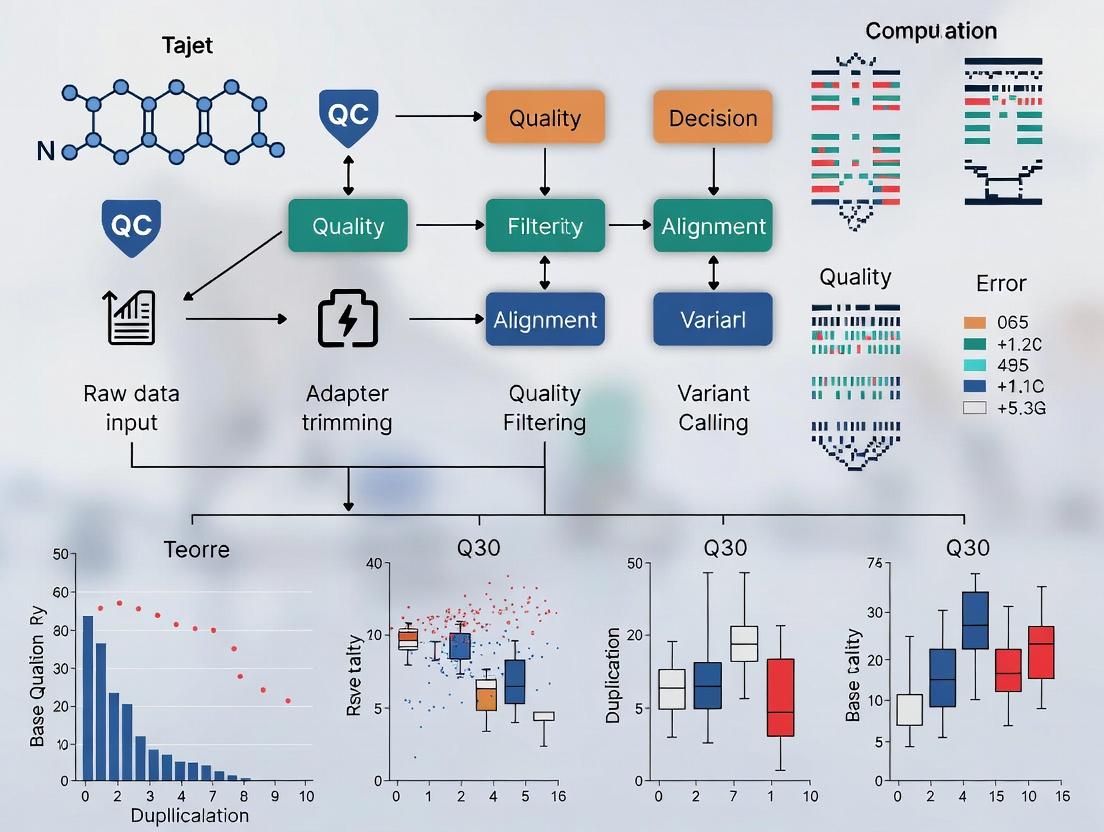
This comprehensive guide details NGS data quality control best practices for researchers, scientists, and drug development professionals.
NGS Data Quality Control Best Practices: A Step-by-Step Guide for Reliable Bioinformatics Analysis
Abstract
This comprehensive guide details NGS data quality control best practices for researchers, scientists, and drug development professionals. It covers the foundational importance of QC, provides step-by-step methodological workflows for raw and processed data using modern tools like FastQC and MultiQC, addresses common troubleshooting scenarios, and offers strategies for validating and comparing QC results across platforms and experiments. The goal is to empower users to establish robust QC pipelines, ensure data integrity, and derive trustworthy biological insights from sequencing experiments.
Why QC is Non-Negotiable: The Foundational Pillar of Robust NGS Analysis
Welcome to the Technical Support Center. This resource is part of a broader thesis research initiative on Next-Generation Sequencing (NGS) data quality control best practices. Below you will find troubleshooting guides, FAQs, and essential protocols designed for researchers, scientists, and drug development professionals.
Frequently Asked Questions (FAQs)
Q1: My sequencing run had high Q-scores (>Q30), but my variant calling yielded an unusually high number of false positives. What could be wrong? A: High per-base Q-scores indicate low probability of base-calling errors but do not assess other critical factors. The issue likely stems from:
- Cross-Sample Contamination: Index hopping or sample carryover can introduce foreign DNA.
- PCR Duplicates: Over-amplification can create artificial variants.
- Context-Specific Errors: Certain sequences (e.g., homopolymers, high-GC regions) have higher error rates not fully captured by standard Q-scores.
- Adapter Contamination: Residual adapters can cause misalignment.
Q2: How can I detect and quantify adapter contamination in my FASTQ files?
A: Adapter contamination is not reflected in Q-scores. Use tools like FastQC for visual inspection of overrepresented sequences or Cutadapt/Trimmomatic to quantify and remove adapter sequences. A pre-alignment adapter content plot is essential.
Q3: My negative control shows reads after alignment. Is this contamination, and how do I assess its impact? A: Yes, reads in a negative control indicate contamination (wet-lab or index hopping). To assess impact:
- Calculate the percentage of reads in your samples that align to the species identified in the control.
- Use this percentage as a threshold for filtering samples in downstream analysis.
- For sensitive applications (e.g., low-frequency variant detection), consider bioinformatic subtraction.
Q4: What are the key metrics beyond Q-scores for a holistic data quality report? A: A comprehensive QC report should include the metrics summarized in the table below.
Table 1: Holistic NGS Data Quality Assessment Metrics
| Category | Specific Metric | Optimal Range/Value | Tool for Assessment |
|---|---|---|---|
| Raw Read Quality | Mean Q-score (Phred) | ≥ Q30 for most applications | FastQC, MultiQC |
| % bases ≥ Q30 | > 80% | FastQC, MultiQC | |
| Adapter & Sequence Artifacts | % Adapter Content | < 1% | FastQC, Cutadapt |
| % Overrepresented Sequences | < 0.1% | FastQC | |
| Contamination | % Reads aligning to non-target species (e.g., E. coli, human) | < 0.01-0.1% (context-dependent) | Kraken2, FastQ Screen, BLAST |
| Index Hopping Rate (Dual-Indexed Runs) | < 0.1% (for patterned flow cells) | Picard CheckIlluminaDirectory |
|
| Library Complexity | % PCR Duplicates | < 20-50% (varies by application) | Picard MarkDuplicates, SAMtools |
| Estimated Library Complexity (Unique Molecules) | As high as possible | Picard EstimateLibraryComplexity |
|
| Alignment & Coverage | % Aligned Reads | > 85-95% (depending on sample/genome) | SAMtools, Qualimap |
| Mean Coverage Depth | As required by experiment | MOSDEPTH, BEDTools | |
| % Target Bases ≥ 20X | > 95% for variant calling | MOSDEPTH, GATK | |
| Uniformity of Coverage (Fold-80 penalty) | < 1.5-2.0 | Picard CollectHsMetrics |
Troubleshooting Guides
Issue: Suspected Cross-Species Contamination in Human Whole Exome Sequencing
Symptoms: Lower-than-expected on-target rate, anomalous sequencing depth in non-target regions, or taxonomic classification reports showing non-human reads. Diagnostic Protocol:
- Perform a FastQ Screen: Interpretation: Check the percentage of reads aligning to reference genomes like mouse, yeast, or E. coli. A significant percentage (>0.1%) indicates potential contamination.
- Quantify with Kraken2/Bracken: Interpretation: Provides a taxonomic breakdown to identify the contaminant source.
Resolution: If contamination is confirmed:
- Wet-Lab: Review nucleic acid extraction and library preparation procedures. Use fresh, filtered pipette tips and UV-irradiated workstations.
- Bioinformatic: For non-human reads, consider removing them by aligning to a combined host-contaminant reference and filtering.
Issue: High PCR Duplication Rates in Low-Input RNA-Seq
Symptoms: Picard's MarkDuplicates reports >50% duplicate reads, suggesting lost library complexity.
Diagnostic Protocol:
- Confirm Duplication Rate:
- Analyze Insert Size Distribution from the marked BAM file using Picard
CollectInsertSizeMetrics. A very tight, unimodal distribution suggests insufficient fragmentation or over-amplification.
Resolution:
- Optimize the number of PCR cycles during library prep.
- Use unique molecular identifiers (UMIs) in the experimental design to differentiate true biological duplicates from PCR duplicates.
- For downstream analysis, use tools that correctly handle UMIs (e.g.,
fgbio,UMI-tools).
Featured Experimental Protocol: Comprehensive Pre-Alignment QC Workflow
Objective: To systematically assess raw FASTQ data quality beyond base-calling accuracy before committing to full alignment.
Materials (The Scientist's Toolkit):
Table 2: Essential Research Reagent Solutions for NGS QC
| Item | Function |
|---|---|
| FastQC (Software) | Provides an initial overview of raw data quality, including per-base Q-scores, adapter content, and sequence duplication levels. |
| Cutadapt | Precisely finds and removes adapter sequences, primers, and other unwanted oligonucleotides. |
| FastQ Screen | Maps a sample against a panel of reference genomes to identify contamination and composition. |
| Kraken2 Database | A pre-built genomic database enabling rapid taxonomic classification of sequence reads. |
| Picard Toolkit | A set of Java command-line tools for manipulating SAM/BAM files, including vital QC metrics. |
| MultiQC | Aggregates results from multiple tools (FastQC, Cutadapt, etc.) into a single, interactive HTML report. |
Methodology:
- Generate Base Quality Reports: Run
FastQCon all raw FASTQ files. - Aggregate Reports: Use
MultiQCto compileFastQCoutputs for cross-sample comparison. - Screen for Contaminants: Execute
FastQ Screenagainst a relevant panel (e.g., human, mouse, phiX, adapters). - Perform Taxonomic Profiling (if contamination suspected): Run
Kraken2with a standard database. - Quantify and Remove Adapters: Use
Cutadaptin quantification mode first, then perform trimming based on results. - Assess Post-Trim Quality: Re-run
FastQCon the trimmed FASTQ files to confirm improvement. - Decision Point: Based on aggregated metrics, decide whether to proceed to alignment, re-sequence, or re-prepare the library.
Visualization: The Holistic NGS QC Workflow
Diagram Title: Holistic NGS Quality Control Decision Workflow
Visualization: Key Data Quality Dimensions Beyond Q-Scores
Diagram Title: Five Interdependent Dimensions of NGS Data Quality
Technical Support Center: NGS Data Quality Control
Troubleshooting Guides & FAQs
Q1: My RNA-Seq data shows high read duplication rates. What could be the cause and how do I resolve it? A: High duplication rates (>50-60%) often indicate low input material, PCR over-amplification, or poor library complexity.
- Troubleshooting Steps:
- Check Input Quality: Re-run Bioanalyzer/TapeStation on your RNA. RIN >8 is recommended for mammalian RNA.
- Quantify Precisely: Use fluorometric assays (Qubit) for input quantification, not absorbance (Nanodrop).
- Optimize PCR Cycles: Titrate PCR cycle number during library amplification. Use unique dual indices (UDIs) to mitigate index hopping.
- Use Duplication-Aware Analysis: In your alignment (e.g., STAR) and post-processing, use tools that consider random hexamer priming duplication separately from PCR duplication (e.g., UMI-based deduplication).
Q2: My differential expression analysis yields an implausibly high number of significant genes. What QC step did I likely miss? A: This frequently stems from incomplete batch effect correction or hidden confounders not accounted for in the model.
- Troubleshooting Steps:
- Perform PCA: Run Principal Component Analysis on the normalized count matrix. Color plots by sample batch, date, sequencing lane, and technician.
- Inspect for Correlations: Check if principal components correlate with technical, not biological, variables.
- Apply Correction: Use statistical methods like
ComBat-seq(in thesvaR package) or include the technical factor as a covariate in your DESeq2/edgeR model if it is not confounded with your condition of interest. - Re-run Analysis: Re-perform differential expression with the corrected data or adjusted model.
Q3: After whole-genome sequencing (WGS), my variant caller identifies thousands of novel SNPs not in dbSNP. Are these real? A: An excess of novel variants, especially clustered in specific genomic regions, often indicates sequence context-specific errors or cross-sample contamination.
- Troubleshooting Steps:
- Check Contamination: Run tools like
VerifyBamID2orContEstto estimate cross-individual DNA contamination. - Review Mapping Quality: Examine mapping quality (MAPQ) scores and base quality scores (BQ) around novel calls using IGV. Poor mapping in repetitive regions is a common culprit.
- Apply Hard Filtering: Beyond variant caller scores, apply filters such as:
QD < 2.0,FS > 60.0,MQ < 40.0,SOR > 3.0. - Re-call with a Different Pipeline: Use a workflow like GATK Best Practices (including BQSR) if you haven't, or try an independent tool (e.g.,
DeepVariant) for comparison.
- Check Contamination: Run tools like
Q4: My ChIP-Seq peaks appear weak/noisy with high background. How can I improve signal-to-noise? A: This is typically a sign of low antibody specificity or efficiency, or suboptimal sonication.
- Troubleshooting Steps:
- Verify Antibody: Use a positive control target (e.g., H3K4me3 for active promoters) and a matched IgG control.
- Assess Fragment Size: Run sonicated DNA on a Bioanalyzer. Aim for a tight distribution centered at 200-300bp.
- Check Enrichment: Perform qPCR on known target and non-target regions before sequencing to calculate % input enrichment.
- Increase Sequencing Depth: For broad histone marks or transcription factors with weak binding, deeper sequencing (40-50M reads) may be necessary.
Table 1: Pre-Alignment FASTQ QC Thresholds (Illumina)
| Metric | Good Quality Threshold | Potential Issue if Outside Range |
|---|---|---|
| Mean Q-Score (Phred) | ≥ 30 per base | High error rate, especially in later cycles. |
| % Bases ≥ Q30 | ≥ 80% for WGS; ≥ 75% for RNA-Seq | Overall poor sequence confidence. |
| GC Content | Within 5% of expected genome/transcriptome average | Contamination or adapter dimer. |
| Adapter Content | < 1% after trimming | Library prep issue; causes misalignment. |
| Undetermined Bases (N) | < 1% | Cycle sequencing failure. |
Table 2: Post-Alignment QC Metrics (Human WGS/WES)
| Metric | Optimal Range | Tool for Assessment |
|---|---|---|
| Alignment Rate | > 95% (WGS), > 85% (Exome) | samtools flagstat, Picard |
| Duplication Rate | < 10-20% (WGS), < 20-50% (Exome/Capture) | Picard MarkDuplicates |
| Insert Size Mean | Matches library prep protocol (± 20%) | Picard CollectInsertSizeMetrics |
| Mean Coverage Depth | Project-specific (e.g., 30x for WGS) | mosdepth, GATK DepthOfCoverage |
| Uniformity of Coverage | > 97% bases at 0.2x mean depth (Exome) | Picard CalculateHsMetrics |
| Chimeric Read Rate | < 1-2% | Picard CollectAlignmentSummaryMetrics |
Experimental Protocols
Protocol 1: Comprehensive QC for RNA-Seq Library Prior to Sequencing
- Quantification: Dilute library 1:10 in nuclease-free water. Use Qubit dsDNA HS Assay for accurate concentration.
- Size Distribution: Load 1 µl of undiluted library on an Agilent High Sensitivity DNA chip (Bioanalyzer). Expected profile: a single, sharp peak corresponding to your insert size + adapters (e.g., ~280-300bp for standard mRNA-seq).
- qPCR Quantification (for molarity): Perform SYBR Green qPCR against a conserved region of the adapter using a serially diluted standard of known concentration (e.g., KAPA Library Quant Kit). This calculates the amplifiable library concentration (nM).
- Pooling: Pool libraries based on qPCR molarity, not Qubit concentration, to ensure equimolar representation.
Protocol 2: In-Silico Contamination Check with Kraken2
- Database Download:
kraken2-build --download-library bacteria --db k2_standard_db - Run Classification:
kraken2 --db /path/to/k2_standard_db --threads 8 --report kr_report.txt --paired seq_1.fastq.gz seq_2.fastq.gz - Interpret Report: Open
kr_report.txt. Focus on the percentage of reads classified to species other than your target organism (e.g., Homo sapiens). A contamination level >0.1-1% warrants investigation. - Filter Reads (Optional): Use
brackento re-estimate species abundance more accurately.
Visualizations
Title: RNA-Seq QC and Analysis Workflow with Checkpoints
Title: Pathway from Poor QC to Misleading Biological Conclusions
The Scientist's Toolkit: Essential QC Reagents & Materials
| Item | Function in NGS QC |
|---|---|
| Agilent Bioanalyzer High Sensitivity DNA/RNA Kits | Provides precise size distribution and quantification of nucleic acid libraries (pre- and post-capture/amplification). Essential for detecting adapter dimer, over-amplification, or degraded RNA. |
| Qubit dsDNA/RNA HS Assay Kits | Fluorometric quantification specific to double-stranded DNA or RNA. More accurate than absorbance (A260) for low-concentration, prepurified samples as it is not affected by contaminants. |
| KAPA Library Quantification Kit (qPCR) | Accurately determines the molar concentration of amplifiable adapter-ligated fragments in a library pool. Critical for achieving balanced, equimolar pooling of multiplexed samples. |
| Unique Dual Index (UDI) Adapter Sets | Molecular barcodes that allow precise sample multiplexing and demultiplexing while virtually eliminating index hopping artifacts, improving data integrity in pooled runs. |
| RNase-Free DNase Set & RNA Stabilization Reagents | For RNA-seq, ensures complete genomic DNA removal and preserves RNA integrity from sample collection through extraction, safeguarding against degradation artifacts. |
| Phylogenomic Standard DNA (e.g., ZymoBIOMICS) | A defined microbial community standard with known abundances. Used as a spike-in control for metagenomic sequencing to assess bias, sensitivity, and contamination in the workflow. |
Key QC Checkpoints in a Standard NGS Workflow (Pre- and Post-Alignment).
This technical support center is framed within research on NGS data quality control best practices. It provides targeted troubleshooting for common issues encountered at critical QC checkpoints.
Troubleshooting Guides & FAQs
Pre-Alignment (Raw Data) QC
Q1: My FastQC report shows "Per base sequence quality" failures (Q-scores < 20 in early cycles). What is the cause and how can I fix it?
- A: This typically indicates degradation of the sequencing cluster's signal intensity or phasing/pre-phasing issues on the flow cell. It can also be caused by contaminated or degraded library fragments.
- Troubleshooting Steps:
- Check Multiple Lanes: If the issue is lane-specific, it points to a flow cell or sequencing chemistry problem.
- Review "Adapter Content" Plot: High adapter content early on suggests library fragments are too short. Proceed with stricter adapter trimming.
- Verify Library QC: Check Bioanalyzer/TapeStation traces from the library prep step. A shift to lower molecular weights confirms fragment degradation or over-fragmentation.
- Solution: Trim low-quality bases and adapter sequences using tools like Trimmomatic or Cutadapt. For future runs, ensure proper storage of libraries and avoid over-cycling during fragmentation.
Q2: I observe high levels of duplicate reads (>50%) in my alignment metrics. Is this normal?
- A: This is expected for highly amplified targets (e.g., amplicon sequencing) but problematic for standard whole-genome or transcriptome sequencing. It indicates low library complexity, often due to insufficient starting material, over-amplification during PCR, or capture bias.
- Troubleshooting Steps:
- Correlate with Input: Review the amount of input DNA/RNA used. Low input (<100 ng for DNA, <10 ng for RNA) is a common cause.
- Check Pre-PCR QC: Was the library quantified accurately before amplification? Excessive PCR cycles (>12-15) dramatically increase duplicates.
- Solution: For future experiments, increase input material where possible, use PCR-free library prep kits for DNA, or employ unique molecular identifiers (UMIs) to distinguish biological duplicates from PCR duplicates. For current data, use duplicate marking tools (e.g.,
samtools markdup) before variant calling.
Post-Alignment QC
Q3: My post-alignment coverage is extremely uneven, with many zero-coverage regions. What could be wrong?
- A: This indicates poor capture efficiency (for hybrid-capture assays) or severe bias in library preparation. For WGS, check for GC-rich or GC-poor regions which are notoriously difficult to sequence.
- Troubleshooting Steps:
- Plot GC vs. Coverage: Generate a GC-coverage correlation plot. A strong "hill-shaped" curve indicates GC bias.
- Review Library Prep Protocol: Were fragmentation conditions optimal? Was the PCR amplification step performed with a polymerase mix designed to minimize bias?
- For Capture Assays: Check the bait design files and ensure the target regions are correctly annotated. Review hybridization conditions and washing stringency.
- Solution: Use tools like
picard CollectGcBiasMetricsorQualimapto quantify bias. For future preps, incorporate kits with enzymes that mitigate GC bias. For capture, re-optimize probe design or hybridization conditions.
Q4: The insert size distribution from my paired-end data does not match the expected library size.
- A: A shifted or bimodal insert size distribution suggests issues during size selection (e.g., gel cut or bead-based purification) or improper fragment size estimation prior to sequencing.
- Troubleshooting Steps:
- Compare with Pre-Seq QC: Align the distribution mean with the peak size from the Bioanalyzer run after library prep and before sequencing. A large discrepancy indicates a calculation error.
- Check for Contamination: A small secondary peak could indicate adapter-dimer contamination that was not properly size-selected out.
- Solution: Re-calculate the size selection parameters. Ensure bead-to-sample ratios are precise. For current data, filter reads by insert size during analysis to remove outliers if necessary.
Quantitative QC Metrics & Thresholds
Table 1: Key Pre-Alignment QC Metrics (FastQ)
| Metric | Recommended Threshold | Tool for Assessment | Indication of Problem |
|---|---|---|---|
| Q-Score (Phred) | ≥ 30 for >80% of bases | FastQC, MultiQC | Sequencing chemistry/flow cell issues |
| Adapter Content | ≤ 1% | FastQC, Trim Galore! | Incomplete adapter trimming, short fragments |
| % Duplicate Reads | < 20% (WGS), < 50% (RNA-Seq)* | FastQC | Low library complexity, over-amplification |
| % GC Content | Within 5% of organism reference | FastQC | Contamination or sequence-specific bias |
*Highly dependent on experimental design.
Table 2: Key Post-Alignment QC Metrics (BAM)
| Metric | Recommended Threshold | Tool for Assessment | Indication of Problem |
|---|---|---|---|
| Alignment Rate | > 85-90% (species-specific) | STAR, HISAT2, Qualimap | Poor library quality or incorrect reference |
| Uniformity of Coverage | > 80% of targets at 0.2x mean cov. | Picard, mosdepth | Capture inefficiency or high GC bias |
| Insert Size Mean | Within 10% of expected size | Picard CollectInsertSizeMetrics | Inaccurate size selection |
| Chimeric/Abnormal Read Pairs | < 5% | Samtools flags | Structural variants or PCR artifacts |
Detailed Experimental Protocols
Protocol 1: Library QC using Agilent Bioanalyzer High Sensitivity DNA Assay
- Purpose: Accurately determine library fragment size distribution and molarity prior to sequencing.
- Materials: Agilent High Sensitivity DNA kit, Bioanalyzer instrument, library sample.
- Method:
- Prepare gel-dye mix and prime the High Sensitivity DNA chip.
- Load 5 µL of marker into the appropriate wells.
- Load 1 µL of each library sample (diluted 1:10 in water) into sample wells.
- Pipette 1 µL of ladder into the designated well.
- Vortex the chip for 1 minute at 2400 rpm.
- Run the chip on the Bioanalyzer 2100 using the "High Sensitivity DNA" assay setting.
- Analysis: Use the software to determine the peak size (bp) and molar concentration (nM). Calculate loading concentration for the sequencer.
Protocol 2: Post-Alignment QC using Picard Tools
- Purpose: Generate comprehensive metrics from aligned BAM files.
- Materials: Sorted BAM file, reference genome (.dict file), target BED file (for hybrid capture).
- Method (Command Line):
- Analysis: Review the output text files for the metrics listed in Table 2.
Visualizations
Diagram 1: Standard NGS Workflow with Key QC Points
Diagram 2: Root Cause Analysis for Low Alignment Rate
The Scientist's Toolkit: Key Research Reagent Solutions
Table 3: Essential Reagents for NGS Library Preparation & QC
| Item | Function | Example Product/Kit |
|---|---|---|
| DNA/RNA Extraction Kits | Isolate high-purity, high-integrity nucleic acids from diverse sample types. | Qiagen DNeasy/RNeasy, Zymo Research kits |
| Library Preparation Kits | Fragment, end-repair, A-tail, adapter-ligate, and PCR amplify input DNA/RNA. | Illumina DNA Prep, NEBNext Ultra II, Swift Biosciences Accel-NGS |
| Unique Molecular Indices (UMIs) | Molecular barcodes to tag original molecules, enabling PCR duplicate removal. | IDT for Illumina UMI Adapters, Swift Dual Index UMI kits |
| Size Selection Beads | Perform clean-up and precise size selection via SPRI (Solid Phase Reversible Immobilization). | Beckman Coulter AMPure XP, KAPA Pure Beads |
| QC Instrument Kits | Quantify and assess size distribution of libraries pre-sequencing. | Agilent High Sensitivity DNA/RNA Bioanalyzer/TapeStation kits, Qubit dsDNA HS Assay |
| Hybridization Capture Kits | Enrich for specific genomic regions using biotinylated probes. | IDT xGen, Twist Bioscience Target Enrichment, Roche NimbleGen SeqCap |
This guide, created as part of a thesis on NGS data quality control best practices, provides a technical support resource for researchers, scientists, and drug development professionals. It addresses common questions and troubleshooting scenarios for three foundational Next-Generation Sequencing (NGS) quality control metrics, with the aim of standardizing evaluation protocols and ensuring robust, reproducible data analysis.
Troubleshooting Guides & FAQs
Per Base Sequence Quality
Q1: What does a sudden drop in sequence quality at the end of most reads indicate, and how should I address it? A: This is a hallmark of sequencing chemistry exhaustion or signal decay common in platforms like Illumina. Address by: 1) Trimming the low-quality ends using tools like Trimmomatic or Cutadapt. 2) Reviewing the run's phasing/prephasing metrics in the Illumina InterOp files, as high levels can cause this. 3) Ensuring the sequencer's wash and maintenance protocols were followed.
Q2: My Per Base Sequence Quality plot shows poor quality scores at the beginning of reads. What is the likely cause? A: Initial low quality often stems from transient issues during cluster initialization. Troubleshoot by: 1) Trimming the first 5-10 bases. 2) Checking for over- or under-clustering on the flow cell, which can affect initial signal intensity. 3) Verifying the integrity of the sequencing primer.
Experimental Protocol: Assessing Per Base Quality with FastQC
- Tool: FastQC (v0.12.1).
- Input: Raw FASTQ file(s).
- Command:
fastqc sample_1.fastq.gz -o ./qc_output/ - Output Interpretation: Open the
fastqc_report.html. Examine the "Per base sequence quality" module. The plot displays Phred scores (y-axis) across each base position (x-axis). The background is color-coded: green (good), orange (acceptable), red (poor).
GC Content
Q3: The observed GC content distribution of my sample deviates sharply from the theoretical expectation. What does this suggest? A: A significant shift suggests potential contamination. A bimodal distribution often indicates multiple contaminating organisms. A uniform shift may suggest a single-source contamination or a PCR bias. Proceed by: 1) Comparing the GC distribution to known reference genomes. 2) Checking for sample cross-contamination or index hopping. 3) For WGS, the observed peak should closely match the theoretical model for your organism.
Q4: For a human whole-genome sequencing sample, what is the expected GC content value, and when is deviation concerning? A: The expected mean GC content for the human genome is approximately 41%. A deviation of more than ±5% is a red flag. A concerning deviation triggers: 1) Verification of sample species and purity. 2) Inspection of library preparation reagents for bias. 3) Analysis of sequencing adapters for presence in the data.
Experimental Protocol: Calculating Theoretical vs. Observed GC Content
- Theoretical Calculation: For a known reference genome (e.g., GRCh38), extract the sequence and calculate the overall percentage of G and C nucleotides. Formula:
(Count(G) + Count(C)) / Total Bases * 100. - Observed Calculation: Use FastQC on your FASTQ data. The "Per sequence GC content" module plots the distribution.
- Comparison: Overlay the theoretical expectation (a single normal distribution peak) on the FastQC plot. Major discrepancies require investigation.
Table 1: Expected GC Content Ranges for Common Model Organisms
| Organism | Expected Mean GC Content | Acceptable Range (Mean ± %) |
|---|---|---|
| Homo sapiens (Human) | 41% | 36% - 46% |
| Mus musculus (Mouse) | 42% | 37% - 47% |
| Drosophila melanogaster (Fruit fly) | 43% | 38% - 48% |
| Escherichia coli K-12 | 50.8% | 46% - 56% |
| Arabidopsis thaliana | 36% | 31% - 41% |
Duplication Rates
Q5: What are acceptable duplication rates for different NGS application types? A: Acceptable rates vary significantly by application:
- Whole Genome Sequencing (WGS): Low duplication (<10-20%) is expected for high-coverage, diverse libraries.
- RNA-Seq: High duplication rates (often 50%+) are common due to highly expressed transcripts, especially with high sequencing depth.
- Targeted Sequencing (e.g., Exome): Moderate duplication (20-50%) can occur due to the focused nature of the capture.
- Single-Cell RNA-Seq: Very high duplication rates (>60%) are typical and expected.
Q6: How can I determine if high duplication is due to technical artifacts (PCR over-amplification) or biological factors?
A: Use sequence-based deduplication tools (e.g., picard MarkDuplicates). Technical duplicates are identical reads with the same start and end positions. After marking/removing these, assess remaining duplication. Persistent high levels post-deduplication in WGS likely indicate low library complexity or insufficient starting material.
Experimental Protocol: Marking PCR Duplicates with Picard
- Prerequisite: Align reads to a reference genome (e.g., using BWA).
- Tool: Picard Toolkit's
MarkDuplicates(v3.0.0). - Command:
- Output: The
metrics.txtfile contains key quantitative data, including the percentage of duplicated reads.
Table 2: Duplication Rate Interpretation Guide
| NGS Application | Low/Expected Duplication | High Duplication (Potential Cause) | Action |
|---|---|---|---|
| Whole Genome Seq | 5% - 20% | >30% (Low input, PCR bias) | Check library prep input amounts; Use deduplication. |
| RNA-Seq | 20% - 60% | >80% (Low complexity, over-sequencing) | Normalize using transcripts per million (TPM); Consider UMIs. |
| Exome Seq | 15% - 40% | >60% (Capture inefficiency, PCR bias) | Review bait design and hybridization conditions. |
| ChIP-Seq | 10% - 30% | >50% (Low signal-to-noise, over-amplification) | Increase antibody specificity; Use deduplication. |
Visualizations
Title: FastQC Metric Evaluation Workflow
Title: Decision Tree for High Duplication Rates
The Scientist's Toolkit: Research Reagent Solutions
Table 3: Essential Reagents & Materials for NGS Library QC
| Item | Function in QC Context |
|---|---|
| Qubit dsDNA HS Assay Kit | Accurately quantifies low-concentration, double-stranded DNA library pre-pooling, critical for avoiding over- or under-clustering on the flow cell. |
| Agilent High Sensitivity D1000/5000 ScreenTape | Assesses library fragment size distribution, confirming successful size selection and the absence of adapter dimer or high molecular weight contamination. |
| KAPA Library Quantification Kit (qPCR) | Quantifies amplifiable library concentration by targeting adapters, providing the most accurate loading concentration for Illumina sequencers. |
| PhiX Control v3 | Spiked into runs (1-5%) as a high-quality, known-genome control for monitoring sequencing performance, error rates, and cluster identification. |
| RNase/DNase-free Water | Used for all dilutions to prevent nucleic acid degradation and nuclease contamination that could skew QC measurements. |
| Magnetic Beads (SPRI) | For post-PCR clean-up and size selection; bead-to-sample ratio is critical for removing primer dimers and selecting the correct insert size. |
| Unique Dual Indexes (UDIs) | Minimizes index hopping and sample misidentification, a pre-sequencing QC measure critical for multiplexed runs. |
The Impact of Sample Source and Library Prep on Initial Data Quality
Troubleshooting Guides & FAQs
FAQ 1: Why do my FFPE-derived libraries show high duplication rates and low complexity compared to my fresh-frozen samples?
- Answer: Formalin fixation causes DNA cross-linking and fragmentation, leading to lower yields of input material and increased damage (e.g., deamination). This results in fewer unique starting molecules, which is amplified during PCR library prep, causing high duplication rates.
- Troubleshooting Steps:
- Pre-QC: Use a fluorometric assay designed for fragmented DNA (e.g., Qubit dsDNA HS Assay) over UV spectroscopy. Run a fragment analyzer to assess size distribution.
- Input Repair: Use specialized repair enzymes optimized for FFPE-derived damage (e.g., uracil-DNA glycosylase for cytosine deamination).
- Library Kit Selection: Choose a kit validated for low-input and/or damaged DNA. These often incorporate protocols to reduce duplicate reads.
- PCR Optimization: Minimize PCR cycles. Use unique dual index (UDI) adapters to accurately identify PCR duplicates bioinformatically.
FAQ 2: How does the choice of rRNA depletion vs. poly-A selection for RNA-Seq affect my data when using degraded sample sources (e.g., blood, preserved tissue)?
- Answer: Poly-A selection requires intact mRNA with poly-A tails, which degrade rapidly in low-quality samples, leading to severe 3' bias and loss of coverage. Ribosomal RNA (rRNA) depletion targets abundant rRNAs regardless of mRNA integrity, providing more uniform coverage from degraded samples but may capture more non-coding RNA.
- Troubleshooting Steps:
- Sample QC: Always check RNA Integrity Number (RIN) or equivalent (e.g., DV200 for FFPE). A RIN < 7 suggests significant degradation.
- Protocol Choice: For RIN > 7, poly-A selection is suitable for standard mRNA sequencing. For RIN < 7 or FFPE samples, opt for rRNA depletion.
- Bioinformatic Adjustment: Be aware that rRNA-depleted libraries will have a different background profile; ensure your pipeline includes appropriate filters for non-poly-A transcripts if focusing on mRNA.
FAQ 3: We observe batch effects and inconsistent coverage in our whole-genome sequencing data. Could this be linked to library preparation normalization methods?
- Answer: Yes. Traditional normalization by concentration (ng/µL) alone does not account for fragment size distribution. Two libraries with the same concentration but different average fragment sizes will have different numbers of amplifiable molecules, leading to coverage disparity.
- Troubleshooting Steps:
- Quantify Molarity: Use qPCR-based quantification (e.g., KAPA Library Quant Kit) or a fragment analyzer to calculate library molarity (nM), which considers size.
- Normalize by Molarity: Pool libraries based on molarity (nM) rather than mass concentration (ng/µL) for even sequencing representation.
- Standardize Fragmentation: Calibrate mechanical shearing or enzymatic fragmentation protocols to produce consistent fragment sizes across batches.
Experimental Protocol: Assessing Library Prep Kits for Low-Input FFPE DNA
- Sample Selection: Use three matched pairs of FFPE and fresh-frozen tissue sections from the same source.
- DNA Extraction: Perform deparaffinization and DNA extraction using a silica-column method optimized for FFPE. Quantify using fluorometry.
- Library Preparation:
- Test three different library prep kits: Kit A (standard), Kit B (low-input), Kit C (damaged-DNA/FFPE optimized).
- Use 10ng input where possible. For low-yield FFPE samples, use the minimum input specified (e.g., 1ng).
- Follow each manufacturer's protocol precisely. Use unique dual indexes.
- Library QC: Analyze 1 µL of each final library on a Fragment Analyzer or Bioanalyzer for size distribution. Quantify by qPCR.
- Sequencing: Pool libraries equimolarly and sequence on a mid-output flow cell (2x150bp) to a target depth of 30M clusters/sample.
- Bioinformatic Analysis:
- Process raw data through a standardized pipeline (FastQC, adapter trimming, alignment).
- Calculate: % Duplication, % Aligned, Mean Coverage, Coverage Uniformity (fold 80 base penalty), and Complexity (unique reads per ng input).
Table 1: Quantitative Comparison of Library Prep Kits Using FFPE vs. Fresh-Frozen Samples
| Metric | Fresh-Frozen (Kit A) | FFPE (Kit A - Standard) | FFPE (Kit B - Low-Input) | FFPE (Kit C - FFPE Optimized) |
|---|---|---|---|---|
| Average Input DNA (ng) | 10 | 10 | 1 | 10 |
| % Duplicate Reads | 5.2% | 58.7% | 35.4% | 22.1% |
| % Reads Aligned | 99.5% | 85.2% | 91.8% | 95.3% |
| Mean Coverage | 102x | 87x* | 78x | 94x |
| Coverage Uniformity | 98.5% | 89.1% | 92.7% | 96.0% |
| Unique Reads per ng Input | 4.2M | 0.8M | 3.1M | 3.8M |
*Higher-than-expected mean coverage here is an artifact of high duplication inflating total read count; effective unique coverage is lower.
Decision Workflow for NGS Library Prep Based on Sample Source
The Scientist's Toolkit: Research Reagent Solutions
| Item | Function & Rationale |
|---|---|
| Fragment Analyzer / Bioanalyzer | Provides electrophoretic trace for accurate sizing and quantification of nucleic acid fragments, crucial for calculating library molarity. |
| Fluorometric Qubit Assay | DNA/RNA dye-based quantification specific to double-stranded or single-stranded nucleic acids, unaffected by contaminants like salts or RNA/DNA. |
| qPCR Library Quant Kit (e.g., KAPA) | Quantifies only amplifiable library fragments, enabling accurate molar pooling for balanced sequencing. |
| UDI (Unique Dual Index) Adapters | Provide a unique combinatorial barcode for each sample, enabling precise demultiplexing and accurate PCR duplicate removal. |
| FFPE DNA Repair Enzyme Mix | Contains a blend of enzymes to reverse formalin-induced damage (e.g., nicks, abasic sites, deaminated bases), improving library complexity. |
| Ribosomal RNA Depletion Probes | Probes (human/mouse/rat/bacterial) to remove abundant rRNA from total RNA samples, preferred for degraded or non-polyA targets. |
| Solid Phase Reversible Immobilization (SPRI) Beads | Magnetic beads for size-selective clean-up and purification of DNA fragments during library prep (e.g., post-adapter ligation). |
| PCR Enzymes for High-Fidelity | Engineered polymerases with low error rates and minimal bias for accurate amplification of library templates, especially critical for low-input. |
Your Practical QC Toolkit: Step-by-Step Workflows from FASTQ to Analysis-Ready Data
Troubleshooting Guides and FAQs
Q1: My FastQC report shows "Per base sequence quality" failures. What does this mean, and how can I fix it?
A1: This indicates a significant drop in sequencing quality (typically Phred scores < 20) towards the ends of reads. This is common in older sequencing chemistries. To fix: 1) Use fastp or Trimmomatic to perform quality trimming. 2) For fastp, the command fastp -i input.fq -o output.fq -q 20 -u 30 will trim bases with quality <20 from the 3' end and trim reads shorter than 30bp after trimming.
Q2: FastQC reports "Overrepresented sequences." How do I determine if this is adapter contamination or biological content?
A2: First, click the "Overrepresented sequences" module in the FastQC HTML to see the exact sequences. Then, use BLAST to check if they match known adapters (e.g., Illumina TruSeq). For a programmatic check, run fastp --detect_adapter_for_pe -i in1.fq -I in2.fq. If adapters are confirmed, trim them with fastp -i in.fq -o out.fq --trim_front1 {N} --trim_tail1 {N} or use the built-in adapter detection.
Q3: FastQScreen reports a high percentage of hits to a contaminant genome (e.g., *E. coli*). What are the next steps?
A3: This suggests sample contamination. Steps: 1) Quantify the contamination level from the FastQScreen summary table. If >5%, consider downstream removal. 2) Use bbduk.sh (from BBMap suite) to subtract contaminant reads: bbduk.sh in=reads.fq out=clean.fq ref=contaminant_genome.fasta k=31. 3) Re-run FastQ_Screen on the cleaned file to verify removal.
Q4: I get "Slightly elevated error rates" in Illumina's interop metrics alongside FastQC warnings. Is my flow cell bad?
A4: Not necessarily. First, correlate with FastQC's "Per base sequence content" plot. Systematic errors may indicate a flow cell issue. Random errors may be due to sample quality. Protocol: 1) Check the error rate across lanes from the Interop ErrorRateMetricsOut.bin file. If one lane is high, it's likely a localized flow cell defect. 2) If all lanes are elevated, consider increasing trimming stringency with fastp -q 25 -e 25 (requires mean quality >25).
Q5: How do I choose between FastQC and fastp for initial QC in my thesis pipeline? A5: They serve different purposes. FastQC is for diagnostic reporting only. fastp performs filtering and trimming and generates a QC report. Best Practice: Run FastQC on raw data for an unbiased view. Then run fastp for adapter/quality trimming, using its HTML report to confirm issues are resolved. This two-step process is recommended for rigorous thesis research.
| Tool | Primary Metric | Optimal Value | Failure Threshold | Common Cause of Failure |
|---|---|---|---|---|
| FastQC | Per Base Sequence Quality (Phred Score) | ≥ 28 | < 20 | Degraded reagents, outdated flow cell. |
| FastQC | Per Base Sequence Content | A~T, C~G | Deviation >10% between A-T or C-G | Overrepresented adapters, library prep bias. |
| FastQC | Adapter Content | 0% | > 5% | Incomplete adapter removal during library prep. |
| fastp | Read Passing Filters | > 90% of total | < 70% | Poor sample quality or severe adapter contamination. |
| fastp | Duplication Rate (PCR) | < 20% for genomic DNA | > 50% | Over-amplification during PCR, low input DNA. |
| FastQ_Screen | % Reads Mapping to Contaminant | < 1% | > 5% | Cross-species contamination or index hopping. |
Detailed Experimental Protocols
Protocol 1: Comprehensive Raw Read QC and Cleaning for NGS Thesis Research
- Initial Assessment (FastQC):
fastqc sample_R1.fastq.gz sample_R2.fastq.gz -t 4 -o ./fastqc_raw/Inspect all HTML modules, noting failures in "Per base sequence quality," "Adapter content," and "Overrepresented sequences."
Adapter Trimming & Quality Filtering (fastp):
Explanation: This command detects/trims adapters, trims 3' low-quality (
Post-Cleaning QC (FastQC): Run FastQC again on the trimmed files (
sample_R1_trimmed.fq.gz) to confirm issue resolution.Contamination Screening (FastQ_Screen): a. Build or download contaminant genomes (e.g., phiX, E. coli, human). b. Create a config file (
fastq_screen.conf) specifying genome paths. c. Run:fastq_screen --conf fastq_screen.conf sample_R1_trimmed.fq.gz sample_R2_trimmed.fq.gz --aligner bowtie2 --threads 8 --subset 100000
Protocol 2: Troubleshooting Adapter Contamination with fastp If FastQC shows high adapter content:
- Identify adapter sequence from the "Overrepresented sequences" list.
- Create a custom adapter FASTA file (
my_adapters.fa). - Run fastp with explicit adapter listing:
fastp -i in.fq -o out.fq --adapter_fasta my_adapters.fa --trim_front1 10 --trim_tail1 10 - Re-visualize with FastQC to confirm reduction.
Visualizations
Title: NGS Raw Read QC Workflow for Thesis Research
Title: FastQC Failure Troubleshooting Decision Tree
The Scientist's Toolkit: Research Reagent Solutions
| Item | Function in Raw Read QC | Example/Note |
|---|---|---|
| Illumina Sequencing Kits | Generate raw FASTQ data. Quality varies by version. | NovaSeq 6000 v1.5 kits have higher Q-scores than v1.0. |
| Adapter Oligos | Indexed sequences for multiplexing; source of contamination. | TruSeq DNA/RNA UD Indexes. Must be specified for trimming. |
| PhiX Control Library | Spiked-in for run quality monitoring. | FastQ_Screen should detect PhiX as a known control. |
| Contaminant Genome FASTA | Reference for identifying unwanted sequences. | Common sets include phiX174, E. coli, human rRNA, vectors. |
| QC Software (FastQC/fastp) | Executes QC algorithms. | Version impacts parameters; always cite version in thesis. |
| High-Performance Compute (HPC) Cluster | Runs resource-intensive alignment for FastQ_Screen. | Essential for screening against multiple large genomes. |
Troubleshooting Guides & FAQs
Q1: After running Trimmomatic, my output files are empty. What are the most common causes?
A: This is typically due to incorrect path specification for input files, overly stringent trimming parameters (e.g., LEADING:30 or TRAILING:30 on data with lower quality), or misformatted adapter files. Verify file paths, reduce quality thresholds initially (e.g., LEADING:3, TRAILING:3), and ensure your adapter sequence file uses the correct FASTA format.
Q2: Cutadapt reports "No adapters found" even though I know adapters are present. How do I resolve this?
A: This often indicates a sequence orientation mismatch. Adapters can be present on the 5' end, 3' end, or both, and in forward or reverse-complement orientation. Use the -a, -g, -b options appropriately. For paired-end data, always specify -A, -G, -B for the second read. Use the --times=2 flag to search for multiple adapter instances.
Q3: What is the recommended strategy for balancing read loss with quality gain during trimming?
A: Use a sliding window approach (e.g., SLIDINGWINDOW:4:15 in Trimmomatic) as the primary quality filter, as it targets poor-quality regions rather than the whole read. Set MINLEN to 36-50 bp to retain short but meaningful sequences. Monitor the relationship between quality scores and retained read length/bases. Refer to Table 1 for empirical benchmarks.
Q4: How do I handle paired-end reads when one read is filtered out but the other is retained?
A: Both Trimmomatic and Cutadapt have built-in mechanisms for this. In Trimmomatic, use PE input mode instead of SE; it will output both "paired" and "unpaired" files. In Cutadapt, use the --pair-filter=any option to discard a pair if either read fails, or --pair-filter=both to be more lenient. Always maintain separate files for paired and orphaned reads for downstream tools.
Q5: My processing speed with Cutadapt is very slow on large NGS files. Are there optimization flags?
A: Yes. Use -j N to specify the number of cores (0 for auto-detection). Increase the --buffer-size (e.g., --buffer-size=1000). For very common adapters, consider using --no-indels for a faster but exact-match-only search. Pre-trim common fixed-length sequences with a faster tool before detailed adapter removal.
Table 1: Impact of Trimming Parameters on Read Retention and Quality (Simulated WGS Data)
| Parameter Set | Avg. Quality Score (Post-Trim) | % Reads Retained | % Bases Retained | Avg. Read Length |
|---|---|---|---|---|
| SLIDINGWINDOW:4:15, MINLEN:36 | 37.2 | 98.5% | 95.1% | 148 bp |
| SLIDINGWINDOW:5:20, MINLEN:50 | 38.5 | 96.8% | 91.7% | 142 bp |
| LEADING:3, TRAILING:3, MINLEN:36 | 35.8 | 99.1% | 98.5% | 149 bp |
| No Trimming | 34.1 | 100% | 100% | 150 bp |
Table 2: Common Adapter Sequences for Cutadapt (Illumina Platforms)
| Adapter Name | Sequence (5'->3') | Common Use Case |
|---|---|---|
| TruSeq Universal Adapter | AGATCGGAAGAGC |
Standard Illumina single-end |
| TruSeq Adapter Index 1-20 | AGATCGGAAGAGCACACGTCTGAACTCCAGTCA |
Paired-end, Read 1 |
| TruSeq Adapter Index 21-40 | AGATCGGAAGAGCGTCGTGTAGGGAAAGAGTGT |
Paired-end, Read 2 |
| Nextera Transposase Sequence | CTGTCTCTTATACACATCT |
Nextera library prep |
Experimental Protocols
Protocol 1: Comprehensive Paired-End Read Trimming with Trimmomatic
- Input: Paired FASTQ files (
R1.fastq.gz,R2.fastq.gz). - Command:
- Parameters:
ILLUMINACLIPremoves adapters (2 seed mismatches, 30 palindrome clip threshold, 10 simple clip threshold).LEADING/TRAILINGremove low-quality bases from ends.SLIDINGWINDOWscans read with a 4-base window, cutting when average quality drops below 15.
Protocol 2: Two-Pass Adapter Trimming with Cutadapt
- Input: FASTQ file (
input.fastq.gz). - First Pass (Universal Adapters):
- Second Pass (Residual Adapter Dimers):
- Rationale: The first pass removes known adapter sequences. The second pass removes homopolymer-based artifacts which can hinder alignment.
Visualizations
Title: NGS Read Preprocessing and Trimming Sequential Workflow
Title: Troubleshooting Guide for Preprocessing & Trimming Issues
The Scientist's Toolkit: Research Reagent Solutions
Table 3: Essential Materials for NGS Preprocessing Experiments
| Item | Function | Example/Supplier |
|---|---|---|
| Trimmomatic | Java-based tool for flexible read trimming. Includes presets for common adapters. | usadellab.org/Trimmomatic |
| Cutadapt | Python tool for precise adapter and primer removal. Essential for complex adapter sets. | cutadapt.readthedocs.io |
| Adapter Sequence FASTA Files | Contains standard and custom adapter sequences in FASTA format for trimming tools. | Illumina TruSeq, Nextera, etc. |
| High-Performance Computing (HPC) Cluster or Multi-core Server | Required for timely processing of large FASTQ files (GB to TB scale). | Local institutional HPC, cloud computing (AWS, GCP). |
| FASTQC | Quality control tool to visualize trimming effectiveness pre- and post-processing. | bioinformatics.babraham.ac.uk |
| Validated Reference Genome (FASTA) | Used post-trimming to assess alignment rate improvement as a QC metric. | GRCh38, GRCm39, etc. |
Troubleshooting Guides & FAQs
Q1: My SAMtools flagstat output shows a very low percentage of properly paired reads. What are the main causes and solutions?
A: A low percentage of properly paired reads (often below 80-90% for standard Illumina libraries) indicates issues with the alignment or the library itself.
- Primary Causes:
- Excessive PCR Duplicates: Over-amplification during library prep.
- Poor Library Quality: Fragmented or degraded DNA input.
- Incorrect Alignment Parameters: Mismatch between read length and aligner settings.
- Contamination: Presence of adapter dimers or foreign DNA.
- Solutions:
- Run Picard's
MarkDuplicatesto quantify duplication rates. Consider optimizing library normalization. - Check pre-alignment QC (FastQC) for per-base quality drops or adapter contamination.
- Verify that the aligner's maximum fragment length parameter is set appropriately for your library insert size distribution.
- Re-run adapter trimming and consider more stringent size selection.
- Run Picard's
Q2: QualiMap reports low coverage uniformity (high coefficient of variation or poor 5'/3' bias plot). How can I improve this for targeted panels?
A: Poor uniformity leads to missed variants. For targeted sequencing (e.g., exome or gene panels):
- Check: QualiMap's "Gene Fraction Coverage" table and "Coverage per Target" plot.
- Protocol to Investigate:
- Probe/Hybridization Issues: Ensure target bed file matches the panel used. Low uniformity often stems from inefficient capture probe design or hybridization conditions.
- PCR Artifacts: Implement duplex Unique Molecular Identifiers (UMIs) to correct for amplification bias.
- Wet-lab Protocol: Strictly control fragmentation time and temperature, and ensure accurate magnetic bead-based size selection.
- Action: Re-optimize capture conditions or switch to a more uniformly performing panel if the issue persists across multiple runs.
Q3: Picard CollectInsertSizeMetrics shows an anomalous insert size distribution (e.g., bimodal or extremely broad). What does this signify?
A: The insert size histogram should be approximately normal. Deviations point to specific problems.
- Bimodal Peak: Often indicates poor size selection during library prep, where two distinct fragment populations (e.g., with and without adapters) remain.
- Extremely Broad Distribution: Suggoversive DNA fragmentation or gel/cartridge size selection failure.
- Mean Insert Size Drastically Off Target: Miscalculation during library protocol or incorrect parameter input to the aligner.
- Standardized Protocol for Diagnosis:
- Run
CollectInsertSizeMetricson the original BAM. - Run Picard
MarkDuplicatesand then re-runCollectInsertSizeMetricson the deduplicated BAM. - Compare histograms. If anomaly persists after deduplication, it is a wet-lab/library issue. If corrected, it was due to PCR duplication bias.
- Run
Q4: How do I interpret mapping quality (MAPQ) scores from SAMtools, and what is considered a "good" threshold for variant calling?
A: MAPQ scores the confidence of read alignment.
- Interpretation: MAPQ = -10 * log10(Probability that alignment is wrong). A MAPQ of 30 means a 1 in 1000 chance the read is misplaced.
- Thresholds: Variant callers (GATK, VarScan) often use a default MAPQ filter (e.g., Q20 or Q30). For most human genome analyses, requiring MAPQ ≥ 20-30 is standard to filter out multi-mapped reads from repetitive regions.
- Troubleshooting Low MAPQ:
- Use
samtools view -c -q [threshold]to count high-quality reads. - A genome-wide low MAPQ suggests poor reference genome choice, high contamination, or a high-clonality sample (e.g., cell line).
- Use
QualiMapto visualize MAPQ distribution across chromosomes.
- Use
| Metric Category | Tool | Optimal Value/Range | Alarm Threshold | Indicates |
|---|---|---|---|---|
| Overall Alignment | SAMtools flagstat | >90% mapped, >80-95% properly paired | <75% properly paired | Library or alignment issues. |
| Mapping Quality | SAMtools/QualiMap | >70% reads with MAPQ ≥ 30 | >30% reads with MAPQ < 10 | High repeats, contamination, poor reference. |
| Coverage Uniformity | QualiMap (RNA-seq) | 5'/3' bias ratio ~1.0 | Ratio > 1.5 or < 0.5 | RNA degradation or priming bias. |
| Coverage Uniformity | QualiMap (Targeted) | >90% targets at 20% mean depth | CV > 0.5 (High Variation) | Inefficient capture hybridization. |
| Insert Size | Picard | Peak matching expected size ± 20%, SD < 50-100 | Bimodal/Broad, mean off by >50bp | Poor size selection or fragmentation. |
| Duplication Rate | Picard MarkDuplicates | <20% (WGS), <50% (Targeted) | >75% (WGS) | Low library complexity, over-amplification. |
Standardized Experimental Protocols
Protocol 1: Comprehensive Post-Alignment QC Workflow
Objective: Generate a standard set of QC metrics from a coordinate-sorted BAM file.
Materials: Sorted BAM file, reference genome (.fasta), target regions BED file (if applicable).
Methodology:
- Mapping Statistics:
samtools flagstat aligned.sorted.bam > flagstat_report.txt - Index BAM:
samtools index aligned.sorted.bam - Insert Size Distribution:
- Duplication Metrics:
- Coverage & Uniformity Analysis (Exome/Targeted):
- Coverage & Uniformity Analysis (Whole Genome/RNA-seq): Omit the
-gffparameter in the above command.
Protocol 2: Troubleshooting Low Mapping Quality (MAPQ)
Objective: Identify genomic regions or causes of low-confidence alignments.
Methodology:
- Extract Low MAPQ Reads:
samtools view -b -q 10 aligned.sorted.bam > lowQ_reads.bam - Generate Coverage BedGraph:
bedtools genomecov -bga -ibam lowQ_reads.bam > lowQ_coverage.bedgraph - Intersect with Repeat Regions: Use
bedtools intersectto comparelowQ_coverage.bedgraphwith a database of repetitive elements (e.g., RepeatMasker .bed file). - Calculate Overlap Fraction: A high overlap (>60%) indicates low MAPQ is primarily due to reads originating from repetitive sequences, which is expected.
Visualization
Title: Post-Alignment QC Tool Workflow
The Scientist's Toolkit: Essential Research Reagents & Solutions
| Item | Function in Post-Alignment QC Context |
|---|---|
| High-Quality Reference Genome (FASTA) | Crucial for accurate alignment. Must match library construction source and include all contigs/patches. Includes associated index files (.fai, dict). |
| Target Regions BED File | Defines coordinates for exome/panel capture regions. Essential for QualiMap to calculate coverage uniformity and depth metrics. |
| SAMtools | Core utility for processing alignments. Used for sorting, indexing, flagstat calculations, and basic filtering. |
| Picard Toolkit | Java-based suite. Critical for insert size distribution analysis, duplicate marking, and base-level quality score recalibration. |
| QualiMap | Java tool for comprehensive graphical BAM QC. Evaluates coverage biases, GC bias, and mapping quality distribution. |
| BedTools | Used for advanced troubleshooting, such as intersecting BAM files with genomic features (e.g., repeats) to diagnose low MAPQ causes. |
| R with ggplot2 | For custom visualization of metrics (e.g., plotting insert size histograms from Picard output) beyond default tool reports. |
| Unique Molecular Indexes (UMIs) | Molecular barcodes incorporated during library prep. Enable precise removal of PCR duplicates, improving complexity assessment. |
Troubleshooting Guides and FAQs
Q1: After running MultiQC, the HTML report is generated but is empty or shows "No modules found. " What are the most common causes? A: This typically occurs when MultiQC cannot parse the log files in the specified directory. Common reasons and solutions include:
- Incorrect Search Path: Ensure you are running
multiqc .in the directory containing the tool output files (e.g.,fastqc_data.txt,salmon_quant.log). Usemultiqc /path/to/your/results/. - Unsupported or Custom Log Names: MultiQC expects standard filenames. If your files have non-standard names, use the
-f(force) flag to attempt parsing:multiqc . -f. - File Format Issues: The log file may be malformed or from an unsupported tool version. Check the MultiQC documentation for your tool's version compatibility.
Q2: How can I resolve the "PlotlyNotFoundError" or missing interactive plot features in the report? A: This error indicates the Plotly library is not installed in the Python environment running MultiQC. Install it using pip:
Alternatively, generate reports with static images by using the command-line option: multiqc . --flat or multiqc . --export-plot-format png.
Q3: My MultiQC report is missing data from a specific sample that I know was processed. Why might this happen?
A: This is often due to filename conflicts. MultiQC uses the base sample name deduced from the filename. If two different tools produce files with the same base name (e.g., sample1_fastqc.zip and sample1_trimming.log), data may be merged into one sample entry or overwritten. Use the --cl-config "fn_clean_exts: ['.trimmed', '_fastqc', '_star']" option in a configuration file or command line to strip custom suffixes and ensure consistent sample naming.
Q4: Can I customize the order of samples in the MultiQC report to match my experimental design (e.g., by treatment group, time point)?
A: Yes. Create a tab-separated values (TSV) file listing all sample names and their metadata (e.g., sample1\tControl\t0h). Then run MultiQC with the --sample-names flag pointing to this file. For advanced grouping and ordering, use a MultiQC configuration file (multiqc_config.yaml) with the table_columns_visible and sample_names_rename directives.
Q5: How do I integrate custom analysis outputs not natively supported by MultiQC into a report? A: MultiQC supports custom modules. You need to write a small Python plugin that defines a parsing function and a section for plotting. The simplest method is to output your data in a standard format (e.g., JSON, TSV) that an existing MultiQC module can parse. For bespoke integration, refer to the "Writing New Modules" guide in the MultiQC documentation.
Experimental Protocol: Generating a Consolidated QC Report with MultiQC
Objective: To aggregate quality control metrics from multiple tools and samples across an NGS pipeline into a single, interactive HTML report as part of thesis research on QC best practices.
Materials & Software:
- A directory containing output files from various QC and processing tools (e.g., FastQC, Trim Galore!, STAR, Salmon, Samtools).
- MultiQC installed (via pip:
pip install multiqcor conda:conda install -c bioconda multiqc). - A terminal or command-line interface.
Methodology:
- Organize Analysis Outputs: Ensure all intermediate and final log files from your NGS workflow are collected in a single directory or a structured tree. MultiQC can search recursively.
- Execute MultiQC: Navigate to the parent directory containing the log files. Run the basic command: This will automatically scan all subdirectories for supported files.
- Specify Input/Output (Optional): To control the input and output more precisely, use:
Where
-odefines the output directory and-nnames the report file. - Interpretation: Open the generated
multiqc_report.htmlin a web browser. Navigate through the General Statistics table and individual modules to assess metrics like read quality, alignment rates, and duplication levels across all samples. - Advanced Configuration: For reproducible thesis reporting, create a YAML configuration file (
multiqc_config.yaml) to consistently disable modules, set custom sample ordering, or define report titles as per your thesis methodology.
Table 1: Key QC Metrics Aggregated by MultiQC and Their Ideal Values for NGS Experiments
| Metric | Tool Source | Interpretation | Ideal Range/Value |
|---|---|---|---|
| Per Base Sequence Quality | FastQC | Average read quality per position. | Q ≥ 30 for most bases. |
| % Duplicate Reads | FastQC, Picard | Fraction of PCR/optical duplicates. | Varies by library; lower is better. |
| % GC Content | FastQC | Deviation from expected species-specific GC%. | Close to expected genome/transcriptome %. |
| Alignment Rate | STAR, Hisat2 | Percentage of reads mapped to reference. | Typically > 70-90%, depending on sample. |
| Strandedness Check | RSeQC, Salmon | Confirms RNA-seq library strandedness. | Should match library prep protocol. |
| Insert Size | Picard | Peak size of DNA fragments sequenced. | Should align with library prep expectations. |
The Scientist's Toolkit: Research Reagent Solutions
Table 2: Essential Materials for NGS Workflows Monitored by MultiQC
| Item | Function in NGS Workflow | Example/Supplier |
|---|---|---|
| Library Prep Kit | Converts nucleic acid samples into sequencing-ready libraries. | Illumina TruSeq, NEBNext Ultra II |
| QC Assay Post-Prep | Quantifies and qualifies library fragment size pre-sequencing. | Agilent Bioanalyzer/Tapestation, KAPA qPCR |
| Cluster Generation Kit | Amplifies libraries on flow cell for sequencing-by-synthesis. | Illumina cBot/ExAmp reagents |
| Sequencing Reagents | Contains enzymes, buffers, and nucleotides for cyclic sequencing. | Illumina SBS chemistry kits |
| Indexing Primers | Allows multiplexing of samples by adding unique barcodes. | Illumina Indexing Primers, IDT for Illumina |
| Positive Control DNA | Validates the entire sequencing run and pipeline. | PhiX Control v3 (Illumina) |
Visualizations
MultiQC Report Generation Workflow
Empty MultiQC Report Troubleshooting Logic
Technical Support Center: Troubleshooting Guides & FAQs
FAQ 1: My pipeline script fails immediately with a "command not found" error for a basic tool (e.g., FastQC). How do I fix this?
- Answer: This is almost always a PATH or environment module issue. The tool is not accessible in your current shell session.
- Troubleshooting Guide:
- Check Installation: Verify the tool is installed. Use
which fastqcorfastqc --version. If no path is returned, it's not installed or not on PATH. - Load Environment Modules: If on an HPC cluster, you likely need to load the module:
module load fastqcormodule load bio/fastqc. Check available modules withmodule avail. - Activate Conda Environment: If installed via Conda/Mamba, ensure the correct environment is activated:
conda activate your_qc_env. - Set PATH Manually (Last Resort): If installed locally, add to PATH:
export PATH="/path/to/fastqc/dir:$PATH". For permanence, add this line to your~/.bashrc.
- Check Installation: Verify the tool is installed. Use
FAQ 2: My automation script runs but produces empty output files. What are the common causes?
- Answer: Empty outputs typically indicate the script executed without processing data, often due to silent failures in command-line tools or incorrect file paths.
- Troubleshooting Guide:
- Enable Verbose Logging: Add
set -xat the top of your Bash script to print each command before execution. Check for unexpected paths or skipped loops. - Check Tool Exit Codes: In your script, always check if a command succeeded. In Bash:
fastqc input.fastq -o ./output || echo "FastQC failed on input.fastq; exit code: $?" >&2; exit 1; - Verify Input File List: If using a loop, print the file variable being processed to ensure it's correct.
- Test with a Subset: Run the problematic command manually on a single, small file to see its raw output and error messages.
- Enable Verbose Logging: Add
FAQ 3: How can I ensure my Snakemake/Nextflow pipeline is truly reproducible on another machine or cluster?
- Answer: Reproducibility requires pinning down software versions and explicitly declaring all dependencies.
- Troubleshooting Guide:
- Use Containers: Define a Docker or Singularity container image for each rule/process (e.g.,
container: "docker://biocontainers/fastqc:v0.11.9_cv7"in Snakemake). This is the gold standard. - Use Conda Environments per Rule: In your pipeline definition, specify a
conda:directive with an environment file that lists exact versions (use=, not>=). - Export a Software Manifest: Use commands like
conda list --export > software_manifest.txtto capture all package versions from your working environment for documentation. - Parameterize All Paths: Use a central configuration file (e.g.,
config.yaml) for all input directories, reference files, and database paths. Never use hard-coded absolute paths.
- Use Containers: Define a Docker or Singularity container image for each rule/process (e.g.,
FAQ 4: I get inconsistent QC results when re-running the same analysis on the same data. What could be the source of non-determinism?
- Answer: In NGS QC, true non-determinism is rare. The issue usually stems from uncontrolled variables.
- Troubleshooting Guide:
- Check for Thread/Race Conditions: Some tools (e.g., certain
fastporbwaoptions) use multi-threading which can occasionally lead to non-deterministic output order (though not content). Run with--thread 1to test. - Verify Input is Identical: Use
md5sumon your input FASTQ files to ensure they haven't changed. - Check for Undeclared Software Updates: A background update to a tool or library can change results. Implement version checks in your pipeline log.
- Look for Random Seeds: Some tools use random number generators for subsampling. Ensure any such tools have a fixed seed set (e.g.,
--seed 42).
- Check for Thread/Race Conditions: Some tools (e.g., certain
Experimental Protocol: Implementing a Basic Automated QC Workflow
This protocol establishes a Snakemake-based pipeline for initial FASTQ quality assessment, aligning with thesis research on standardizing NGS QC.
1. Project Structure Setup
2. Configuration File (config/config.yaml)
3. Conda Environment Definition (envs/fastqc.yaml)
4. Core Snakemake Pipeline (Snakefile)
5. Execution Command
Data Presentation: Common NGS QC Metrics & Thresholds
Table 1: Key FASTQ QC Metrics and Recommended Thresholds for Human Whole-Genome Sequencing (2x150bp)
| Metric | Tool/Source | Optimal Range | Warning Range | Failure Threshold | Rationale (Thesis Context) |
|---|---|---|---|---|---|
| Per Base Sequence Quality | FastQC | Q ≥ 30 across all cycles | Q30 < 90% in any cycle | Q < 20 in any cycle | Ensures base call accuracy for variant detection. |
| % Duplicate Reads | FastQC / MarkDuplicates | < 10% (WGS) | 10% - 20% | > 30% | High duplication suggests low library complexity or PCR over-amplification. |
| % Adapter Content | FastQC / fastp | < 1% | 1% - 5% | > 5% | Excessive adapter contamination indicates read-through, requiring trimming. |
| Mean Insert Size | Picard | Within 10% of expected | 10-25% deviation | > 25% deviation | Deviation from library prep protocol indicates size selection issues. |
| % GC Content | FastQC | Within 2% of reference | 2-5% deviation | > 5% deviation | Major deviation can indicate microbial contamination or sequencing artifacts. |
| Total Sequences | FastQC | ≥ 50M read pairs (30x cov) | 30M - 50M pairs | < 30M pairs | For WGS, ensures sufficient coverage for robust statistical analysis. |
Visualizations
Diagram 1: Automated NGS QC Pipeline Workflow
Diagram 2: Logical Structure of a Reproducible Pipeline Project
The Scientist's Toolkit: Essential Reagents & Software for QC Pipeline Development
Table 2: Key Research Reagent Solutions & Computational Tools for Pipeline Development
| Item Name | Category | Function / Purpose | Key Consideration for Reproducibility |
|---|---|---|---|
| Conda / Mamba | Package Manager | Creates isolated software environments with specific tool versions. | Use explicit version pins (=0.12.1) in environment YAML files. |
| Snakemake / Nextflow | Workflow Manager | Defines and executes computational pipelines in a structured, parallelizable manner. | The workflow script itself is a key reproducibility artifact. |
| Docker / Singularity | Containerization | Encapsulates the entire software environment (OS, libraries, tools) in a single image. | Provides the highest level of reproducibility across different systems. |
| FastQC | QC Software | Provides an initial quality overview of raw sequencing reads (per base quality, adapter content, etc.). | Output is observational; does not modify files. Use version >0.11.9. |
| MultiQC | Aggregation Tool | Summarizes results from multiple QC tools (FastQC, samtools, etc.) into a single interactive report. | Essential for standardizing the review of metrics across many samples. |
| fastp / Trimmomatic | Read Trimming | Removes adapters, low-quality bases, and artifacts from FASTQ files based on QC metrics. | Critical step: Parameter settings (e.g., quality threshold, min length) must be documented and fixed. |
| Git / GitHub | Version Control | Tracks changes to all pipeline code, configuration files, and documentation over time. | Each analysis run should be associated with a specific code commit hash. |
| YAML Files | Configuration | Stores all sample-specific and tool-specific parameters separate from the pipeline logic. | Prevents hard-coding and allows easy adjustment for new projects. |
Diagnosing and Fixing Common NGS Quality Issues: A Troubleshooting Guide
This technical support center provides targeted guidance for interpreting FastQC warnings and errors, a critical component of research into NGS data quality control best practices. Addressing these flags is essential for ensuring the integrity of downstream analysis in genomics, diagnostics, and therapeutic development.
Troubleshooting Guides & FAQs
Q1: My FastQC report shows a "Per base sequence quality" warning/error (red or orange tile). What does this mean and how do I fix it? A: This indicates a significant drop in sequencing quality (Phred score) at specific base positions, often towards the ends of reads. This can compromise variant calling and assembly accuracy.
- Troubleshooting Steps:
- Confirm the Trend: Check if multiple samples show the same pattern. If isolated to one sample, it may be a library-specific issue.
- Trim Reads: Use a quality-trimming tool (e.g., Trimmomatic, fastp) to remove low-quality bases from the 3' ends of reads. A standard protocol is to remove bases with a Phred score <20 or <30.
- Protocol (Trimmomatic Example):
java -jar trimmomatic.jar SE -phred33 input.fastq output.fastq TRAILING:20 MINLEN:36
- Protocol (Trimmomatic Example):
- Investigate Causes: For systematic issues, review the sequencing run's performance metrics on the instrument. Poor quality at the start of reads may indicate cluster identification problems on Illumina platforms.
Q2: What does an "Overrepresented sequences" error signify, and is it always a problem? A: This flag indicates that one or more sequences constitute a significantly higher fraction of the library than expected by chance. It can, but does not always, indicate contamination or adapter presence.
- Troubleshooting Steps:
- Identify the Sequence: Click the "Overrepresented sequences" module in FastQC to see the exact sequences. Use the "Hit" column to link to likely sources (e.g., adapters, primers, common contaminants like phiX).
- Cross-reference with Adapter Content: Check the "Adapter Content" module. A rise in adapter percentage across reads confirms adapter contamination.
- Remediate: Use a trimming tool with an adapter-removal function.
- Protocol (fastp Example with Adapter Trimming):
fastp -i in.R1.fastq -I in.R2.fastq -o out.R1.fastq -O out.R2.fastq --detect_adapter_for_pe
- Protocol (fastp Example with Adapter Trimming):
- Biological Relevance: In small RNA-seq, highly abundant miRNAs are expected and this flag can often be ignored.
Q3: How should I interpret a "Sequence duplication level" warning, especially for whole-genome sequencing (WGS) vs. RNA-seq? A: High duplication levels can indicate PCR over-amplification (technical artifact) or, in RNA-seq, highly expressed transcripts (biological reality).
- Interpretation Guide:
- Context is Key: Compare duplication levels across samples from the same experiment.
- WGS: High duplication (>50-60%) often suggests low library complexity due to insufficient starting material or over-PCR. Consider using duplication-marking tools (e.g., Picard MarkDuplicates) before variant calling.
- RNA-seq: Expect higher duplication rates. Focus on the duplication level distribution graph. A high level of unique duplicates (left side of graph) is technical; a high level of all duplicates (right side) is likely biological.
Q4: The "Per sequence GC content" module shows a sharp peak or a red "error" state. What are the implications? A: A sharp, normal distribution (peak) suggests contamination (e.g., a single bacterial species). A broad or bimodal distribution can indicate a mixed organism sample or severe sequence-specific bias.
- Action Protocol:
- Compare with Expected GC: Use the theoretical GC line provided by FastQC. Major deviations are a concern.
- Run FastQC on Individual Sequences: If possible, BLAST the most abundant sequences from the "Overrepresented sequences" list to identify potential contaminants.
- Use Decontamination Tools: For confirmed contamination, consider tools like Kraken2 or DeconSeq to filter out foreign reads before re-running FastQC.
| FastQC Module | Warning/Error State | Potential Cause | Recommended Action |
|---|---|---|---|
| Per base sequence quality | Orange/Red Tiles | Degrading quality over read length. | Quality trimming of read ends. |
| Adapter Content | Rising red line | Adapter dimer contamination. | Adapter trimming with Trimmomatic or fastp. |
| Overrepresented sequences | Red "Fail" | Adapters, primers, or biological contamination. | Identify sequence source; trim or filter. |
| Per sequence GC content | Sharp peak or abnormal distribution | Foreign DNA contamination (peak) or biased library. | BLAST search; consider decontamination. |
| Sequence duplication levels | High overall percentage | Low library complexity (WGS) or high expression (RNA-seq). | Assess context; use deduplication tools for WGS. |
| Kmer Content | Red "Fail" | Specific short sequences overrepresented. | May indicate sequence-specific bias; consider trimming. |
Logical Workflow for Addressing FastQC Flags
Title: FastQC Warning Triage Workflow
The Scientist's Toolkit: Essential Reagent & Software Solutions
| Item | Function in NGS QC |
|---|---|
| FastQC | Primary tool for initial visual assessment of raw NGS read quality. |
| Trimmomatic / fastp | Performs adapter trimming and quality filtering of reads based on FastQC results. |
| Picard Tools (MarkDuplicates) | Identifies and tags PCR/optical duplicate reads in WGS data to improve variant calling accuracy. |
| Kraken2 | Taxonomic classification system to quickly screen for microbial contamination in sequencing data. |
| MultiQC | Aggregates results from FastQC and other tools across many samples into a single report for comparative assessment. |
| High-Fidelity PCR Master Mix | For library amplification, reduces PCR errors and bias, improving library complexity. |
| RNase/DNase Inhibitors | Protects nucleic acid samples during library prep, preventing degradation that impacts quality metrics. |
| Size Selection Beads (SPRI) | Ensures precise fragment size selection during library prep, impacting insert size distribution metrics. |
Troubleshooting Guides
Q1: My NGS run shows an overall drop in Phred scores across all cycles. What could be the cause? A: A systematic drop in quality scores often points to instrument or reagent issues. Common causes include:
- Degraded or contaminated sequencing reagents: Especially the polymerase or fluorescently-labeled nucleotides.
- Fouled or misaligned optics in the sequencing instrument.
- Depleted or aged flow cell.
- Excessive cluster density, leading to overlapping signals and crosstalk.
Q2: I observe a sharp drop in sequence quality specifically at the ends of my reads. Why does this happen? A: This is a common phenomenon with sequencing-by-synthesis technologies. The primary causes are:
- Depletion of dNTPs or polymerase activity over the sequencing cycles, leading to incomplete extension and signal decay.
- Dephasing/Desynchronization: Within a cluster, some DNA strands fall behind or jump ahead in the synthesis process. This signal "smearing" worsens with cycle number, causing quality to drop at the 3' ends.
Q3: My reads contain a high percentage of adapter sequences. What went wrong and how do I fix it? A: High adapter content indicates your DNA fragments were shorter than the read length sequenced.
- Cause: During library preparation, your insert DNA was too short. Adapters ligated to both ends of a fragment will be sequenced once the read passes the insert.
- Solution: Use a library quantification method that assesses fragment size distribution (e.g., Bioanalyzer, TapeStation) before sequencing. For existing data, use adapter-trimming tools.
FAQs
Q: What is a Phred quality score (Q-score) and what is considered "low quality"? A: A Phred score (Q) is a logarithmic measure of base-call error probability. The formula is: Q = -10 × log₁₀(P), where P is the probability the base is incorrect. Common thresholds are:
| Phred Score (Q) | Probability of Incorrect Base Call | Base Call Accuracy | Typical Trimming Threshold |
|---|---|---|---|
| 10 | 1 in 10 (10%) | 90% | Considered very low |
| 20 | 1 in 100 (1%) | 99% | Minimum for some applications |
| 30 | 1 in 1000 (0.1%) | 99.9% | Standard passing score |
| 40 | 1 in 10,000 (0.01%) | 99.99% | High-quality |
Q: What are the primary strategies for trimming low-quality sequences? A: Trimming strategies target different read features and can be combined.
| Strategy | What it Trims | Typical Tool Parameter | Purpose |
|---|---|---|---|
| Quality Trimming | 3' ends where quality drops below a threshold. | SLIDINGWINDOW:4:20 (Trimmomatic) |
Remove bases contributing to high error rates. |
| Adapter Trimming | Adapter sequences ligated during library prep. | ILLUMINACLIP: (Trimmomatic) |
Prevent adapter contamination in alignment. |
| Leading/Based Trimming | Low-quality bases from the start (LEADING) or end (TRAILING) of reads. |
LEADING:3, TRAILING:3 (Trimmomatic) |
Remove universally poor bases. |
| Length Filtering | Entire reads that fall below a minimum length after other trimming. | MINLEN:36 (Trimmomatic) |
Ensure reads are long enough for downstream analysis. |
Q: How do I choose a trimming tool and what are the key parameters? A: The choice depends on data type and analysis goals. For Illumina data, Trimmomatic (for flexibility) and fastp (for speed and integrated reporting) are widely used. Critical parameters to set are:
- Quality Encoding: Phred+33 (Sanger/Illumina 1.8+) vs. Phred+64 (older Illumina). Incorrect setting ruins trimming.
- Adapter Sequences: Provide the correct adapter fasta file used in your library kit.
- Stringency: Balance between removing low-quality data and retaining sufficient read length/depth.
Experimental Protocols
Protocol 1: Adapter and Quality Trimming Using Trimmomatic (Paired-end) Principle: This protocol performs multiple trimming steps in a single pass to clean paired-end FASTQ files. Method:
- Input: Forward (
R1.fastq) and reverse (R2.fastq) raw read files. Adapter sequence file (TruSeq3-PE.fa). - Command:
- Parameters Explained:
ILLUMINACLIP:: Removes adapters (2 seed mismatches, 30 palindrome clip threshold, 10 simple clip threshold, 8 minimum adapter length, keep both reads).LEADING:3: Remove bases from start if quality < Q3.TRAILING:3: Remove bases from end if quality < Q3.SLIDINGWINDOW:4:20: Scan read with 4-base window, trim if average quality < Q20.MINLEN:36: Discard reads < 36 bp after trimming.
- Output: Four files: paired (clean) and unpaired (orphaned) reads for both R1 and R2.
Protocol 2: Fast, All-in-One Trimming with fastp Principle: fastp performs integrated adapter trimming, quality filtering, and generates a comprehensive HTML quality report. Method:
- Input: Forward (
R1.fastq) and reverse (R2.fastq) raw read files. - Command:
- Parameters Explained:
--detect_adapter_for_pe: Automatically detect and trim adapters for PE data.--qualified_quality_phred 20: Base quality threshold (Q20).--unqualified_percent_limit 40: Discard read if >40% of bases are below Q20.--length_required 36: Discard reads shorter than 36bp.
- Output: Cleaned FASTQ files and an interactive HTML report showing pre- and post-trimming statistics.
Visualizations
Title: Primary Causes of Low NGS Sequence Quality
Title: Sequential Read Trimming and Filtering Workflow
The Scientist's Toolkit
| Research Reagent/Material | Primary Function in NGS QC/Trimming |
|---|---|
| Bioanalyzer/TapeStation (Agilent) | Assesses library fragment size distribution to prevent adapter read-through. |
| qPCR Library Quantification Kit (e.g., KAPA Biosystems) | Accurately quantifies amplifiable library concentration for optimal cluster density. |
| Trimmomatic Software | A flexible, widely-used Java tool for detailed, step-wise trimming of FASTQ files. |
| fastp Software | An ultra-fast, all-in-one FASTQ preprocessor with integrated quality reporting. |
| Adapter Sequence Fasta File (e.g., TruSeq3-PE.fa) | Contains adapter sequences used in the library kit for precise adapter trimming. |
| FASTQC Software | Generates initial quality control reports to visualize quality drop and adapter content before trimming. |
Within the framework of NGS data quality control best practices research, accurately diagnosing the source of overrepresented sequences is a critical first step. These sequences, which appear at a significantly higher frequency than expected in sequencing libraries, can severely compromise downstream analysis. This technical support center provides troubleshooting guides and FAQs to help researchers identify and resolve the three primary culprits: adapter contamination, foreign nucleic acid contaminants, and PCR amplification bias.
Troubleshooting Guides & FAQs
FAQ 1: How do I distinguish between adapter dimers and genuine PCR duplicates?
Answer: Adapter dimers and PCR duplicates both appear as overrepresented sequences but have distinct origins. Adapter dimers are short sequences (~120-130 bp) resulting from the ligation of adapters to themselves without an insert. PCR duplicates are identical copies of original template molecules that can span the full insert length.
- Diagnostic Method: Examine the length distribution of your sequences using a tool like FastQC. A sharp peak at a very short length indicates adapter dimers. Use deduplication tools (e.g.,
picard MarkDuplicates) on alignment files; a high duplication rate post-adapter-trimming suggests PCR bias. - Protocol: To check for adapter dimers, run a high-sensitivity DNA assay (e.g., Agilent Bioanalyzer) on your final library before sequencing. A peak at ~120-130 bp confirms adapter-dimer contamination.
FAQ 2: What are the common laboratory contaminants in NGS, and how do I detect them?
Answer: Common contaminants include human (e.g., from skin), bacterial (e.g., E. coli), viral, or cross-sample nucleic acids. They often originate from reagents, the researcher, or the lab environment.
- Diagnostic Method: Perform a taxonomic classification of your raw reads using a tool like Kraken2 or FastQ Screen against a database of potential contaminants.
- Protocol:
- Download reference genomes for suspected contaminants (e.g., phiX, E. coli, human).
- Use FastQ Screen with default parameters to align a subset of reads to these genomes and your primary reference.
- A high percentage of reads aligning uniquely to a contaminant genome identifies the source.
FAQ 3: What experimental steps can I take to minimize PCR bias in library preparation?
Answer: PCR bias arises from the preferential amplification of certain sequences, leading to uneven coverage.
- Mitigation Strategies:
- Use a minimal number of PCR cycles.
- Employ high-fidelity, proofreading polymerases.
- Utilize unique molecular identifiers (UMIs) to accurately identify and collapse PCR duplicates bioinformatically.
- Protocol for UMI Integration:
- Use commercially available UMI adapter kits during library preparation.
- After sequencing, use a UMI-aware preprocessing pipeline (e.g.,
fgbioorUMI-tools) to extract UMIs from read headers. - Align reads, then group them by their genomic coordinates and UMI to identify true unique molecules.
FAQ 4: What are the best bioinformatic tools to remove overrepresented sequences, and when should each be applied?
Answer: The tool choice depends on the identified source.
Table 1: Bioinformatic Tools for Mitigating Overrepresented Sequences
| Source | Recommended Tool(s) | Key Action | Stage of Application |
|---|---|---|---|
| Adapter Contamination | Cutadapt, fastp, Trimmomatic | Trimming or removing adapter sequences | Pre-alignment (Raw reads) |
| PCR Duplicates | Picard MarkDuplicates, SAMBLASTER, UMI-tools (with UMIs) | Marking or removing duplicate reads | Post-alignment (BAM file) |
| Foreign Contaminants | FastQ Screen, Kraken2, DeconSeq | Identifying and filtering reads | Pre-alignment or post-alignment |
| General Overrepresentation | FastQC, PRINSEQ+ | Generating report for diagnosis | Quality Assessment |
Experimental Protocols for Diagnosis
Protocol 1: Systematic Diagnosis of Overrepresented Sequences
Objective: To determine the source of overrepresented sequences in an NGS run.
- Initial QC: Run FastQC on raw FASTQ files. Note the sequence of overrepresented hits and their length.
- Adapter Check: BLAST the top overrepresented sequence against a database of common adapters (e.g., Illumina TruSeq). A high-identity match confirms adapter contamination.
- Contaminant Screen: If not adapters, run FastQ Screen against a panel of contaminant genomes.
- PCR Bias Assessment: If the library was PCR-amplified, align reads to the reference genome. Calculate the duplication rate using Picard Tools. Rates > 20-50% (depending on application) indicate significant bias.
Protocol 2: Controlled Reagent Blank Experiment
Objective: To identify laboratory or reagent-derived contamination.
- Preparation: Include a "no-template" control (NTC) or "reagent blank" in every library preparation batch. This sample contains all reagents except the target nucleic acid.
- Processing: Subject the NTC to the entire library prep and sequencing workflow.
- Analysis: Sequence the NTC and analyze its content with FastQ Screen. Any sequences present are solely derived from contaminants, providing a background profile for your lab/reagents.
Visualizing the Diagnostic Workflow
Diagram Title: Decision Tree for Diagnosing Overrepresented Sequences
The Scientist's Toolkit
Table 2: Essential Research Reagent Solutions for Troubleshooting
| Item | Function in Troubleshooting |
|---|---|
| High-Sensitivity DNA Assay Kits (e.g., Agilent Bioanalyzer HS, Fragment Analyzer) | Visualize library size distribution pre-sequencing to detect adapter-dimer peaks. |
| Uracil-Containing Adapters & USER Enzyme | Reduces index hopping and can help lower duplicate rates in certain protocols. |
| Unique Molecular Identifier (UMI) Adapter Kits | Molecular barcoding of original molecules to accurately identify and account for PCR duplicates. |
| High-Fidelity PCR Master Mix (e.g., Q5, KAPA HiFi) | Minimizes PCR errors and can reduce sequence-specific amplification bias. |
| Nuclease-Free Water & Purified BSA | Used in negative controls to identify contaminating nucleic acids from enzymes or buffers. |
| Pre-made Contaminant Reference Databases (e.g., for Kraken2, FastQ Screen) | Essential for bioinformatic screening of common laboratory and reagent contaminants. |
Correcting Abnormal GC Content and Sequence-Specific Bias
Technical Support Center
Troubleshooting Guides & FAQs
Q1: My NGS library shows uneven coverage, with poor representation of high-GC regions. What is the primary cause and how can I diagnose it? A: This is a classic symptom of GC bias, commonly introduced during PCR amplification. High-GC fragments amplify less efficiently due to inefficient denaturation and primer annealing. Diagnose by generating a GC bias plot.
Diagnosis Protocol:
- Align Reads: Map your FASTQ reads to the reference genome using a splice-aware aligner (e.g., STAR for RNA-seq, BWA for DNA-seq).
- Calculate GC Content: For each genomic bin (e.g., 100 bp), compute the observed read depth and the GC percentage of the underlying reference sequence.
- Generate Plot: Plot the normalized read depth (median-scaled) against the GC percentage. A flat line indicates no bias.
Q2: I observe consistently low coverage in specific genomic sequences, regardless of GC content. What might cause this? A: This indicates sequence-specific bias, often from enzymatic steps during library prep (e.g., sonication non-uniformity, restriction enzyme sites, or transposase insertion bias). It can also stem from highly repetitive sequences.
Troubleshooting Steps:
- Verify Enzymatic Steps: If using a restriction enzyme-based protocol, check coverage around cut sites. Consider switching to a mechanical shearing method.
- Assess Adapter Dimer Contamination: Check Bioanalyzer/Fragment Analyzer traces for a sharp peak at ~120-130 bp. Clean up with bead-based size selection.
- Check for Repeats: Cross-reference low-coverage regions with a database of repetitive elements (e.g., RepeatMasker). This may be intrinsic and uncorrectable.
Q3: What wet-lab methods can reduce GC bias during library preparation? A: Optimize the PCR step, which is a major contributor.
Experimental Protocol: Reducing PCR-Induced GC Bias
- Use a High-Fidelity, GC-Rich Polymerase: Enzymes like KAPA HiFi HotStart ReadyMix are engineered for better amplification of GC-rich templates.
- Minimize PCR Cycles: Keep cycles as low as possible. Perform a qPCR-based library quantification assay to determine the minimal necessary cycles.
- Optimize Thermocycling Conditions: Incorporate a temperature gradient. A higher denaturation temperature (e.g., 98°C) and a slower ramp rate can improve denaturation of high-GC fragments.
- Add PCR Enhancers: Reagents like betaine (1 M final concentration) or DMSO (3-5%) can help destabilize GC-rich secondary structures.
- Consider PCR-Free Protocols: For sufficient starting material (≥ 100 ng DNA), use a PCR-free library prep kit to eliminate amplification bias entirely.
Q4: What bioinformatic tools are available for post-sequencing correction of GC and sequence bias? A: Several tools exist, each with strengths. Selection depends on your application (e.g., whole-genome sequencing, RNA-seq).
Table 1: Bioinformatic Tools for Bias Correction
| Tool Name | Primary Use Case | Bias Type Corrected | Key Principle | Language |
|---|---|---|---|---|
| cn.MOPS | Copy Number Variation (CNV) | GC Bias | Uses a Poisson model to normalize read counts per bin based on local GC content. | R |
| DESeq2 / EDASeq | RNA-seq Differential Expression | GC & Length Bias | Within-lane normalization based on sequence-dependent covariates. | R |
| GATK GCNV | Germline CNV Discovery | GC Bias | A hidden Markov model that explicitly models and corrects for GC bias. | Java |
| CorrectGC (BEDTools suite) | WGS Coverage Smoothing | GC Bias | Loess regression to adjust bin counts based on observed GC relationship. | C++ |
| fqtrim | Pre-alignment filtering | Sequence-Specific (Adapter/Quality) | Dynamic trimming and correction of erroneous bases. | C |
Experimental Protocol: In-Depth GC Bias Assessment
Title: Quantitative Workflow for GC Bias Measurement and Visualization.
Materials:
- Final aligned BAM file from your experiment.
- Reference genome FASTA file.
- R statistical environment with packages
Rsamtools,GenomicRanges, andggplot2.
Methodology:
- Bin the Genome: Divide the reference genome into non-overlapping bins of a defined size (e.g., 500 bp for WGS, exonic regions for RNA-seq). Exclude blacklisted regions.
- Calculate Expected GC: For each bin, compute the GC fraction from the reference genome FASTA.
- Calculate Observed Depth: Using the BAM file, count the number of reads overlapping each bin.
- Normalize Depth: Scale the observed depth by the median depth across all bins to get normalized coverage.
- Model Relationship: Fit a loess curve or a polynomial regression model to predict normalized coverage from GC fraction.
- Plot & Calculate Deviation: Visualize. The coefficient of variation (CV) of normalized coverage across GC bins serves as a quantitative bias score.
The Scientist's Toolkit
Table 2: Key Research Reagent Solutions for Bias Mitigation
| Item | Function in Bias Correction | Example Product |
|---|---|---|
| GC-Rich Optimized Polymerase | Improves amplification efficiency of high-GC templates, reducing coverage bias. | KAPA HiFi HotStart PCR Kit |
| PCR Additives/Enhancers | Destabilize secondary structures in GC-rich regions, improving polymerase processivity. | Betaine Solution (5M), DMSO |
| PCR-Free Library Prep Kit | Eliminates PCR amplification bias entirely, ideal for high-input DNA samples. | Illumina DNA PCR-Free Prep |
| Mechanical Shearing System | Provides more random, sequence-independent fragmentation compared to enzymatic methods. | Covaris M220 Focused-ultrasonicator |
| Methylated Adapter-Compatible Kits | For bisulfite sequencing, these kits prevent bias against methylated regions during amplification. | NEBNext Enzymatic Methyl-seq Kit |
| Duplex-Specific Nuclease (DSN) | In RNA-seq, normalizes transcript abundance by degrading abundant cDNAs, reducing dominance effects. | ThermoFisher DSN Enzyme |
Visualizations
Title: Workflow for Diagnosing GC Bias from NGS Data
Title: Decision Tree for Addressing NGS Coverage Bias
This technical support center is framed within a thesis on NGS data quality control best practices. It provides targeted troubleshooting and FAQs for researchers, scientists, and drug development professionals working with RNA-seq, Whole Genome Sequencing (WGS), and Targeted Panel applications. Optimal QC parameters are critical for data integrity and downstream analysis success.
Troubleshooting Guides & FAQs
Q1: My RNA-seq sample shows high duplication rates. What could be the cause and how can I resolve it? A: High duplication rates in RNA-seq often indicate low input material or amplification bias. First, verify RNA integrity (RIN > 8 for standard protocols) using a Bioanalyzer or TapeStation. If input was low, consider using a library preparation kit specifically designed for low-input or single-cell RNA-seq. For standard inputs, ensure proper fragmentation; over-fragmentation can lead to over-amplification of short fragments. Check the sequencing depth; excessive depth will naturally increase duplication rates. A table of expected duplication rates by input amount is provided below.
Q2: In Whole Genome Sequencing, I'm observing poor coverage uniformity. What steps should I take? A: Poor coverage uniformity in WGS can stem from several issues. Primary culprits are inadequate library quantification leading to suboptimal cluster density on the flow cell, or PCR over-amplification during library prep. Ensure accurate quantification using a fluorometric method (e.g., Qubit) and qPCR for library molarity. Review the fragmentation or shearing step; inconsistent fragment sizes lead to biased amplification. Also, verify that the sequencing platform's calibration and phasing/prephasing metrics are within specification. Incorporating unique molecular identifiers (UMIs) can help identify and mitigate PCR bias.
Q3: For my Targeted Panel, some amplicons consistently have low or zero coverage. How can I troubleshoot this? A: Amplicon dropouts in targeted sequencing are frequently due to sequence variants at primer binding sites. First, check the manufacturer's panel design for known common polymorphisms. If designing custom panels, realign primers to the latest reference genome and variant databases. Experimentally, you can troubleshoot by adjusting the hybridization temperature during capture or, for amplicon-based panels, optimizing the PCR annealing temperature. Re-designing primers for problematic regions may be necessary. Sample quality is also critical; degraded DNA (DV200 < 50%) can lead to dropouts in larger amplicons.
Q4: What is the key QC metric to prioritize when dealing with limited-quality FFPE samples for a cancer panel? A: For FFPE samples, the single most critical QC parameter is DNA Fragment Size Distribution. FFPE degradation results in short fragments. Using an input quality metric like DV200 (percentage of fragments > 200bp) is more informative than traditional metrics like DIN. For FFPE, a DV200 > 30% is often acceptable for targeted panels, but WGS will require higher quality. Always use a library prep protocol optimized for damaged DNA, which includes uracil-DNA glycosylase (UDG) treatment to address cytosine deamination artifacts common in FFPE.
Q5: How do I interpret high adapter content in my FastQC report, and how is it remediated?
A: High adapter content (>5%) indicates that read-through occurred during sequencing because the DNA insert was shorter than the read length. This is common with degraded samples (e.g., FFPE) or over-fragmented DNA. The remedy is more aggressive adapter trimming during bioinformatic preprocessing using tools like cutadapt or Trimmomatic. For future experiments, adjust the fragmentation/covaris shearing time to target a larger insert size. If using a kit with post-ligation size selection, ensure the size selection beads ratio is calibrated correctly.
Table 1: Key Pre-Sequencing QC Metrics by Application
| Application | Minimum Input | Quality Metric (Instrument) | Target Metric Value | Critical Failure Threshold |
|---|---|---|---|---|
| RNA-seq (Bulk) | 10 ng total RNA | RNA Integrity Number (RIN) | RIN ≥ 8.0 | RIN < 6.0 |
| WGS (Human) | 100 ng gDNA | DNA Integrity Number (DIN) | DIN ≥ 7.0 | DIN < 5.0 |
| Targeted Panels | 10-50 ng DNA | DV200 (for FFPE) | DV200 ≥ 30-50%* | DV200 < 20% |
| Target varies by panel size; larger panels require higher DV200. |
Table 2: Post-Sequencing QC Benchmark Metrics
| Application | Primary QC Metric | Optimal Range | Investigate Range | Critical Failure |
|---|---|---|---|---|
| RNA-seq | Mapping Rate to Transcriptome | > 70% | 50-70% | < 40% |
| RNA-seq | rRNA Alignment Rate | < 5% | 5-15% | > 20% |
| WGS | Mean Coverage Uniformity (≥0.2x mean) | > 95% | 90-95% | < 85% |
| WGS | Duplication Rate (PCR + Optical) | 5-15% | 15-25% | > 30% |
| Targeted Panel | On-Target Rate | > 60% (Hybrid Capture) > 95% (Amplicon) | 40-60% | < 30% |
| Targeted Panel | Fold-80 Penalty (Uniformity) | < 1.8 | 1.8-2.5 | > 3.0 |
Experimental Protocols
Protocol 1: Assessing DNA Quality for FFPE WGS Using DV200 Principle: The DV200 metric measures the percentage of DNA fragments longer than 200 nucleotides, which is more predictive of NGS success from FFPE than traditional metrics.
- Sample Prep: Extract DNA from FFPE section(s). Use a kit designed for FFPE with deparaffinization and protease digestion.
- Instrument Setup: Use an Agilent TapeStation 4200 or Bioanalyzer 2100 with the High Sensitivity D5000 or DNA High Sensitivity assay.
- Loading: Follow manufacturer instructions. Load 1-2 µL of sample per well.
- Analysis: In the associated software, gate the region from 200 bp to the upper marker. Calculate the percentage of total fragment area within this gate. This is the DV200 value.
- Interpretation: A DV200 ≥ 50% is ideal for WGS. For targeted panels, 30-50% may be sufficient.
Protocol 2: Optimizing Hybridization Conditions for a Custom Targeted Panel Principle: Adjusting hybridization temperature can improve on-target rates and uniformity for panels with challenging regions.
- Library Preparation: Prepare sequencing libraries from high-quality control DNA using standard protocols. Perform a preliminary QC run with standard hybridization temperature (e.g., 65°C).
- Experimental Setup: Aliquot the same pooled library into three separate hybridization reactions.
- Hybridization: Perform capture using the custom panel at three different temperatures: 60°C, 65°C (control), and 70°C. Keep all other conditions (time, buffer) identical.
- Post-Capture Processing: Wash, recover, and amplify the captured libraries per kit instructions.
- Sequencing & Analysis: Sequence all three libraries on a mid-output flow cell. Compare On-Target Rate and Fold-80 Penalty. The temperature yielding the highest on-target rate and lowest penalty is optimal. If coverage uniformity improves without significant on-target loss, a higher temperature may be selected to increase specificity.
Visualization Diagrams
Title: RNA-seq Sample Quality Control and Analysis Workflow
Title: Troubleshooting Poor WGS Coverage Uniformity
The Scientist's Toolkit
Table 3: Essential Research Reagent Solutions for NGS QC
| Item | Primary Function | Example Product/Kit | Application Note |
|---|---|---|---|
| High Sensitivity DNA/RNA Assay | Pre-library QC to assess fragment size distribution and concentration. | Agilent Bioanalyzer High Sensitivity DNA Assay, Agilent TapeStation D5000/HSD5000 | Critical for FFPE and low-input samples to calculate DV200. |
| Fluorometric DNA/RNA Quantitation Kit | Accurate concentration measurement of intact nucleic acids, unaffected by contaminants. | Qubit dsDNA HS/BR Assay, Qubit RNA HS Assay | Required for all applications. Prefer over spectrophotometry (Nanodrop). |
| Library Quantification Kit (qPCR-based) | Accurate molar quantification of adapter-ligated libraries for optimal clustering. | KAPA Library Quantification Kit, NEBNext Library Quant Kit for Illumina | Essential for avoiding over/under-clustering on sequencer. |
| Ribosomal RNA Depletion Kit | Remove abundant rRNA from total RNA to enrich for mRNA and non-coding RNA. | Illumina Ribo-Zero Plus, QIAseq FastSelect | Crucial for RNA-seq to increase informative reads. |
| Hybridization Buffer & Wash Kit | For targeted capture panels. Enables specific binding of library to biotinylated probes. | IDT xGen Hybridization & Wash Kit, Roche NimbleGen SeqCap EZ | Buffer formulation and temperature are key optimization parameters. |
| Post-Capture PCR Master Mix | Amplify captured libraries with high fidelity and minimal bias. | KAPA HiFi HotStart ReadyMix | Used after hybridization capture to generate sufficient material for sequencing. |
Benchmarking and Validation: Ensuring QC Consistency Across Platforms and Studies
Technical Support Center
Troubleshooting Guides & FAQs
Q1: My NGS run yielded a low overall yield. What are the primary causes and how can I troubleshoot this?
A: Low overall yield can stem from issues at multiple points in the workflow.
- Pre-Sequencing: Degraded or low-input starting material, inefficiencies in library preparation (e.g., adapter ligation failures, poor PCR amplification), or inaccurate quantification.
- Sequencing: Flow cell clustering issues, improper primer annealing, or sequencer hardware/software malfunctions.
- Troubleshooting Steps:
- Verify Input Material: Check RNA/DNA integrity using a Bioanalyzer/TapeStation (RIN/DIN > 8 is ideal for most applications).
- Audit Library Prep: Re-quantify your final library using a fluorometric method (e.g., Qubit). Check the library size distribution via bioanalyzer; a sharp peak at the expected size is good.
- Review Sequencing Dashboard: Check the instrument's real-time metrics. Low cluster density is a common cause. Ensure the library was loaded at the correct concentration.
Q2: How do I interpret high levels of adapter contamination in my FASTQ files, and what should I do?
A: High adapter content indicates your library fragments are shorter than the sequenced read length.
- Cause: Over-fragmentation of input DNA or incomplete size selection during library clean-up.
- Solution: Use a tool like
FastQCorMultiQCto visualize adapter content per base position. Trimming adapters with tools likecutadaptorTrimmomaticis essential. For future experiments, optimize fragmentation conditions and use stricter size selection (e.g., double-sided SPRI bead clean-up).
Q3: My duplicate read percentage is exceptionally high (>50%). Is this a problem, and how can I mitigate it?
A: High duplication rates can indicate low library complexity, often due to:
- PCR Over-amplification: Too many cycles during library amplification.
- Insufficient Starting Material: Very low input leads to stochastic sampling of fragments.
- Sequencing Depth Exceeding Library Complexity: You've simply sequenced the same limited fragments many times.
- Mitigation: For DNA-seq, use PCR-free protocols where possible. Optimize PCR cycle numbers. Increase input material within protocol limits. Use duplicate marking tools (e.g.,
samtools markdup, Picard'sMarkDuplicates) to flag non-unique reads for downstream analysis.
Q4: What is a "good" Phred Quality Score (Q-score) threshold for my data, and when should I consider trimming low-quality bases?
A: Phred scores are logarithmic. Q30 indicates a 1 in 1000 base call error probability (99.9% accuracy).
- Threshold Table:
| Application Type | Recommended Minimum Mean Q-Score | Typical "Good Enough" Threshold for Per-Base Trimming | Rationale |
|---|---|---|---|
| Variant Calling (Germline/Somatic) | Q30 | Q20 | High confidence in base calls is critical for identifying true variants vs. sequencing errors. |
| RNA-Seq (Differential Expression) | Q28 | Q15-20 | Expression quantification is more robust to occasional base errors; more data can be retained. |
| De Novo Genome Assembly | Q30 | Q20 | Errors can propagate and misassemble the genome, requiring higher fidelity. |
| ChIP-Seq, Methylation Sequencing | Q30 | Q20 | Accurate alignment is paramount for correct peak calling or methylation state assessment. |
- Protocol: Use
FastQCfor assessment. Trim bases below your chosen threshold from the 3' end (and optionally 5') usingTrimmomatic:java -jar trimmomatic.jar SE -phred33 input.fastq output.fastq LEADING:3 TRAILING:3 SLIDINGWINDOW:4:20 MINLEN:36.
Q5: How do I set a threshold for sequence alignment (mapping) rate, and what causes low alignment?
A: Low alignment (<70-80% for common species) means most reads didn't match your reference.
- Causes: Sample contamination, poor quality reads, using the wrong reference genome, or high levels of adapter/technical sequences.
- Threshold Guidelines:
| Experiment Type | Typical "Good Enough" Alignment Rate | Investigation Required Below |
|---|---|---|
| Human Whole Genome Seq (to GRCh38) | >95% | <90% |
| Human Exome Seq | >75-85% | <60% |
| RNA-Seq (Transcriptomic) | 70-90%* | <50% |
| Microbial (Pure Culture) | >95% | <80% |
Lower in RNA-seq due to unannotated transcripts, splicing, and non-poly-A content.
- Protocol:
- Align with
STAR(RNA-seq) orBWA-MEM(DNA-seq). - Generate mapping statistics with
samtools flagstat. - If low, BLAST a subset of unmapped reads to identify contaminants.
- Align with
Experimental Protocols for Key QC Experiments
Protocol 1: Library QC and Quantification Prior to Sequencing
Objective: Accurately quantify and qualify the final NGS library to ensure optimal cluster generation on the sequencer. Materials: Prepared library, Qubit dsDNA HS Assay Kit, Agilent High Sensitivity DNA Kit (or equivalent fragment analyzer), qPCR library quantification kit (e.g., KAPA). Method:
- Fluorometric Quantification (Qubit): Provides accurate concentration of double-stranded DNA. Follow manufacturer's protocol. This determines dilution factors.
- Fragment Analysis (Bioanalyzer): Load 1 µL of library. Assess size distribution and peak. Confirm absence of adapter dimer (~120-130 bp) and high molecular weight contamination.
- qPCR Quantification (KAPA): Measures "amplifiable" library concentration, critical for Illumina flow cells. Use a dilution series of a known standard. This is the most accurate method for loading concentration.
Protocol 2: Post-Sequencing Basic QC with FastQC and MultiQC
Objective: Generate a standardized quality report for raw sequencing data (FASTQ files). Materials: FASTQ files, FastQC tool, MultiQC tool. Method:
- Run FastQC on all FASTQ files:
fastqc sample_1.fastq.gz sample_2.fastq.gz -o ./qc_report/ - Aggregate all reports into a single HTML file using MultiQC:
multiqc ./qc_report/ -o ./multiqc_report/ - Open
multiqc_report.html. Critically assess: Per base sequence quality, Per sequence quality scores, Adapter content, and Duplication levels against the thresholds defined in your project plan.
Visualizations
NGS Data QC and Analysis Decision Workflow
Key NGS Data Quality Thresholds for Decision Making
The Scientist's Toolkit: Essential Research Reagent Solutions
| Item | Function in NGS QC | Key Consideration |
|---|---|---|
| Qubit dsDNA HS/BR Assay Kits | Fluorometric, dye-based quantification of dsDNA library concentration. Highly specific, unaffected by RNA/contaminants. | Use High Sensitivity (HS) for low-concentration libraries (< 10 ng/µL). |
| Agilent Bioanalyzer/TapeStation Kits | Microfluidic capillary electrophoresis for precise sizing and qualitative assessment of DNA/RNA libraries. Detects adapter dimers. | High Sensitivity DNA/RNA kits are essential for NGS library QC. |
| KAPA Library Quantification Kits (qPCR) | Quantifies only amplifiable library fragments via qPCR. Critical for determining accurate loading concentration for Illumina sequencers. | Most accurate method. Requires a compatible qPCR instrument. |
| SPRIselect / AMPure XP Beads | Magnetic beads for size-selective purification of libraries. Used to remove short fragments (adapters, primers) and large contaminants. | Bead-to-sample ratio controls the size cutoff. Critical for library complexity. |
| RNase/DNase-free Water & Tubes | Provides an uncontaminated environment for sample and reagent handling. Prevents degradation and cross-contamination. | Never use molecular biology grade water as a substitute. |
| PhiX Control v3 | Sequencing run control. Provides a balanced nucleotide index for low-diversity libraries and allows for run quality monitoring. | Typically spiked in at 1% for standard genomes, higher for amplicon/low-diversity seq. |
Introduction This technical support center is framed within ongoing thesis research on Next-Generation Sequencing (NGS) data quality control (QC) best practices. Accurate QC is foundational for downstream analysis in research and drug development. This guide provides troubleshooting and FAQs for cross-platform sequencing, comparing key metrics from short-read (Illumina, MGI) and long-read (PacBio, Oxford Nanopore) technologies.
Troubleshooting Guides & FAQs
Q1: My Illumina run shows a sharp drop in quality scores after cycle 75. What is the cause and solution? A: This is often due to reagent exhaustion or phasing/prephasing accumulation.
- Troubleshoot: Check the
% >= Q30per cycle plot in Illumina's InterOp orFastQCPer Base Sequence Quality. - Solution:
- Ensure proper cluster density. Overclustering accelerates reagent depletion.
- For NovaSeq, verify Xp workflow was correctly followed if using patterned flow cells.
- Trim low-quality ends using tools like
fastporTrimmomatic. Re-run library QC to ensure balanced nucleotide composition before sequencing.
Q2: My MGI DNBSEQ run has high duplication rates (>60%). How can I resolve this? A: High duplication rates on MGI platforms typically indicate insufficient starting material or PCR over-amplification.
- Troubleshoot: Calculate duplication rates with
FastQCorPicard MarkDuplicates. - Solution:
- Re-quantify DNA input using fluorometric methods (e.g., Qubit). Avoid absorbance-based measures.
- Optimize PCR cycles during library prep. Consider using unique molecular identifiers (UMIs) to distinguish PCR duplicates from biological duplicates.
- Ensure proper fragmentation to increase library complexity.
Q3: My PacBio HiFi yield is significantly lower than expected. What are the key checks? A: Low HiFi yield can stem from suboptimal library preparation or instrument setup.
- Troubleshoot: Check the binding calculator output and SMRT Cell loading metrics.
- Solution:
- DNA Input: Verify input DNA is high-molecular-weight (>20 kb), quantified fluorometrically, and not degraded.
- Size Selection: Ensure precise BluePippin or SageELF size selection to remove short fragments.
- Primer Annealing: Pre-anneal the sequencing primer to the SMRTbell template for optimal binding kinetics.
Q4: My Oxford Nanopore run has very short read lengths (<5 kb) despite using a long-read protocol. Why? A: This usually indicates DNA degradation or fragmentation during extraction/prep.
- Troubleshoot: Inspect the
Read Length vs. Timeplot in MinKNOW. - Solution:
- Sample Integrity: Run genomic DNA on a pulsed-field gel or FEMTO Pulse system to assess integrity pre-prep.
- Handling: Avoid vortexing. Use wide-bore tips for pipetting.
- Flow Cell Health: Check the pore availability plot. A sudden pore loss may indicate contaminants. Follow the provided protocol for washing flow cells (e.g., with SQK-LSK114 kit) if specified.
Q5: How do I reconcile coverage differences when integrating data from short-read and long-read platforms? A: Inconsistent coverage can arise from differing GC-bias and mapping efficiencies.
- Troubleshoot: Use
mosdepthto compute coverage depth across platforms andMultiQCto visualize. - Solution: Apply coverage normalization tools like
BBnorm(from BBTools) or perform down-sampling to a common effective depth usingsamtoolsbefore integrative analysis.
Comparative QC Metrics Table
Table 1: Core QC Metrics by Sequencing Platform
| Metric | Illumina (Short-Read) | MGI DNBSEQ (Short-Read) | PacBio (HiFi Long-Read) | Oxford Nanopore (Long-Read) |
|---|---|---|---|---|
| Primary Output | Base Calls (BCL) | Fasta/Fastaq | Circular Consensus Sequences (CCS) | Pod5/Fast5 (raw), Fastq |
| Key QC Metric | % Bases >= Q30 | % Bases >= Q30 | Read Quality (QV) | Mean Read Quality (Q-Score) |
| Typical Q-Score | 30-40 (Phred) | 30-38 (Phred) | Q20-Q30 (Phred) | Q10-Q20 (Phred) |
| Run-Level Metric | Cluster Density (K/mm²), % PF | DNB Density, Effective Ratio | Number of CCS Reads, HiFi Yield (Gb) | Active Pores, N50 Read Length |
| Common Tool(s) | FastQC, MultiQC |
FastQC, SOAPnuke |
pbccs, HiFiMapper |
NanoPlot, PycoQC |
| Critical Checkpoint | Intensity graphs, phasing/prephasing | Adapter contamination, duplication rate | CCS Read Length Distribution | Pore activity over time |
Experimental Protocol: Cross-Platform QC Assessment
Objective: To uniformly assess DNA sample quality and sequencing performance across Illumina, MGI, and Oxford Nanopore platforms.
Methodology:
- Sample & Library Preparation:
- Use a common reference genomic DNA sample (e.g., NA12878).
- Illumina/MGI: Prepare libraries using standard TruSeq-compatible or MGI-compatible kits with dual indexing. Fragment to ~350-550 bp.
- Oxford Nanopore: Prepare a separate library from the same source DNA using a ligation sequencing kit (e.g., SQK-LSK114) without fragmentation.
- Quantify all final libraries using Qubit dsDNA HS Assay.
Sequencing:
- Sequence the short-read libraries on an Illumina NovaSeq 6000 (S4 flow cell) and an MGI DNBSEQ-T7 platform to achieve 30x coverage each.
- Sequence the long-read library on an Oxford Nanopore PromethION R10.4.1 flow cell.
Data Processing & QC Analysis:
- Illumina: Demultiplex with
bcl2fastq. RunFastQCand aggregate reports withMultiQC. - MGI: Convert raw data to Fastq using official tools. Run
FastQCandSOAPnukefor filtering. - Oxford Nanopore: Basecall with
guppyin super-accurate mode. Generate QC reports withNanoPlotandPycoQC. - Unified Analysis: Map a subset of reads from each platform to the reference genome (hg38) using
BWA-MEM(short-read) andminimap2(long-read). Compute uniform metrics (coverage, duplication, mapping rate) usingsamtoolsandmosdepth.
- Illumina: Demultiplex with
Workflow Diagram
Diagram Title: Cross-Platform QC Assessment Workflow
The Scientist's Toolkit: Essential Research Reagents & Materials
Table 2: Key Reagents & Solutions for Cross-Platform QC Experiments
| Item | Function & Critical Note |
|---|---|
| High-Molecular-Weight (HMW) gDNA | Common input for all platforms. Critical: Integrity must be verified by PFGE/FEMTO Pulse; avoid shearing. |
| Fluorometric DNA Quant Kit (Qubit) | Accurate quantitation of dsDNA for library prep. Avoids over/under-estimation by spectrophotometers. |
| Platform-Specific Library Prep Kit | Contains optimized enzymes, buffers, and adapters for each technology (e.g., Illumina TruSeq, MGI MGIEasy). |
| Size Selection Beads/System | Critical for PacBio HiFi (BluePippin) and for removing short fragments in short-read preps (AMPure XP beads). |
| Unique Molecular Indices (UMIs) | Adapters containing random molecular barcodes to differentiate PCR duplicates from true biological duplicates. |
| Reference Standard DNA (e.g., NA12878) | Well-characterized human genome sample for inter-platform benchmarking and troubleshooting. |
| QC Software Suite | Includes FastQC, MultiQC, NanoPlot, and platform-specific vendor software for run monitoring. |
Frequently Asked Questions (FAQs)
Q1: Why is my pipeline's sensitivity lower than expected when detecting rare variants, even with a spiked-in positive control? A: This can be due to several factors. First, check the input amount of your spiked-in synthetic DNA (e.g., from SeraCare or Horizon Discovery). Insufficient spike-in material (<0.1-1% of total library) may fall below the limit of detection. Second, review your alignment parameters; overly stringent settings may discard reads containing true variants. Third, examine duplicate read removal; over-aggressive deduplication can remove unique molecules from your low-frequency spike-in. Finally, confirm the spike-in variants are not being filtered out by your pipeline's quality or strand-bias filters. Adjust these parameters iteratively using your control dataset.
Q2: My negative control (e.g., NA12878 or pure water) shows unexpected variant calls. What should I investigate? A: Unexpected calls in a negative control indicate contamination or technical artifacts. Follow this troubleshooting guide:
- Check Cross-Contamination: Review lab procedures. Was the negative control processed in a separate batch? Re-process if necessary.
- Analyze Variant Characteristics: Artifacts often have low allelic frequency (<2%), low mapping quality, or strand bias. Compare the variant profile to your positive control.
- Review Reagent Contamination: Some library prep kits have trace nucleic acid contaminants. Consult manufacturer advisories and consider using a different kit lot.
- Verify Bioinformatics Pipeline: Ensure your pipeline correctly distinguishes between true variants and sequencing errors (e.g., via a binomial test). Re-calibrate base quality scores if needed.
Q3: How do I determine the appropriate concentration for spiking in a reference material? A: The concentration depends on your assay's intended limit of detection (LOD). For example, if detecting somatic variants at 5% VAF, spike-in should include variants at 1%, 2.5%, and 5% allele frequencies. Use a dilution series to create a standard curve. A general guideline is presented in the table below.
Table 1: Recommended Spike-in Concentrations for Common NGS Applications
| Application | Target Variant Frequency | Recommended Spike-in % | Example Reference Material |
|---|---|---|---|
| Somatic Tumor Profiling | 5% - 10% | 1%, 5%, 10% | Horizon Discovery Multiplex I cfDNA Reference |
| Liquid Biopsy (ctDNA) | 0.1% - 1% | 0.1%, 0.5%, 1% | Seraseq ctDNA Mutation Mix |
| Germline Variant Calling | 50% (Heterozygote) | 50% | Coriell Institute NA12878 |
| RNA-Seq Expression | Quantitative | Serial Dilutions (e.g., 1:4) | External RNA Controls Consortium (ERCC) Spike-in Mix |
Q4: My RNA-seq spike-in (e.g., ERCC) analysis shows inconsistent fold-change values across samples. What does this signify? A: Inconsistent fold-changes across the concentration series of exogenous RNA spike-ins typically indicate issues in library preparation normalization or capture efficiency, not bioinformatics. It suggests that the assumption of equal input RNA mass across samples was flawed—likely due to inaccurate quantification by methods like Nanodrop. Re-normalize your data using the spike-in read counts as a correction factor. This transforms your data from "total RNA" to "per cell" analysis, correcting for differential cellular input or prep efficiency.
Q5: How often should I run control datasets through my pipeline? A: Establish a rigorous schedule. A positive control (e.g., a characterized cell line or spiked-in reference) should be run with every batch of experimental samples to monitor batch effects and sensitivity. A negative control (e.g., no-template or wild-type control) should be included in every library preparation batch to monitor contamination. A full process control (from extraction to analysis) should be run at least quarterly or whenever a critical reagent lot changes.
Detailed Experimental Protocols
Protocol 1: Implementing a Spiked-in DNA Variant Control for Somatic Mutation Detection
Objective: To validate NGS pipeline sensitivity and specificity for detecting low-frequency somatic variants. Materials:
- Commercial gDNA or cfDNA reference material with known variants (e.g., Horizon Discovery Multiplex I).
- Patient-derived wild-type gDNA or cfDNA.
- Library preparation kit.
- NGS platform.
Methodology:
- Spike-in Dilution: Thaw and vortex reference material. Prepare a dilution series in nuclease-free water to achieve target variant allele frequencies (VAFs) of 0.1%, 0.5%, 1%, and 5%.
- Mixing: Combine each dilution with a constant amount of wild-type background DNA. The total input mass should match your standard protocol (e.g., 50 ng).
- Library Preparation & Sequencing: Process spiked samples and a pure wild-type negative control alongside your test samples using the identical protocol. Sequence on the same flow cell lane to minimize run-to-run variability.
- Bioinformatics Analysis: Process data through your standard pipeline. For the control dataset, calculate:
- Sensitivity: (Number of variants detected at ≥5% VAF / Total number of known variants spiked at ≥5% VAF) * 100.
- Positive Predictive Value (PPV): (True Positives / (True Positives + False Positives in the negative control)) * 100.
- Threshold Calibration: Use the results from the 0.1% and 0.5% spike-ins to determine your pipeline's practical limit of detection and adjust variant calling filters accordingly.
Protocol 2: Using ERCC RNA Spike-ins for Transcriptome Data Normalization
Objective: To control for technical variation in RNA-seq experiments and enable absolute quantification. Materials:
- ERCC ExFold RNA Spike-In Mix (Thermo Fisher Scientific).
- High-quality total RNA sample.
- Poly-A selection or rRNA depletion kit.
- Stranded RNA-seq library prep kit.
Methodology:
- Spike-in Addition: Add 2 µL of the 1:100 diluted ERCC Mix A or B to 1 µg of your total RNA sample before any RNA purification or enrichment step. Use Mix A for low-dynamic range, Mix B for high-dynamic range studies.
- Library Preparation: Proceed immediately with poly-A selection/rRNA depletion and library construction per kit instructions. The spike-ins have poly-A tails and will be incorporated proportionally.
- Sequencing and Analysis: Sequence to your desired depth. Align reads to a combined reference genome (e.g., hg38 + ERCC sequences).
- Normalization: Isolate counts mapped to ERCC transcripts. Plot observed vs. expected ERCC transcript concentrations. Use a linear regression model derived from this plot to normalize the counts for your endogenous genes, correcting for technical variability in input and prep efficiency.
The Scientist's Toolkit: Research Reagent Solutions
Table 2: Essential Materials for Pipeline Validation with Controls
| Item | Function | Example Vendor/Product |
|---|---|---|
| Characterized Reference Genomic DNA | Provides a stable, genome-wide positive control with known variants for germline or somatic pipelines. | Coriell Institute (NA12878), ATCC |
| Multiplex Spiked-in DNA Panels | Synthetic DNA molecules with known mutations spiked at defined allele frequencies into wild-type background; validates sensitivity. | Horizon Discovery (Multiplex Reference Standards), SeraCare (Seraseq) |
| Cell-free DNA (cfDNA) Reference Standards | Fragmented DNA with tumor-associated variants at low allele frequency in a matched normal background; validates liquid biopsy assays. | Horizon Dx (cfDNA Reference Standards), SeraCare (ctDNA Mutation Mix) |
| ERCC RNA Spike-In Mix | A set of 92 synthetic, polyadenylated RNAs at known concentrations for normalizing RNA-seq data and assessing dynamic range. | Thermo Fisher Scientific (4456740) |
| Sequencing Process Control (PhiX) | A well-characterized viral genome spiked into sequencing runs (~1%) for monitoring cluster density, error rates, and phasing/prephasing. | Illumina |
| No-Template Control (NTC) | Nuclease-free water taken through the entire wet-lab process; critical for identifying reagent/lab environmental contamination. | Prepared in-house with dedicated nuclease-free water |
Visualizations
Diagram 1: NGS Pipeline Validation Workflow with Controls
Diagram 2: Decision Logic for Troubleshooting Failed Controls
Troubleshooting Guides & FAQs
FAQ 1: Why does my RNA-seq alignment rate drop drastically after using Trimmomatic, but not with Fastp? Answer: This is often due to aggressive adapter trimming or quality filtering in Trimmomatic. Fastp has a more intelligent adapter detection algorithm and performs paired-end read merging automatically, which can preserve more data.
- Troubleshooting Steps:
- Check the Trimmomatic log for the percentage of reads discarded.
- Re-run Trimmomatic with looser parameters:
LEADING:20 TRAILING:20 SLIDINGWINDOW:4:15 MINLEN:25. - Compare the per-base sequence quality plot (FastQC) of outputs from both tools.
FAQ 2: When analyzing single-end versus paired-end data, which QC tool is more suitable? Answer: Fastp is highly optimized for paired-end data, offering merging and correction features that Trimmomatic lacks. For single-end data, both tools are competent, but Trimmomatic's simpler, stepwise approach can be easier to audit.
FAQ 3: My RSeQC geneBody_coverage.py script fails with a "No overlaps were found" error. What does this mean?
Answer: This error indicates a mismatch between the chromosome naming conventions in your BAM file (e.g., "chr1") and the reference annotation file (e.g., "1"). RSeQC is strict about this.
- Troubleshooting Steps:
- Use
samtools view -H your.bam | grep SQto check chromosome names. - Modify your GTF/BED file to match, using commands like
sed -i 's/^/chr/' genes.bed.
- Use
FAQ 4: QualiMap reports a high "Insert size mean" but RSeQC inner_distance.py reports a much lower value. Which is correct?
Answer: Both are correct but measure different things. QualiMap reports the physical insert size from the SAM/BAM flags. RSeQC calculates the inner distance between reads, which is the insert size minus the total length of the two reads.
- Resolution: Use QualiMap's value for library QC. Use RSeQC's inner distance for assessing fragmentation bias and informing transcript assembly.
FAQ 5: For ChIP-seq data, should I use RSeQC or QualiMap for alignment QC? Answer: QualiMap is generally preferred for DNA-seq/ChIP-seq. Its core statistics (coverage, insert size, GC bias) are directly relevant. RSeQC's strengths (e.g., gene body coverage, junction annotation) are designed for RNA-seq.
Comparative Data Tables
Table 1: Adapter Trimming & Read Filtering Comparison
| Feature | Fastp | Trimmomatic |
|---|---|---|
| Primary Use Case | All-in-one preprocessing, especially for paired-end RNA/DNA-seq. | Precise, modular control over filtering steps. |
| Adapter Trimming | Automatic detection by overlap analysis; faster. | Requires explicit adapter sequence file. |
| PolyG/X Tail Trimming | Yes (for NovaSeq/NextSeq). | No (requires custom adapter file). |
| Read Correction | Yes (for paired-end data). | No. |
| Per-read Quality Reporting | HTML report with interactive graphs. | Text summary log file. |
| Typical Speed | ~2-3x faster on multi-core. | Slower, single-threaded. |
| Best For | High-throughput pipelines, quick QC, and preprocessing. | Reproducible, step-wise protocol validation. |
Table 2: Post-Alignment RNA-seq QC Comparison
| Feature | RSeQC | QualiMap |
|---|---|---|
| Analysis Focus | Sequence features: splicing, gene body coverage, duplication rates. | Alignment metrics: coverage distribution, GC bias, insert size. |
| Key Unique Metric | Read distribution across gene features, junction saturation. | Holm-adjusted p-value for coverage bias. |
| Output Format | Multiple text files and PNG plots. | Single interactive HTML report. |
| Infer Experiment | Yes (strandedness detection). | Yes. |
| Best For | Transcriptomic Analysis: Splicing, 3' bias, library complexity. | General NGS QC: Detailed mapping statistics for DNA/RNA-seq. |
| Ease of Use | Command-line suite of ~20 scripts. | Single rnaseq command with comprehensive output. |
Experimental Protocols
Protocol 1: Benchmarking Adapter Trimmers (Fastp vs. Trimmomatic)
Objective: To quantitatively compare the performance of Fastp and Trimmomatic on paired-end RNA-seq data. Materials: Raw FASTQ files (Illumina), reference genome, STAR aligner. Methodology:
- Processing: Run identical datasets through both tools. For Trimmomatic, use standard ILLUMINACLIP parameters. For Fastp, use default settings.
- Alignment: Align the trimmed outputs using STAR with identical parameters.
- Metrics Collection: Record the percentage of reads surviving trimming, alignment rate, and uniquely mapped reads.
- Runtime: Measure wall-clock time and CPU usage for each tool.
- Analysis: Compare metrics to determine the tool offering the best balance of speed, data retention, and mapping quality for your specific library type.
Protocol 2: Assessing RNA-seq Library Quality (RSeQC vs. QualiMap)
Objective: To evaluate the technical quality of an RNA-seq library using complementary tools. Materials: Aligned BAM file (from HISAT2 or STAR), reference gene model (GTF/BED file). Methodology:
- Run QualiMap: Execute
qualimap rnaseq -bam aligned.bam -gtf annotation.gtf -outdir qualimap_results. Analyze the HTML report, focusing on the "Coverage Profile" and "Genes" coverage plots. - Run RSeQC: Execute key modules:
geneBody_coverage.py -r annotation.bed -i aligned.bam -o outputread_distribution.py -r annotation.bed -i aligned.bamjunction_annotation.py -r annotation.bed -i aligned.bam -o output
- Integrate Findings: Use QualiMap to confirm uniform 5'/3' coverage and check for GC bias. Use RSeQC to verify even gene body coverage and assess potential RNA degradation or ribosomal RNA contamination via read distribution.
Visualizations
DOT Diagram 1: NGS QC Workflow Tool Selection
DOT Diagram 2: Key QC Metrics Pathway
The Scientist's Toolkit
Essential Research Reagent Solutions for NGS QC
| Item | Function in Experiment |
|---|---|
| Illumina Sequencing Kits | Source of raw FASTQ data. Library preparation chemistry directly impacts adapter sequence and quality profiles. |
| Reference Genome (FASTA) | Essential for alignment steps (STAR, HISAT2) which generate BAM files for RSeQC/QualiMap analysis. |
| Gene Annotation File (GTF/BED) | Required for RSeQC's read distribution and gene body coverage analysis. Must match chromosome naming. |
| Adapter Sequence File (FASTA) | Critical for Trimmomatic's ILLUMINACLIP step. Contains known Illumina adapter sequences for precise trimming. |
| High-Performance Computing (HPC) Cluster | Necessary for running alignment and QC tools on large NGS datasets within a reasonable timeframe. |
| QC Metric Aggregation Software (MultiQC) | Tool to summarize reports from Fastp, Trimmomatic, RSeQC, QualiMap, etc., into a single interactive HTML report. |
Technical Support Center: Troubleshooting NGS QC Issues
FAQs & Troubleshooting Guides
Q1: My RNA-Seq samples show high variance in library size after sequencing. Could this impact differential expression (DE) analysis, and how can I correct it?
A: Yes, significant discrepancies in library size (total read count) can create false positives in DE analysis. Normalization methods (e.g., TMM in edgeR, median-of-ratios in DESeq2) are designed to correct for this. First, check the FastQC "Total Sequences" metric. If discrepancies exceed 3-fold, verify the quantification step (e.g., QuantiFluor) was consistent. Proceed with statistical normalization, but consider re-pooling and re-sequencing if the variance is extreme, as it may indicate a failed library prep.
Q2: During variant calling, my replicate samples show low concordance. What QC metrics should I investigate first? A: Low replicate concordance often stems from pre-alignment QC issues. Prioritize investigating:
- Cross-sample Contamination: Check
VerifyBamIdorContEstresults. Freemix > 3% is concerning. - Insert Size Distribution: Abnormal profiles from
Picard CollectInsertSizeMetricscan indicate poor library quality. - Coverage Uniformity: Use
GATK CollectWgsMetricsorHsMetrics. Poor uniformity (<80% of bases at 0.2x mean coverage) harms variant detection. - Duplicate Marking: Review
Picard MarkDuplicatesoutput. High duplication (>50%) with low complexity suggests degraded input DNA.
Q3: My DE analysis results are inconsistent with qPCR validation. Which QC checkpoint is most likely the culprit? A: Inconsistency often originates from RNA integrity or ribosomal RNA (rRNA) depletion efficiency.
- RNA Integrity: Check the
RINe(RNA Integrity Number equivalent) from your Bioanalyzer/TapeStation. For mammalian RNA-Seq, use samples with RINe ≥ 8. Degraded RNA (RINe < 7) causes 3' bias, skewing gene-level counts. - rRNA Contamination: Inspect the
FastQC"Sequence Duplication Levels" and alignment logs fromSTARorHISAT2. rRNA content >10% of mapped reads can deplete signal. Consider usingSortMeRNAto quantify residual rRNA.
Q4: After aligning my WES data, key QC metrics (e.g., mean coverage) are fine, but variant calling yields an unusually high number of indels. What could cause this? A: An excess of indel artifacts frequently links to PCR amplification errors during library preparation.
- PCR Duplicates: Examine the duplication rate from
Picard. A very high rate (>80%) suggests over-amplification. - PCR Polymerase: Review your library prep kit. Use a high-fidelity polymerase to minimize indel errors during amplification.
- Post-Alignment Filtering: Apply hard filters (e.g.,
QD < 2.0,FS > 60.0for indels in GATK) or use machine learning tools likeGATK CNNScoreVariantsto label and filter artifact-prone calls.
Data Presentation: Impact of QC Metrics on Analysis Outcomes
Table 1: Quantitative Impact of Common QC Discrepancies on Downstream Analysis
| QC Metric | Tool/Source | Acceptable Range | Problematic Range | Primary Impact on DE | Primary Impact on Variant Calling |
|---|---|---|---|---|---|
| Library Size Variation | FastQC, FeatureCounts | < 3-fold difference between samples | > 3-fold difference | False positive/negative DEGs | N/A |
| Duplicate Rate | Picard MarkDuplicates | 10-50% (WGS), <20% (RNA-Seq) | >80% (WGS), >50% (RNA-Seq) | Underestimation of expression | False negative SNVs/Indels |
| Alignment Rate | STAR, BWA, Hisat2 | >85% (RNA-Seq), >95% (WES/WGS) | <70% (RNA-Seq), <90% (WES/WGS) | Loss of sensitivity, bias | Increased false positives in low-complexity regions |
| rRNA Content | SortMeRNA, FastQ Screen | <5% of total reads | >10% of total reads | Reduced gene-body coverage, noise | N/A |
| Coverage Uniformity | GATK CollectWgsMetrics | >80% at 0.2x mean cov | <70% at 0.2x mean cov | N/A | Low confidence in variant detection |
| Insert Size Deviation | Picard CollectInsertSizeMetrics | Within 10% of expected mean | >20% of expected mean | Incorrect fusion gene detection | Incorrect indel calling |
Experimental Protocols
Protocol 1: Comprehensive Pre-Alignment QC Workflow for Variant Calling Studies
- Raw Read Assessment: Run
FastQC v0.11.9on all*.fastq.gzfiles. - Adapter/Quality Trimming: Execute
Trimmomatic v0.39with parameters:ILLUMINACLIP:TruSeq3-PE-2.fa:2:30:10 LEADING:3 TRAILING:3 SLIDINGWINDOW:4:20 MINLEN:36. - Contamination Screen: Align a subsample (1M reads) to a combined host-contaminant database using
FastQ Screen v0.15.0with--aligner bowtie2. - Post-Trim QC: Re-run
FastQCon trimmed reads. - Metric Aggregation: Compile all
FastQCandFastQ Screenresults usingMultiQC v1.11.
Protocol 2: Post-Alignment QC for RNA-Seq Differential Expression
- Alignment: Align trimmed reads to reference genome/transcriptome using
STAR v2.7.10bwith--quantMode GeneCountsand--outSAMtype BAM SortedByCoordinate. - Gene Counting: If not done by STAR, generate read counts per gene using
featureCounts v2.0.3(-s 2for stranded libraries,-pfor paired-end). - QC Metrics Collection:
- Run
Picard v2.26.0CollectRnaSeqMetricsto assess ribosomal bases, 3'/5' bias, and coverage uniformity. - Run
RSeQC v4.0.0infer_experiment.pyandjunction_saturation.pyto check strandedness and splicing saturation.
- Run
- Visualization: Load the final
BAMfiles intoIGVto manually inspect read coverage and splicing for top DEGs.
The Scientist's Toolkit: Research Reagent Solutions
Table 2: Essential Reagents & Kits for Robust NGS Library QC
| Item Name | Vendor Examples | Function in QC Workflow |
|---|---|---|
| High Sensitivity DNA/RNA Assay Kits | Agilent Bioanalyzer/TapeStation, Qubit Assay Kits | Accurately quantifies and profiles nucleic acid integrity (RINe, DIN) and library fragment size pre-sequencing. |
| PCR-Free Library Prep Kits | Illumina DNA PCR-Free, KAPA HyperPrep | Minimizes PCR duplicate rates and amplification bias in WGS/WES, crucial for accurate variant calling. |
| Dual-Index UMI Adapter Kits | IDT for Illumina UMI Adapters, Twist UMI Adapters | Enables accurate removal of PCR duplicates and error correction, improving SNV detection fidelity. |
| Ribo-depletion Kits | Illumina Stranded Total RNA, NEBNext rRNA Depletion | Efficiently removes ribosomal RNA, improving meaningful mRNA coverage and DE analysis accuracy. |
| High-Fidelity PCR Mix | KAPA HiFi, Q5 High-Fidelity DNA Polymerase | Used during targeted or low-input library prep to minimize indel errors introduced during amplification. |
| External RNA Controls Consortium (ERCC) Spike-Ins | Thermo Fisher Scientific ERCC Spike-In Mix | Added to RNA samples pre-library prep to monitor technical variability and assay sensitivity across runs. |
Visualizations
Title: RNA-Seq QC Failure Impact on Differential Expression
Title: WES/WGS QC Failure Impact on Variant Calling
Conclusion
Effective NGS data quality control is not a single step but an integrated, iterative practice spanning the entire analytical lifecycle. By mastering foundational concepts, implementing rigorous methodological workflows, proactively troubleshooting issues, and validating results across experiments, researchers can safeguard the integrity of their genomic data. As NGS scales towards clinical diagnostics and personalized medicine, standardized, automated, and stringent QC protocols become paramount. The future of reliable biomedical discovery hinges on treating quality control not as an optional pre-processing step, but as the essential, non-negotiable foundation upon which all subsequent analysis—and ultimately, scientific and clinical decisions—is built.