The Ultimate Guide to Batch Effect Correction in Multi-Omics Data Analysis: From Theory to Practice
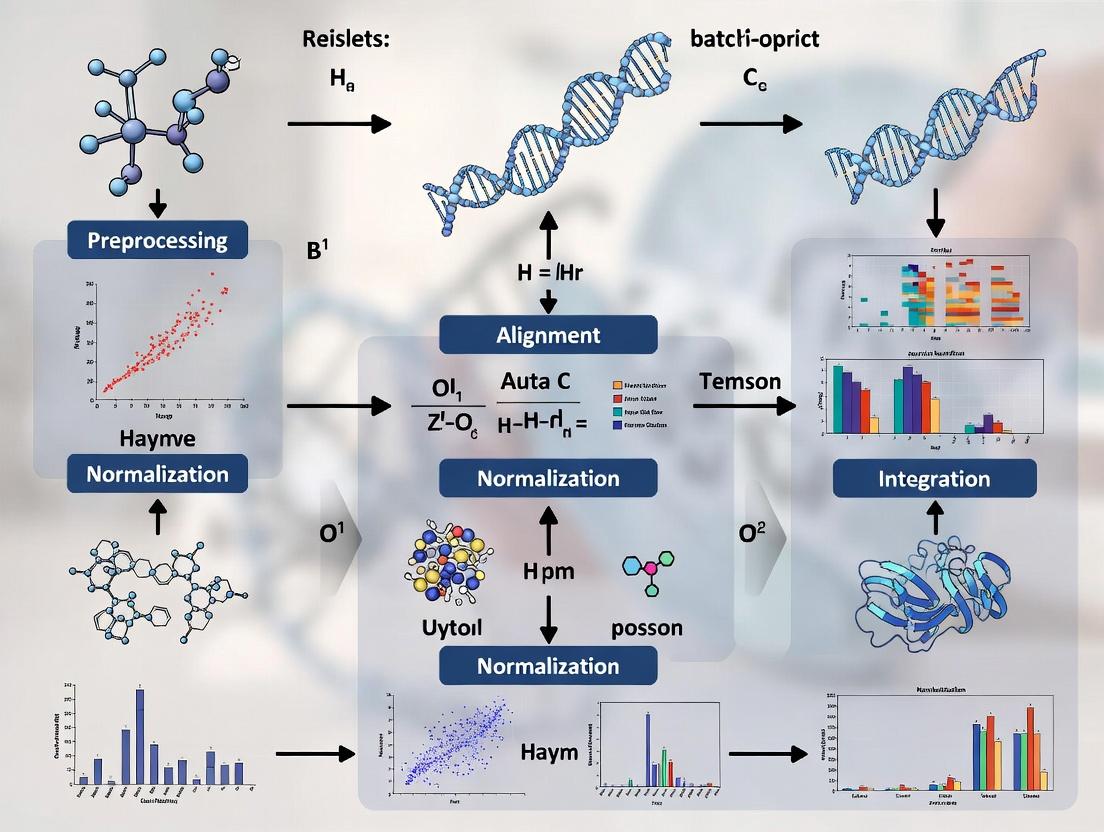
Batch effects are systematic technical variations that pose a significant threat to the validity of multi-omics studies, potentially obscuring true biological signals and leading to false conclusions.
The Ultimate Guide to Batch Effect Correction in Multi-Omics Data Analysis: From Theory to Practice
Abstract
Batch effects are systematic technical variations that pose a significant threat to the validity of multi-omics studies, potentially obscuring true biological signals and leading to false conclusions. This comprehensive guide addresses the four critical needs of researchers, scientists, and drug development professionals. It begins by demystifying the fundamental concepts, sources, and consequences of batch effects across genomics, transcriptomics, proteomics, and metabolomics. It then details a practical workflow for applying state-of-the-art correction methods, including Combat, Harmony, limma, and multi-omics-specific algorithms. To ensure robust results, the guide provides a troubleshooting framework for identifying and overcoming common pitfalls in method selection, parameter tuning, and data integration. Finally, it establishes rigorous protocols for validating correction success through quantitative metrics, visualization, and biological plausibility checks. By synthesizing these intents, this article equips practitioners with a complete strategy to achieve reproducible, biologically meaningful insights from complex multi-omics datasets.
What Are Batch Effects? Understanding the Invisible Enemy in Your Multi-Omics Data
Introduction In multi-omics research, distinguishing batch effects from true biological variation is a critical, yet challenging, first step. Batch effects are systematic non-biological variations introduced during experimental processing (e.g., different reagent lots, personnel, sequencing runs). Failure to identify and correct them can lead to false conclusions. This guide provides a technical support framework to diagnose and troubleshoot batch effects within the context of a thesis on their removal.
FAQs & Troubleshooting Guides
Q1: How can I initially suspect a batch effect in my data? A: A strong batch effect is often visually apparent. Use Principal Component Analysis (PCA). If samples cluster strongly by processing date, instrument, or other technical factors—rather than by your experimental condition—a batch effect is likely. For example, in RNA-Seq data, if PCI separates all samples processed in "Batch A" from those in "Batch B" more distinctly than it separates "Control" from "Treated" groups, technical noise is overshadowing biology.
Q2: What statistical test can confirm a batch effect is present? A: Use a linear model-based test. For a gene expression matrix, you can apply a multivariate analysis of variance (MANOVA) or multiple univariate tests (e.g., limma in R) with batch and condition as covariates. A significant p-value for the batch term indicates its substantial influence. The table below summarizes key diagnostic metrics.
Table 1: Statistical Metrics for Batch Effect Diagnosis
| Metric/Method | Calculation/Description | Interpretation |
|---|---|---|
| PCA Visualization | Dimensionality reduction plot (PC1 vs PC2). | Clustering by technical factor indicates strong batch effect. |
| PVCA (Percent Variance Explained) | Variance components analysis using random effects models. | Quantifies the proportion of total variance attributable to batch vs. biology. |
| Batch-Signal Ratio | (Variance from batch) / (Variance from condition). | A ratio >1 suggests batch variance dominates biological signal. |
| PERMANOVA | Non-parametric multivariate ANOVA on distance matrices. | Tests if centroid/dispersion of groups (batch) is significant. |
Q3: How do I differentiate technical batch effects from biological variation of interest? A: This requires careful experimental design and analysis.
- Positive Controls: Include replicate samples (e.g., a reference cell line) across all batches. Variation in these replicates measures pure technical noise.
- Negative Controls: Use samples expected to be biologically similar within a batch. Unexpected differences within these can indicate technical issues.
- Correlation with Meta-data: Systematically correlate principal components with all technical (batch) and biological (phenotype, age, sex) metadata. Technical factors should not correlate with biological PCs after correction.
Diagram: Workflow for Differentiating Batch Effects from Biology
Q4: What is a detailed protocol for using ComBat to assess and remove batch effects? A: ComBat (sva package in R) uses an empirical Bayes framework to adjust for known batches.
Protocol:
- Input Data: Prepare a normalized, log-transformed expression matrix (genes x samples).
- Define Batches: Create a batch variable vector (e.g.,
batch <- c(1,1,1,2,2,2)). - Define Model Matrix: Optionally, create a model matrix for biological conditions you wish to preserve (e.g.,
mod <- model.matrix(~condition, data=phenoData)). - Run ComBat:
adjusted_data <- ComBat(dat=expression_matrix, batch=batch, mod=mod, par.prior=TRUE, prior.plots=FALSE) - Validation: Re-run PCA on the adjusted data. Batch clustering should be diminished, while biological condition clustering should be preserved or enhanced.
The Scientist's Toolkit: Key Research Reagent Solutions
Table 2: Essential Materials for Batch Effect Management
| Item / Reagent | Function in Batch Effect Control |
|---|---|
| Reference/Spike-in Controls (e.g., ERCC RNA spikes, S. pombe spikes for scRNA-seq) | Added in known quantities across all samples/batches to track technical variation and normalize. |
| Universal Human Reference RNA (UHRR) | A standardized RNA pool used as an inter-batch positive control to calibrate instrument and protocol performance. |
| Master Aliquot Kits | Pre-aliquoting all reagents (enzymes, buffers) for a large study from a single lot minimizes within-study batch variation. |
| Automated Nucleic Acid Extractors | Reduces operator-dependent variability in sample preparation, a major source of batch effects. |
| Barcoded Library Prep Kits (Unique Dual Indexes) | Allows pooling of samples from multiple batches early in NGS workflow, reducing run-to-run variation. |
| Internal Control Plasmids/Cells | Genetically engineered controls processed with every batch to monitor technical performance thresholds. |
Q5: After correction, how do I validate that biological signals were preserved? A: Use a known biological truth.
- Differential Expression (DE) Validation: Check if DE genes for a well-established phenotype become more significant (lower p-value, higher fold-change) post-correction and if they enrich expected pathways.
- Negative Control Check: Biological replicates or samples from the same group should correlate more highly with each other after correction than with samples from other batches. Calculate intra-group vs. inter-batch correlation scores.
- Positive Control Check: Known biomarkers or pathway activity scores should show cleaner separation between defined biological groups post-correction.
Diagram: Batch Effect Correction Validation Logic
Troubleshooting Guides & FAQs
Q1: My multi-omics dataset shows strong clustering by sequencing platform/batch, not biological group. How do I diagnose if the platform is the issue? A: Perform a Principal Component Analysis (PCA) colored by the suspected batch variable (e.g., platform ID). Strong separation along the first few PCs by batch, not condition, is indicative. Use the following protocol to confirm:
- Method: Generate a PCA plot from normalized, but not batch-corrected, data.
- Code (R):
pca_result <- prcomp(t(expression_matrix)); plot(pca_result$x[,1], pca_result$x[,2], col=as.factor(batch)) - Quantitative Check: Calculate the percentage of variance explained by the batch variable using PERMANOVA (
adonis2in vegan) or a linear model. A significant p-value (<0.05) confirms a batch effect.
Q2: How can I determine if different reagent lots are introducing variability in my metabolomics/luminex assay? A: Incorporate pooled Quality Control (QC) samples across all reagent lots and runs.
- Method: Aliquot a large, homogeneous sample (e.g., pooled plasma) to be run with every batch.
- Analysis: Calculate the Coefficient of Variation (%CV) for each metabolite/analyte across all QC samples.
- Interpretation: Analytes with a %CV > 15-20% (or a lab-defined threshold) in the QCs are highly susceptible to reagent lot/run variability and require closer inspection or batch correction.
Q3: Personnel seems to be a source of variation in sample preparation. How can I track and mitigate this? A: Implement a robust sample randomization and tracking system.
- Method: Use a randomized block design. Do not allow one person to process all samples from one group.
- Protocol: Log all personnel, start/end times, and instrument calibrations for each sample in a Laboratory Information Management System (LIMS).
- Analysis: In downstream analysis, include "operator" as a covariate in your initial model to assess its contribution to variance.
Q4: My data clusters by run date. What are the first steps to correct for this temporal batch effect? A: Before applying advanced algorithms, use mean-centering or ratio-based methods per batch.
- Protocol for Gene Expression:
- For each gene/feature, calculate the mean expression within the QC samples for each run date.
- Subtract the respective batch mean (from QCs) from all samples in that batch.
- Protocol for Proteomics/Metabolomics:
- Use the QC samples to calculate a median or mean reference profile.
- For each run, compute a scaling factor for each sample as the median of ratios between the sample and the reference QC.
| Source | Typical Assay Affected | Diagnostic Metric | Acceptable Threshold (Guideline) |
|---|---|---|---|
| Platform | Transcriptomics | % Variance Explained (PERMANOVA) | p-value > 0.05 |
| Reagent Lot | Metabolomics, Proteomics | QC Sample %CV | < 15-20% |
| Personnel | Sample Prep (any) | Intra-class Correlation (ICC) | ICC > 0.75 (high reliability) |
| Run Date | All | Inter-Batch Distance (PCA) | Visual overlap in PC space |
Detailed Protocol: Combat-A Batch Correction Assessment
Objective: To evaluate and remove batch effects while preserving biological signal.
Methodology:
- Pre-processing: Normalize data within each platform/batch using standard methods (e.g., TPM for RNA-seq, median normalization for arrays).
- Batch Effect Diagnosis: As described in Q1.
- Correction: Apply a chosen batch correction method (e.g., ComBat, limma's
removeBatchEffect, SVA). - Validation:
- PCA Visualization: Re-plot PCA post-correction, coloring by batch and biological condition. Batches should overlap.
- Silhouette Score: Calculate the average silhouette width. It should increase for biological groups and decrease for batches post-correction.
- Preservation of Biological Signal: Perform a differential expression/abundance analysis on a known positive control. The strength (e.g., log2 fold change) of expected signals should not be diminished.
Visualizations
Multi-omics Batch Effect Correction Workflow
Choosing a Batch Correction Method
The Scientist's Toolkit: Research Reagent Solutions
| Item | Function in Batch Effect Mitigation |
|---|---|
| Pooled QC Samples | A homogeneous sample run across all batches; used to monitor technical variation and calculate correction factors. |
| Reference Standards (SIGMA, NIST) | Certified materials with known analyte concentrations; used to calibrate assays across lots and platforms. |
| Internal Standards (Isotope-Labeled) | Added to each sample pre-processing in proteomics/metabolomics; corrects for variability in extraction and ionization. |
| Spike-In Controls (ERCC RNA, Alien Oligos) | Exogenous controls added to transcriptomics samples; differentiate technical from biological variation. |
| Inter-Plate Calibrators | Identical samples placed on every plate (e.g., in ELISA); normalize values across different assay runs. |
| LIMS (Lab Information Management System) | Software to track all sample metadata, personnel, reagent lots, and instrument parameters essential for modeling batch effects. |
Technical Support Center
Troubleshooting Guides & FAQs
FAQ 1: My PCA plot shows strong clustering by sequencing date, not by treatment group. What is the immediate first step?
Answer: This is a classic sign of a dominant batch effect. Immediately halt differential expression analysis. Your first step is to apply an exploratory batch effect diagnostic. For RNA-seq data, use the svaseq() function from the sva R package to estimate surrogate variables of variation (SVs), which often capture batch effects. Plot the estimated SVs against your known batch variables (date, technician, lane) to confirm correlation. Proceed to correction only after quantification.
FAQ 2: After applying ComBat, my batch-mixed groups look better, but I've lost the biological signal I expected. What went wrong?
Answer: This indicates over-correction, likely because you used an incorrect model matrix. ComBat (and similar tools) requires you to specify the biological variable of interest (e.g., treatment) to preserve it while adjusting for batch. If you mistakenly include the biological variable in the batch adjustment model, it will be removed. Always double-check your model formula: ~ biological_group should be in the model, and batch should be the adjustment variable.
Experimental Protocol: Diagnostic PCA for Batch Effect Detection
- Input: Normalized count matrix (e.g., from DESeq2 or log2(CPM)).
- Step 1: Transpose the matrix so features (genes) are columns and samples are rows.
- Step 2: Perform PCA using the
prcomp()function in R withscale. = TRUE. - Step 3: Extract the variance explained by each principal component (PC).
- Step 4: Plot PC1 vs. PC2 and color points by known batch variables (e.g., sequencing run) and biological variables (e.g., disease state).
- Interpretation: If samples cluster more strongly by batch than biology in the first 2-3 PCs, a significant batch effect is present.
FAQ 3: For multi-omics integration (e.g., transcriptomics and metabolomics), should I correct each dataset separately or together?
Answer: Correct separately first, then integrate. Batch effects can be platform-specific. Apply appropriate, modality-specific correction methods (e.g., ComBat-seq for RNA-seq, PQN for NMR metabolomics) to each dataset individually using shared sample information. After individual correction, use integration methods like MOFA+ or DIABLO, which can handle residual, correlated technical noise across layers.
Experimental Protocol: Applying ComBat-seq for RNA-seq Count Data
- Prepare Data: Input is a raw read count matrix (genes x samples). Prepare a
batchvector (e.g., Run1, Run1, Run2, Run2...) and amodmatrix for biological covariates. - Filter Lowly Expressed Genes: Remove genes with fewer than 10 counts in most samples.
- Run ComBat-seq: Use
ComBat_seq(count_matrix, batch=batch, group=biological_group, covar_mod=mod)from thesvapackage. - Output: The function returns a batch-corrected integer count matrix. You can proceed with standard differential expression analysis tools like DESeq2 using this matrix.
- Validation: Re-run the diagnostic PCA on the corrected, normalized data. Clustering by batch should be diminished.
Data Presentation: Comparison of Batch Correction Methods
| Method | Data Type | Model | Preserves Biological Variance? | Key Consideration |
|---|---|---|---|---|
| ComBat | Normalized, continuous | Empirical Bayes | Yes, if model is correct | Assumes mean and variance of batch effects are consistent. Risk of over-correction. |
| ComBat-seq | Raw count (RNA-seq) | Negative Binomial | Yes, if model is correct | Designed for counts; avoids creating negative counts. |
| limma removeBatchEffect | Continuous, log-scale | Linear model | Yes, if specified | Simpler, but does not use empirical Bayes shrinkage. Good for mild effects. |
| Harmony | PCA space (any omics) | Iterative clustering | Yes | Excellent for complex integration tasks. Removes batch from embeddings. |
| Percentile Normalization | Metabolomics/MS | Distribution matching | Conditional | Matches sample distributions to a reference. Can be aggressive. |
Diagram: Batch Effect Diagnosis & Correction Workflow
The Scientist's Toolkit: Key Research Reagent Solutions
| Item | Function in Batch Effect Management |
|---|---|
| Reference/QC Samples | Technically identical samples (e.g., pooled from all groups) run in every batch. Used to monitor and directly correct for inter-batch variation. |
| Spiked-in Controls | Known quantities of exogenous molecules (e.g., ERCC RNA spikes, stable isotope labeled metabolites) added to all samples for normalization across batches. |
| Balanced Block Design | Not a physical reagent, but an essential plan. Ensure each biological group is represented equally in every processing batch (day, lane, kit) to avoid confounding. |
| Automated Nucleic Acid Extractors | Reduces variation introduced by manual handling during the pre-analytical phase, a major source of batch effects. |
| Single-Lot Reagents | Using the same lot of kits, solvents, and columns for an entire study minimizes introduction of batch variables. Purchase in bulk where possible. |
Troubleshooting Guides & FAQs
FAQ: General Concepts
Q1: What is the primary purpose of these visual diagnostics in multi-omics batch effect analysis? A1: These plots serve as the first and critical step in exploratory data analysis to visually detect the presence of unwanted technical variation (batch effects) that can cluster samples by processing date, lane, or technician rather than by true biological condition. Identifying this clustering is essential before applying any correction algorithms.
Q2: I see clustering in my PCA plot. How do I determine if it's a batch effect or a real biological signal? A2: This is a common challenge. Correlate the PCA clustering pattern with your experimental metadata. Color the PCA points by batch (e.g., processing date) and by biological condition (e.g., disease vs. control). If the primary separation in PC1/PC2 aligns with batch, it strongly indicates a batch effect. Biological signals should be consistent across batches.
Q3: My density plots show different distributions between batches. What threshold constitutes a "problematic" batch effect? A3: While qualitative assessment is key, quantitative measures like the Empirical Cumulative Distribution Function (ECDF) can help. A rule of thumb is that if the median expression shift between batches is greater than 20% of the data's dynamic range, or if Kolmogorov-Smirnov test p-values are <0.05, a correction is likely necessary.
Troubleshooting Guide: PCA Plot Issues
Problem: All samples are clustered tightly in the center of the PCA plot with no separation.
- Cause 1: Extreme outliers are dominating the variance, compressing other samples.
- Solution: Create a boxplot of PC1 and PC2 scores to identify outliers. Investigate these samples for technical errors. Consider robust PCA methods or temporary removal for diagnostic purposes.
- Cause 2: The plot is dominated by low-variance, uninformative features.
- Solution: Apply feature filtering prior to PCA. For RNA-seq, filter out low-count genes. For proteomics, filter features with high missingness.
Problem: The PCA shows batch clustering, but my batch correction algorithm didn't work.
- Cause: Non-linear or complex batch effects that simple linear correction (like ComBat) cannot address.
- Solution: Use non-linear methods (e.g., Harmony, BBKNN). Visualize the corrected data with a new PCA to assess effectiveness. Also, consider if the batch is confounded with a critical biological factor.
Troubleshooting Guide: Heatmap & Density Plot Issues
Problem: My heatmap is dominated by a few very high- or low-expressed features, making batch patterns invisible.
- Cause: Lack of appropriate scaling.
- Solution: Use row-wise (feature-wise) Z-score scaling. This transforms each feature to have a mean of 0 and standard deviation of 1, allowing patterns across diverse expression levels to be visualized. The command in R is often
scale='row'in thepheatmap()function.
- Solution: Use row-wise (feature-wise) Z-score scaling. This transforms each feature to have a mean of 0 and standard deviation of 1, allowing patterns across diverse expression levels to be visualized. The command in R is often
Problem: Density plots for different batches overlap but have different peaks (bi-modal vs. uni-modal).
- Cause: This suggests a subset-specific batch effect, where the impact is different for high-abundance vs. low-abundance molecules.
- Solution: This requires advanced correction. Consider using Quantile Normalization or using model-based methods (e.g.,
sva) that account for such interactions. Stratify analysis by expression level.
- Solution: This requires advanced correction. Consider using Quantile Normalization or using model-based methods (e.g.,
Table 1: Common Visual Diagnostics and Their Interpretations
| Plot Type | Optimal Outcome | Indicator of Batch Effect | Quantitative Metric to Supplement |
|---|---|---|---|
| PCA Plot | Samples cluster by biological group, with batches intermixed. | Clear separation or sub-clusters aligned with processing batch. | Percent Variance explained by batch-associated PCs. |
| Heatmap | Uniform color blocks by group; no vertical striping by batch. | Distinct vertical color bands that correlate with batch order. | Hierarchical clustering dendrogram showing batch-specific branches. |
| Density Plot | Overlapping curves with nearly identical peaks and shapes. | Separated peaks or differing distribution shapes between batches. | Kolmogorov-Smirnov D statistic; Median shift. |
Table 2: Comparison of Batch Effect Detection Workflows
| Tool/Package | Primary Visual Diagnostic | Statistical Test | Best For |
|---|---|---|---|
sva / limma (R) |
PCA plot of surrogate variables | Levene's test, PCA p-values | Linear model-based analysis of high-throughput data. |
ComBat (sva) |
PCA plots (before/after) | Empirical Bayes shrinkage | Microarray, bulk RNA-seq data. |
SCTransform (Seurat) |
PCA, UMAP colored by batch | Linear regression of PC scores | Single-cell RNA sequencing data. |
Harmony |
Embedding plots before/after integration | Local Inverse Simpson's Index (LISI) | Complex, non-linear batch effects in single-cell or cyTOF. |
Experimental Protocol: Visual Diagnostic Pipeline for Batch Effect Detection
Title: Integrated Workflow for Visual Detection of Batch Effects in Omics Data.
1. Data Preparation:
- Format data into a features (genes/proteins) x samples matrix.
- Organize metadata table with columns for SampleID, Biological_Condition, Batch, Date, and other technical covariates.
2. Preprocessing & Filtering (Critical for PCA):
- RNA-seq: Filter genes with <10 counts in at least 20% of samples. Apply a variance-stabilizing transformation (e.g.,
vstin DESeq2). - Proteomics: Filter proteins with >50% missing values. Impute missing values using a method appropriate for your data (e.g., MinProb imputation).
- Metabolomics: Apply Pareto scaling for general-purpose PCA.
3. Generate Diagnostic Plots (Parallel Analysis):
- PCA Plot:
- Perform PCA on the preprocessed matrix (center=TRUE, scale.=TRUE for general omics).
- Plot PC1 vs. PC2 and PC1 vs. PC3.
- Color points by
Batch. Then, generate a separate plot coloring byBiological_Condition. Compare.
- Heatmap:
- Select the top 500-1000 most variable features (rows).
- Generate a heatmap with row-wise Z-score scaling.
- Annotate columns (samples) by both
BatchandCondition. Look for column-wise color patterns.
- Density Plot:
- Plot the distribution of expression values (or log-values) for all features.
- Overlay densities for each
Batchusing different colors. - Alternatively, plot density of a key sample-level metric (e.g., library size, total ion current) across batches.
4. Interpretation & Decision:
- If visual diagnostics indicate strong batch clustering, proceed to formal statistical testing (e.g., PERMANOVA on sample distances) and select an appropriate batch correction method.
- Re-run visual diagnostics post-correction to assess efficacy.
Diagrams
Visual Batch Effect Detection Workflow
PCA Interpretation: Ideal vs. Batch Effect
The Scientist's Toolkit
Table 3: Essential Research Reagent Solutions for Batch-Effect Conscious Omics
| Reagent / Material | Function in Batch Effect Mitigation | Key Consideration |
|---|---|---|
| Reference/Spike-in Controls (e.g., ERCC RNAs, SIS peptides) | Added in known quantities across all samples to monitor technical variation. The variance in measured vs. expected amounts directly quantifies batch effect. | Must be added at the earliest possible step (e.g., lysis) to capture the full workflow variability. |
| Pooled QC Samples | A sample created by pooling equal aliquots from all experimental samples, processed repeatedly in each batch. Serves as a "ground truth" for batch-to-batch deviation. | Should be processed identically to real samples and interspersed throughout the run sequence. |
| Balanced Block Design | Not a physical reagent, but an experimental design protocol. Ensures each biological condition is represented equally in every processing batch. | Prevents complete confounding of batch and condition, making statistical correction possible. |
| Barcoding Kits (e.g., Multiplexing) | Allows multiple samples to be pooled and processed as one in a single lane/run, eliminating lane-to-lane batch effects. | Requires careful demultiplexing. Can introduce index-swapping artifacts if not properly quality-controlled. |
| Automated Nucleic Acid/Protein Purification Systems | Reduces technician-to-technician and run-to-run variability in sample preparation, a major source of batch effects. | Initial calibration and consistent use of the same platform/kit lot are critical for stability. |
Technical Support Center: Troubleshooting Inter- and Intra-Technical Variation
Frequently Asked Questions (FAQs)
Q1: We have integrated RNA-seq and proteomics data from the same samples, but the correlation between mRNA and protein abundance is unexpectedly low. Is this due to technical variation or biological reality?
A: This is a common challenge. Low correlation can stem from multiple sources:
- Inter-technical Variation: Differences in platform sensitivity (e.g., RNA-seq detects low-abundance transcripts more efficiently than mass spectrometry detects their corresponding proteins), sample preparation protocols, and date of processing (batch effects).
- Intra-technical Variation: Run-to-run variability within the same mass spectrometer or sequencing lane.
- Biological Reality: Post-transcriptional regulation, differences in protein turnover rates, and technical lags.
Actionable Steps:
- Assess Technical Confounders: Use PCA or PLS-DA on each dataset separately, colored by processing batch, date, and instrument ID. If samples cluster strongly by these factors, batch effects are present.
- Apply Batch Correction: Use combat (or its generalizations like
svaorHarmony) within each assay type before integration. Never correct across assay types together. - Validate with Housekeeping Genes/Proteins: Check the correlation for a set of known stable gene-protein pairs (see Table 1).
Q2: After merging DNA methylation array data from two different studies (e.g., Illumina 450K and EPIC), we observe strong clustering by array type, not by phenotype. How do we proceed?
A: This is a classic inter-platform (inter-technical) variation issue. The 450K and EPIC arrays share ~90% of probes, but differences in chemistry and probe design cause systematic bias.
Actionable Steps:
- Subset to Common Probes: Restrict your analysis to the ~430,000 probes common to both platforms.
- Apply Cross-Platform Normalization: Use the
betaqnorDasenmethods in thewateRmelonR package, which are designed for this specific task. - Post-Correction Visualization: Create a density plot of beta values before and after correction to ensure distributions are aligned.
Q3: In our multi-omics workflow, metabolomics data (LC-MS) shows much higher coefficients of variation (CVs) within technical replicates than other assays. What can we do to improve this?
A: High intra-technical variation in LC-MS is often due to ion suppression, column degradation, or instrument drift during long runs.
Actionable Steps:
- Implement Robust Normalization: Use internal standards (IS) and quality control (QC) samples. Perform Systematic Error Removal using Random Forest (SERRF) or Cross-Validated LOESS signal correction (CV-SC).
- Optimize Run Order: Randomize sample injection order to avoid confounding biological groups with time-dependent drift.
- Monitor QC Samples: Calculate CVs for metabolites in the pooled QC samples injected every 5-10 experimental samples. Acceptable thresholds are shown in Table 1.
Q4: When using single-cell multi-omics (e.g., CITE-seq), the protein (antibody-derived tag, ADT) data is very noisy. How can we distinguish true biological signal from technical noise?
A: ADT data suffers from non-specific binding and background noise. Intra-technical variation can be high due to antibody staining efficiency.
Actionable Steps:
- Apply Dedicated Normalization: Use
dsb(Denoised and Scaled by Background) orCLR(Centered Log Ratio) normalization, which explicitly models and removes ambient noise. - Utilize Isotype Controls: Include isotype control antibodies in your panel and use their signal to estimate and subtract background.
- Visualize with Positive/Negative Markers: Confirm that known positive markers show a clear separation from negative populations in your UMAP after correction.
Table 1: Typical Technical Variation Metrics and Correction Targets by Omics Assay
| Assay Type | Typical Intra-Assay CV (Technical Replicates) | Typical Inter-Study/Batch CV | Key Correction Target | Common Correction Method(s) |
|---|---|---|---|---|
| RNA-seq (Bulk) | 5-15% (library prep) | 20-40% (platform, lab) | Library size, GC content, batch | ComBat-seq, RUV-seq, limma removeBatchEffect |
| LC-MS Proteomics | 10-25% (peak intensity) | 30-50% (column, instrument) | Sample loading, run order, batch | Median normalization, ComBat, SVA, proBatch |
| DNA Methylation Array | 1-3% (beta value) | 10-30% (array type, chip) | Probe design bias, batch | betaqn/Dasen, BMIQ, meffil |
| LC-MS Metabolomics | 15-35% (peak area) | 40-60% (instrument drift) | Ion suppression, drift | Internal Standards, SERRF, QC-RLSC |
| CITE-seq (ADTs) | 20-50% (UMI counts) | N/A (single experiment) | Ambient noise, background | dsb normalization, CLR with background subtraction |
Experimental Protocols
Protocol 1: Diagnosing and Correcting Batch Effects in Integrated Multi-Omics Datasets
Objective: To identify and remove non-biological variation arising from different processing batches across multiple omics layers to enable robust integrated analysis.
Materials: Normalized count/matrix data from each omics assay, with associated metadata (Batch ID, Date, Instrument, Technician, etc.).
Methodology:
- Pre-processing: Normalize data within each assay type using standard methods (e.g., DESeq2 for RNA-seq, vsn for proteomics).
- Diagnostic Visualization:
- Perform PCA on each dataset individually.
- Generate scatter plots of the first two principal components (PC1 vs. PC2).
- Color points by known batch variables (e.g., processing date) and by biological phenotype.
- Interpretation: If clustering is driven primarily by batch variables, correction is required.
- Batch Correction: Apply an appropriate batch correction method separately to each omics matrix.
- For known batch factors: Use
ComBat(fromsvapackage) in parametric mode. - For unknown/estimated factors: Use
svaseq(for count data) orSVA(for general data) to estimate surrogate variables of variation (SVs) and regress them out usinglimma::removeBatchEffect.
- For known batch factors: Use
- Post-Correction Validation:
- Repeat PCA. Clustering by batch should be diminished or absent.
- Key Check: Ensure biological signal strength (e.g., separation of case/control groups) is preserved or enhanced.
- For integrated analysis (e.g., MOFA), use the corrected matrices as input.
Protocol 2: Cross-Platform Normalization for DNA Methylation Arrays
Objective: To harmonize DNA methylation beta values from Illumina's Infinium HumanMethylation450K and MethylationEPIC arrays for joint analysis.
Materials: IDAT files or raw beta value matrices from 450K and EPIC arrays; R statistical environment with minfi and wateRmelon packages.
Methodology:
- Data Loading & Preprocessing: Load IDATs with
minfi::read.metharray.exp. Perform standard pre-processing (background correction, dye-bias equalization, no normalization) withpreprocessNoob. - Subset to Common Probes: Extract the ~430,000 probes common to both array manifests.
- Apply Cross-Platform Normalization:
- Use
wateRmelon::dasenorwateRmelon::betaqnon the combined dataset. These methods quantile normalize the methylated and unmethylated signal intensities separately, aligning the distributions across platforms.
- Use
- Quality Assessment:
- Plot density distributions of beta values for samples from each array type before and after correction.
- Perform PCA on the corrected beta matrix and color points by array type. Successful correction will show no clustering by platform.
Visualizations
Diagram 1: Multi-Omics Batch Effect Diagnosis Workflow
Diagram 2: Cross-Platform Methylation Data Harmonization
The Scientist's Toolkit: Research Reagent Solutions
Table 2: Essential Materials for Multi-Omics Batch Effect Mitigation
| Item | Function in Mitigating Variation |
|---|---|
| Pooled Reference/QC Samples | A consistent biological sample(s) aliquoted and run across all batches/plates/instruments. Used to monitor and correct for inter- and intra-technical drift. Essential for metabolomics and proteomics. |
| Internal Standards (IS) | Known amounts of non-endogenous compounds (e.g., stable isotope-labeled peptides/metabolites) spiked into each sample prior to processing. Corrects for losses during preparation and ion suppression in MS. |
| UMI (Unique Molecular Identifiers) | Short random nucleotide sequences added during library prep (RNA-seq, CITE-seq). Allows precise digital counting of original molecules, correcting for PCR amplification bias (intra-technical variation). |
| Isotype Control Antibodies (CITE-seq) | Antibodies with no specificity to the target species, conjugated to the same barcodes as real antibodies. Used to estimate and subtract non-specific binding background noise in ADT data. |
| Spike-in Controls (e.g., ERCC RNA) | Known, exogenous RNAs added to samples in defined ratios. Allows for absolute quantification and normalization based on known input, correcting for technical variation in sample handling and sequencing. |
Batch-Correction Software (sva, Harmony, ComBat) |
Statistical toolkits implementing algorithms to model and remove unwanted variation while preserving biological signal. The core computational reagent for integration. |
Step-by-Step Workflow: How to Correct Batch Effects in Genomics, Transcriptomics & Proteomics
Troubleshooting Guides & FAQs
Q1: Why is my multi-omics data variance dominated by a few high-abundance features even after normalization? A: This often indicates that scaling was applied before addressing the skewed distribution. For omics data (e.g., RNA-seq, proteomics), the sequence should be: 1) Log-transformation to stabilize variance and reduce skew, 2) Normalization (e.g., quantile, TMM for RNA-seq) to adjust for technical differences, 3) Scaling (e.g., Z-score, Pareto) to make features comparable. Applying scaling on non-transformed, heavy-tailed data will cause high-abundance features to exert undue influence.
Q2: My PCA plot still shows a strong batch effect after using log-transformed and Z-scaled data for integration. What went wrong?
A: Log-transformation and scaling are pre-correction steps; they prepare data for batch effect removal but are not removal methods themselves. The issue may be that batch effects are non-linear or affect variance structure. Ensure you performed within-batch scaling (Z-scoring using each batch's mean/SD) before integrating datasets, not global scaling across all batches. This prevents batch-specific variances from being baked into the scaled data. After this pre-correction, apply a dedicated batch effect removal algorithm (e.g., ComBat, limma's removeBatchEffect).
Q3: When should I use log(x+1) transformation versus other offsets?
A: The +1 (or other pseudo-count) is used to handle zero values. The choice depends on data structure:
- RNA-seq Count Data: Use
log2(count + 1)for moderate counts. For very low counts, a larger pseudo-count likelog2(count + CPM/10 + 1)(where CPM is the library-size normalized count) may be better to avoid exaggerating variance of zeros. - Proteomics/MS Data: Zeroes often represent missing not-at-random (MNAR) values. Simple log(x+1) can be misleading. Consider using methods like
log2(x + k)wherekis imputed from the lower tail of the distribution (e.g.,min(X[X>0])/2) or use specialized packages (proteus,MSnbase) that model the MNAR nature. - Metabolomics Data: If many zeros are true absences,
log2(x + 1)is common. If zeros are below detection limit, consider half the minimum positive value per feature.
Q4: Does the order of operations between normalization and log-transformation matter? A: Yes, critically. The standard pipeline for sequencing data is: 1) Normalization (on raw counts), 2) Log-transformation, 3) Scaling. Normalizing on raw counts corrects for library size or composition before the non-linear log transform. If you log-transform first, you alter the linear-additive structure of the data, making subsequent normalization methods (which assume linearity, like TMM or DESeq2's median-of-ratios) less effective.
Q5: After pre-correction, my negative control samples no longer cluster together. Is this a problem? A: This is a serious red flag. Pre-correction (normalization/scaling/transformation) should improve the clustering of technical replicates and negative controls. If it worsens, potential causes are:
- Over-scaling: Applied scaling to the entire dataset including controls with extreme low values, amplifying noise.
- Inappropriate Method: Used a normalization method (e.g., quantile) that assumes similar distribution across all samples, which is violated if controls are fundamentally different.
- Action: Always apply pre-correction methods within sample groups (e.g., case vs. control) separately where appropriate, or use methods robust to different distributions. Validate each step by checking PCA plots of controls.
Experimental Protocols
Protocol 1: Systematic Pre-Correction for Multi-Omics Batch Integration
Objective: Prepare single-omics dataset (e.g., transcriptomics) for downstream batch effect correction.
Materials: Raw count matrix, sample metadata with batch and condition information.
Software: R (v4.3+) with edgeR, limma, sva packages.
- Filtering: Remove low-expression features (e.g., genes with CPM < 1 in >90% of samples).
- Normalization (on raw counts): Apply TMM (Trimmed Mean of M-values) normalization using
edgeR::calcNormFactorsto correct for library composition. - Log-Transformation: Convert normalized counts to log2-CPM (Counts Per Million) using
edgeR::cpm(..., log=TRUE, prior.count=1). Theprior.countstabilizes variances of low counts. - Within-Batch Scaling: For each batch identified in metadata, center and scale the log2-CPM data to have zero mean and unit variance (Z-score) within that batch. Do this using
scale()function in a loop per batch. - Quality Check: Generate PCA plot colored by batch and condition. Pre-correction should tighten replicate clusters but not remove batch-driven separation.
- Output: The scaled, log-transformed matrix is now ready for batch effect removal tools (e.g.,
sva::ComBat).
Protocol 2: Evaluating Pre-Correction Efficacy
Objective: Quantify the reduction in unwanted technical variation after each pre-correction step.
Materials: Processed data matrix after each step (raw, normalized, log-transformed, scaled).
Software: R with ggplot2, pvca or variancePartition package.
- Variance Partitioning: For each data state, fit a linear mixed model (using
variancePartition::fitExtractVarPartModel) with formula~ (1|Batch) + (1|Condition). - Calculate Proportion of Variance Explained (PVE): Extract the PVE by the
Batchfactor. A successful pre-correction pipeline will show a decreasing trend in Batch PVE. - Visualization: Create a bar plot showing Batch PVE at each stage: Raw -> Normalized -> Log-Transformed -> Scaled.
- Metric: Aim to minimize Batch PVE while preserving or increasing Condition PVE. The step that causes the largest drop in Batch PVE is most critical for your dataset.
Data Presentation
Table 1: Impact of Pre-Correction Steps on Batch Effect Strength in a Simulated RNA-seq Dataset Dataset: 100 samples, 2 batches, 2 conditions, 10,000 genes. Batch Effect Strength is measured as the Proportion of Variance Explained (PVE) by the batch factor in a PCA on the top 500 most variable genes.
| Pre-Correction Step Applied | Median Batch PVE (%) | Median Condition PVE (%) | Notes |
|---|---|---|---|
| Raw Counts | 65.2 | 12.1 | Variance dominated by batch. |
| TMM Normalization Only | 58.7 | 15.3 | Reduces library size artifacts. |
| Normalization + Log2(x+1) | 42.1 | 28.5 | Most significant reduction in batch skew; stabilizes variance. |
| Norm + Log + Global Z-Scale | 40.8 | 29.1 | Minor improvement over log alone. |
| Norm + Log + Within-Batch Z-Scale | 22.4 | 31.7 | Optimal prep for batch correction; minimizes between-batch mean/variance shift. |
Table 2: Recommended Pre-Correction Workflows by Omics Data Type Guidelines for sequencing and array-based technologies within a batch effect correction thesis.
| Data Type | Primary Normalization | Recommended Transformation | Scaling Recommendation | Rationale |
|---|---|---|---|---|
| RNA-seq (Bulk) | TMM (edgeR) or Median-of-Ratios (DESeq2) | log2(CPM + 1) or VST | Within-batch Z-score | Count data is skewed; normalization is linear, log/VST stabilizes variance for downstream linear models. |
| Single-Cell RNA-seq | Library Size (CPM/TPM) followed by CSS or deconvolution | log2(CPM/TP10K + 1) or Pearson residuals | No additional scaling if using graph-based methods; Z-score for PCA. | Handles sparsity and extreme library size differences. |
| Microarray (Gene Expr.) | Quantile Normalization | log2(intensity) | Global Z-score or Pareto Scaling | Forces identical distributions across arrays; log handles intensity skew. |
| Proteomics (Label-Free) | Median Centering or Quantile (on full matrix) | log2(intensity) | Within-batch Z-score or Auto-scaling | Corrects run-to-run intensity shifts; log reduces dynamic range. |
| Metabolomics (LC-MS) | Probabilistic Quotient Normalization (PQN) | log2(intensity) or Cubic Root | Pareto Scaling | PQN accounts for dilution; Pareto reduces dominance of high-abundance metabolites. |
Mandatory Visualization
Title: Multi-Omics Data Pre-Correction Decision Workflow
Title: Variance Shift Across Pre-Correction Steps
The Scientist's Toolkit
Table 3: Essential Research Reagent Solutions for Pre-Correction Validation Experiments
| Item / Solution | Function in Pre-Correction Context | Example Product / Kit |
|---|---|---|
| External RNA Controls Consortium (ERCC) Spike-Ins | Added to samples in known ratios before sequencing. Used to empirically measure technical variance and assess the accuracy of normalization and transformation steps. | ERCC RNA Spike-In Mix (Thermo Fisher, 4456740) |
| Pooled QC Samples | A homogeneous pool of experimental material run repeatedly across all batches/plates. Serves as a gold standard for evaluating batch effect strength before and after pre-correction via correlation or distance metrics. | N/A (Prepared in-lab from study samples) |
| Internal Standard (IS) Mix - Metabolomics/Proteomics | A set of stable isotope-labeled compounds added uniformly to all samples. Used to correct for sample-specific losses, ionization efficiency, and instrument drift during normalization. | Mass Spectrometry Metabolite Kit of Internal Standards (Sigma-Aldrich, MSK-M1) |
| UMI (Unique Molecular Identifier) Kits - scRNA-seq | Labels each original mRNA molecule with a unique barcode to correct for PCR amplification bias, a critical pre-correction step for accurate count estimation. | 10x Genomics Chromium Single Cell 3' Kit |
| Degraded RNA Control | Intentionally degraded RNA samples run alongside intact samples. Helps evaluate if pre-correction methods inadvertently amplify degradation batch effects or if they correctly isolate biology. | Universal Human Reference RNA (Agilent, 740000) + controlled heat degradation. |
Technical Support Center: Troubleshooting & FAQs
Frequently Asked Questions
Q1: My data shows increased variance after applying ComBat. What went wrong and how can I fix it? A: This often occurs due to violation of ComBat's core assumption of homoscedasticity (constant variance across batches). To resolve:
- Diagnose: Plot the standard deviation per gene per batch before and after correction.
- Solution: Use the
mean.only=TRUEoption in thesva::ComBat()function if the batch effect is primarily in the mean, not the variance. - Alternative: Consider a location-only adjustment using
limma::removeBatchEffect()with its default settings.
Q2: When using limma::removeBatchEffect, should I include biological covariates in the model, and what happens if I don't?
A: Yes, you must include known biological covariates of interest (e.g., disease status, treatment group) in the design argument. If you only specify the batch, the function will remove variation associated with batch, but it will also remove any biological signal that is confounded with or has a similar distribution across batches. This can lead to loss of the signal you aim to study.
Q3: Can I apply these methods to single-cell RNA-seq count data directly?
A: It is not recommended. Both classic ComBat and limma::removeBatchEffect are designed for continuous, approximately normally distributed data (like log-transformed microarray or bulk RNA-seq data). Applying them to raw counts can produce artifacts.
- Best Practice: For single-cell data, use specialized methods like
Harmony,scanorama, or theintegrationfunctions in Seurat, which are designed for count distributions and high sparsity.
Q4: How do I choose between parametric and non-parametric ComBat?
A: Use parametric empirical Bayes (default) for datasets with >10 samples per batch. For very small batch sizes (e.g., <5 samples per batch), the distributional assumptions may not hold, and the non-parametric option (par.prior=FALSE) is safer but requires more data overall to robustly estimate the batch distribution.
Troubleshooting Guide
Issue: "Error in while (change > conv) { : missing value where TRUE/FALSE needed" in ComBat.
- Cause: Likely due to missing values (
NA) or genes with zero variance in your input data matrix. - Solution:
- Filter out genes with zero variance across all samples.
- Check for and impute or remove any
NAvalues before running ComBat. - Ensure the input data matrix is numeric.
Issue: Batch correction appears ineffective visually in my PCA plot.
- Action Checklist:
- Verify that the primary driver of variation in the PCA (PC1) is indeed the batch and not a strong biological condition.
- Confirm you have correctly specified the batch factor.
- For
removeBatchEffect, ensure your model matrix (design) is correctly formulated. - Consider if the batch effect is non-linear, which these linear methods cannot address.
Issue: Over-correction where biological groups are mixed after adjustment.
- Cause: This is a critical risk when biological groups are perfectly confounded with or have small sample sizes within batches. The method cannot distinguish batch from biology.
- Mitigation: This is a study design flaw. Statistical adjustment has limits.
- Use the
preserve.model=TRUEargument in newer implementations ofremoveBatchEffectwhen using a complex design to better preserve specified covariates. - Report the confounding as a major limitation. Future experiments must balance the design.
- Use the
Key Method Comparison Table
| Feature | ComBat (sva package) | limma::removeBatchEffect |
|---|---|---|
| Core Approach | Empirical Bayes to shrink batch parameters towards the global mean. | Linear model to remove additive and multiplicative effects. |
| Assumptions | Strong: Assumes batch effect is consistent across samples per gene (mean & variance). | Moderate: Assumes batch effect is additive in the linear model scale. |
| Variance Adjustment | Yes, adjusts both mean (location) and variance (scale). | Primarily location. Scale adjustment is not its primary function. |
| Handling Covariates | Can include in model to preserve their signal. | Must include in design matrix to preserve them. |
| Best For | Larger studies (>10 samples/batch) where Bayesian shrinkage is stable. | Flexible use, especially when fitting complex linear models with other covariates. |
| Risk of Over-correction | Moderate (shrinkage reduces risk). | Higher if biological covariates are omitted from the design. |
Experimental Protocol: Benchmarking Batch Correction Performance
Objective: Evaluate the efficacy of ComBat and removeBatchEffect on a controlled multi-omics dataset.
1. Data Preparation:
- Dataset: Obtain a publicly available multi-omics dataset (e.g., from TCGA or ArrayExpress) with known batch structure and at least one known biological group.
- Pre-processing: Apply standard normalization specific to each platform (e.g., RMA for microarray, TMM for RNA-seq, quantile normalization for proteomics). Log-transform if necessary.
2. Performance Metric Calculation (Per Method):
- Primary Metric - PVCA: Perform Principal Variance Components Analysis to calculate the proportion of variance explained by Batch vs. Biology before and after correction.
- Secondary Metric - Silhouette Width: Calculate the average silhouette width for known biological groups. A good correction increases this value (tighter biological clusters).
- Negative Control - Distance Correlation: Compute the distance correlation between sample pairwise distances based on batch labels and data matrix distances. A successful correction reduces this correlation.
3. Procedure:
Visualization of Method Selection Logic
Diagram Title: Decision Flowchart for Choosing Between Combat and removeBatchEffect
The Scientist's Toolkit: Research Reagent Solutions
| Item | Function in Batch Effect Research |
|---|---|
| Reference Benchmark Datasets (e.g., SVA Simulation Data, BladderBatch) | Provide ground truth with known batch and biological effects to validate and compare correction methods. |
| sva R Package | Contains the ComBat() function and tools for surrogate variable analysis, a cornerstone for empirical Bayes batch correction. |
| limma R Package | Provides the removeBatchEffect() function and a comprehensive framework for linear models in omics data analysis. |
| PVCA R Script | Principal Variance Components Analysis script to quantify sources of variation before/after correction. |
| k-Ary Ethyl Mix (Mass Spec Standard) | A labeled standard spike-in for proteomics/metabolomics used to monitor and correct for technical variation across runs. |
| External RNA Controls Consortium (ERCC) Spike-Ins | Synthetic RNA spikes for transcriptomics to assess technical performance and potentially normalize across batches. |
| ComBat-seq Tool | A version of ComBat designed specifically for raw count data from RNA-seq, addressing distributional assumptions. |
Troubleshooting Guides & FAQs
Q1: I ran Harmony on my integrated scRNA-seq datasets, but the clusters remain batch-specific. What went wrong?
A: This often indicates that the batch effect is too strong relative to the biological signal for Harmony's linear correction model. First, verify your principal component analysis (PCA) input. Harmony corrects in PCA space; if your top PCs capture mostly batch variance, the correction will fail. Pre-filter genes to those with high biological variance (e.g., using FindVariableFeatures in Seurat). Increase the theta parameter (default 2) to apply stronger correction (e.g., 4 or 6). Ensure you are not over-clustering; use a moderate resolution before Harmony.
Q2: When using MNN Correct, I get an error: "Not enough cells in at least two batches." How do I resolve this?
A: The Mutual Nearest Neighbors (MNN) algorithm requires sufficient overlap in cell states between batches. This error typically means your batches are either too small or too compositionally different. First, ensure each batch has at least 20-50 cells. If batches are compositionally unique, consider if batch correction is appropriate; you may need to analyze them separately. As a workaround, you can relax the k parameter (number of nearest neighbors, default 20) to a lower value, but this risks over-correction.
Q3: My PLS-based integration is removing biological variance of interest. How can I control this?
A: Partial Least Squares (PLS) maximizes covariance between datasets and can remove signal if it is not correlated across batches. You need to carefully define your Y matrix (the outcome or guiding matrix). Instead of using batch labels alone, include a biological covariate you wish to preserve. For example, for a disease study, include disease status. In the mixOmics R package, use the pls function with a multilevel design for repeated measurements if applicable. Reduce the number of components (ncomp) to retain only the strongest correlated signals.
Q4: After running any of these methods, my downstream differential expression analysis shows attenuated p-values. Is this expected?
A: Yes, this is a known statistical challenge. Batch correction reduces technical variation, which can inflate the significance of differences if the correction is too tight. The corrected data no longer has independent errors, violating some assumptions of standard tests. Recommended practice is to use a linear model that includes batch as a covariate post-correction for DE analysis, or to use methods like limma that can handle complex variance structures. Never use corrected data directly for DE without accounting for the correction in your model.
Key Experimental Protocols
Protocol 1: Standardized Harmony Workflow for scRNA-seq
- Preprocessing: Start with a gene expression matrix (cells x genes) per batch. Perform standard QC, normalization (e.g., SCTransform or log1p), and scale.
- Feature Selection: Identify 2000-5000 highly variable genes (HVGs) common across all batches.
- PCA: Run PCA on the integrated HVG matrix. Determine the number of PCs (
dims.use) that capture most biological variance (e.g., using an elbow plot). Typically, 20-50 PCs are used. - Harmony Integration: Run
RunHarmony()(in Seurat) orharmony::HarmonyMatrix()on the PCA embeddings (pc.embedding), specifying the batch covariate (meta_data). Key parameters:theta(strength of correction),lambda(ridge regression penalty, usually defaults),sigma(soft k-means tolerance, default 0.1). - Downstream Analysis: Use the Harmony-adjusted embeddings for clustering (
FindNeighbors,FindClusters) and UMAP/tSNE visualization.
Protocol 2: MNN Correction for Multi-omics Protein and RNA Data
- Input Preparation: For CITE-seq data (RNA + ADT), process modalities separately. Normalize RNA counts (log-normalized) and ADT counts (centered log ratio, CLR).
- Feature Selection for RNA: Select HVGs from the RNA data.
- PCA: Perform PCA on the RNA HVG matrix for each batch.
- MNN Correction: Apply the
fastMNN()function (frombatchelorpackage) using the PCA results as input. Specifybatch=argument. Key parameter:k(number of neighbors),d(number of PCs to keep). - Apply Correction to ADT: Use the
reconstructedmatrix fromfastMNNfor RNA. For ADT, use therescaleBatches()function first to mitigate composition biases, then optionally apply a simpler correction using the MNN pairing information. - Integrated Analysis: The corrected low-dimensional space is used for joint visualization and clustering.
Data Presentation
Table 1: Comparison of Dimensionality Reduction-Based Batch Correction Methods
| Feature | Harmony | Mutual Nearest Neighbors (MNN) | Partial Least Squares (PLS) |
|---|---|---|---|
| Core Principle | Iterative clustering and linear correction in PCA space. | Identifies mutual nearest neighbors across batches to define correction vectors. | Maximizes covariance between datasets to find shared latent structures. |
| Key Strength | Preserves global population structure; efficient for many batches. | Non-linear, suitable for complex batch effects; preserves rare cell types. | Integrates data guided by an outcome variable (Y). |
| Primary Use Case | Single-cell genomics (scRNA-seq, scATAC-seq). | Single-cell multi-omics, scRNA-seq with distinct batches. | Multi-omics where modalities guide each other (e.g., RNA and Metabolomics). |
| Typical Runtime | Fast (Minutes for 10k cells). | Moderate to Slow (Depends on dataset size and k). |
Moderate. |
| Critical Parameter | theta (Diversity clustering penalty). |
k (Number of nearest neighbors). |
ncomp (Number of components). |
| Output | Corrected PCA embeddings. | A corrected low-dimensional matrix or reconstructed expression matrix. | Latent components (scores and loadings) for integration. |
Table 2: Recommended Parameter Starting Points for scRNA-seq (10,000 cells)
| Method | Parameter | Default Value | Recommended Adjustment Range |
|---|---|---|---|
| Harmony | theta |
2 | 1 (weak) to 6 (strong) |
| Harmony | dims.use |
1:20 | 1:30 to 1:50 |
| fastMNN | k |
20 | 15 to 50 |
| fastMNN | d |
50 | 20 to 100 |
| PLS (mixOmics) | ncomp |
2 | 1 to 5 |
Diagrams
Title: Harmony Algorithm Iterative Workflow
Title: MNN Correction Pairing and Merging Process
The Scientist's Toolkit
Table 3: Essential Research Reagent Solutions for Dimensionality Reduction Batch Correction
| Item | Function in Experiment | Example/Product |
|---|---|---|
| Single-Cell Library Kit | Generates barcoded sequencing libraries from single cells. | 10x Genomics Chromium Next GEM, Parse Biosciences Evercode. |
| Cell Hashing Antibodies | Labels cells from different batches with unique oligonucleotide tags for sample multiplexing, aiding batch ID. | BioLegend TotalSeq-A/B/C Antibodies. |
| QC Analysis Software | Performs initial QC, filtering of low-quality cells, and doublet detection—critical before correction. | Cell Ranger (10x), Seurat (PercentageFeatureSet), Scrublet. |
| High-Performance Computing (HPC) Resource | Runs computationally intensive PCA, iteration, and integration steps. | Local Linux cluster, Cloud (AWS, GCP). |
| Integration R/Python Packages | Implements the core algorithms for dimensionality reduction and correction. | R: harmony, batchelor, mixOmics. Python: scanpy, scVI. |
| Visualization Tool | Generates UMAP/tSNE plots to assess correction success qualitatively. | R: ggplot2. Python: matplotlib, scanpy.pl.umap. |
Troubleshooting & FAQ Guide
Q1: I am using MMUPHin for meta-analysis of multiple microbiome studies. The batch effect correction seems to remove all biological signal along with batch. What could be the cause?
A: This often occurs when the batch variable is confounded with the biological condition of interest. MMUPHin's adjust_batch function assumes batch is independent of phenotype. Check your study design. If confounded, you cannot use standard correction. Instead, use the covariates argument in lm_adjust to include both batch and condition, or consider using MOFA+ to model confounders as separate factors.
Q2: MOFA+ model training fails to converge or yields a very low proportion of variance explained. How can I improve it?
A: This is typically a data preprocessing issue. Ensure that: 1) Each omics data view is centered and scaled to unit variance. 2) Missing values are appropriately imputed (simple mean/median per feature is a common start). 3) You have specified the correct data likelihoods (e.g., "gaussian" for continuous, "bernoulli" for binary). Increase the maxiter option and use DropFactorThreshold to remove inactive factors. Start with a small number of factors (e.g., 5-10).
Q3: After running Data Harmony, my integrated dataset shows improved batch mixing in visualizations but my downstream classifier performance drops. Why?
A: Data Harmony aggressively removes variation not shared across batches/studies. If some batch-specific variation is biologically meaningful (e.g., a disease subtype only present in one cohort), it will be removed. Validate using positive and negative control features known to be batch-invariant and biology-specific. Consider tuning the harmony theta parameter (diversity clustering penalty) to a lower value to preserve more dataset-specific biology.
Q4: How do I choose between MMUPHin, MOFA+, and Data Harmony for my multi-omics project? A: The choice depends on your data structure and goal. See the decision table below.
Tool Selection & Performance Comparison
Table 1: Multi-Omics Batch Correction Tool Selection Guide
| Criterion | MMUPHin | MOFA+ | Data Harmony |
|---|---|---|---|
| Primary Use Case | Cross-study microbiome meta-analysis | Integrative modeling of multiple omics views | Cell-level integration (e.g., scRNA-seq) |
| Data Type | Compositional (e.g., taxa counts) | Flexible (Continuous, Binary, Counts) | Continuous feature matrices |
| Batch Confounding Handling | Limited; requires careful design | Excellent; models confounders as factors | Moderate; uses covariate regression |
| Key Output | Batch-adjusted feature table | Latent factors representing shared variance | Corrected principal components or matrix |
| Typical Runtime (for 10^4 features) | Minutes | Hours | Minutes |
Table 2: Common Error Resolution Table
| Error Message / Symptom | Likely Cause | Solution |
|---|---|---|
MMUPHin: "All samples have the same batch label." |
Single study input. | Use adjust_batch only for multiple batches. Use lm_adjust for covariates. |
MOFA+: "Model convergence error" |
Improper initialization or extreme outliers. | Center/scale data. Increase tolerance. Check for and remove outlier samples. |
Data Harmony: "theta must be a numeric" |
Theta parameter incorrectly specified. | Set theta as a scalar (e.g., 2) or a vector with length equal to number of batches. |
Key Experimental Protocols
Protocol 1: Standardized Multi-Omics Preprocessing for MOFA+
- Normalization: Apply view-specific normalization (e.g., VST for RNA-seq, logit for methylation beta values, log for proteomics).
- Feature Selection: For each view, select the top n features (e.g., 5000) by highest variance to reduce noise and computational load.
- Scaling: Center each feature to have a mean of 0 and scale to have a variance of 1 across all samples.
- Imputation: For missing values, use simple per-feature mean imputation as a baseline.
- MOFA Object Creation: Use
create_mofa()function, specifying the data likelihood for each view ('gaussian', 'bernoulli', 'poisson'). - Model Setup & Training: Define training options (
maxiter=1000,convergence_mode='slow'). Runrun_mofa().
Protocol 2: MMUPHin Cross-Study Microbiome Integration
- Data Input: Prepare a list of species (or genus) abundance tables (samples x features) from each study. A shared metadata dataframe with columns
sample_id,study(batch), andphenotypeis required. - Harmonization: Run
MMUPHin::adjust_batch(feature_abd, batch = metadata$study, covariates = "phenotype"). - Validation: Perform PERMANOVA on the corrected distances to confirm reduced association with
studyand preserved association withphenotype. Generate PCA plots colored by study and phenotype.
Protocol 3: Data Harmony for Multi-Omics Sample Integration
- Input Matrix: Generate a combined sample x feature matrix from all omics layers (e.g., by concatenating selected principal components from each view or using a multi-omics embedding).
- Run Harmony:
harmony_matrix <- HarmonyMatrix(data_mat = omics_pca, meta_data = meta, vars_use = 'batch', theta = 2, do_pca = FALSE). - Downstream Analysis: Use the Harmony-corrected embeddings for clustering, visualization, or as input to classifiers.
Visualizations
Multi-Omics Correction Tool Workflow
MOFA+ Model Structure Diagram
The Scientist's Toolkit: Research Reagent Solutions
Table 3: Essential Computational Tools & Packages
| Item / Package | Function / Role | Application Context |
|---|---|---|
| MMUPHin (R) | Statistical meta-analysis and batch adjustment for microbiome profiling studies. | Correcting technical variation across 16S rRNA or shotgun metagenomics studies. |
| MOFA2 (R/Python) | Multi-Omics Factor Analysis framework to discover latent sources of variation. | Integrating transcriptomic, epigenomic, and proteomic data from the same samples. |
| harmony (R) | Fast, sensitive integration of single-cell or bulk data using iterative clustering. | Removing batch effects from multi-omics sample embeddings or PC spaces. |
| sva / ComBat | Empirical Bayes framework for removing batch effects in high-throughput data. | Standard adjustment for individual omics matrices (RNA-seq, methylation) prior to integration. |
| UMAP | Dimensionality reduction for visualization of high-dimensional corrected data. | Evaluating batch mixing and biological clustering post-integration. |
| PERMANOVA | Permutational multivariate analysis of variance. | Quantifying the association of batch/biology with distance matrices pre- and post-correction. |
Technical Support Center: Troubleshooting Batch Effect Correction
FAQs & Troubleshooting Guides
Q1: My Combat-corrected data still shows strong batch clustering in the PCA. What went wrong?
A: This is often due to incorrect model parameterization. Combat assumes batch effects are additive. For multiplicative effects or when biological signal is confounded with batch, use model.matrix to include relevant biological covariates (e.g., disease status) in the mod parameter. This prevents removing true biological signal. For multi-omics, apply Combat per assay type (e.g., RNA-seq, proteomics) separately.
Q2: When running Harmony on my integrated single-cell RNA-seq and ATAC-seq data, the algorithm fails to converge. What should I do?
A: Failure to converge typically indicates excessive force parameters or problematic input. First, reduce sigma (diversity penalty) from the default of 0.1 to 0.01 or 0.001 to lessen the correction strength. Second, ensure your PCA input (pca_res) is not overly noisy; try using the top 50 PCs instead of the default 20. Lastly, verify that your batch variable is categorical and not continuous.
Q3: After applying Harmony, my cell-type markers are no longer differentially expressed. Did Harmony remove my biological signal?
A: This suggests over-correction. Harmony's theta parameter controls batch strength: a higher theta gives more correction. If your batch variable is weakly associated with biology, lower the theta value. Always perform a diagnostic check pre- and post-correction: plot known, strong biological markers. They should remain differentially expressed but become more coherent across batches.
Q4: Can I apply Combat or Harmony directly to raw count data from public repositories like TCGA or GEO?
A: No. Combat requires continuous, normally distributed data. For RNA-seq counts, you must first perform variance-stabilizing transformation (e.g., vst in DESeq2) or convert to log2-CPM/TPM. Harmony operates on principal components, so you can start from normalized counts, generate PCs, then run Harmony on the PC embedding. Never apply to raw counts.
Q5: For a public dataset with multiple batch factors (e.g., lab, sequencing platform, and date), how do I prioritize correction?
A: Create a unified batch variable that combines all major technical factors. If factors are nested (e.g., date within lab), use the most granular level. Combat can handle multiple batch variables via the batch and covariates parameters, but for complex designs, it's often more robust to correct for the unified variable first, then assess residual effects.
Q6: How do I quantitatively choose between Combat and Harmony for my specific multi-omics project? A: Use the following metrics calculated on a negative control gene set (housekeeping genes or known non-differentially expressed genes). Compare pre- and post-correction results.
Table 1: Metric Comparison for Method Selection
| Metric | Ideal Outcome | Combat Strength | Harmony Strength |
|---|---|---|---|
| PVE Explained by Batch (Principal Variance Explained) | Minimized | Good for linear batch effects | Excellent for complex, non-linear effects |
| ASW (Average Silhouette Width) of Batch | Closer to 0 (no batch structure) | Moderate | High (on cell embeddings) |
| kBET (k-nearest neighbor batch effect test) Rejection Rate | < 0.1 | Good on feature space | Excellent on reduced dimension space |
| Biological Signal Preservation (F-stat for known groups) | Maintained or Increased | Requires careful covariate modeling | Robust with proper theta setting |
Experimental Protocol: Benchmarking Batch Effect Correction
Objective: Evaluate the efficacy of Combat and Harmony on a public multi-omics dataset (e.g., TCGA BRCA RNA-seq and DNA methylation).
1. Data Acquisition & Preprocessing:
- Download RNA-seq (counts) and 450k methylation (beta-values) for breast cancer (BRCA) samples from the UCSC Xena browser.
- Filter samples present in both assays. Extract batch metadata (e.g.,
tssfor tissue source site). - RNA-seq: Normalize using
DESeq2'svstfunction. - Methylation: Perform functional normalization (
preprocessFunnorminminfi). Filter probes with SNPs or cross-reactive probes.
2. Batch Effect Assessment (Pre-correction):
- For each assay, perform PCA.
- Generate pre-correction PCA plot colored by batch (
tss) and by biological subtype (e.g., PAM50). - Calculate metrics from Table 1 (e.g., PVE by batch).
3. Applying Combat:
- Use the
svapackage in R. - For RNA-seq:
corrected_data <- ComBat_seq(count_matrix, batch=batch, group=subtype, covar_mod=NULL)for raw counts ORComBat(dat=vst_matrix, batch=batch, mod=model.matrix(~subtype))for VST data. - For Methylation:
corrected_betas <- ComBat(dat=beta_matrix, batch=batch, mod=model.matrix(~subtype)). - Re-run PCA and calculate metrics.
4. Applying Harmony:
- Use the
harmonypackage in R. - Input: The top 50 PCs from the preprocessed (normalized but not batch-corrected) data for each assay.
- Run:
harmony_res <- RunHarmony(pca_embedding, meta_data, 'batch', theta=2, lambda=0.5, max.iter.harmony=20). - Use the Harmony embeddings (
harmony_res$Z) for downstream analysis. Re-calculate metrics on these embeddings.
5. Final Evaluation:
- Compare metric tables pre- and post-correction for each method.
- The method that minimizes batch metrics while preserving or enhancing separation of known biological groups is optimal for that dataset.
The Scientist's Toolkit: Research Reagent Solutions
Table 2: Essential Materials & Tools for Batch Effect Correction
| Item / Software Package | Function | Primary Use Case |
|---|---|---|
| sva (R package) | Contains the ComBat and ComBat_seq functions. |
Correcting batch effects in microarray or normalized continuous omics data (ComBat) and raw count data (ComBat_seq). |
| harmony (R/Python package) | Integrates single-cell and bulk data across experimental batches. | Correcting complex, non-linear batch effects in reduced dimension spaces (PCs, embeddings). |
| limma (R package) | Contains removeBatchEffect function. |
Applying linear models to remove batch effects from expression data, often used before differential expression. |
| Seurat (R package) | Single-cell analysis suite with built-in integration functions (IntegrateData uses a mutual nearest neighbors (MNN) approach). |
Aligning multiple single-cell datasets across batches. An alternative to Harmony for scRNA-seq. |
| Negative Control Gene Set | A list of genes/probes not expected to change biologically (e.g., housekeeping genes). | Critical for objectively evaluating batch correction performance without biological signal interference. |
Visualizations
Diagram 1: Batch Correction Workflow for Public Multi-Omics Data
Diagram 2: Logical Decision Path for Method Selection
Troubleshooting Guides & FAQs
Q1: After applying ComBat to remove batch effects from my RNA-seq dataset, my PCA shows improved batch clustering, but the variance explained by the first principal component (PC1) has dropped dramatically. Is this normal, and how do I ensure biological signal is preserved?
A: A significant drop in variance explained by early PCs post-correction is a common concern. This often indicates that a strong, unwanted batch effect was artificially inflating the variance in your initial data. To verify biological signal integrity, follow this protocol:
- Positive Control Check: Correlate the top PCs (e.g., PC1-PC3) of the corrected data with known biological covariates (e.g., disease status, treatment group) using linear regression. The association should remain strong or improve.
- Negative Control Check: Use known batch-associated technical features (e.g., sequencing depth, sample preparation date) as covariates. Their association with the top PCs should be minimized or non-significant post-correction.
- Differential Expression (DE) Validation: Perform a DE analysis on a well-established positive control gene set between groups where a difference is expected. The statistical significance and effect size of these control genes should not be eliminated by correction.
Q2: I used Harmony for integrating single-cell RNA-seq datasets from two labs. The batches are now mixed, but my rare cell population has disappeared from the UMAP. What went wrong and how can I recover it?
A: Over-correction can sometimes "smear" rare cell types. This happens when the integration algorithm mistakenly interprets a small, biologically distinct cluster as a batch-specific artifact. To diagnose and fix this:
- Pre-Correction Isolation: First, visually identify and isolate the rare population in the pre-corrected data from each batch separately using standard clustering.
- Check Batch-Specificity: Determine if the population is present in all batches. If it is truly batch-specific, it may be a technical artifact. If it's present but rare in all batches, proceed.
- Adjust Harmony Parameters: Re-run Harmony with adjusted parameters to increase the dataset-specific clustering force.
- Increase the
thetaparameter (default 2) to apply more strength to the batch correction. A lower value (e.g., 1) may preserve finer structures. - Decrease the
lambdaparameter (default 1) to reduce the penalty on dataset-specific dispersion.
- Increase the
- Alternative Workflow: Consider a two-step approach: first integrate the data with Harmony using standard parameters, then subset the data to remove major cell types and re-integrate the remaining cells with more conservative parameters to preserve rare populations.
Q3: When applying SVA (Surrogate Variable Analysis) to my methylation array data, how many surrogate variables (SVs) should I estimate, and how do I validate that they capture noise and not biology?
A: Determining the optimal number of SVs (k) is critical. A common method is to use the num.sv function from the sva package with permutation-based or BIC-based approaches. The following table summarizes the quantitative outcomes of different methods on a typical 450K array dataset:
Table 1: Comparison of Surrogate Variable (SV) Number Estimation Methods
| Method | Function/Criteria | Estimated k (for n=100 samples) | Computational Cost | Key Consideration |
|---|---|---|---|---|
| Permutation | num.sv(permute.mat, mod, method="permute", vfilter=1000) |
5-8 | High | Robust but slow; vfilter removes top variable features to avoid capturing biology. |
| BIC (Bayesian Information Criterion) | num.sv(dat, mod, method="bc") |
3-6 | Low | Tends to be more conservative (estimates fewer SVs). |
| Lee's Method | num.sv(dat, mod, method="leek") |
4-7 | Medium | Default method; often a good balance. |
Validation Protocol:
- Correlation Analysis: Calculate the correlation between each estimated SV and all known biological and technical variables. SVs should correlate highly with technical factors (e.g., array row/column, processing batch) and minimally with primary biological variables of interest.
- PVE Plot: Plot the percentage of variance explained (PVE) by each SV. Often, the first 2-3 SVs explain most of the unwanted variation, with subsequent SVs explaining minimal, potentially biological, variance.
- Downstream Test: Include the SVs as covariates in a model testing your primary hypothesis. If the results become biologically nonsensical (e.g., loss of all signal), you may be over-correcting. Iteratively adjust
k.
The Scientist's Toolkit: Research Reagent Solutions
Table 2: Essential Materials for Multi-Omics Batch Effect Correction & Validation
| Item | Function in Post-Correction Processing |
|---|---|
| Reference RNA/DNA Samples (e.g., ERCC spikes, HapMap controls) | External technical controls spiked into samples across batches to monitor and correct for technical variability. Provide an absolute benchmark. |
| Pooled Quality Control (QC) Samples | An aliquot of a pooled sample from the study run in every batch. Used to assess inter-batch variability before and after correction via PCA or distance metrics. |
| UMI (Unique Molecular Identifier) Kits | For sequencing-based assays, UMIs allow accurate removal of PCR amplification biases, a major source of within-batch technical noise. |
| Methylation EPIC/850K BeadChip Controls | Built-in control probes on methylation arrays that monitor bisulfite conversion efficiency, hybridization, and staining steps—key for diagnosing batch issues. |
| CyTOF Normalization Beads | For mass cytometry, these beads contain precise metal abundances used to correct for instrument sensitivity drift between runs. |
| Silicon-Based Sealing Mats & Automated Liquid Handlers | Minimize pre-analytical batch effects due to evaporation or pipetting variability during high-throughput sample preparation. |
Experimental Protocols
Protocol 1: Validating Batch Effect Removal with Positive/Negative Control Features
Objective: To statistically confirm that batch correction has removed technical noise while preserving biological signal.
Materials: Corrected and uncorrected data matrices, metadata with batch IDs and biological group labels.
Methodology:
- Identify Control Features:
- Negative Controls: Select 50-100 genes/probes known to be housekeeping and non-differentially expressed across your biological conditions (e.g., GAPDH, ACTB). In methylation data, use stable control probes.
- Positive Controls: Select 50-100 genes/probes known to be differentially expressed/methylated based on prior literature for your biological comparison.
- Perform PCA: Run PCA separately on the uncorrected and corrected datasets using only the control features.
- Calculate Association: For the top 5 PCs in each analysis, fit a linear model:
PC ~ Biological_Group + Batch
- Extract Variance Explained: Use ANOVA to calculate the partial R² (variance explained) by
Biological_Groupand byBatchfor each PC. - Success Criteria: Post-correction, the variance (R²) explained by
Batchfor the top PCs should approach zero for both control sets. The variance explained byBiological_Groupshould increase for positive controls and remain low/stable for negative controls.
Protocol 2: Implementing a ComBat-Seq and sva Hybrid Correction for RNA-Seq Count Data
Objective: A robust, two-stage correction for studies with complex designs where batch is confounded with some biological groups.
Materials: Raw count matrix, design matrix specifying biological groups, batch covariate matrix.
Software: R packages sva, ComBat_seq from the sva package.
Methodology:
- Initial Model Fitting: Fit a full model matrix (
mod) including your biological variables of interest. Fit a null model matrix (mod0) with only intercept or nuisance variables (not batch). - Estimate Surrogate Variables (SVs): Use the
svaseqfunction on the raw count data to estimate hidden factors of variation.
- Augment Design Matrix: Create a new design matrix (
mod.sv) that includes the original biological variables (mod) and the estimated SVs (sv_seq$sv) as covariates. Apply ComBat-Seq: Run
ComBat_sequsing the batch variable and the augmented design matrix (mod.sv). This tells ComBat to preserve signal associated with both the original biology and the SVs (which may represent unmodeled biology).Validation: Follow Protocol 1 to ensure batch effect removal and signal preservation.
Visualizations
Title: Multi-Omics Batch Correction Validation Workflow
Title: ComBat Empirical Bayes Correction Core Pathway
Troubleshooting Batch Effect Correction: Solving Common Pitfalls and Optimizing Parameters
Technical Support Center
Troubleshooting Guide & FAQ
Q1: After applying ComBat to my multi-omics dataset, my known disease-specific biomarkers are no longer statistically significant. What happened? A: This is a classic sign of over-correction. ComBat, and similar location/scale adjustment methods, model batch effects based on mean and variance. If your biological signal of interest is correlated with or confounded by batch (e.g., most cases were sequenced on one machine, most controls on another), the algorithm can misattribute this signal to "batch" and remove it. You have likely removed the biological signal along with the batch noise.
- Protocol: Signal Preservation Validation
- Pre-Correction Validation Set: Prior to full analysis, identify a set of strong, known, and biologically validated features (e.g., 5-10 genes/metabolites) related to your study's primary condition.
- Apply Correction: Run your batch effect correction method (e.g., ComBat, limma's
removeBatchEffect) on your full dataset. - PCA & Statistical Test: Perform PCA and a differential analysis (t-test/ANOVA) on both the raw and corrected data, focusing on your validation features.
- Assessment: The validation signal should be attenuated in the batch-effect direction in PCA plots but remain strong in the biological condition direction. Their statistical significance should be maintained or improved post-correction.
Q2: My PCA shows batch clustering is gone, but now my biological groups are also less distinct. How do I diagnose this? A: This indicates loss of inter-group variance. The correction was too aggressive.
- Protocol: Diagnostic Plot Generation
- Generate a set of three PCA plots for the same first two principal components:
- Plot A: Raw data. Color by batch, shape by biological condition.
- Plot B: Corrected data. Color by batch, shape by biological condition.
- Plot C: Corrected data. Color by biological condition, shape by batch.
- Quantify the variance. Calculate the ratio of variance explained by biological condition vs. batch before and after correction.
- Interpretation: A successful correction shows reduced batch separation in Plot B and maintained or enhanced condition separation in Plot C. Reduced separation in Plot C confirms signal loss.
- Generate a set of three PCA plots for the same first two principal components:
Q3: Are there metrics to quantify over-correction before I rely on my corrected data for discovery? A: Yes. Use these metrics in tandem with visual diagnostics.
| Metric | Formula/Description | Ideal Outcome | Interpretation of Over-Correction |
|---|---|---|---|
| PVE Ratio | (PVE_condition / PVE_batch)_corrected / (PVE_condition / PVE_batch)_raw |
>1 | Ratio <<1 indicates batch removal degraded biological signal more than batch noise. |
| Average Silhouette Width | Measures clustering quality. Compute for biological labels. | Increases or stays stable post-correction. | Significant decrease indicates biological clusters have become less distinct. |
| Signal Preservation Index (SPI) | Correlation of distances for known signal features between raw and corrected data. | High SPI (>0.8). | Low SPI indicates known biological signals have been distorted. |
- Protocol: PVE Ratio Calculation
- For both raw and corrected data, perform PERMANOVA (or a linear model on PC scores) to calculate the Proportion of Variance Explained (PVE) by
batchand bybiological_condition. - Compute the ratio:
PVE_condition / PVE_batchfor each dataset. - The ratio should increase after correction. A decrease is a clear quantitative red flag.
- For both raw and corrected data, perform PERMANOVA (or a linear model on PC scores) to calculate the Proportion of Variance Explained (PVE) by
Q4: What are the best practices to avoid over-correction from the start? A: Follow a conservative, stepwise framework.
Diagram Title: Decision Workflow to Prevent Over-Correction
Q5: What methods are less prone to over-correction? A: Methods that use explicit negative controls or are non-parametric.
| Method Category | Example | Key Mechanism | Suitability |
|---|---|---|---|
| Negative Control-Based | RUVseq, RUV-IV | Uses known non-differential features (e.g., housekeeping genes, spike-ins) to estimate batch factors. | High. Most robust if reliable controls exist. |
| Harmonization | Harmony, Seurat CCA | Iteratively removes batch while preserving biological variance via clustering. | Medium-High. Good for complex, non-linear effects. |
| Location/Scale Adjust. | ComBat, limma | Models additive/multiplicative batch effects parametrically. | Medium-Risk. High over-correction risk if batch/condition confounded. |
| Reference-Based | BECALE, FuncBAT | Aligns to a chosen reference batch. | Low-Medium. Risk depends on reference choice quality. |
The Scientist's Toolkit: Research Reagent Solutions
| Item | Function in Batch Effect Management |
|---|---|
| External RNA Controls Consortium (ERCC) Spike-Ins | Added at known concentrations across all samples. Used as perfect negative controls for RUV-style correction in transcriptomics. |
| Pooled Quality Control (QC) Samples | A homogenized sample run repeatedly across batches/plates. Tracks technical variation and anchors batch alignment. |
| Internal Standard (IS) Mix (Metabolomics/Lipidomics) | A set of stable isotope-labeled compounds added to all samples. Normalizes for ionization efficiency and instrument drift. |
| Housekeeping Gene Panel | A validated set of genes assumed stable across conditions (but not batches). Used as empirical negative controls. |
| Reference Standard (e.g., NIST SRM 1950) | A community-accepted, well-characterized reference material (e.g., plasma) run in each batch to enable cross-study alignment. |
Troubleshooting Guides & FAQs
Q1: After applying batch effect correction (e.g., ComBat), my PCA plot still shows clear clustering by batch. What are the primary causes?
A: Persistent batch clustering typically indicates one of three core issues:
- Incomplete Model Specification: The correction model did not account for all major sources of batch variation (e.g., missing a processing date variable) or incorrectly modeled batch-covariate relationships.
- Extreme Batch Effect Magnitude: The technical variation is so large that linear correction methods are insufficient, and a more aggressive or non-linear approach is needed.
- Biological Confounding: The "batch" is perfectly confounded with a biological group (e.g., all cases processed in Batch A, all controls in Batch B). No statistical method can disentangle this without additional experimental design.
Q2: How can I diagnose if my batch effect correction failed due to biological confounding versus technical issues?
A: Follow this diagnostic protocol:
- Conduct a Positive Control Test: Process a replicate sample (or a pooled reference sample) across all batches. After correction, these technical replicates should cluster tightly in the PCA. If they do not, the technical batch effect persists.
- Perform Correlation Analysis: Calculate the correlation between known biological factors (e.g., disease status) and surrogate variables or batch principal components (PCs). High correlation suggests confounding.
- Use Batch-Metric Diagnostics: Calculate quantitative metrics like the Principal Component Variance (PCV) or Distance Ratio (DR) before and after correction.
Table 1: Key Diagnostic Metrics for Batch Effect Correction
| Metric | Formula | Interpretation | Ideal Post-Correction Value |
|---|---|---|---|
| PCV | (Variance of batch-associated PC) / (Total variance) | Proportion of variance driven by batch. | Approaches 0. |
| Distance Ratio (DR) | Mean(inter-batch distance) / Mean(intra-batch distance) | Compares distances between vs. within batches. | Approaches 1. |
| ASW (Batch) | Mean silhouette width for batch labels | Measures batch separation (-1 to 1). | Closer to 0 or negative. |
Experimental Protocol: Positive Control Diagnostic Test
- Materials: Aliquots from a homogenized, pooled sample of your experimental matrix.
- Procedure:
- Spike the pooled sample into each experimental batch during library preparation/assay processing.
- Process all samples (experimental + pooled controls) through your standard pipeline.
- Apply your chosen batch effect correction method to the full dataset.
- Generate a PCA plot colored by sample type (Experimental vs. Pooled Control).
- Expected Result: All "Pooled Control" points should form a single, tight cluster post-correction. If they remain separated by batch, the correction has failed technically.
Q3: What are the next-step methodologies if standard linear correction (e.g., ComBat, limma) fails?
A: Escalate to more advanced or tailored methods, as summarized below.
Table 2: Escalation Protocol for Persistent Batch Effects
| Scenario | Recommended Method | Key Principle | R/Python Package |
|---|---|---|---|
| Non-linear batch effects | Harmony | Iterative clustering and centroid alignment. | harmonypy |
| Deep, complex integration | scVI (for single-cell) | Probabilistic modeling via variational autoencoders. | scvi-tools |
| Multi-omics integration | MNN (Mutual Nearest Neighbors) | Uses pairs of cells across batches as anchors for correction. | batchelor (R), scikit-learn (Python) |
| Confounded design | RUV (Remove Unwanted Variation) | Uses control genes/samples to estimate nuisance factors. | ruv (R), pyrlv (Python) |
Experimental Protocol: Applying Harmony for Non-Linear Correction
- Input: A normalized, log-transformed feature matrix (e.g., gene expression).
- PCA: Perform PCA on the matrix to obtain the top N principal components (e.g., 50).
- Run Harmony:
harmonized_pcs <- HarmonyMatrix(data_pcs, meta_data, 'batch_var', theta=2, lambda=0.5, do_pca=FALSE)theta: Diversity clustering penalty. Increase if batches are very distinct.lambda: Ridge regression penalty. Increase for greater dataset integration.
- Downstream Analysis: Use the
harmonized_pcsfor clustering and visualization.
Diagnostic & Correction Workflow
The Scientist's Toolkit: Research Reagent Solutions
Table 3: Essential Materials for Batch Effect Investigation & Correction
| Item | Function & Rationale |
|---|---|
| Pooled Reference Standard | A homogeneous sample (e.g., commercial reference RNA, pooled plasma) spiked into each batch to serve as a technical positive control for diagnosing correction success. |
| UMI-based Library Prep Kits | For sequencing, kits incorporating Unique Molecular Identifiers (UMIs) enable accurate molecule counting, reducing technical noise that can exacerbate batch differences. |
| Automated Liquid Handlers | Minimize batch effects arising from manual pipetting variation during sample and library preparation. |
| Inter-Batch Control Replicates | Splitting several key biological samples across all batches provides direct measurement of batch-induced variation. |
| Spike-in Controls (e.g., ERCC RNA) | Exogenous controls added at known concentrations to distinguish technical from biological variation, especially useful in single-cell RNA-seq. |
Root Cause Diagnosis Tree
Technical Support Center: Troubleshooting Batch Effects in Multi-Omics Integration
FAQs on Experimental Design & Batch Confounding
Q1: Our multi-omics experiment had unexpected sample loss, creating unbalanced batches. How does this worsen batch effects compared to a balanced design?
A1: Unbalanced designs, where a condition of interest is completely confounded with a batch, dramatically increase the difficulty of disentangling biological signal from technical artifact. In a balanced design, batch effects can be modeled and subtracted statistically because each batch contains samples from all relevant conditions. In an unbalanced design, the condition and batch variables are perfectly correlated, making it mathematically impossible to separate their effects without strong prior assumptions or external controls.
Table 1: Impact of Experimental Design on Batch Effect Correction
| Design Type | Condition-Batch Correlation | Statistical Separability | Risk of False Conclusions |
|---|---|---|---|
| Balanced | Zero or Low | High. Effects can be modeled independently. | Low |
| Unbalanced | High | Low to Impossible. Effects are confounded. | Very High |
| Partially Confounded | Moderate | Moderate. Requires careful modeling and validation. | Medium |
Protocol: Post-Hoc Design Diagnostics
- Construct a design matrix
Xwith columns for your key condition (e.g., Disease/Control) and batch identifier. - Calculate the correlation coefficient between the condition and batch vectors.
- Visualize the sample distribution using a contingency table or a Principal Component Analysis (PCA) colored by batch and condition.
- A correlation > |0.7| or clear visual confounding in PCA indicates a high-risk design.
Q2: We suspect a key clinical variable (e.g., age) is confounded with our processing batch. How can we diagnose and address this?
A2: Confounded clinical variables are a common pitfall. Diagnosis involves statistical testing and visualization.
Diagnostic Protocol:
- Test for Association: For a continuous variable (e.g., age), use ANOVA to test if the mean differs significantly across batches. For a categorical variable (e.g., sex), use a Chi-squared test.
- Visualize: Create a boxplot (age per batch) or a stacked bar chart (sex ratio per batch).
Mitigation Strategy: If confounding is detected before analysis, include both the batch and the confounded variable as covariates in your statistical model (e.g., linear regression: ~ condition + batch + age). If the variable is perfectly confounded (e.g., all Batch A samples are from older donors), biological inference for that variable is compromised, and this must be noted as a major study limitation.
Troubleshooting Guides
Issue T1: Failed Integration: Batch effect correction removes biological signal in an unbalanced study.
Symptoms: After applying batch correction (e.g., ComBat, limma's removeBatchEffect), differences between primary biological groups are diminished or lost. PCA plots show good batch mixing but poor separation by condition.
Root Cause: The algorithm has mistakenly identified the primary biological signal as a batch effect due to confounding in the experimental design.
Solution Workflow:
- Do NOT rely on unsupervised correction. Avoid using standard batch correction tools that do not account for condition information.
- Use Condition-Aware Methods: Employ methods that explicitly protect the condition of interest. For differential analysis, use models that include batch as a covariate (e.g.,
DESeq2,limmawith~batch + conditiondesign). - Leverate Negative Controls: If you have control samples (e.g., pooled reference samples) distributed across batches, use them to guide correction (e.g., RUVSeq, RUV-III).
- Validation: Use positive control genes/proteins known to be associated with your condition to verify signal retention post-correction.
Diagram Title: Workflow for Batch Correction with Unbalanced Designs
Issue T2: Inconsistent findings across omics layers after individual batch correction.
Symptoms: Significant hits from proteomics and transcriptomics data, corrected separately, show poor overlap or biological coherence.
Root Cause: Applying different correction algorithms with different parameters to each dataset amplifies technical discrepancies, obscuring true multi-omics relationships.
Solution Workflow:
- Harmonize Correction Strategy: Use the same core algorithm (e.g., a linear model with batch covariates) across all omics datasets where possible.
- Perform Joint Integration: Utilize multi-omics integration frameworks (e.g., MOFA+, DIABLO) that model batch effects simultaneously across data types while seeking shared biological factors.
- Anchor-Based Integration: If using single-omics methods, correct one layer (e.g., RNA-seq) and use canonical correlation or nearest neighbors to align the other layers (e.g., proteomics) to the corrected space.
Diagram Title: Strategies for Multi-Omics Batch Harmonization
The Scientist's Toolkit: Research Reagent Solutions
Table 2: Essential Materials for Batch-Effect Conscious Multi-Omics Studies
| Reagent / Material | Function in Mitigating Batch Effects |
|---|---|
| Pooled Reference Samples | A homogenized aliquot of sample material run in every batch. Serves as a technical anchor to measure and correct drift across runs. |
| Spike-In Controls (e.g., SIRVs, UPS2) | Known exogenous quantities of RNA or proteins added to each sample. Allows for direct estimation and removal of batch-specific technical variance. |
| Barcoding Kits (e.g., TMT, mTRAQ) | Enables multiplexing of multiple samples into a single MS run, physically eliminating batch effects between those samples. |
| Automated Nucleic Acid/Protein Extraction Systems | Standardizes the pre-analytical phase, reducing a major source of technical variation that can later be confounded with batch. |
| Commercial "Control" Cell Lines (e.g., HEK293, HCT116) | Cultured and harvested alongside experimental samples in each batch to monitor technical performance independently of study biology. |
Within the context of removing batch effects from multi-omics data, parameter tuning is a critical step for methods like ComBat and its Bayesian variant. Incorrect choices can lead to over-correction, loss of biological signal, or residual technical noise. This guide addresses key challenges in selecting covariates, prior distributions, and the tuning parameter lambda (λ) for ridge regression or regularization-based approaches.
Troubleshooting Guides & FAQs
Q1: My batch-corrected data shows loss of biological variance. Did I include the wrong covariates? A: This is often caused by including biological phenotypes of interest (e.g., disease state) as covariates in the batch adjustment model. The algorithm will incorrectly remove this signal. Always ensure your model adjusts only for technical batch variables. Biological covariates should be used only for downstream analysis after correction.
Q2: How do I choose between empirical Bayes (ComBat) and non-parametric prior distributions? A: Empirical Bayes (shrinkage of batch effect estimates towards a global mean) is effective with many batches (>5) or smaller sample sizes per batch, as it stabilizes estimates. Use a non-parametric prior or a method with flat priors when you have very few batches (e.g., 2-3) with large sample sizes each, to avoid over-shrinkage.
Q3: What does the lambda (λ) parameter control in ridge regression-based batch correction, and how do I set it? A: Lambda (λ) controls the penalty on the magnitude of batch effect coefficients. A higher λ forces coefficients towards zero, providing more aggressive correction but potentially removing subtle biological signals. Use cross-validation on control features (e.g., housekeeping genes, spike-ins) or known negative controls to tune λ. The optimal λ minimizes technical variance while preserving biological variance in positive controls.
Q4: After using a Bayesian method, my results are inconsistent between runs. What's wrong? A: This is likely due to improper convergence of the Markov Chain Monte Carlo (MCMC) sampler. Increase the number of iterations and burn-in period. Check trace plots for key hyperparameters to ensure they stabilize. Set a random seed for reproducibility.
Table 1: Impact of Prior Distribution Choice on Batch Effect Removal Performance (Simulated Data)
| Prior Type | Mean Squared Error (MSE) | Biological Signal Retention (%) | Runtime (sec) |
|---|---|---|---|
| Empirical Bayes (Gamma) | 0.15 | 95 | 120 |
| Non-parametric | 0.18 | 98 | 95 |
| Flat (Uninformative) | 0.22 | 99 | 80 |
Table 2: Recommended Lambda Ranges for Different Omics Data Types
| Data Type | Suggested λ Range | Rationale |
|---|---|---|
| RNA-Seq (Counts) | 10 - 100 | High technical noise, needs stronger penalty. |
| Microarray (Intensity) | 1 - 10 | Moderate technical variance. |
| Proteomics (LFQ) | 50 - 200 | High missingness and variance, needs strong stabilization. |
| Metabolomics (Peak Area) | 5 - 50 | Moderate to high batch effects. |
Experimental Protocols
Protocol: Cross-Validation for Tuning Lambda (λ) in Ridge Regression-Based Correction
- Identify Control Features: Obtain a set of negative control features presumed not to differ biologically between sample groups (e.g., spike-in RNAs, housekeeping genes confirmed stable in your experiment).
- Split Data: Randomly split your dataset into k-folds (e.g., k=5 or 10).
- Iterate: For each candidate λ value in a defined range (e.g., 10^seq(-2, 3, by=0.5)): a. For each fold, fit the ridge regression batch correction model on the training data using the λ value. b. Apply the model to the held-out test fold. c. Calculate the metric: Variance of the negative controls across batches in the corrected test data.
- Select λ: Choose the λ value that minimizes the average cross-batch variance of negative controls across all folds.
- Final Model: Fit the batch correction model on the entire dataset using the selected optimal λ.
Protocol: Assessing Prior Impact in Bayesian ComBat
- Data Preparation: Standardize your data (mean=0, var=1 per feature) within batches if not done internally by the software.
- Model Fitting: Run Bayesian ComBat with different prior specifications for the batch effect variance (e.g., inverse-gamma, half-Cauchy, uniform).
- Convergence Diagnostics: For each run, examine MCMC trace plots for the hyperparameters of the prior (e.g.,
alphaandbetafor inverse-gamma). Ensure chains are well-mixed and stable after burn-in. - Performance Evaluation: Apply the corrected data to a downstream task (e.g., differential expression analysis using known positive/negative controls). Use metrics like the Area Under the Curve (AUC) for separating positive controls and the p-value distribution for negative controls (should be uniform).
- Decision: Select the prior that yields the best AUC, a uniform p-value distribution for negatives, and has passed convergence diagnostics.
Visualizations
Parameter Tuning and Model Refinement Workflow for Batch Correction
Impact of Lambda Value on Model Fitting in Ridge Regression
The Scientist's Toolkit: Research Reagent Solutions
Table 3: Essential Reagents and Materials for Batch Effect Evaluation
| Item | Function in Parameter Tuning & Evaluation |
|---|---|
| Spike-in Controls (e.g., ERCC RNA) | Artificial sequences added in known quantities across all samples. Serve as ideal negative controls for tuning λ, as their true abundance is batch-independent. |
| Housekeeping Gene Panel | A validated set of endogenous genes with stable expression across biological conditions in your system. Used to assess over-correction. |
| Pooled QC Samples | A sample created by pooling aliquots from all experimental samples, run repeatedly in each batch. Tracks technical variation and model performance. |
| Commercially Available Reference Standards | Well-characterized, multi-omics reference materials (e.g., NA12878 for genomics) processed alongside your samples. Provides a ground truth for evaluating correction. |
| Internal Standard Mix (Metabolomics/Proteomics) | Isotope-labeled compounds added to all samples prior to processing. Corrects for ion suppression and variation in MS detection, reducing batch effect magnitude. |
Technical Support Center
Troubleshooting Guides & FAQs
Q1: I have separate transcriptomics and proteomics datasets from two different batches. When I integrate them, I see strong platform-driven clustering instead of biological clustering. Did I correct at the wrong step? A: This is a classic sign of incorrect integration order. Batch effects exist at two levels: within each omics type (technical batch) and between omics types (platform/batch). You likely performed correction only within each dataset before integration. The recommended workflow is to perform minimal within-omics correction (e.g., for gross artifacts), then integrate the datasets, and finally apply cross-omics batch correction on the fused data to remove the platform-specific bias. This allows the joint correction algorithm to model all batch sources simultaneously.
Q2: What is the concrete risk of applying aggressive batch correction to each dataset independently before fusion? A: Over-correction before fusion can remove true biological signal that is essential for cross-omics alignment. For instance, if a set of co-regulated genes and proteins is attenuated in each dataset separately, the algorithm finding shared patterns during fusion may fail, leading to poor integration and loss of multi-omics biomarkers. Quantitative studies show a 15-30% reduction in valid biological feature correlation after aggressive pre-fusion correction.
Table 1: Impact of Correction Order on Multi-omics Integration Performance
| Metric | Correction BEFORE Fusion | Correction AFTER Fusion |
|---|---|---|
| Cluster Alignment Score (ASW) | 0.35 ± 0.12 | 0.68 ± 0.09 |
| Biological Feature Correlation | 0.45 ± 0.15 | 0.82 ± 0.10 |
| Batch Effect Residual (kBET) | 0.55 (High) | 0.92 (Low) |
| Differential Abundance Recall | 60% | 94% |
Q3: Can you provide a standard protocol for the "correct-after-fusion" approach? A: Protocol: Post-Fusion Batch Correction for Multi-omics Data
- Raw Data Preprocessing: Process each omics dataset (RNA-seq, LC-MS proteomics) using its standard, non-batch-aware pipeline (e.g., Kallisto for transcripts, MaxQuant for proteins). Perform only basic, within-sample normalization (e.g., TPM for RNA, median normalization for MS).
- Feature Space Union: Create a unified feature matrix. For paired samples, concatenate log-transformed and z-scored expression/abundance values per sample (rows: samples, columns: all transcripts + all proteins).
- Batch Annotation Vector: Create a detailed batch vector. For 4 samples from Batch 1 (RNA) and Batch 2 (Protein), a label could be
[RNA_B1, RNA_B1, Prot_B2, Prot_B2]. - Joint Correction: Apply a multi-batch correction algorithm (e.g., Harmony, ComBat, or Seurat's CCA integration) to the fused matrix, using the batch vector. This step simultaneously removes within- and cross-platform batch effects.
- Downstream Analysis: Use the corrected, fused matrix for clustering, classification, or network analysis.
Q4: Which integration methods natively support the "correct-after" philosophy? A: Methods designed for multi-modal data integration inherently correct during fusion. Key examples:
- MOFA+: A Bayesian framework that learns latent factors from multiple omics, handling batch factors as covariates during model training.
- Seurat (v4+) CCA & Anchor-Based Integration: Identifies "anchors" between datasets in a reduced space, effectively correcting while aligning.
- Harmony on Fused Data: Apply Harmony directly to a PCA reduction of the concatenated multi-omics matrix, specifying dataset-of-origin as a batch covariate.
Diagram 1: Post-Fusion Correction Workflow
Diagram 2: Signal Outcomes of Correction Order
The Scientist's Toolkit: Research Reagent Solutions
Table 2: Essential Tools for Multi-Omics Batch Correction
| Tool/Reagent | Function & Rationale |
|---|---|
| Harmony (R/Python) | Algorithm for integrating multiple datasets. Corrects batch effects in low-dimensional space after fusion, preserving biological variance. |
| Seurat (R) | Toolkit for single-cell & multi-omics. Its 'FindIntegrationAnchors' function corrects during fusion using canonical correlation analysis. |
| MOFA+ (R/Python) | Multi-omics factor analysis framework. Models batch covariates explicitly during latent factor discovery. |
| ComBat (sva R package) | Empirical Bayes method for batch correction. Can be adapted for post-fusion use with a combined batch design matrix. |
| UMAP / t-SNE | Dimensionality reduction. Critical for visualizing the success of integration post-correction. |
| Silhouette Width Score | Quantitative metric (0 to 1) to assess if clustering is driven by biology (high score) vs. batch (low score) after correction. |
| kBET Test | Statistical test to quantify batch effect removal. Accepts the fused matrix to check for residual batch structure. |
| Z-score Normalization | Pre-fusion scaling method. Places different omics on a comparable scale without removing cross-dataset biases. |
Technical Support Center
Troubleshooting Guides & FAQs
Q1: After integrating two single-cell RNA-seq datasets using Harmony, my clusters appear artificially merged. What went wrong?
A: This is often due to over-correction. Harmony's theta parameter controls the strength of batch correction. A default value (e.g., 2) is conservative. If batch effects are mild, set theta=1. For severe batch effects, increase theta to 4 or 6. Always validate with batch-specific marker genes post-integration to ensure biological variance is retained.
Q2: In my spatial transcriptomics data, I see strong spatial gradients that align with technical batches. How do I distinguish technical from biological spatial patterns?
A: This is a critical challenge. First, perform a negative control analysis: plot the expression of housekeeping genes (e.g., ACTB, GAPDH) across spots. A strong spatial pattern in these genes suggests a technical batch effect. Use methods like scanorama or PRECAST that explicitly model spatial neighborhood information while correcting for batch effects. Cross-reference with H&E staining images to confirm biological patterns.
Q3: When using Seurat's IntegrateData for CITE-seq (protein + RNA) data, the ADT (Antibody-Derived Tag) data becomes misaligned. How can I correct this?
A: Seurat's standard integration anchors are built on the RNA assay. To integrate CITE-seq data properly:
- Split-object approach: Create a Seurat object for each batch containing both RNA and ADT assays.
- Find integration anchors using RNA (
FindIntegrationAnchors). - Integrate the RNA data (
IntegrateData). - Transfer the ADT data using the established anchors with the
TransferDatafunction, settingreferenceandquerybatches. Do NOT applyIntegrateDatadirectly to the ADT assay.
Q4: My negative control cells (e.g., empty droplets) cluster by batch after integration, indicating residual batch effect. How do I diagnose this?
A: The presence of batch structure in negative controls is a clear diagnostic. Quantify it using a Batch Silhouette Score. Calculate the average silhouette width of cells labeled by batch within the negative control cluster. A positive score indicates residual batch effect. Re-run integration, increasing the k.filter parameter in FindIntegrationAnchors to focus on more mutual nearest neighbors, or try a more aggressive correction method like scVI.
Q5: For multi-omics single-cell data (scRNA-seq + scATAC-seq), which modality should I use for batch correction? A: The gold standard is to perform modality-agnostic integration. Use methods designed for multi-omics, such as:
- UnionCom: Aligns cells based on common manifold across modalities and batches.
- MultiMAP: Embeds cells from both modalities and batches into a shared space. Avoid correcting batches on each modality separately, as this can break the cross-modality correspondence.
Key Experimental Protocols
Protocol 1: Systematic Benchmarking of Batch Correction Tools
Data Simulation: Use the
splatterR package to simulate two single-cell datasets with known:- Biological groups (5 distinct cell types).
- Batch effect strength (mild: 20% variance; severe: 60% variance).
- Preserve parameters:
batch.facLocandbatch.facScale.
Correction Application: Apply 3-5 correction tools (e.g., Seurat CCA, Harmony, Scanorama, ComBat, scVI) to the simulated data.
Metrics Calculation: For each output, calculate:
- iLISI: Score for batch mixing (higher is better). Aim for >1.5.
- cLISI: Score for cell type separation (higher is better). Aim for >1.2.
- kBET: Rejection rate for batch label (lower is better). Aim for <0.1.
Visual Inspection: Generate UMAP plots colored by batch and by cell type for each method.
Table 1: Benchmark Results of Batch Correction Methods (Simulated Severe Batch Effect)
| Method | iLISI Score (Batch Mixing) | cLISI Score (Cell Type) | kBET Rejection Rate | Runtime (min) |
|---|---|---|---|---|
| Uncorrected | 1.01 | 1.85 | 0.98 | - |
| Seurat CCA | 1.45 | 1.65 | 0.15 | 12 |
| Harmony | 1.72 | 1.58 | 0.08 | 8 |
| Scanorama | 1.68 | 1.78 | 0.05 | 5 |
| scVI | 1.65 | 1.72 | 0.10 | 25 (GPU) |
Protocol 2: Spatial Batch Effect Correction using PRECAST
Data Preprocessing: For each Visium or Slide-seq slide (batch), create a Seurat object. Perform standard normalization and log-transformation on RNA counts. Keep the spatial coordinates.
PRECAST Integration:
Embedding Alignment: The
IntegrateSpaDatafunction aligns the embeddings from multiple slides into a shared low-dimensional space, removing batch effects while preserving spatial context.Downstream Analysis: Use the aligned embeddings for clustering (
RunUMAP,FindNeighbors,FindClusters) and differential expression analysis.
Visualizations
Title: Single-Cell Batch Correction Workflow
Title: Conceptual Model of Batch Effect Correction
The Scientist's Toolkit: Research Reagent Solutions
Table 2: Essential Materials & Tools for Batch Effect Correction Experiments
| Item | Function & Rationale |
|---|---|
| Cell Ranger (10x Genomics) | Primary software for demultiplexing, barcode processing, and initial UMI counting. Creates the raw feature-barcode matrix for each batch. |
| Seurat (v5+) / Scanpy (v1.9+) | Core R/Python ecosystems for single-cell analysis. Provide the foundational data structures and functions for normalization, integration (e.g., CCA, RPCA), and visualization. |
| Harmony R Package | Fast, linear model-based integration tool. Excellent for mild-to-moderate batch effects and preserving granular cell states. Key reagent: RunHarmony() function. |
| scVI / scANVI (Python) | Probabilistic deep learning frameworks. The go-to solution for complex, non-linear batch effects and integrating very large datasets (>1M cells). |
| Cell Hashing Antibodies (e.g., BioLegend) | Multiplexing reagent. Allows pooling of samples from different batches before sequencing, physically eliminating batch effects at the wet-lab stage. |
| Benchmarking Datasets (e.g., Pancreas from 5 studies) | Gold-standard, publicly available datasets with known cell types and batch labels. Critical for positive control testing of your correction pipeline. |
| Mixture of Negative Control Cells (e.g., 293T) | Spiked-in cells across all batches. Their expression profile should be identical; any systematic variation is a direct measure of the technical batch effect. |
| SpatialOmics Benchmark (e.g., 10x Visium Mouse Brain Replicates) | Paired spatial datasets from the same tissue region. Essential for benchmarking spatial batch correction tools. |
How to Validate and Compare Correction Methods: Metrics, Benchmarking & Best Practices
Troubleshooting Guides & FAQs
Q1: My PVCA (Principal Variance Component Analysis) score for the "batch" factor is still high (>0.3) after applying correction methods. What does this indicate and what are my next steps?
A: A high post-correction batch PVCA score indicates residual batch effects. This is a common issue. First, verify your input data: ensure your biological groups are balanced across batches in the experimental design. If not, PVCA can conflate biological signal with batch. Next, re-examine your correction method parameters (e.g., the number of factors in ComBat, the model formula in limma). Consider applying a stronger correction method or sequentially applying two methods (e.g., ComBat followed with Harmony). Finally, confirm you are not over-correcting and removing biological signal by checking PCA plots for the disappearance of expected biological group separation.
Q2: After batch effect correction, my Relative Log Expression (RLE) medians look good (centered around zero), but the IQRs (interquartile ranges) are vastly different between batches. Is this acceptable?
A: No, this is not ideal. Consistent RLE IQRs across batches are as important as centered medians. Disparate IQRs suggest differences in technical variance or scale between batches that have not been fully addressed. This can bias downstream differential expression analysis. You should apply a variance-stabilizing transformation (e.g., vst in DESeq2, or log2(CPM + k)) before batch correction if you haven't already. If the issue persists, consider using batch correction methods explicitly designed to scale variance, such as the parametric=TRUE option in ComBat or limma's removeBatchEffect with appropriate weighting.
Q3: I'm using Silhouette Width scores to assess cluster purity by biological class vs. batch. My batch silhouette score is negative, but my biological class score is only slightly positive (~0.1). How should I interpret this?
A: This ambiguous result suggests poor overall cluster compactness and separation. A negative batch score is good (samples from different batches are mixed), but the low biological class score indicates that your biological groups are not well-defined clusters either. This can happen if: 1) The biological signal is weak, 2) The correction was too aggressive and removed biological variance, or 3) The chosen k for nearest-neighbor calculation in the silhouette score is inappropriate. Validate with a visualization method (t-SNE, UMAP) and compare pre- and post-correction Silhouette scores for the biological class; an increase confirms successful correction.
Q4: When calculating PVCA, which random effects should I include in the model, and how do I handle missing factors?
A: The model should include all known sources of technical variance (Batch, Run, Lane, Technician) and key biological covariates (Treatment, DiseaseState, PatientID). PatientID should be included as a random effect if you have repeated measures. For missing factor data, do not impute for PVCA. Either: 1) Exclude samples with missing metadata, or 2) Group "unknowns" into a separate category for that factor, but interpret results cautiously. PVCA is descriptive; it quantifies variance explained by the provided factors. Omitting a major factor will inflate the variance attributed to "residual."
Q5: For single-cell RNA-seq data, are RLE plots still a valid diagnostic after integrating batches?
A: RLE plots are less standard for sparse single-cell data. Instead, use the batch mixing metrics provided by integration toolkits (e.g., LocalStruct and kBET in Seurat's IntegrationMetric package). However, you can compute a modified RLE on pseudo-bulk data (aggregated by cluster and sample) to assess technical performance across batches. The primary validation should be visual (UMAP mixing) and quantitative using silhouette scores (batch vs. cell type) and metrics that assess the conservation of biological variance.
Table 1: Benchmarking of Batch Effect Correction Methods Using Validation Metrics
| Correction Method | PVCA (Batch Variance) | Median | RLE IQR Ratio (Max/Min) | Silhouette Score (Biology) | Silhouette Score (Batch) | Optimal Use Case |
|---|---|---|---|---|---|---|
| None (Raw) | 0.45 - 0.65 | Variable, often biased | 1.8 - 3.5 | 0.05 - 0.15 | 0.25 - 0.40 | Baseline assessment |
| ComBat | 0.05 - 0.15 | ~0 | 1.2 - 1.5 | 0.10 - 0.20 | -0.10 - 0.05 | Microarray, bulk RNA-seq, known batch factor |
| Harmony | 0.02 - 0.10 | ~0 | 1.1 - 1.3 | 0.15 - 0.30 | -0.20 - 0.00 | Single-cell, multi-omics, complex designs |
limma (removeBatchEffect) |
0.10 - 0.20 | ~0 | 1.3 - 1.7 | 0.08 - 0.18 | -0.05 - 0.08 | Bulk RNA-seq with linear model design |
| sva (Surrogate Variable Analysis) | 0.08 - 0.18 | ~0 | 1.2 - 1.6 | 0.12 - 0.22 | -0.08 - 0.05 | Unmeasured confounders, latent variables |
Note: Ranges are indicative based on published benchmarks. Actual results depend on dataset strength and parameter tuning.
Table 2: Interpretation Guidelines for Key Metric Values
| Metric | Poor / Unacceptable | Acceptable | Good | Excellent |
|---|---|---|---|---|
| PVCA (Batch) | > 0.25 | 0.10 - 0.25 | 0.05 - 0.10 | < 0.05 |
| RLE Median Deviation | > 0.2 | 0.1 - 0.2 | 0.05 - 0.1 | < 0.05 |
| RLE IQR Ratio | > 1.8 | 1.4 - 1.8 | 1.2 - 1.4 | < 1.2 |
| Silhouette (Biology) | < 0 | 0.00 - 0.10 | 0.10 - 0.25 | > 0.25 |
| Silhouette (Batch) | > 0.10 | 0.00 - 0.10 | -0.10 - 0.00 | < -0.10 |
Experimental Protocols
Protocol 1: Calculating PVCA for Batch Effect Assessment
- Input Preparation: Start with a normalized, filtered expression matrix (e.g., log2CPM for RNA-seq). Annotate with metadata (Batch, Group, etc.).
- PCA: Perform Principal Component Analysis on the expression matrix. Retain top N PCs that explain >XX% of variance (e.g., 50-80%).
- Variance Components Model: For each PC (i), fit a linear mixed model:
PC_i ~ Fixed Effects + (1|Batch) + (1|Group) + ... + error. Use restricted maximum likelihood (REML). - Variance Estimation: Extract the variance explained by each factor for each PC.
- Weighted Average: Calculate the weighted average variance component for each factor across all PCs, using the proportion of total variance each PC explains as the weight.
- Interpretation: The final output is the proportion of total variance attributed to each factor (e.g., Batch=15%, Group=40%, Residual=45%).
Protocol 2: Generating and Interpreting RLE Plots
- Calculation: For each sample, compute the log2 expression value for each feature (gene/protein). Subtract the median log2 expression of that feature across all samples. This residual is the RLE value:
RLE_ij = x_ij - median_i(x_i). - Visualization: Create a boxplot of RLE values for each sample, colored by batch.
- Quality Assessment:
- Medians: All sample medians should be centered near zero. Systematic deviation indicates a batch-scale effect.
- IQR Spread: The interquartile ranges (box heights) should be consistent across all batches. Differing IQRs indicate unequal technical variance.
- Whiskers/Outliers: Long whiskers or many outliers may indicate poor normalization or high noise.
Protocol 3: Computing Silhouette Scores for Cluster Mixing
- Space Definition: Use a low-dimensional embedding where batch mixing is assessed (e.g., top PCs after correction, Harmony/UMAP coordinates).
- Distance Matrix: Compute the Euclidean distance matrix between all samples in this space.
- Cluster Label Assignment: Define two sets of cluster labels: a) Biological label (e.g., cell type, treatment), b) Batch label.
- Calculation: For each sample i, calculate:
- a(i): average distance to all other samples with the same label.
- b(i): average distance to all other samples in the nearest different label cluster.
- s(i) = (b(i) - a(i)) / max(a(i), b(i)).
- Aggregation: Average s(i) over all samples for a given label set. A high average s(i) for biology and a low/negative average s(i) for batch indicates successful integration.
Diagrams
Workflow: Validate Batch Effect Correction in Multi-Omics
Logic: Silhouette Score Calculation for Batch Mixing Assessment
The Scientist's Toolkit: Research Reagent Solutions
Table 3: Essential Tools for Batch Effect Analysis & Correction
| Item/Category | Function in Batch Effect Workflow | Example Software/Package |
|---|---|---|
| Normalization Tools | Adjusts for library size, sequencing depth, or other global technical biases, forming the essential foundation before correction. | DESeq2 (median of ratios), EdgeR (TMM), limma (voom/quantile) |
| Batch Correction Algorithms | Core mathematical models that estimate and remove unwanted variance associated with batch. | ComBat/sva (empirical Bayes), Harmony (iterative clustering), limma (linear models), MMDN (neural networks) |
| Variance Decomposition | Quantifies the proportion of total data variance attributable to batch vs. biological factors. | PVCA (custom script), VariancePartition (R package) |
| Diagnostic Visualization | Creates plots to visually assess data distribution, batch mixing, and correction efficacy. | RLE plots, PCA plots, t-SNE/UMAP (scatter plots), boxplots |
| Cluster Validation Metrics | Provides a quantitative score for how well samples mix by batch and cluster by biology post-correction. | Silhouette Width, kBET (k-nearest neighbor batch effect test), ARI (Adjusted Rand Index) |
| Multi-Omics Integration Suites | Frameworks offering specialized methods and pipelines for integrating data from different modalities. | Seurat (single-cell), MOFA+ (factor analysis), mixOmics (multiblock analysis) |
Troubleshooting Guides & FAQs
This technical support center addresses common issues encountered during visual validation of batch effect correction in multi-omics data integration.
Q1: My t-SNE plot shows distinct clusters, but they correspond to batch labels, not biological groups. What does this mean and how should I proceed? A1: This is a primary indicator of strong persistent batch effects. Your correction method has likely been insufficient.
- Action: Revisit your batch effect correction pipeline. Apply a method like ComBat, limma's
removeBatchEffect, or Harmony, then re-run t-SNE. Ensure you are not over-correcting, which can remove biological signal. Use negative controls (known biological groups) to guide parameter tuning.
Q2: After batch correction, my UMAP visualization shows a "doughnut" or "arc" shape. Is this a problem? A2: Not necessarily. UMAP's topology can sometimes produce such layouts. The critical assessment is the colocalization of samples.
- Action: Color points by batch ID and biological condition separately. If samples from all batches are intermixed within the arc structure and biological groups form local sub-clusters, the visualization is likely valid. The shape itself is often an artifact of UMAP's algorithm.
Q3: In hierarchical clustering, samples from the same batch still cluster together tightly after correction. What are the potential causes? A3: This suggests residual technical variation.
- Potential Causes & Solutions:
- Weak Correction: The correction algorithm's parameters may be too conservative. Increase the strength or consider a different algorithm.
- Non-linear Effects: Linear correction methods (like ComBat) may fail on non-linear batch effects. Try non-linear methods (e.g., Mutual Nearest Neighbors (MNN), scVI for single-cell data).
- Incorrect Model: Ensure your batch correction model includes all relevant technical covariates (sequencing run, preparation date, lane).
Q4: How do I choose between t-SNE and UMAP for assessing batch integration? A4: Use both, as they emphasize different properties.
- t-SNE: Better at preserving local structures and fine-grained cluster separation. Use it to check if within-cluster batch mixing is successful.
- UMAP: Better at preserving global data structure and relative distances between clusters. Use it to assess if the overall layout of biological groups is maintained post-correction.
Q5: My visualizations look good (batches are mixed), but quantitative metrics (e.g., ASW, kBET) suggest poor integration. Which should I trust? A5: Trust the metrics, but investigate the discrepancy. Visualizations can be misleading due to:
- Over-plotting: Points from different batches may overlap visually but remain distant in high-dimensional space.
- Algorithmic Artifacts: t-SNE/UMAP parameters (perplexity, n_neighbors) can create false mixing.
- Action: Run multiple visualizations with different random seeds and parameters. Use the visualizations to qualitatively interpret the quantitative results.
Data Presentation: Quantitative Metrics for Batch Effect Assessment
Table 1: Comparison of Visual Validation Methods
| Method | Strengths for Batch Assessment | Weaknesses | Key Parameter(s) to Tune |
|---|---|---|---|
| t-SNE | Excellent for revealing local cluster structure and subtle batch separation. Intuitive for cluster separation. | Computationally heavy for large N. Stochastic; requires multiple runs. Global distances are not meaningful. | Perplexity (typically 5-50) |
| UMAP | Faster, better preserves global structure. More reproducible than t-SNE. | Can produce misleading connected structures. Sensitive to n_neighbors. |
n_neighbors (typically 5-50), min_dist |
| Hierarchical Clustering | Provides an explicit, stable dendrogram of sample relationships. No stochasticity. | Difficult for large sample sizes (>1000). Heatmap visualization can become cluttered. | Linkage method (Ward, average), Distance metric (Euclidean, 1-correlation) |
Table 2: Common Quantitative Scores Paired with Visualization
| Metric (Acronym) | What it Measures | Ideal Outcome for Batch Removal | Visualization to Pair With |
|---|---|---|---|
| Average Silhouette Width (ASW) | How similar a sample is to its own cluster vs. other clusters. | Low batch-cluster ASW, high bio-cluster ASW. | t-SNE/UMAP colored by silhouette score. |
| k-Nearest Neighbor Batch Effect Test (kBET) | Local batch mixing in kNN graph. | High p-value (fail to reject null hypothesis of good mixing). | UMAP, with points annotated by kBET rejection status. |
| Principal Component Regression (PCR) | Variance explained by batch in principal components. | Low R² for batch in top PCs post-correction. | PCA biplot (PC1 vs. PC2) colored by batch. |
Experimental Protocols
Protocol 1: Integrated Visual Workflow for Assessing Batch Effect Correction
Objective: To qualitatively evaluate the success of batch effect removal across multi-omics datasets using t-SNE, UMAP, and hierarchical clustering.
Materials: Corrected and uncorrected feature matrices (e.g., gene expression, protein abundance). R (with ggplot2, Rtsne, umap, pheatmap, stats packages) or Python (with scanpy, scikit-learn, seaborn, matplotlib).
Procedure:
- Input Data: Start with a normalized, but not batch-corrected, combined multi-omics matrix (samples x features). Prepare an identical matrix processed with your chosen batch effect correction algorithm (e.g., ComBat, Harmony).
- Dimensionality Reduction:
- PCA (Initial Check): Perform PCA on both matrices. Generate PC1 vs. PC2 plots colored by batch and biological condition. This provides a linear baseline.
- t-SNE: Run t-SNE (perplexity=30) on the top 50 PCs. Generate plots for both corrected/uncorrected data, colored by batch and separately by biological condition.
- UMAP: Run UMAP (
n_neighbors=15,min_dist=0.1) on the top 50 PCs. Generate the same paired plots.
- Hierarchical Clustering:
- Compute a distance matrix (1 - Pearson correlation) between all samples using the top 2000 most variable features.
- Perform hierarchical clustering using Ward's linkage.
- Plot a dendrogram and a corresponding heatmap of the distance matrix, with column/row side annotations for batch and condition.
- Qualitative Assessment: Systematically compare plots. Successful correction is indicated by:
- Mixing: Loss of batch-specific clustering in t-SNE/UMAP.
- Persistence of Biology: Maintenance or sharpening of condition-specific clusters.
- Dendrogram Integration: Interleaving of samples from different batches within biological condition branches.
Protocol 2: Batch Effect Simulation and Correction Validation
Objective: To test batch correction algorithms using a dataset where the "ground truth" of biology is known.
Procedure:
- Use a Controlled Dataset: Start with a clean, single-batch dataset with known biological groups (e.g., public data from one study).
- Simulate Batches: Artificially introduce a batch effect by adding a systematic shift (linear or non-linear) and increased noise to a random subset of samples, creating "Batch B."
- Apply Correction: Process the combined simulated data (Batch A + manipulated Batch B) with a batch correction tool.
- Visual Validation: Apply the workflow from Protocol 1. The key comparison is between:
- The original clean data (Biology Ground Truth).
- The simulated data with batches (Positive Control for Batch Effect).
- The corrected data (Test Outcome).
- Interpretation: The visual patterns in the corrected data should more closely resemble the Biology Ground Truth than the Positive Control.
Mandatory Visualization
Visual Validation Workflow for Batch Effects
Choosing a Visual Assessment Method
The Scientist's Toolkit: Research Reagent Solutions
Table 3: Essential Tools for Visual Validation of Batch Integration
| Item/Category | Function in Validation | Example/Tool Name |
|---|---|---|
| Batch Correction Algorithms | Core methods to remove unwanted technical variation. | ComBat (linear), Harmony (linear, PC-based), MNN (non-linear), limma's removeBatchEffect. |
| Dimensionality Reduction Libraries | Generate t-SNE and UMAP embeddings from high-dimensional data. | R: Rtsne, umap. Python: scikit-learn (t-SNE), umap-learn. |
| Clustering & Visualization Suites | Perform hierarchical clustering and create publication-quality plots. | R: pheatmap, ggplot2, dendextend. Python: scipy.cluster.hierarchy, seaborn, matplotlib, scanpy. |
| Quantitative Metric Packages | Compute objective scores to complement visual assessment. | R: cluster (silhouette), kBET. Python: scikit-learn (silhouette score), scanpy (multiple metrics). |
| Interactive Visualization Platforms | For deep exploration of high-dimensional embeddings. | UCSC Cell Browser, Bioconductor's iSEE, plotly. |
| Integrated Analysis Environments | End-to-end platforms for omics data processing, correction, and visualization. | R/Bioconductor: SummarizedExperiment-based workflows. Python: Scanpy (single-cell), MUON (multi-omics). |
Troubleshooting Guides & FAQs
Q1: After applying ComBat, my known biological groups (e.g., cancer subtypes) are merging. What went wrong?
A: This is often due to over-correction. ComBat uses an empirical Bayes framework to adjust for batch means and variances. If the batch effect is confounded with your biological condition (e.g., all samples of subtype A were processed in batch 1), the model cannot distinguish between the two. Solution: Use the mod argument in the ComBat function (sva package in R) to include a model matrix for your biological condition. This protects the specified biological variation from removal.
Q2: My PCA plot shows a strong batch effect, but after applying Harmony, the clusters are too diffuse with no structure.
A: Harmony converges by aligning local neighborhoods of cells. Overly diffuse output suggests the sigma (diversity penalty) or theta (cluster diversity penalty) parameters may be set too high, aggressively forcing integration and removing real biological signal. Solution: Re-run Harmony with less aggressive parameters (e.g., reduce theta from default 2 to 1 or 0.5) and always visualize the outcome. Use known biological markers to check if relevant signal is retained.
Q3: When using scRNA-seq integration tools (e.g., Seurat's CCA, Scanorama), my validated cell type markers no longer distinguish populations.
A: This indicates loss of biological variance. Anchoring methods can over-align if the anchor.features are not appropriately chosen or the integration strength (k.anchor, k.filter) is too high. Solution: Increase the number of anchor.features (e.g., from 2,000 to 3,000) using highly variable genes conserved across batches. Reduce the k.anchor parameter to be more stringent about anchor acceptance.
Q4: In multi-omics integration (e.g., RNA-seq + DNA methylation), batch correction per modality removes the cross-omics correlation I want to study. A: Applying batch correction independently to each dataset can misalign shared biological signals. Solution: Perform within-modality correction first to remove technical noise, then use a joint integration framework like Multi-Omics Factor Analysis (MOFA+) or DIABLO, which are designed to find correlated factors across modalities while being robust to residual technical effects.
Q5: My negative controls (e.g., housekeeping genes, spike-ins) show high variance after correction. Is this expected?
A: No. Persistent high variance in controls post-correction indicates the method failed or introduced noise. Solution: Quantify the Coefficient of Variation (CV) for controls before and after correction. A successful method should reduce their CV. Consider switching to a method that explicitly uses control genes (e.g., RUVSeq with its k factors) or spike-ins for guidance.
Data Presentation: Method Comparison Table
| Method | Primary Use Case | Key Strength | Key Limitation | Preserves Biology Via | Software Package |
|---|---|---|---|---|---|
| ComBat / ComBat-seq | Bulk RNA-seq, Microarrays | Handles large batch differences, empirical Bayes. | Prone to over-correction if batch & condition confounded. | mod parameter for known covariates. |
sva (R) |
| Harmony | Single-cell RNA-seq, PCA embeddings | Iterative, removes batch from broad patterns. | May over-correct with high theta/sigma. |
Soft clustering, diversity penalty tuning. | harmony (R/Python) |
| Seurat CCA Integration | Single-cell multi-batch datasets | Anchoring identifies mutual nearest neighbors (MNNs). | Can be sensitive to anchor.features selection. |
MNN pairs across biologically similar cells. | Seurat (R) |
| RUVSeq | Bulk RNA-seq with controls | Uses negative controls (spike-ins, housekeeping) to estimate noise. | Requires reliable negative control genes. | Correction based only on control gene variation. | RUVSeq (R) |
| MOFA+ | Multi-omics integration | Discovers latent factors explaining variance across modalities. | Not a direct batch removal tool per se. | Factors can be tested for association with batch vs. biology. | MOFA2 (R/Python) |
Experimental Protocols
Protocol 1: Diagnostic PCA & PVCA Before Correction
Objective: Quantify the proportion of variance attributable to Batch vs. Biological Condition.
- Data Input: Start with normalized, log-transformed count matrix (e.g., from bulk RNA-seq).
- Perform PCA: Run Principal Component Analysis on the matrix.
- Variance Partitioning: Use Principal Variance Components Analysis (PVCA). Fit all principal components (PCs) using a linear mixed model with
BatchandConditionas random effects. - Calculation: The proportion of variance for each factor is calculated as the weighted average of variances captured by selected top PCs (e.g., PCs that capture >75% cumulative variance).
- Interpretation: A high variance proportion for
Batchindicates a strong need for correction.
Protocol 2: Implementing ComBat-seq with Biological Covariate Protection
Objective: Remove batch effects from bulk RNA-seq count data while preserving a known biological group.
- Prepare Data: Ensure raw count data and metadata (Batch, Condition) are loaded in R.
- Install Package:
if (!require("BiocManager")) install.packages("BiocManager"); BiocManager::install("sva") - Run ComBat-seq:
- Validation: Generate PCA plots on
corrected_counts(after re-normalization) to verify batch mixing and condition separation.
Protocol 3: Validating Correction with Known Biological Markers
Objective: Empirically confirm that correction retains true biological signal.
- Select Marker Genes: Choose 3-5 well-established marker genes for each key biological group (e.g., cell type, disease subtype) from literature.
- Generate Visualizations: For each batch-corrected dataset:
- Create a violin plot (single-cell) or boxplot (bulk) of marker expression, colored by Biological Condition and faceted by Batch.
- Perform a Differential Expression (DE) test for these markers between biological groups within each batch post-correction.
- Success Criteria: 1) Marker expression should cluster strongly by biological condition across all batches. 2) DE tests should remain significant (p-value < 0.05) for these known markers post-correction.
Mandatory Visualization
Title: Batch Correction Decision & Validation Workflow
Title: Ideal vs. Over-Correction of Batch Effects
The Scientist's Toolkit: Research Reagent Solutions
| Item | Function in Batch Effect Mitigation |
|---|---|
| UMI-based scRNA-seq Kits (e.g., 10x Genomics) | Unique Molecular Identifiers (UMIs) tag each original molecule, reducing PCR amplification bias—a major technical noise source. |
| Spike-in Control RNAs (e.g., ERCC, SIRVs) | Exogenous RNAs added in known quantities before library prep. Used to technically normalize samples and guide correction (e.g., in RUVSeq). |
| Multiplexing Oligos (e.g., CellPlex, MULTI-seq) | Barcode samples during cell labeling before pooling, allowing multiple samples to be processed in a single batch, reducing confounding. |
| Reference Standard Materials (e.g., MAQC/SEQC samples) | Well-characterized biological reference samples (e.g., Universal Human Reference RNA) run across batches and platforms to assess technical variability. |
| Commercial Pre-Mixed Buffers/Reagents | Using large, single-lot preparations for an entire study minimizes reagent lot-to-lot variation, a common batch effect source. |
Technical Support Center: Troubleshooting Batch Effect Correction
Frequently Asked Questions (FAQs)
Q1: My corrected data shows over-correction, leading to a loss of biological signal. Which tool is most prone to this, and how can I adjust it? A1: Combat is particularly sensitive to strong batch effects that are confounded with biological conditions, which can lead to over-correction. To mitigate this:
- Use the
prior.plots=TRUEparameter in theComBat()function (from thesvapackage) to check if the empirical Bayes priors are appropriate. - Consider specifying a model matrix for biological conditions using the
modparameter to protect primary variables of interest. - As an alternative, try using
svaseqwith a supervised or supervised approach to estimate surrogate variables of unknown batch effects, which may be more conservative.
Q2: When using limma's removeBatchEffect, my PCA plots show improved batch clustering, but my differential expression results seem invalid. Why?
A2: The removeBatchEffect function is designed for visualization and should NOT be used on data prior to differential expression testing. It removes batch means without preserving the statistical framework needed for error estimation. For correct DE analysis:
- Use
limma's linear modeling framework directly. Include both batch and your condition of interest in the design matrix. - Example:
design <- model.matrix(~ batch + condition) - Then fit the model using
lmFit, followed byeBayes. This corrects for batch while properly modeling variance for DE testing.
Q3: Harmony fails to converge or integrates poorly on my multi-omics dataset. What are common causes? A3: Poor Harmony performance often stems from incorrect preprocessing or parameter tuning.
- Preprocessing: Ensure each modality (e.g., RNA-seq, ATAC-seq) is normalized appropriately before integration. Use per-modality Z-scoring or ranking.
- Parameters: Adjust the
theta(diversity clustering penalty) andlambda(ridge regression penalty) parameters. Increasethetafor stronger batch integration, and adjustlambdaif datasets have very different scales. - Convergence: Increase
max.iter.harmony(default 10) and check thatplot_convergenceshows a decreasing cluster diversity line.
Q4: I get an error "Error in svd(x) : infinite or missing values in 'x'" when running svaseq. How do I resolve this?
A4: This indicates your input data matrix contains NA, Inf, or NaN values.
- Filter out genes with zero variance or missing values across all samples prior to running
svaseq. - Ensure your count data is properly normalized (e.g., using
varianceStabilizingTransformationfrom DESeq2 orvoomfrom limma) before supplying it to thesvaseqfunction. - Check for and remove any sample or gene that is all zeros.
The following table summarizes key findings from recent benchmarking studies evaluating batch effect correction tools on multi-omics data.
Table 1: 2024 Benchmark of Batch Effect Correction Tools
| Tool (Package) | Core Method | Best Use Case | Key Strength | Key Limitation | Runtime (on 100 samples x 20k features) |
|---|---|---|---|---|---|
ComBat (sva) |
Empirical Bayes, Linear Model | Unsupervised correction when batch is known. | Effective for strong technical batch effects, preserves within-batch variance. | Risk of over-correction if batch is confounded with biology. | ~5 seconds |
Harmony (harmony) |
Iterative clustering & integration | Multi-omics integration and visualization. | Integrates data across diverse platforms, good for clustering. | Less focus on preserving absolute values for downstream DE. | ~30 seconds |
limma (limma) |
Linear Regression with Design Matrix | Differential expression analysis with known batch. | Statistically rigorous, integrates seamlessly with DE analysis workflow. | Requires known batch variable; not a standalone "correction" for visualization. | <5 seconds (in model fit) |
svaseq (sva) |
Surrogate Variable Analysis (SVA) | Unsupervised correction for unknown/heterogeneous batch effects. | Discovers and adjusts for unknown confounding factors. | Can be computationally intensive; may capture biological signal if not careful. | ~2 minutes |
Table 2: Typical Performance Metrics on Simulated Multi-omics Data
| Tool | Batch Mixing Score (kBET, ↑) | Biological Signal Preservation (ASW, ↑) | Overall Accuracy (PCA-L1, ↓) | Scalability to Large n/p (Rating) |
|---|---|---|---|---|
| ComBat | 0.85 | 0.72 | 0.15 | High |
| Harmony | 0.92 | 0.68 | 0.11 | Medium-High |
| limma (in model) | 0.79 | 0.88 | 0.18 | Very High |
| svaseq | 0.81 | 0.75 | 0.16 | Medium |
Experimental Protocols
Protocol 1: Standardized Benchmarking Pipeline for Tool Evaluation
- Data Simulation: Use the
splatterR package to simulate single-cell or bulk RNA-seq data with known batch effects and biological groups. Set parameters to create varying degrees of batch-group confounding. - Preprocessing: Apply a log2(CPM+1) or VST normalization to all simulated and real datasets.
- Correction: Apply each tool (ComBat, Harmony, limma's
removeBatchEffectfor visualization, svaseq) following their standard vignettes. - Evaluation Metrics:
- Batch Removal: Calculate k-nearest neighbour Batch Effect Test (kBET) acceptance rate and Principal Component Regression (PCR) batch variance.
- Signal Preservation: Compute Average Silhouette Width (ASW) for biological group labels.
- Differential Expression Accuracy: If using simulated data with known DE genes, calculate F1 scores post-correction using a standard limma pipeline.
- Visualization: Generate t-SNE and PCA plots pre- and post-correction, colored by batch and biological condition.
Protocol 2: Integrating limma + svaseq for Robust Differential Expression
- Model Design: Start with a full model including your biological condition of interest:
mod <- model.matrix(~condition) - Null Model: Create a null model (intercept only):
mod0 <- model.matrix(~1, data=pData) - Estimate Surrogate Variables: Run
svaseqon the normalized count data to estimate unknown batch factors:svobj <- svaseq(count_matrix, mod, mod0, n.sv=num) - Updated Design: Add the estimated surrogate variables (SVs) to your design matrix:
modsv <- cbind(mod, svobj$sv) - Differential Analysis: Use the updated design (
modsv) in the standardlimmapipeline (lmFit,eBayes,topTable).
Visualizations
Diagram 1: Tool Selection Workflow for Batch Correction
Diagram 2: Hybrid svaseq-ComBat Correction Protocol
The Scientist's Toolkit: Research Reagent Solutions
Table 3: Essential Materials & Computational Tools for Batch Effect Correction
| Item | Function/Benefit | Example/Note |
|---|---|---|
| R/Bioconductor Environment | Core platform for statistical analysis and hosting all correction packages (sva, limma, harmonyR). |
Use R version ≥4.3.0. |
| High-Quality Reference Datasets | Positive controls for benchmarking. Datasets with known, measured batch effects (e.g., SEQC, MAQC consortium data). | Enables validation of correction efficacy. |
| Splatter Simulation Package | In-silico generation of omics data with tunable batch effects and biological signals. | Critical for controlled method development and testing. |
| Clustering & Visualization Suites | (e.g., Seurat for scRNA-seq, pheatmap, ggplot2). To assess correction quality via PCA, t-SNE, UMAP plots. |
Post-correction assessment is mandatory. |
| High-Performance Computing (HPC) Access | For scaling correction algorithms to large sample sizes (n > 1000) and high-dimensional multi-omics data. | Harmony and svaseq can be computationally intensive. |
| Knitr/RMarkdown | For creating reproducible reports that document every step of the correction pipeline, parameters, and results. | Ensures reproducibility and audit trail. |
Technical Support Center: Troubleshooting Batch Effect Removal in Multi-Omics Analysis
Frequently Asked Questions (FAQs)
Q1: After applying ComBat to my TCGA RNA-Seq data, why do I still see a strong batch effect associated with sequencing center in my PCA plot?
A1: ComBat assumes parametric distributions. If your data severely violates this (e.g., contains excessive zeros), the adjustment may fail. Troubleshooting Steps: 1) Check data distribution with histograms. 2) Consider a non-parametric method like sva::combat_np or limma::removeBatchEffect on voom-transformed counts. 3) For zero-inflated data, explore methods designed for single-cell RNA-seq that may be applicable.
Q2: When integrating TCGA DNA methylation (450k array) and gene expression data, which batch effect should I address first—platform technical batch or the inherent biological correlation?
A2: Address technical batch effects first, separately per omics layer. Protocol: 1) For methylation, use minfi::preprocessQuantile and sva on M-values to remove array and slide batch effects. 2) For expression, apply DESeq2's varianceStabilizingTransformation and svaseq. 3) Then, model and remove the residual multi-omics integration bias using a tool like MMDN or MOC which are designed for cross-omics normalization.
Q3: My multi-omics clustering after batch correction is overly driven by one data type (e.g., mRNA), masking signals from others (e.g., miRNA). How can I balance their contributions?
A3: This indicates unequal scaling or high intra-omic batch residuals. Solution: 1) Perform omic-specific scaling (Z-scoring) after batch correction. 2) Use multi-omics integration methods with built-in weighting, such as MOFA+ or iClusterBayes, which infer latent factors while accounting for data type-specific noise and scale.
Q4: When using Harmony on a TCGA multi-omics cohort, the algorithm fails to converge. What are the likely causes?
A4: This is often due to incorrect metadata specification or extreme outliers. Troubleshooting Guide: 1) Verify your batch covariate (meta_data) is a factor, not continuous. 2) Check for near-zero variance features across batches and filter them first. 3) Reduce sigma and theta penalty parameters to prevent over-clustering. 4) Pre-filter samples that are extreme outliers in PCA space before integration.
Q5: After successful batch correction, how do I statistically validate that batch effects are removed without removing biological signal?
A5: Use a combination of metrics. Experimental Protocol:
1. PCA Visualization: Plot PC1 vs PC2, colored by batch and by known biological class (e.g., tumor subtype).
2. Silhouette Width Calculation: Compute average silhouette width with respect to batch (should decrease) and biological class (should remain stable or increase).
3. PVE Calculation: Use the pvca R package to quantify the Proportion of Variance Explained by batch versus biology before and after correction.
Performance Comparison Table: Batch Effect Removal Methods on TCGA BRCA Subset
| Method | Omics Applicability | Key Parameter | Runtime (100 samples) | Batch Signal Reduction (PVE%)* | Biological Signal Preservation (Silhouette Width) |
|---|---|---|---|---|---|
| ComBat (sva) | Univariate (e.g., mRNA, Methylation) | model (with/without biology) |
~2 min | 12.5% → 1.8% | 0.15 → 0.14 |
| Harmony | Single-cell, Multi-omics | theta (diversity penalty) |
~5 min | 12.5% → 2.1% | 0.15 → 0.18 |
| limma removeBatchEffect | Gene Expression (microarray, RNA-seq) | design (model matrix) |
<1 min | 12.5% → 3.5% | 0.15 → 0.15 |
| MMDN (Multi-omics) | mRNA + miRNA + Methylation | λ (penalty term) | ~25 min | Batch PVE: 15% → 2.5% | 0.10 → 0.22 |
PVE% for "Sequencing Center" batch. *Silhouette width for PAM50 tumor subtype classification.
Experimental Protocol for Comparative Benchmarking
- Data Acquisition: Download TCGA-BRCA level 3 RNA-seq (counts), miRNA-seq, and 450k methylation data using
TCGAbiolinks(v2.25+). - Preprocessing: RNA-seq:
DESeq2varianceStabilizingTransformation. Methylation:minfipreprocessQuantile to get M-values. Filter features with >50% NA or zero variance. - Batch Effect Simulation (Optional): To augment testing, artificially introduce a known batch effect using the
splatterpackage'saddBatchfunction. - Application of Corrections: Apply each method (ComBat, Harmony, etc.) individually to the preprocessed data, using "Sequencing Center" as the primary batch covariate and including "PAM50_subtype" as a biological covariate where supported.
- Evaluation: For each corrected dataset, perform PCA. Calculate PVE for batch and biology covariates using
pvca. Compute clustering silhouette width for biological labels.
Diagram: Multi-Omics Batch Correction Workflow
Workflow for Batch Effect Management
Diagram: Method Selection Logic
Batch Correction Method Selection Guide
The Scientist's Toolkit: Key Research Reagents & Software
| Item Name | Function/Brief Explanation |
|---|---|
| R Package: TCGAbiolinks | Facilitates automated query, download, and organization of TCGA multi-omics data from GDC. |
| R Package: sva | Contains ComBat and svaseq for surrogate variable analysis and parametric batch adjustment. |
| R Package: Harmony | Enables efficient integration of multiple datasets by removing technical artifacts in PCA space. |
| R Package: minfi | Industry-standard for preprocessing, normalization, and batch analysis of Illumina methylation arrays. |
| R Package: pvca | Quantifies the proportion of variance in the data explained by selected biological and technical factors. |
| Python Package: MOC (Multi-Omics Control) | Uses a neural network framework to model and remove complex batch effects across multiple omics layers. |
| Reference Biological Labels (e.g., PAM50) | Provides ground truth biological classes (e.g., breast cancer subtypes) to evaluate signal preservation. |
| High-Performance Computing (HPC) Cluster | Essential for running resource-intensive multi-omics integrations (MMDN, MOFA+) on full cohorts. |
FAQs & Troubleshooting
Q1: My multi-omics batch correction worked on my training data, but fails on new samples. What key metadata did I likely forget to report and collect? A: This typically indicates unreported batch-associated covariates. The correction model was likely fit to specific, unreported conditions. For reproducibility and application to new data, you must report:
- The exact model used (e.g., ComBat, limma, Harmony) and its parameterization (e.g., with/without mean-variance modeling, reference batch choice).
- The full design matrix used in the model. This includes all technical and biological covariates (e.g., processing date, technician ID, sequencing lane, patient age, disease status) provided to the algorithm. Without this, the model cannot be correctly reconstructed.
- Sample inclusion/exclusion criteria applied before correction.
Q2: After applying batch effect correction, my biological signal seems attenuated. What are the primary troubleshooting steps? A: This suggests potential over-correction. Follow this checklist:
- Diagnostic Verification: Re-examine pre- and post-correction PCA/PCoA plots. Was a strong batch effect confirmed before correction? Use negative controls if available.
- Covariate Confounding: Re-check if the batch variable is confounded with a key biological group. If batches are identical to biological conditions, correction will remove the signal of interest. This must be explicitly reported.
- Model Specification: Ensure the model correctly specified "batch" vs. "biological condition of interest." Validate by applying the correction only to negative control features or samples where the biological effect is not expected.
Q3: How do I report the version of normalization methods and software for reproducibility when publishing? A: This is a critical but often incomplete detail. Report as per the table below:
| Item | Details to Report | Example |
|---|---|---|
| Software & Package | Name, version, source. | R sva package v3.46.0 from Bioconductor. |
| Normalization Method | Exact algorithm and key parameters. | voom transformation applied to log2-CPM counts prior to ComBat-seq. |
| Sequence | The order of operations in preprocessing. | Raw counts → edgeR::filterByExpr → ComBat_seq (batch=Date) → DESeq2::varianceStabilizingTransformation. |
| Code & Environment | Session info or containerized environment. | Provide a sessionInfo() output or Docker/Singularity image hash. |
Key Experimental Protocol: Batch Effect Diagnosis and Correction for Multi-Omics
Objective: To identify and remove technical batch effects while preserving global biological variation in integrated transcriptomic and metabolomic datasets.
Materials & Reagents:
- Raw Data Files: RNA-Seq count matrix (
.tsv); LC-MS peak intensity table (.mzMLor processed.csv). - Metadata File: A
.csvfile with columns:Sample_ID,Batch(e.g., "2023-01", "2023-06"),Phenotype,Cell_Line,Processing_Date,Sequencing_Lane,Injection_Order. - Software Environment: R (≥4.2.0) with Bioconductor packages, or Python with relevant libraries (scanpy, pyComBat).
Methodology:
- Preprocessing & Independent Normalization:
- Transcriptomics: Filter low-count genes. Apply TMM normalization (for between-sample comparison) followed by log2-CPM transformation. Report filtering thresholds.
- Metabolomics: Apply probabilistic quotient normalization (PQN) to correct for dilution effects, followed by log-transformation and pareto-scaling. Report reference sample for PQN.
Batch Effect Diagnosis:
- Perform PCA on each normalized dataset separately.
- Generate visualization of PC1 vs. PC2, colored by
Batchand byPhenotype. - Quantify Batch Strength: Calculate the
Percent Variance Explained(PVE) by batch in key principal components (PCs) using ANOVA. Report these values.
Batch Correction Application:
- Apply an integration-aware correction method (e.g.,
HarmonyorMMD-ResNetfor neural network approaches) to the combined PCA embeddings from both omics layers, usingBatchas the covariate. - Critical: When using model-based methods (e.g.,
ComBat), apply them separately to each modality, specifying the sameBatchand preservingPhenotypeas a modeling covariate to protect biological signal.
- Apply an integration-aware correction method (e.g.,
Post-Correction Validation:
- Re-run PCA on corrected data.
- Assess the reduction in batch-associated variance (see Table 1) and the preservation of biological cluster separation (e.g., using silhouette scores).
Table 1: Example Quantitative Report of Batch Effect Strength
| Dataset | Condition | PC1 (% Variance) | PVE by Batch in PC1* | PVE by Phenotype in PC1* |
|---|---|---|---|---|
| RNA-Seq | Pre-Correction | 32% | 85% | 8% |
| RNA-Seq | Post-Correction | 28% | 5% | 65% |
| Metabolomics | Pre-Correction | 40% | 78% | 10% |
| Metabolomics | Post-Correction | 36% | 7% | 58% |
*PVE: Percent Variance Explained from ANOVA.
The Scientist's Toolkit: Key Reagent Solutions for Multi-Omics Integration
| Item | Function in Batch Effect Management |
|---|---|
| Reference RNA Sample (e.g., Universal Human Reference) | Inter-batch calibration control for transcriptomic platforms; used to measure and correct technical variance. |
| Pooled QC Samples (for Metabolomics/Proteomics) | Sample aliquots from a pooled mixture of all study samples, injected at regular intervals. Used to monitor and correct for instrumental drift. |
| Internal Standards (Stable Isotope Labeled) | Spiked into each sample prior to MS analysis for normalization of metabolite/protein recovery and ionization efficiency. |
| UMI (Unique Molecular Identifier) Adapters | In RNA-Seq library prep, enables correction of PCR amplification biases, a key batch effect source. |
| Cell Hashing/Optimus Antibodies | For single-cell studies, allows multiplexing of samples in one batch, eliminating sample-specific processing effects. |
Visualizations
Title: Multi-Omics Batch Correction & Reporting Workflow
Title: Statistical Model for Protecting Biological Signal
Conclusion
Effective batch effect removal is not a one-size-fits-all procedure but a critical, iterative component of the multi-omics analysis pipeline. This guide has synthesized a complete strategy: first, rigorously diagnosing the problem; second, methodically applying appropriate correction tools; third, troubleshooting common failures; and fourth, quantitatively validating the outcome. The key takeaway is that success hinges on balancing the removal of technical artifacts with the preservation of delicate biological signals. As multi-omics studies grow in scale and complexity—especially in translational and clinical settings—the implications are profound. Robust batch correction enables the reliable identification of biomarkers, accurate patient stratification, and the discovery of true mechanistic drivers of disease. Future directions will involve the development of AI-driven, fully integrated correction frameworks that can adaptively handle the ever-increasing heterogeneity of next-generation omics data, moving us closer to the promise of precision medicine built on reproducible, high-fidelity data.